
Have you recently purchased a mobile phone from abroad or received one as a gift, only to worry whether it will stop working on Pakistani networks? The uncertainty surrounding mobile device approval affects thousands of Pakistanis every day. This comprehensive guide walks you through every aspect of the PTA approval process and tax calculation system, ensuring your device remains connected and compliant with all regulations.
Key Takeaways
- Dial *#06# Immediately: Your phone’s 15-digit IMEI number is the key to all verification and tax processes, so save it before proceeding with any checks.
- SMS to 8484 Works Best: The fastest verification method requires no internet, just send your IMEI to 8484 and receive instant status updates.
- Passport Registration Costs Less: Registering your device on a passport instead of CNIC can save you thousands of rupees in taxes and duties.
- PSID Generation Is Mandatory: You must create a Payment Slip ID through the DIRBS portal before paying any taxes, as walk-in payments are not accepted.
- Blocked Phones Can Be Restored: Even if your device is currently blocked, paying the full tax amount through the proper channels will restore network access within 48 hours.
- Read More: PTA Mobile Tax List | PTA Mobile Tax Check Online
- Read More: PTA Tax Check Online | PTA Tax Check By IMEI
- Read More: PTA Mobile Registration Online Check | PTA Approved Check [DVS PTA]
PTA Approved Check | PTA Tax Calculator
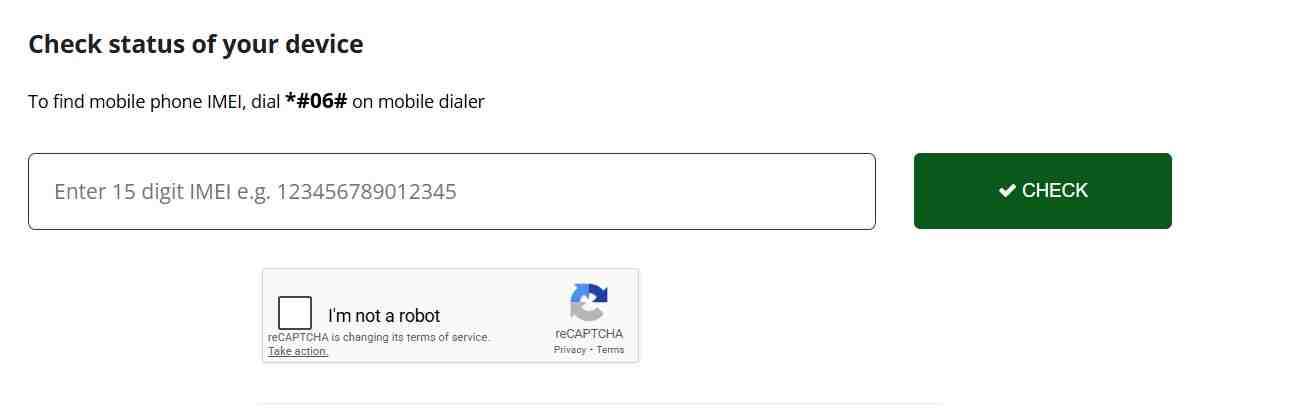
Table of Contents
Understanding Why PTA Compliance Matters
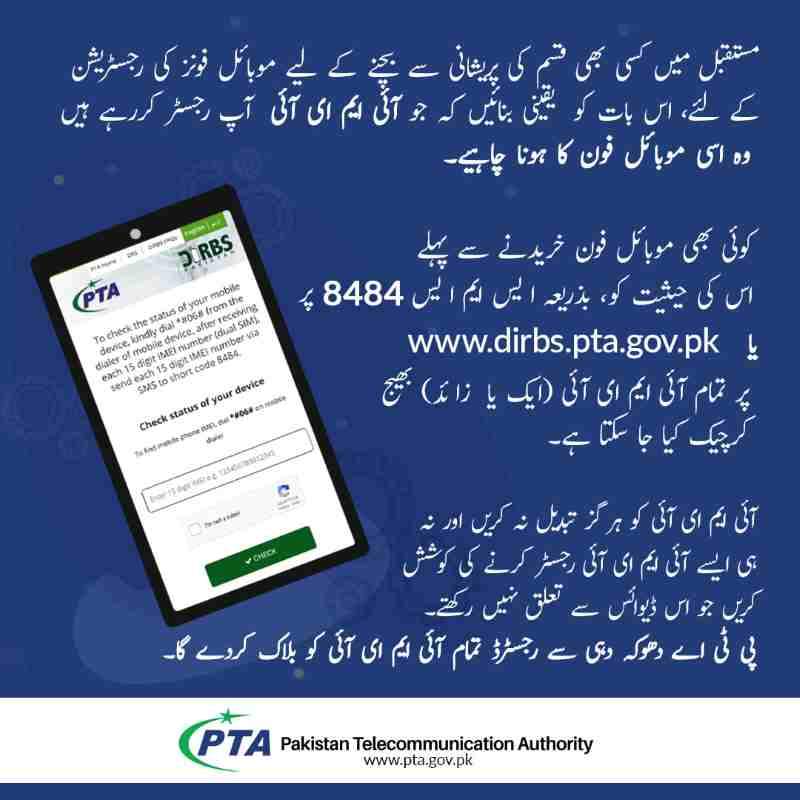
The Pakistan Telecommunication Authority operates a sophisticated system called DIRBS that monitors every mobile device connecting to local networks. This system automatically detects and tracks all IMEI numbers active on Pakistani cellular networks. When your phone first connects using a local SIM card, DIRBS records its IMEI and initiates a compliance check against government databases. The primary purpose involves protecting consumers from counterfeit devices, preventing mobile phone smuggling, and ensuring all imported devices contribute appropriate taxes to the national exchequer. Without this system, the local mobile phone market would face unfair competition from illegally imported devices, and consumers would have no protection against stolen or cloned phones.
How DIRBS Technology Enforces Mobile Phone Regulations
The Device Identification Registration and Blocking System operates through continuous monitoring of network traffic. Every time your phone communicates with a cell tower, its IMEI number transmits along with the signal. DIRBS aggregates this data and cross-references it against a master database containing information about all legally imported and registered devices. When the system identifies an unregistered IMEI, it flags the device for further action. Network operators receive automated instructions from DIRBS regarding which IMEIs to allow or block on their infrastructure. This technological enforcement happens automatically without human intervention, which explains why compliance is absolutely mandatory rather than optional.
The Grace Period Mechanics Explained
When a non-compliant device first appears on Pakistani networks, DIRBS initiates a 60-day countdown. During this period, the phone functions normally, and users receive periodic SMS reminders about the approaching deadline. The system sends these reminders at regular intervals, typically at 45 days, 30 days, 15 days, and finally 7 days before the block executes. Understanding this timeline helps you plan your tax payment without last-minute rush. The countdown begins from the first network connection, not from your date of arrival in Pakistan. Therefore, a phone activated immediately upon landing will have a different deadline than one activated weeks later.
Consequences of Ignoring Registration Requirements
Devices that remain unregistered after the 60-day grace period face permanent blocking from all Pakistani mobile networks. This block affects every operator, meaning no SIM card from any company will function in that device. The phone essentially becomes a Wi-Fi-only device, useless for calls, texts, or mobile data. Law enforcement agencies also maintain lists of blocked IMEIs, and possession of a blocked phone may trigger questions about its origin. Additionally, selling or purchasing blocked phones constitutes an offense under Pakistani law, potentially leading to legal complications for both parties involved.
Protection Against Counterfeit and Stolen Devices
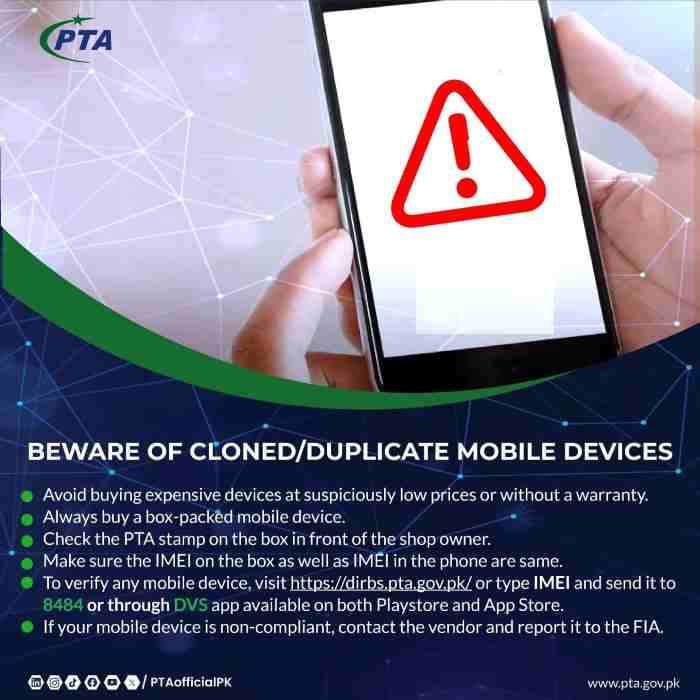
The PTA approval system serves as Pakistan’s primary defense against counterfeit mobile phones flooding the local market. Authentic devices from manufacturers like Apple, Samsung, and Oppo have unique IMEI structures that DIRBS recognizes as valid. Counterfeit phones either duplicate existing IMEIs or use invalid number patterns, both of which trigger immediate flags in the system. Furthermore, when someone reports a stolen phone, PTA adds its IMEI to a blocked database. Anyone attempting to use that stolen device triggers an alert, and authorities can trace its location through network data. This creates a powerful deterrent against mobile phone theft.
Clarifying CPID Versus PTA Approval Confusion
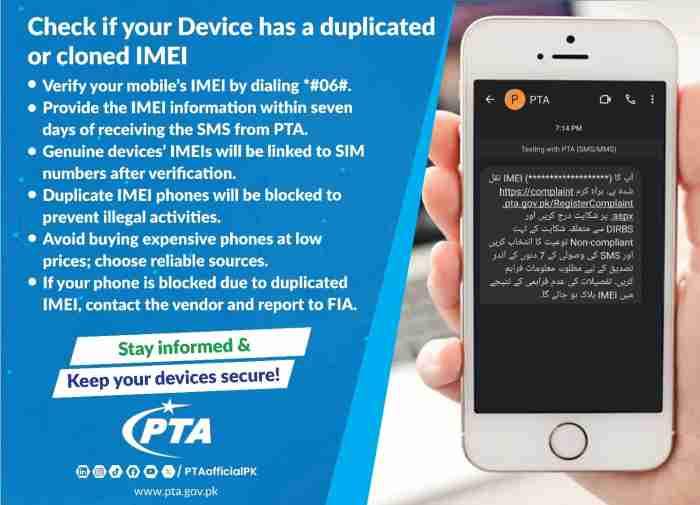
Many mobile phone sellers use the term CPID approved to confuse buyers into thinking a device has official clearance. CPID refers to the Certification of Product Identification Database, which simply means the manufacturer recognizes the device as authentic. This certification has nothing to do with Pakistani tax laws or import regulations. A phone can be perfectly genuine with valid CPID documentation yet remain completely illegal for use in Pakistan because no taxes were paid upon import. Always verify through official PTA channels rather than accepting seller claims about CPID status.
The Complete Process to Verify PTA Approval
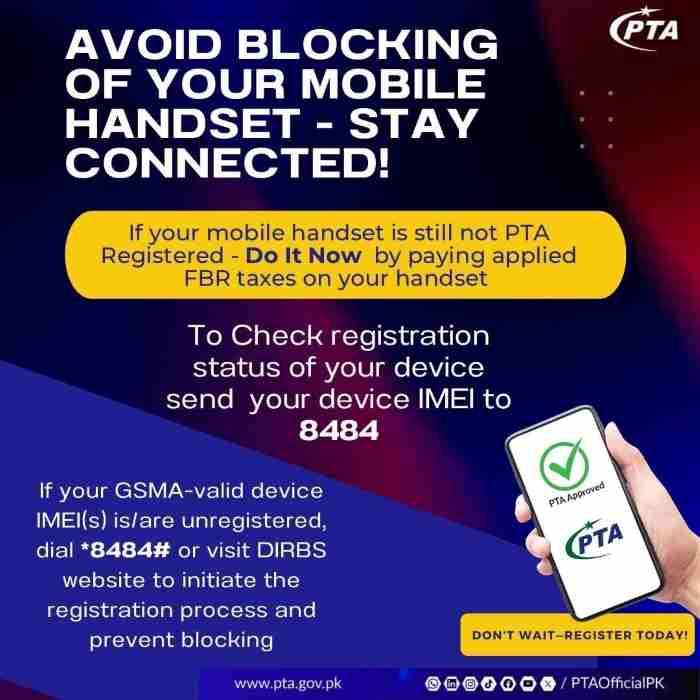
Verifying your mobile phone’s PTA approval status requires only a few minutes and access to your device’s IMEI number. The process remains consistent whether you are checking a new phone before purchase or verifying an existing device that may be approaching its deadline. Understanding each verification method helps you choose the most convenient option for your situation.
Locating Your 15-Digit IMEI Number Correctly
The IMEI number serves as your phone’s unique fingerprint, and finding it requires one of several reliable methods. Dialing *#06# on any mobile phone instantly displays the IMEI numbers on screen, making this the fastest approach for most users. For dual-SIM devices, the screen shows two separate numbers, one for each SIM slot. Alternatively, navigate through your phone’s settings menu. Android users find IMEI information under Settings, About Phone, Status. iPhone users access it through Settings, General, About. Physical methods include checking the original product box where a barcode sticker displays the IMEI, or removing the back cover and battery on older phone models to find the number printed underneath.
SMS Verification Method Detailed Steps
Sending your IMEI to 8484 remains the most popular verification method due to its simplicity and instant results. Open your messaging application and compose a new message containing only your 15-digit IMEI number. Avoid adding any text, spaces, punctuation, or explanatory notes. Send this message to 8484 and wait approximately 30 to 60 seconds for a response. The return message contains your phone’s current compliance status as recorded in the DIRBS database. This method works on any mobile network and requires no internet connection, making it accessible throughout Pakistan including areas with poor data coverage.
Web Portal Verification Through DIRBS Website
The official DIRBS website at dirbs.pta.gov.pk provides comprehensive verification with additional details not available through SMS. Navigate to the homepage where you will find a prominent search bar labeled for IMEI entry. Type your 15-digit number carefully, double-checking for any typing errors, then click the submit button. The system displays your device’s complete status including model name, manufacturer, and current compliance level. If your phone requires tax payment, the website also shows the estimated amount due, providing valuable information before you begin the registration process.
Understanding DIRBS Status Messages
The DIRBS system returns specific status messages that require proper interpretation to determine your next steps. Compliant status indicates your device has completed all registration requirements and taxes are fully paid, allowing unrestricted network access. Valid status appears for genuine devices that have not yet paid taxes, confirming you remain within the 60-day grace period. Non-Compliant status means your device has no valid grace period and faces immediate or impending blocking. Stolen or Blocked status indicates the device was reported stolen or blocked due to fraudulent activity, and using such a device carries legal risks.
Mobile App Verification Benefits

The PTA Device Verification System app available on both Google Play Store and Apple App Store offers additional convenience through barcode scanning functionality. Download and install the free application, then choose between manual IMEI entry or using your camera to scan the barcode on your phone’s packaging. The app connects directly to DIRBS databases and returns results formatted for easy mobile reading. Push notifications can alert you if your device status changes, helping you stay informed about approaching deadlines or completed registrations.
Dual-SIM Device Verification Requirements
Phones with two SIM slots contain two separate IMEI numbers, both requiring individual verification for complete compliance. When using the SMS method, send two separate messages to 8484, one for each IMEI, and await separate responses for each. The web portal allows entering both numbers simultaneously through a dual-IMEI input field. Both numbers must show Compliant status for the entire device to function legally. If only one IMEI is registered, the corresponding SIM slot will eventually stop working while the other continues operating normally.
Reporting Stolen Phones to Authorities
If thieves steal your mobile phone, immediate reporting to PTA prevents its misuse and may aid recovery efforts. Visit your nearest police station to file a First Information Report documenting the theft with your IMEI number. Obtain a certified copy of this FIR, then contact PTA through their helpline or website to report the IMEI as stolen. The authority adds your device to the blocked database, rendering it useless on all Pakistani networks. This action protects your personal data and creates a disincentive for phone theft, as stolen devices become worthless for local use.
Comprehensive PTA Tax Calculation Guide
The PTA tax calculation process involves multiple government agencies and varies based on several factors including your device’s value, your residency status, and whether you register on a passport or CNIC. Understanding these variables helps you estimate costs accurately before committing to a phone purchase.
Tax Calculation Components Explained
Mobile phone taxes in Pakistan comprise several distinct components that combine to form your total payment. Customs duty applies based on the device’s assessed value at the time of import, calculated as a percentage of this value. Regulatory duty adds another layer of taxation on imported electronics. Sales tax currently stands at 18 percent of the total value including duties. Income tax may apply at a small percentage depending on your filer status. The FBR determines the base value for each phone model through regular valuation rulings that consider international prices, depreciation for used devices, and market conditions.
Customs Valuation Process for Mobile Phones
The Directorate General of Customs Valuation periodically issues updated rulings establishing official values for all mobile phone models. These valuations serve as the foundation for all tax calculations. For brand new devices fresh from the factory, valuations typically reflect international wholesale prices plus shipping costs. Used phones receive depreciated values based on their age and condition, with rulings specifying exact amounts for each model in various conditions. Recent valuation updates have significantly reduced taxes on used premium phones by assigning more realistic values based on current market prices rather than original launch prices.
PSID Generation Step-by-Step
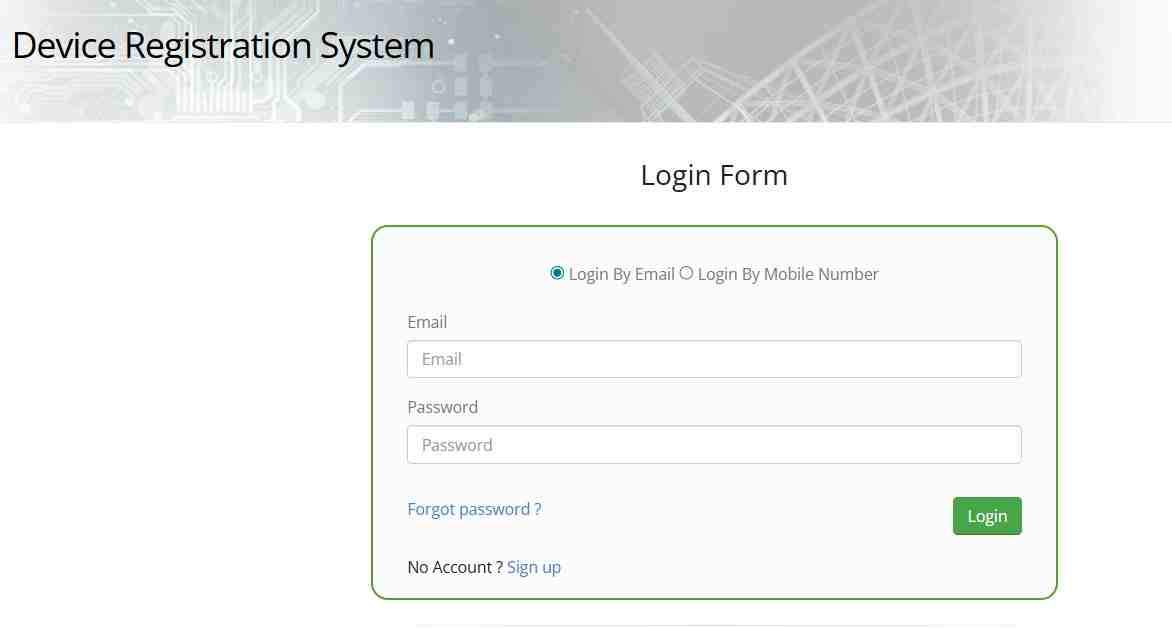
Generating a Payment Slip ID represents the first practical step toward paying your mobile phone taxes. Visit the DIRBS portal at dirbs.pta.gov.pk/drs and create an account using your CNIC, NICOP, or passport number. Complete the registration process by providing your contact information and creating login credentials. After logging in, select the option for device registration or obtaining a Certificate of Compliance. Enter your IMEI number carefully, verify the device details displayed, and confirm your application. The system calculates your exact tax amount based on current valuations and generates a unique 24-digit PSID valid for payment.
Using Online Tax Calculators Wisely
Various websites offer PTA tax calculator tools that estimate costs based on phone model and specifications. These calculators provide useful estimates when shopping for phones or budgeting for imports. Enter your desired phone brand and model, select its condition as new or used, and the calculator returns an estimated tax range. However, remember these figures represent approximations only. Actual tax amounts depend on your specific IMEI and current FBR valuations, which calculators cannot access. Always treat calculator results as estimates and generate an official PSID for the binding amount.
Why Tax Amounts Sometimes Exceed Phone Prices
Many users express shock when discovering PTA taxes exceeding their phone’s purchase price. This situation typically occurs when FBR valuations remain high despite market price drops for older models. A phone purchased used for forty thousand rupees might carry an official valuation of eighty thousand rupees based on older rulings. Tax calculations use this higher official value, resulting in payments approaching or exceeding your actual cost. Additionally, cumulative duties and taxes can easily reach 30 to 50 percent of the declared value, compounding the total amount due. Checking current valuations before purchasing used phones helps avoid unpleasant surprises.
Current Tax Rates and Model-Specific Examples
Understanding tax rates for specific phone models helps you make informed purchasing decisions and budget appropriately for registration costs.
Tax Slab Structure Based on Phone Value
The FBR organizes mobile phone taxes into slabs based on customs value, with higher-value phones falling into progressively more expensive categories. Phones valued under thirty dollars pay approximately fifteen hundred rupees in total taxes. Devices between thirty and one hundred dollars face taxes around forty-five hundred rupees. The one hundred to two hundred dollar bracket carries taxes near thirteen thousand rupees. Phones valued between two hundred and three hundred fifty dollars incur taxes around thirty-one thousand six hundred forty rupees. The three hundred fifty to five hundred dollar range requires approximately fifty-four thousand four hundred fifty rupees. Devices exceeding five hundred dollars in value face variable taxes often exceeding eighty thousand rupees depending on exact specifications.
iPhone Tax Estimates by Model
Apple iPhones consistently fall into higher tax brackets due to their premium positioning and high customs values. The iPhone 15 Pro Max, even as a used device based on recent depreciation schedules, typically falls within the two hundred to three hundred fifty dollar bracket, resulting in passport registration taxes around thirty-one thousand six hundred forty rupees. Newer models like the iPhone 16 series command higher valuations, potentially reaching the three hundred fifty to five hundred dollar bracket with taxes exceeding fifty-four thousand rupees. The exact amount varies based on storage capacity, condition, and current valuation rulings effective at your registration time.
Samsung Galaxy Tax Estimates by Model
Recent valuation updates have made Samsung flagship phones significantly more affordable to register. The Samsung S23 Ultra currently carries a customs value around two hundred fifty-five dollars, placing it in the thirty-one thousand six hundred forty rupee tax bracket. The S23 Plus and S22 Ultra both value near one hundred sixty dollars, falling into the thirteen thousand rupee bracket. The standard S23 and S22 models value around one hundred forty dollars and eighty dollars respectively, with corresponding taxes of thirteen thousand and forty-five hundred rupees. Older flagships like the S21 and Note 20 value under sixty dollars, incurring taxes of only forty-five hundred rupees, making them extremely attractive used purchases.
Budget Phone Tax Estimates
Entry-level smartphones and basic feature phones benefit from the lowest tax brackets due to their modest values. Devices like the Samsung A-series entry models or basic Nokia phones typically value under thirty dollars, incurring taxes around fifteen hundred rupees. Mid-range devices from brands like Oppo, Vivo, and Tecno often fall into the thirty to one hundred dollar bracket with forty-five hundred rupee taxes. This tiered structure ensures that affordable phones remain accessible while premium devices contribute proportionally higher tax revenues.
Passport Versus CNIC Registration Strategies
Choosing between passport and CNIC registration represents one of the most financially significant decisions in the PTA approval process.
Understanding Registration Method Differences
The Pakistani government distinguishes between returning residents bringing personal devices and local residents acquiring phones within the country. Passport registration applies to individuals entering Pakistan with phones for their personal use during their stay. CNIC registration applies to Pakistani citizens permanently residing in the country who purchase or import phones for long-term use. This distinction matters because tax structures differ significantly between these categories, with passport registration typically attracting lower rates.
Cost Comparison Between Passport and CNIC
A phone falling into the two hundred to three hundred fifty dollar tax bracket illustrates the dramatic difference between registration methods. Passport registration for such a device costs approximately thirty-one thousand six hundred forty rupees. CNIC registration for the identical phone may exceed fifty thousand rupees, representing a savings of nearly twenty thousand rupees simply by choosing the appropriate registration category. This difference stems from government policies encouraging returning Pakistanis and foreign visitors to bring personal devices while maintaining higher taxes on devices entering the permanent local market.
Overseas Pakistani Special Registration Benefits
Pakistanis living abroad enjoy unique advantages when visiting home with their mobile devices. The 120-day temporary registration facility allows overseas Pakistanis to use their phones completely tax-free for up to four months per visit. Activate this facility through the DIRBS portal by selecting the temporary registration option, entering your passport details, and providing your IMEI number. The system registers your device for 120 days without any payment. After this period expires, you must either pay full taxes for permanent registration or face network blocking. This facility renews on each visit, providing ongoing benefits for frequent travelers.
Duty-Free Allowance for International Travelers
All international travelers entering Pakistan may bring one mobile phone duty-free as part of their personal baggage allowance. This concession applies to phones intended for personal use during your stay, not devices meant for sale or gifting to others. The duty-free allowance automatically connects to the temporary registration system, granting 120 days of tax-free use. Travelers planning longer stays should understand that the duty-free period expires after 120 days, after which permanent registration becomes necessary.
Annual Registration Limits on CNIC
To prevent commercial misuse of personal import allowances, PTA limits how many phones an individual can register on a single CNIC annually. The exact limit varies based on current policies but typically restricts individuals to one or two devices per year. Exceeding this limit triggers automatic flags in the system, potentially requiring you to justify the additional devices or pay higher commercial duty rates. These limits protect legitimate importers while discouraging individuals from acting as unofficial phone importers.
Step-by-Step Tax Payment and Registration Process
Completing your PTA registration requires following a specific sequence of steps to ensure successful payment and compliance.
Generating Your PSID Correctly
The Payment Slip ID generation process requires careful attention to detail to avoid errors that delay your registration. Log into your DIRBS account and navigate to the device registration section. Enter your IMEI number exactly as displayed on your phone, double-checking each digit for accuracy. The system displays your device details including model name and manufacturer for verification. Confirm these details match your actual phone before proceeding. The system then calculates your exact tax and generates a unique PSID valid for a limited period, typically 7 to 15 days. Note this PSID along with its expiry date for payment planning.
Payment Methods Available
Multiple payment channels accept PSID payments, offering flexibility based on your preferences and access. Online banking through any major Pakistani bank allows PSID payment from your computer or mobile banking app. Navigate to the bill payment or government payment section, select PSID payment option, enter your 24-digit number, and confirm the amount before authorizing transfer. ATMs accepting government payments provide another convenient option, simply select bill payment from the main menu and follow prompts to enter your PSID and payment amount. Bank branches accept cash or cheque payments by submitting a deposit slip with your PSID details. Mobile wallets like JazzCash and Easypaisa also offer PSID payment functionality through their apps.
Verifying Payment Success
After making your tax payment, allow 24 to 48 hours for the system to process and verify the transaction. During this period, your DIRBS account shows the status as payment received or processing. You can also check your device status by sending its IMEI to 8484, which returns an updated status once processing completes. A confirmation SMS from PTA arrives on your registered mobile number when registration finalizes. Keep this SMS as proof of compliance for future reference.
Post-Payment Unblocking Timeline
Previously blocked devices typically restore network access within 24 to 48 hours after successful payment processing. During this window, restart your phone occasionally and reinsert your SIM card to trigger network reconnection attempts. If your device remains blocked beyond 48 hours after receiving confirmation SMS, contact your network operator’s customer service for assistance. Operators can sometimes manually refresh your device’s status in their systems to accelerate unblocking.
Troubleshooting Common Registration Problems
Even with careful attention, users occasionally encounter issues during the PTA approval process. Understanding common problems and their solutions helps resolve them quickly.
Dual-SIM Registration Challenges
Registering dual-SIM phones requires paying taxes for both IMEI numbers simultaneously. Some users mistakenly pay for only one IMEI, leading to one SIM slot working while the other fails. Always verify that your PSID covers both numbers when applicable. The DIRBS portal provides a dual-IMEI input option specifically for this purpose. After payment, verify both IMEIs individually by sending each to 8484 to confirm compliance.
Verifying CNIC Usage History
You can check which phones are registered against your CNIC by logging into the DIRBS portal and accessing your profile or device history section. This verification helps identify unauthorized registrations that may indicate identity theft or fraud. If you find unfamiliar devices registered to your CNIC, immediately contact PTA to report the discrepancy and request investigation.
Addressing Wrongly Blocked Devices
Occasionally, legitimate devices get mistakenly blocked due to system errors or database inconsistencies. If your paid and confirmed device remains blocked, gather your documentation including PSID payment receipt, confirmation SMS, and IMEI number. Contact your network operator first, as they can sometimes resolve the issue locally. If operator assistance fails, file a formal complaint with PTA through their website or helpline, providing all supporting documentation for investigation.
WeBOC System Clarification
Importers and commercial entities use the WeBOC system for customs clearance of bulk shipments. Individual consumers registering personal devices work exclusively through DIRBS, not WeBOC. Understanding this distinction prevents confusion about which system applies to your situation. DIRBS handles all individual registrations while WeBOC manages commercial import processes.
Frequently Asked Questions
How can I check if my mobile is PTA approved via SMS?
Type your complete 15-digit IMEI number in a new text message without any additional words or symbols. Send this message to 8484. Within one minute, you will receive a reply containing your device’s current approval status from the PTA database.
What is the code to check PTA registration status instantly?
The universal code to display your IMEI is *#06#, which works on all mobile phones. For checking registration status, use the IMEI displayed and send it via SMS to 8484 for the fastest results without internet requirements.
How do I find my 15-digit IMEI number on Android and iPhone?
On both platforms, dialing *#06# instantly displays your IMEI numbers on screen. Alternatively, Android users navigate through Settings, About Phone, Status. iPhone users access IMEI through Settings, General, About where it appears alongside other device information.
How much is the PTA tax on an iPhone 15 Pro Max?
Based on current depreciation schedules for used devices, the iPhone 15 Pro Max typically falls into the two hundred to three hundred fifty dollar valuation bracket. Passport registration for this bracket costs approximately thirty-one thousand six hundred forty rupees. Generate a PSID using your specific IMEI for the exact binding amount.
How is PTA tax calculated for used mobile phones imported from abroad?
Customs assigns depreciated values to used phones based on their age and condition through official valuation rulings. This assigned value determines which tax bracket applies. The system then applies the appropriate duty percentages and sales tax to calculate your final amount.
Can overseas Pakistanis register their phones without paying tax?
Yes, overseas Pakistanis can register one phone tax-free for 120 days during each visit through the temporary registration facility on the DIRBS portal. After 120 days, permanent registration with full tax payment becomes necessary to avoid network blocking.
Does being a tax filer reduce the PTA mobile tax?
Tax filer status may affect withholding tax rates on some transactions, but the main components of PTA tax including customs duty, regulatory duty, and sales tax apply equally to filers and non-filers. The most significant savings come from choosing passport registration over CNIC registration.
How do I generate a PSID for PTA tax payment?
Visit dirbs.pta.gov.pk/drs and create an account using your CNIC or passport. Log in, select device registration, enter your IMEI, verify the displayed device details, and submit. The system calculates your tax and generates a unique 24-digit PSID valid for payment.
Why is my phone showing IMEI is valid but not approved?
IMEI valid confirms your phone is genuine and recognized by the system. Not approved means taxes remain unpaid. You are within the 60-day grace period and must pay immediately to prevent network blocking.
How long does it take for a phone to be unblocked after paying tax?
Network access typically restores within 24 to 48 hours after successful payment processing. You will receive a confirmation SMS from PTA when registration completes. Restart your phone periodically during this window to refresh network connections.
What is the penalty for using a non-PTA approved device after 60 days?
The penalty is complete and permanent network blocking across all Pakistani mobile operators. Your phone becomes unusable for calls, texts, and mobile data, functioning only on Wi-Fi networks.
How can I verify a phone’s PTA status via SMS?
Send your complete 15-digit IMEI number to 8484. The response message contains the official DIRBS status including whether your device is compliant, valid, non-compliant, or blocked.
What happens if I don’t pay the PTA tax within the 60-day deadline?
Your device receives a permanent network block affecting all operators. To restore functionality, you must pay the full tax amount through the proper channels, after which the block lifts within 48 hours.
How can I track my mobile registration application status?
Log into your DIRBS account at dirbs.pta.gov.pk/drs and navigate to your application history. The portal displays current status for all your registrations and PSIDs including payment verification and completion updates.
Is there a difference between DIRBS PTA tax and FBR tax?
No difference exists. DIRBS is the system implementing device registration, while FBR determines the tax rates and values. The tax you pay represents FBR taxes calculated and collected through the DIRBS platform.

Add a Comment