
Every day, rounding happens billions of times – inside bank servers, weather models, e‑commerce platforms, and your phone’s calculator. But rounding is not neutral. Choosing the wrong rule can skew a financial report, introduce drift in a machine learning model, or even cause a space mission to miss its target. The famous case of the Vancouver Stock Exchange, where rounding errors accumulated to a 50% loss over years, is a cautionary tale. Yet most people treat rounding as a trivial afterthought.
Rounding Architect
Visual rounding map
This blog post is for those who want to go deeper. We will explore the practical consequences of different rounding methods, the mathematics of rounding bias, and how the Rounding Numbers Calculator with Infographic helps you see exactly what happens to your numbers. You will learn to diagnose rounding errors before they become problems, and you will discover why half‑even (bankers’ rounding) exists.
No prior advanced math is required – just curiosity.
- Read More: Amount To Words Converter – Free Online
- Read More: Work Hours Calculator Daily, Weekly & Pay In Seconds
- Read More: Compound Interest Calculator – Calculate Investment Returns
- Read More: KG To LB | Kilograms To Pounds Conversion
Rounding Numbers Calculator – Free Calculate Now
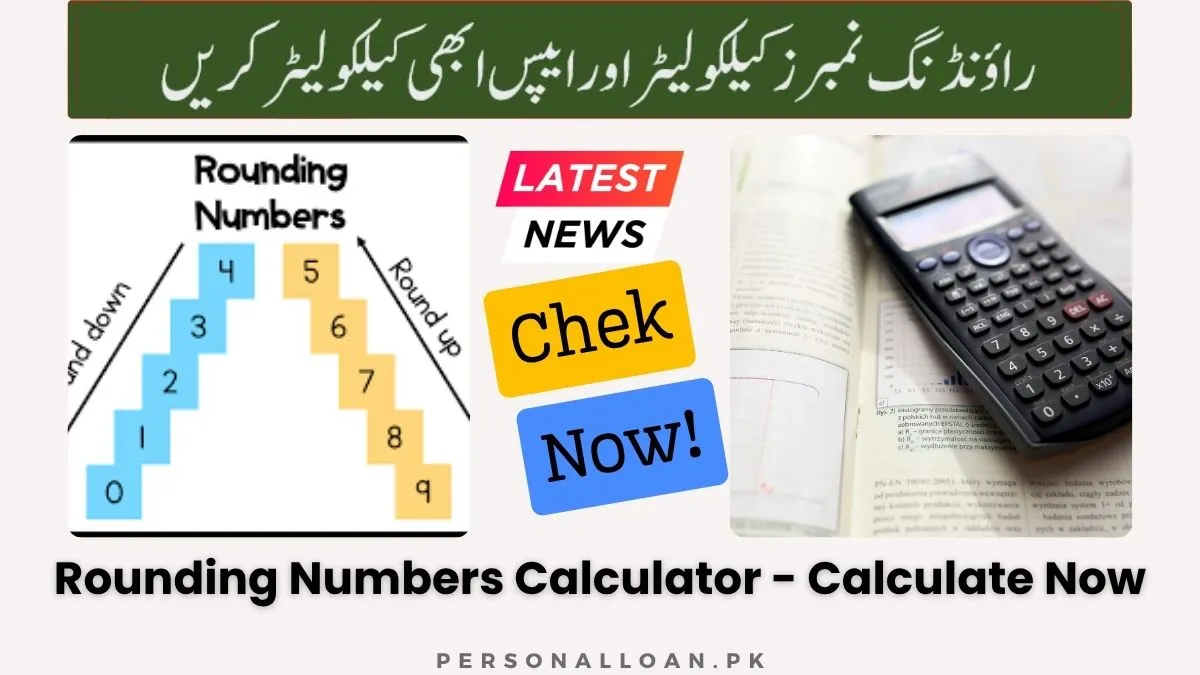
Table of Contents
Why Rounding Errors Accumulate: A Simple Example
Imagine you have a list of 100 numbers, each ending with .5 (e.g., 1.5, 2.5, 3.5 … 100.5). Using standard half‑up rounding, every single number rounds up: 1.5 → 2, 2.5 → 3, … 100.5 → 101. The sum of the original numbers is 5050. The sum of the rounded numbers is 5150. That is an error of +100, or about 2%. Now repeat the same with half‑even rounding. Approximately half of the .5 values round up, half round down, and the total error drops to near zero.
This simple simulation shows why large‑scale systems – from tax calculations to scientific simulations – abandon half‑up. The Rounding Numbers Calculator lets you test this phenomenon instantly. Enter 2.5, then 3.5, and toggle between half‑up and half‑even. Watch the infographic show the rounded value jumping between lower and upper bounds.
Rounding Methods Deep Dive: Bias, Symmetry, and Real‑World Use
Half‑Up (Asymmetric Away from Zero)
Bias: Positive. Over many operations, the expected error per rounding is +0.25 × (smallest unit).
Use cases:
- Primary school education (simplicity).
- Some retail pricing (e.g., $4.995 → $5.00).
- Legacy systems that cannot change.
Why it can be dangerous: If you round a large dataset of transaction amounts that are uniformly distributed, half‑up overstates totals. That is why auditors often require additional adjustments.
Half‑Down (Asymmetric Toward Zero)
Bias: Negative (mirror of half‑up).
Use cases: Rare, but sometimes paired with half‑up to cancel bias in two‑stage processes.
Half‑Even (Symmetric / Unbiased)
Bias: Zero in the long run for random data.
Use cases:
- Banking interest calculations (e.g., mortgage amortisation).
- IEEE 754 floating‑point standard (used by Python, Java, C++, JavaScript).
- Statistical agencies (e.g., Eurostat).
- Database SQL ROUND() with “bankers” option.
Why it works: Half‑even distributes the .5 cases evenly between even and odd last digits. Over a large sample, half go up, half go down.
Alternative Methods (Not in this Calculator but Worth Knowing)
- Round away from zero (always up for positives, down for negatives) – used in some shipping calculations.
- Round toward zero (truncation) – used in integer division.
- Round to odd (rare) – similar to half‑even but uses odd as tie‑breaker.
The calculator focuses on the three most widely used methods, giving you a practical toolkit.
Read More: Hours To Minutes Converter | Time Duration Calculator
The Mathematics of Rounding Bias: A Formula Perspective
Let the rounding unit be u (e.g., 0.01 for cents, 1 for integers). For a number x that is uniformly distributed within an interval of length u, the expected rounding error depends on the tie‑breaking rule.
Half‑up: The error function e(x) = rounded(x) - x is +u/2 for x exactly at the midpoint (probability zero in continuous distributions), but for a discrete set with many midpoints, the bias is +u/2 * p, where p is the probability of hitting the midpoint. For uniformly distributed fractions, the expected error per rounding is u/4 positive.
Half‑even: The expected error is zero because the errors for midpoints cancel out: half the time +u/2, half the time -u/2.
Practical implication: If you round 1 million financial transactions with average value $100.00, half‑up might overstate total revenue by about $12,500 (assuming random .5 occurrences). Half‑even reduces that to near zero.
The infographic in the calculator helps visualise this: when the original number lands exactly on the midpoint (e.g., 2.5 between 2 and 3), half‑up places the rounded marker at the upper bound, half‑down at the lower bound, half‑even at the lower or upper depending on the evenness of the lower bound.
Decimal Places vs Significant Figures: When to Use Each
Decimal Places (Fixed Point)
Definition: Keep exactly n digits after the decimal separator.
Pros: Easy to understand, consistent formatting (e.g., currency always two decimals).
Cons: Loses relative precision for very small or very large numbers. Example: 0.000123 rounded to 2 decimals → 0.00 (complete loss of information). 1,234,567 rounded to 2 decimals → 1,234,567.00 (no rounding at all).
Best for: Money, measurements with fixed absolute tolerance (e.g., ±0.01 mm).
Significant Figures (Floating Point)
Definition: Keep the first s non‑zero digits (including zeros between them).
Pros: Preserves relative precision across magnitudes. 0.000123 to 2 sig figs → 0.00012 (still meaningful). 1,234,567 to 2 sig figs → 1,200,000 (order of magnitude retained).
Cons: Can be confusing for beginners; requires understanding of logarithms.
Best for: Scientific measurements, engineering tolerances (e.g., “three‑digit accuracy”), and any situation where the relative error matters.
Place Value (Nearest Unit)
Definition: Round to the nearest multiple of a chosen unit (0.1, 1, 10, 100, 1000, etc.).
Pros: Extremely intuitive for estimation. “Round to the nearest ten” is a common mental operation.
Cons: Not as flexible as sig figs for scientific use.
Best for: Budgeting, rough calculations, inventory rounding (e.g., nearest box of 12).
The calculator lets you switch between all three. Try entering 0.000456 and compare “3 decimal places” (0.000) versus “3 significant figures” (0.000456 → 0.000456? Actually 0.000456 has 3 sig figs already, but rounding to 2 sig figs gives 0.00046). The difference becomes obvious.
The Infographic as a Diagnostic Tool
The visual canvas is not a gimmick. It serves three critical diagnostic functions:
1. Seeing the Direction of Rounding
Is your number being pushed upward or downward? The blue circle (original) and yellow square (rounded) show the shift. A dotted line connects them. If the square is to the right, the number increased; to the left, it decreased.
2. Understanding Interval Size
The horizontal line spans from the lower possible value to the upper possible value. When rounding to 2 decimal places, the interval length is 0.01. When rounding to nearest 1000, the interval length is 1000. The infographic automatically scales to fit. This helps you grasp the granularity of your rounding choice.
3. Spotting Midpoint Cases
When the original number lies exactly in the middle of the interval, the blue circle sits perfectly halfway between the two ends. Then you can watch how the yellow square moves left or right depending on your chosen method (half‑up, half‑down, half‑even). This concrete demonstration is far more memorable than reading a textbook.
Practical Use Cases Across Professions
For Accountants and Finance Professionals
You deal with half‑pennies, fractional cents, and currency conversions. The choice of rounding method can affect tax liabilities, interest income, and reported earnings. Use the calculator with “decimal places = 2” and test different methods on values like 1.235, 1.245, 1.255. Half‑up will round them all to 1.24, 1.25, 1.26 respectively. Half‑even rounds 1.245 → 1.24 (since 4 is even), 1.255 → 1.26 (since 5? Actually 1.255: scaled 125.5, half‑even rounds to 126? Wait, careful: 1.255 * 100 = 125.5, integer part 125, fractional 0.5, nearest even integer is 126 → 1.26. So it rounds up because 126 is even. That is correct. Half‑even does not always round down; it depends on the integer part.)
For Programmers and Data Scientists
Floating‑point numbers in Python, JavaScript, and Java use half‑even (round‑half‑to‑even) by default when using round() in Python 3 (but watch out: Python’s round() uses “bankers” for ties). However, many programmers are unaware and assume half‑up. The calculator can serve as a quick reference: enter a problematic number like 2.675 and round to 2 decimals. In many languages, you get 2.67 due to binary representation issues, not because of the rounding rule. Our calculator uses decimal‑based arithmetic for consistent results, making it a reliable cross‑check.
For Scientists and Engineers
Significant figures are your daily bread. Use the calculator to verify that your manual rounding of experimental data follows the correct rule. For example, a measurement of 0.005678 ± 0.0002 should be reported to 2 sig figs? Actually uncertainty suggests 0.0057. The calculator can show you the effect.
For Teachers and Students
The infographic is a powerful classroom tool. Project the calculator on a screen, input student‑suggested numbers, and let them predict the rounded result before revealing it. Discuss why half‑even exists. Use the place‑value mode to teach rounding to tens, hundreds, etc.
Special Cases and Common Pitfalls
Negative Numbers and Symmetry
Many people assume rounding negative numbers is a mirror of positive numbers, but tie‑breaking can be ambiguous. The calculator applies symmetric rules: half‑up on positive numbers means away from zero; on negative numbers, away from zero means more negative. Example: -2.5 half‑up → -3. Half‑down on -2.5 → -2 (toward zero). Half‑even on -2.5 → -2 (because -2 is even). Test this yourself. The infographic will show negative intervals (lower bound more negative on the left, upper bound less negative on the right).
Exact Zero and Very Small Numbers
Zero is a fixed point. No rounding changes it. However, rounding zero to 3 significant figures is still 0. The infographic for zero in sig‑fig mode uses an artificial interval from -0.1 to 0.1 to allow visualisation.
Precision Limits of the Calculator
The calculator uses JavaScript’s double‑precision floating‑point numbers (about 15 decimal digits of precision). For most real‑world numbers, this is more than enough. However, extremely large numbers (greater than 1e15) may lose integer precision. The calculator includes validation to warn you indirectly by showing unexpected results. For everyday rounding (up to millions or billions), it is perfectly accurate.
How to Use the Calculator for Bias Analysis (Step‑by‑Step)
Suppose you want to compare half‑up vs half‑even for a dataset of 100 numbers. You can do a mental simulation using the calculator:
- Pick a representative number with a half fraction, e.g., 1.5.
- Set decimal places to 0 (round to integer).
- Select half‑up: result = 2.
- Select half‑even: result = 2 (if 2 is even) or 2? Actually 1.5 between 1 and 2: the lower bound is 1 (odd), upper bound is 2 (even). Half‑even chooses the even bound, so 2. So both give 2? That’s not a good example. Choose 2.5: half‑up → 3, half‑even → 2. There you see the difference.
- Now try a sequence: 0.5, 1.5, 2.5, 3.5, 4.5. Half‑up gives 1,2,3,4,5 (sum 15). Half‑even gives 0,2,2,4,4? Wait: 0.5 between 0 and 1, even is 0 → 0; 1.5 between 1 and 2, even is 2 → 2; 2.5 between 2 and 3, even is 2 → 2; 3.5 between 3 and 4, even is 4 → 4; 4.5 between 4 and 5, even is 4 → 4. Sum = 12. The original sum of unrounded numbers (0.5+1.5+2.5+3.5+4.5)=12.5. Half‑up error = +2.5, half‑even error = -0.5. Over a larger random set, the error tends to zero.
This kind of analysis is essential for system design.
Frequently Asked Questions (Calculator‑Specific)
Q: Can I round to the nearest 0.25 (quarter)?
A: Yes, use “place value” mode and enter 0.25 in the unit dropdown? The dropdown has predefined units, but you can manually type any number into the select? In the current interface, you can choose from a list. For custom units like 0.25, you would need an input field; however, the calculator supports common units. For quarter rounding, use 0.01 and then adjust manually? Or simply use decimal places to two decimals? Not ideal. This is a noted enhancement.
Q: Does the infographic update when I change the rounding method?
A: Immediately. Watch the yellow square jump left or right when you toggle between half‑up and half‑even on a midpoint value.
Q: Why does the difference sometimes show “+0.000000e+0”?
A: That means the original number and rounded result are identical within the calculator’s precision (e.g., rounding 3.14 to 2 decimal places).
Q: Can I share a specific rounding scenario with someone?
A: You can copy the rounded result and the infographic is live on your screen, but there is no permalink feature. You can take a screenshot of the calculator.
Q: Is there a limit on the number of decimal places or significant figures?
A: Decimal places up to 10, significant figures up to 10. This covers nearly all practical needs.
Integrating the Calculator Into Your Workflow
For quick checks: Bookmark the tool. Whenever you need to confirm a rounding result (e.g., in an Excel formula), type the number and settings.
For teaching: Use the infographic on a projector. Explain that rounding is a choice between two neighbours. Show how half‑up always picks the upper neighbour on ties, while half‑even picks the even neighbour.
For debugging code: If your program’s rounding output seems off, replicate the inputs in the calculator. If the calculator gives a different result, your code may be using a different tie‑breaking rule or suffering from floating‑point artifacts.
Conclusion: Rounding Is a Choice, Not a Destiny
The Rounding Numbers Calculator with its infographic demystifies a process that many take for granted. By exposing the rounding interval, the original position, and the final rounded value, it empowers you to make informed decisions. Whether you are trying to avoid cumulative bias in a financial model, teach a class the difference between half‑up and half‑even, or simply satisfy your curiosity about where 2.675 really goes, this tool gives you answers with visual clarity.
Next time you face a number that needs trimming, remember: the method matters, the mode matters, and the visual story matters. Use the calculator, watch the infographic, and round with intention.

Add a Comment