
For millions of low-income families in Pakistan, the quarterly stipend from the Benazir Income Support Programme (BISP) is a critical determinant of health, nutrition, and overall family stability. The transition to the BISP SIM Wallet, a digital account secured by biometric data and linked to a personal SIM card, represents a fundamental shift in how this social protection reaches the most vulnerable.
This comprehensive guide will help you understand the following:
- The Health and Welfare Connection: Why a secure digital payment is a cornerstone of family well-being.
- Eligibility and Required Documentation: Ensuring your household meets the criteria for this essential support.
- The Step-by-Step Registration and Biometric Verification Process: What to expect at your local BISP center.
- Managing Your Digital Wallet: How to check balances, withdraw funds safely, and troubleshoot common issues.
- Protecting Your Benefits: How to identify official channels and avoid fraud that threatens your financial security.
Essential Insights: Your Roadmap to a Secure BISP Wallet
- Financial Health is Family Health: Direct, secure payments mean you can consistently afford nutritious food and medical care, breaking the cycle of poverty-related illness.
- Your SIM is Your Key: The mobile SIM card must be biometrically verified in your own name. It is the only key that unlocks your digital wallet and your benefits.
- Biometrics Guarantee Dignity: Your fingerprint is your personal signature, ensuring that you, and only you, can access your full Rs. 13,500 stipend without interference.
- The System is Designed for You: From Union Council registration desks to partner agents in local markets, the infrastructure is being built to bring financial services to your doorstep.
- Free and Secure is the Only Rule: Official registration and all related services are provided at no cost. Any request for payment is a red flag and a threat to your resources.
- Knowledge is Power: Understanding the process protects you from scams and empowers you to claim your rights confidently.
- Read More: BISP 8171 Eligibility Check (CNIC Check by SMS) | March
- Read More:BISP 13500 Payment Status Check | BISP New Payment [March]
- Read More: BISP 8171 Online Check Balance | February
BISP 8171 Digital Wallet and Its Impact on Family Welfare
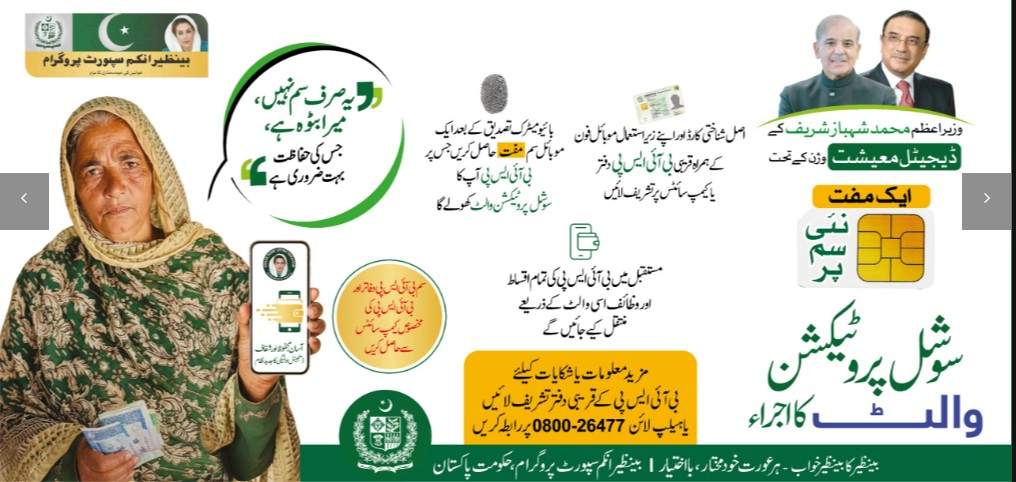
Table of Contents
What is the BISP SIM Wallet Registration and Why Is It a Public Health Priority?
BISP SIM Wallet registration is the formal process of enrolling in a digital payment system that links a beneficiary’s biometrically-verified CNIC to a dedicated mobile wallet, ensuring the direct transfer of cash stipends. This is not merely an administrative update. It is a public health intervention designed to remove the social and economic barriers that prevent the poorest households from fully benefiting from cash transfer programs.
The connection between direct cash transfers and family health is well-established.
- Consistent Nutrition: When a mother receives her full stipend on time, she can plan and purchase nutritious food consistently, reducing the risk of child stunting and malnutrition.
- Access to Healthcare: Reliable funds mean she can afford transportation to a clinic, purchase prescribed medicines, and seek medical care without delay.
- Reduced Maternal Stress: The stress of financial uncertainty and the physical strain of traveling to distant cash camps have direct negative impacts on maternal mental and physical health. The digital wallet alleviates this burden.
- Investment in Children: With secure and accessible funds, families are more likely to invest in children’s education and health check-ups, breaking the intergenerational cycle of poverty.
- Empowerment and Agency: When a woman has direct control over her household’s financial resources, her decision-making power within the family increases, leading to better health and educational outcomes for her children.
How Does the New BISP 8171 SIM Update Change the Beneficiary Experience?
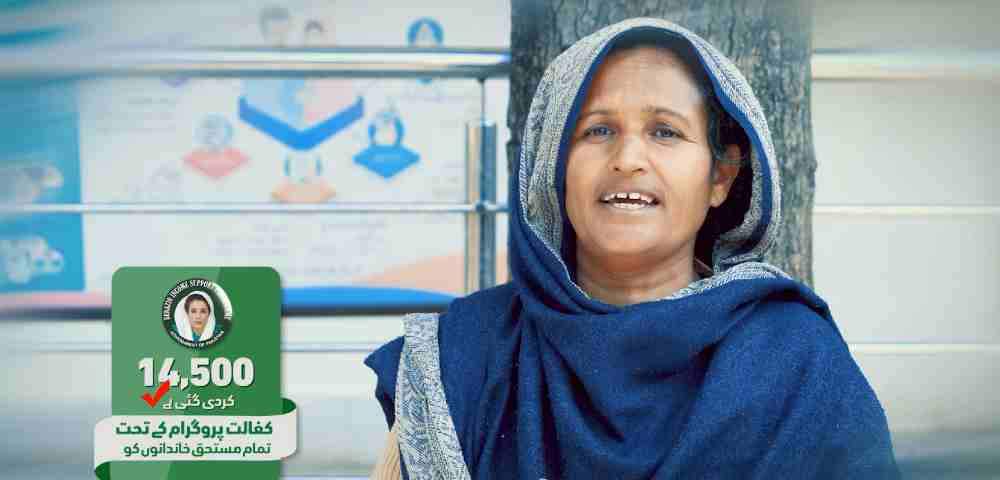
The fundamental change is a shift from a passive, often stressful, recipient experience to an active, empowered one. Previously, a beneficiary was a claimant at a distant cash camp, subject to the system’s schedule and the integrity of agents. The new system transforms her into an account holder with direct control.
Here is a comparison of the old and new beneficiary experiences:
| Aspect of Experience | Old System (Cash Camps) | New System (Digital Wallet) |
|---|---|---|
| Role of Beneficiary | Passive claimant, waiting in line | Active account holder, making choices |
| Interaction with System | High-stakes, one-time event at a distant camp | Ongoing, low-stress relationship with personal funds |
| Access to Funds | Fixed date and location only | Anytime, anywhere via agents, ATMs, or banks |
| Control Over Funds | Subject to agent deductions and delays | Full control; no one can access funds without your fingerprint |
| Emotional Impact | High stress, anxiety, physical exhaustion | Reduced stress, increased sense of security and dignity |
What Are the Key Welfare Benefits of the BISP Social Protection Wallet?
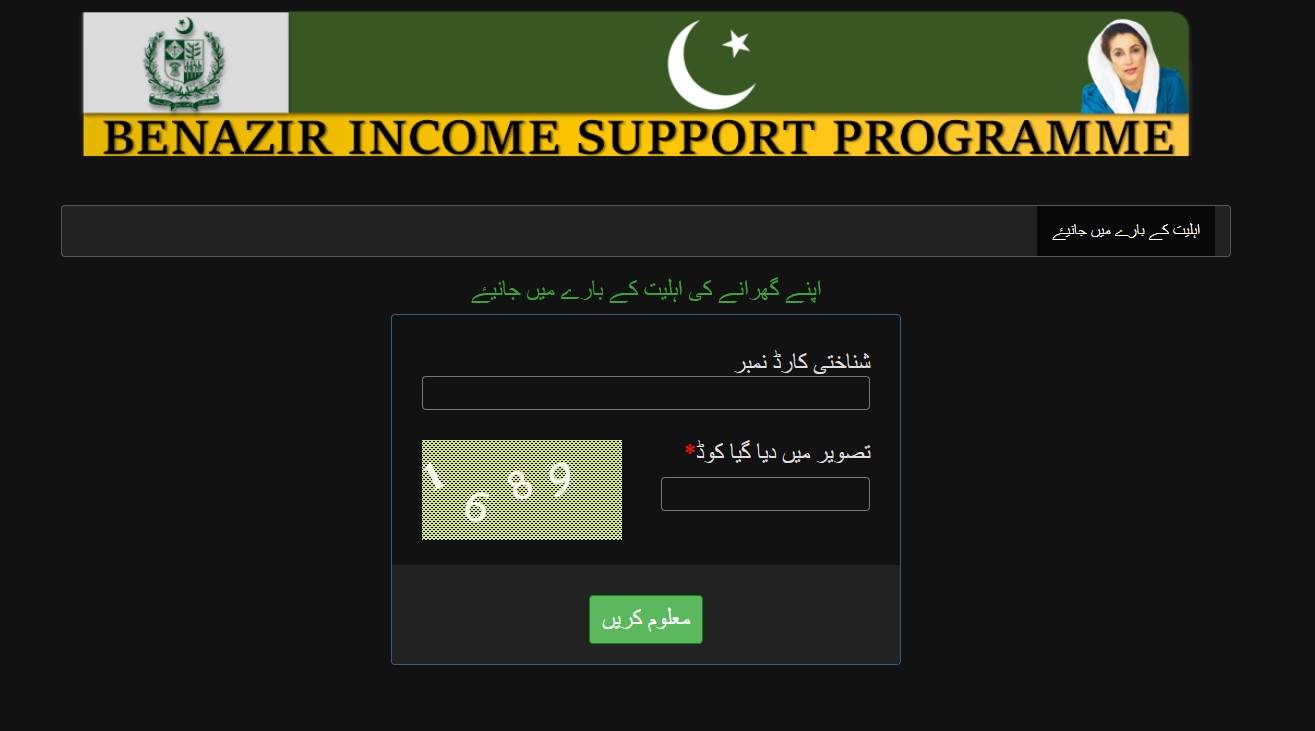
The primary welfare benefit is the guarantee of receiving the full payment amount, which directly translates to improved household food security and access to healthcare. This financial stability is the foundation upon which other welfare gains are built.
The specific welfare benefits are substantial.
- Guaranteed Full Payment: The complete Rs. 13,500 reaches the beneficiary, maximizing its potential to cover essential household needs like food, medicine, and children’s school supplies.
- Elimination of Exploitation: Illegal deductions by agents are completely eliminated, ensuring that every rupee intended for the family’s welfare is actually received.
- Enhanced Personal Safety: Women no longer need to travel long distances, often alone, with large sums of cash, significantly reducing their risk of theft and harassment.
- Time and Energy Savings: Hours or even days spent traveling to and waiting at cash camps are saved. This time can be redirected towards childcare, income-generating activities, or rest.
- Improved Mental Well-being: The reduction in financial uncertainty, travel stress, and fear of exploitation contributes directly to better mental health for beneficiaries.
- Financial Inclusion: By having a formal digital wallet, beneficiaries are introduced to the financial system, opening doors to savings, secure transfers, and other financial services in the future.
What is the Role of the BISP Chairperson in Ensuring Beneficiary Welfare During This Transition?
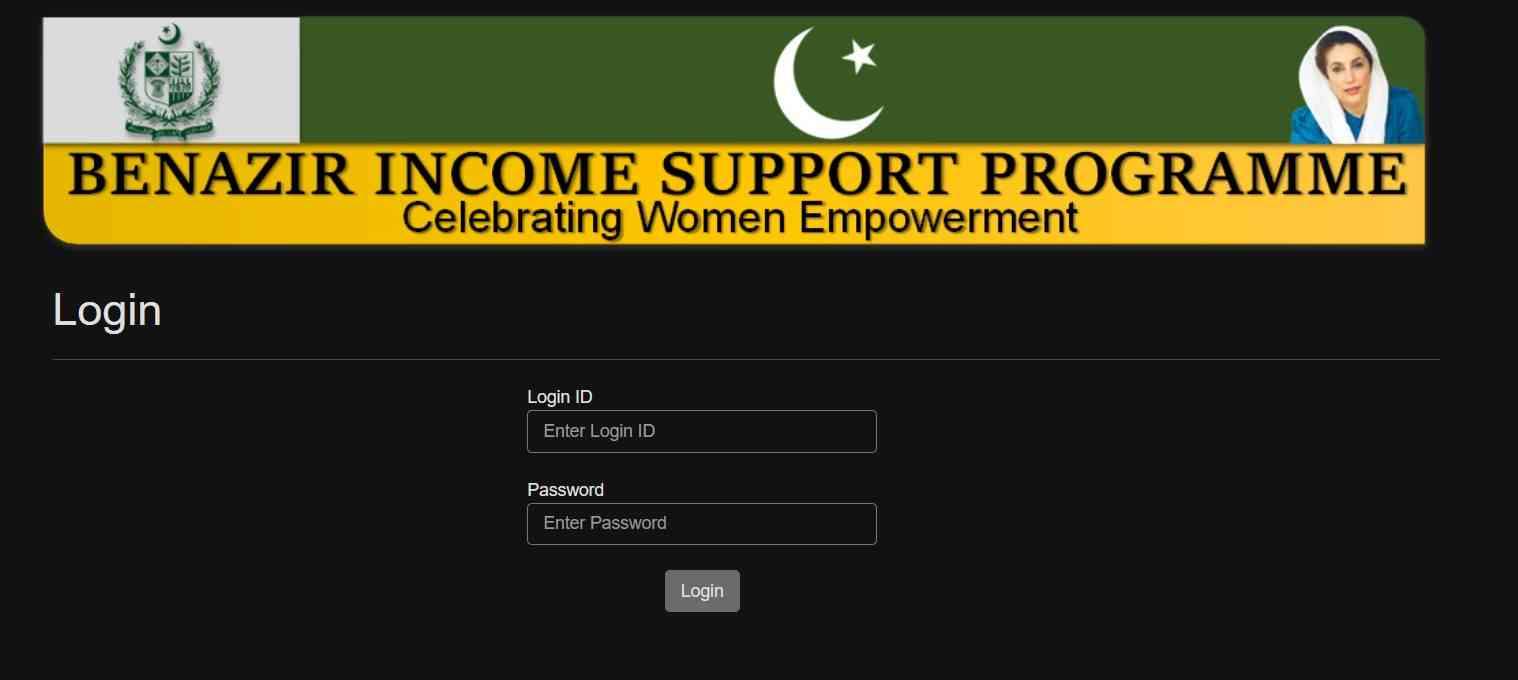
The BISP Chairperson plays a crucial leadership role in overseeing the digital transition, with a primary focus on the welfare and dignity of the beneficiaries. Their actions directly shape how smoothly and safely the new system is implemented.
Key responsibilities of the chairperson include:
- Policy Direction: Setting the overall policy framework to ensure the digital wallet serves the beneficiaries’ best interests, prioritizing security and ease of access.
- Public Awareness Campaigns: Launching nationwide awareness drives to educate beneficiaries about the new system, using radio, television, and community outreach to reach even the most remote women.
- Grievance Redressal: Establishing and monitoring a robust system for handling complaints and resolving issues faced by beneficiaries during registration and after.
- Stakeholder Coordination: Leading high-level coordination with NADRA, the State Bank, mobile network operators, and partner banks to ensure seamless technical integration and service delivery.
- Oversight and Monitoring: Personally overseeing the rollout to ensure that the process remains free, dignified, and free from corruption at all levels.
Eligibility and Prerequisites for BISP SIM Wallet Registration
Who Is Eligible for the New BISP SIM Registration in 2026?
Active BISP Kafaalat beneficiaries with a valid CNIC and an up-to-date NSER (National Socio-Economic Registry) survey record are eligible for the new SIM registration. Eligibility is determined by a transparent, data-driven poverty scoring system.
To confirm your eligibility, you must meet all of the following criteria:
- Active Beneficiary Status: You must already be enrolled and receiving payments under the BISP Kafaalat program.
- Valid, Un-expired CNIC: Your Computerized National Identity Card must be current. An expired CNIC will cause registration to fail.
- Updated NSER Survey Data: Your household’s socio-economic information must be present and up-to-date in the NSER database.
- Poverty Score Threshold: Your Proxy Means Test (PMT) score must be below the government-defined eligibility threshold, which is typically below 32.
- No Conflicting Employment: Neither you nor your spouse can be a permanent employee of any government department.
- No Foreign Travel History: Families with a history of foreign travel or residence are typically excluded from the program.
Is It Mandatory to Have a SIM in My Own Name for BISP Payments?

Yes, it is absolutely mandatory. The mobile SIM used for the BISP wallet must be biometrically registered on the beneficiary’s own CNIC. This is a non-negotiable security requirement designed to protect the beneficiary’s funds and identity.
Here is why your own SIM is a strict requirement:
- Biometric Matching Requirement: The system performs a three-way match between your CNIC, your SIM’s registration data, and your live fingerprint. If the SIM is registered to another person, the match fails immediately.
- Identity Verification: Your SIM serves as a digital proof of your identity. Using your own SIM confirms that the person receiving the funds is the intended beneficiary.
- Security Against Fraud: This requirement prevents anyone else from intercepting your OTPs or transaction alerts, as they are sent to a number that belongs to you.
- How to Verify Your SIMs: You can check how many SIMs are registered against your CNIC and which numbers they are by dialing
*336#from your mobile phone. This is a free service from all mobile networks. - What If You Have No SIM? If you do not own a personal SIM, you are eligible to receive a free SIM from BISP at the registration center. This ensures no woman is excluded from the system.
What Documents Are Required for the BISP Digital Wallet Registration?
The required documents are minimal and designed to facilitate easy access for all beneficiaries, especially those in rural areas with limited access to paperwork. You must bring original documents to the BISP center.
Required documents include:
- Original Computerized National Identity Card (CNIC): Your valid, original CNIC. Photocopies are not accepted.
- Personal Mobile Phone: Your own mobile phone with your active, CNIC-registered SIM card already inserted.
- The Registered SIM Card Itself (Optional): It is helpful to have the SIM card package or know your mobile number, but the phone itself is the primary tool.
- Children’s B-Forms (If Applicable): If you are also registering or updating records for children receiving Taleemi Wazaif (education stipends), bring their original B-Forms.
What is the NSER Dynamic Survey and Why Do I Need It for Wallet Activation?
The NSER Dynamic Survey is a nationwide, door-to-door data collection effort by BISP to build and continuously update a comprehensive database of Pakistan’s socio-economic conditions. It is the foundational registry that determines eligibility for all BISP programs.
You need an updated NSER survey record for wallet activation for several critical reasons.
- Verification of Current Circumstances: Your current household status, including family size, income sources, and living conditions, must be on record to verify that you still qualify for the stipend. Your situation may have changed since you first enrolled.
- Data Accuracy for Payment: Accurate data ensures that your CNIC, address, and family composition are correctly linked to your new digital wallet, preventing payment errors.
- How to Update Your Survey: If you have never been surveyed, or if your household has changed (new marriage, children, change of address), you must visit your nearest BISP Tehsil Office. Inform them you need to complete or update your NSER Dynamic Survey. This must be done before you can register for the SIM wallet.
- Consequences of Not Updating: An outdated NSER record can lead to your eligibility being suspended or your wallet activation being delayed or rejected.
Step-by-Step: BISP SIM Wallet Registration and Activation Process
How Can I Register for the BISP SIM Wallet Online or Via SMS?
While the final registration step requires physical presence for security, the initial process of checking eligibility is conveniently done online or via SMS. This first step saves you an unnecessary trip to a BISP center.
Here is how to start the process from your home:
- Step 1: Check Eligibility via SMS
- Open your phone’s messaging app.
- Type your 13-digit CNIC number without any dashes or spaces.
- Send this message to 8171.
- You will receive an automated reply within minutes.
- Step 2: Interpret the SMS Response
- “Eligible”: Your record is clear. You should proceed to your nearest BISP Tehsil Office to complete the wallet registration.
- “Pending”: Your data is under review or requires an update. You will likely need to visit a BISP office for an NSER survey update.
- “Not Eligible”: You currently do not meet the program’s criteria. You can inquire at a BISP office for the specific reason.
- Step 3: Check via 8171 Web Portal (Alternative)
- Using any mobile browser, visit the official 8171 web portal.
- Enter your 13-digit CNIC in the designated field.
- Complete the simple captcha verification.
- Your eligibility status and any pending actions will be displayed.
- Step 4: Visit a BISP Center with Your Confirmation: Take the SMS or a screenshot of the web portal confirmation to the BISP Tehsil office along with your original CNIC.
Where and How to Visit a BISP Center for Biometric Verification?
You must visit an official BISP designated center to complete the mandatory biometric verification. This in-person step is the cornerstone of the system’s security and is designed to protect your identity and funds.
The process at the center is designed to be straightforward and respectful.
- Locate Your Nearest Center: Your nearest center is typically the BISP Tehsil Office in your district headquarters. You can also inquire at your local Union Council office for information on mobile campsites operating in your area. The 8171 helpline can also provide location information.
- What to Bring: Carry your original CNIC and your mobile phone with your registered SIM. If you need a free SIM, bring your phone but no SIM is needed.
- On Arrival:
- Approach the information desk or a registration counter.
- Present your CNIC and inform the staff you are here for “SIM Wallet Registration.”
- You may receive a token and be guided to a waiting area.
- The Biometric Verification Step:
- When your turn comes, a BISP representative will call you to their desk.
- You will place your right thumb (or all ten fingers if required) on a small, clean biometric scanner.
- The device instantly checks your fingerprints against the central NADRA database.
- Simultaneously, the system verifies that your mobile SIM is registered on the same CNIC.
- Completion: Once both checks are successful, the representative will confirm your registration is complete. You will receive a confirmation SMS on your phone from 8171 shortly.
What is the BISP Free SIM Distribution Process and Who Can Get One?
The government, in partnership with major mobile network operators, is distributing millions of free SIMs to ensure that every eligible woman who lacks a personal SIM can still participate in the digital payment system. This is a critical step towards inclusive welfare delivery.
Here is how the free SIM process works:
- Eligibility for Free SIM: You are eligible if, during your visit to the BISP center, the system checks and finds that no active mobile SIM is registered on your CNIC. The BISP representative will inform you of this.
- The Process at the Center:
- The BISP representative will flag your file for a free SIM.
- Your biometric verification (thumbprints) is taken. This data is shared securely with the mobile network operators for SIM issuance.
- You will be asked to choose a mobile network (like Jazz, Telenor, Zong, or Ufone) if available.
- A representative from the mobile network, often present at the center, will issue you a new, pre-activated SIM card on the spot.
- Wallet Linking: The BISP representative will then immediately link this new, free SIM to your newly created Social Protection Wallet before you leave the center.
- Important: This free SIM is specifically for receiving BISP payments. You can use it for regular calls and messages, but its primary purpose is to secure your financial transactions.
How to Link My CNIC with JazzCash or Easypaisa for BISP Payments?
Linking your BISP wallet to popular mobile financial services like JazzCash or Easypaisa provides a convenient interface to manage your funds, make payments, and transfer money. This step is optional but highly recommended for easier account management.
Here are the steps to link your wallet with these apps:
For JazzCash Users:
- Step 1: Download the official JazzCash app from the Google Play Store or Apple App Store, or dial
*786#from your phone. - Step 2: If you are a new user, select “Create Account.” You will be guided to register using your CNIC.
- Step 3: During or after registration, look for an option like “Link Bank Account” or “Add Account.” Select it.
- Step 4: Enter your CNIC number when prompted. The system will search for accounts linked to your ID.
- Step 5: You will likely be prompted to complete a biometric verification. This can be done through the app if your phone supports it, or by visiting a nearby JazzCash agent.
- Step 6: Once verified, your BISP wallet balance will be visible within the JazzCash interface. You can now use the funds for bill payments, mobile top-ups, or transfers.
For Easypaisa Users:
- Step 1: Download the Easypaisa app or dial
*786#for the USSD service. - Step 2: Create an account or log in using your CNIC and mobile number.
- Step 3: Navigate to the “Add Money” or “Bank Accounts” section within the app.
- Step 4: Look for an option specifically for “BISP Account” or “Link CNIC.” Select it.
- Step 5: You will be asked to verify your identity, most likely with a biometric scan via a fingerprint scanner at an Easypaisa agent or through the app.
- Step 6: Upon successful verification, your BISP wallet will be linked. You can then use the funds directly for purchases at partner stores, pay bills, or withdraw cash.
For Users Without Smartphones:
- You do not need a smartphone to access your money. You can visit any authorized JazzCash or Easypaisa retail agent.
- Provide them with your CNIC and place your finger on their biometric device.
- They will facilitate the withdrawal or transfer based on your instructions.
How to Activate My BISP Card Through My Mobile Phone?
It is important to clarify that there is no physical “BISP card” in this new digital system. The “card” is your virtual Social Protection Wallet. Activation is triggered automatically by the system upon successful biometric verification at the BISP center.
Here is what happens during and after activation:
- No Manual Activation Needed: You do not need to dial any special codes or click any links to activate your wallet. The process is handled entirely by the BISP backend systems.
- Step 1: Successful Center Visit: You complete the biometric verification at the BISP center. The system successfully matches your fingerprints and verifies your SIM ownership.
- Step 2: System Processing: This confirmation is sent from the center’s computer to the central BISP database. The database then sends a command to the partner bank or mobile wallet provider to create and activate your specific digital wallet.
- Step 3: Receive Confirmation SMS: This is your proof of activation. You will receive an SMS from 8171 that clearly states: “Your BISP Digital Wallet has been successfully activated. You can now receive your payments.”
- Step 4: Wallet is Ready: Your wallet is now active. Your next quarterly stipend will be deposited directly into this account. You can check your zero balance by sending your CNIC to 8171 to confirm it is working.
How Many Days Does It Take to Activate the BISP Digital Wallet?
Activation is typically instantaneous or completed within the same working day after your biometric verification is successfully processed at the BISP center. In the majority of cases, the confirmation SMS arrives within a few hours.
However, several factors can influence the exact timeline.
- System Load: During peak registration periods immediately following a new payment announcement, the central systems may experience high traffic, potentially causing a slight delay of up to 24 hours.
- Technical Connectivity: In some remote areas, the data connection between the BISP center and the central database might be slower, which can add a few hours to the processing time.
- Data Verification: In rare cases where there is a minor discrepancy in your data that requires a manual check, activation could take up to 48 hours.
- What to Do If Delayed:
- Wait for a full 48 hours from your visit.
- If you have still not received the confirmation SMS, return to the BISP center where you registered.
- Do not register again. Ask the staff to check your “wallet activation status” in their system. They can see if there is a block or error and help resolve it.
Managing Your BISP SIM Wallet: Payments, Balance, and Withdrawals
How Will I Receive My BISP Payment (Rs. 13,500) in the Digital Wallet?
BISP payments are transferred automatically by the central government’s financial system directly into your active and verified digital wallet. This is a fully automated process that requires no action on your part once your wallet is set up.
Here is how the payment cycle functions:
- Automatic Deposit: Once your wallet is active, the BISP system is programmed to credit your quarterly stipend (e.g., Rs. 13,500) to your digital account according to the official payment schedule.
- Quarterly Payment Schedule: Payments are typically made every three months.
- Instant Notification System: The moment the money is deposited into your wallet, you will receive an SMS alert from 8171. This message will confirm the amount credited and your new total balance.
- Funds Are Safe: The money remains securely in your digital wallet until you decide to withdraw it, use it for payments, or transfer it. There is no risk of it expiring or being reclaimed.
- No Need to Rush: Unlike the old system where you had to rush to the camp before funds ran out, your money is now always available in your personal account.
How Can I Check My BISP SIM Wallet Balance Online by CNIC?
You have multiple convenient and accessible methods to check your wallet balance, ensuring you can always monitor your funds. These methods are designed to work for both smartphone and basic phone users.
Here are the official balance check methods:
| Method | How To Do It | Best For |
|---|---|---|
| SMS to 8171 | Send your CNIC number (no dashes) to 8171. You will receive an instant reply with your balance. | All users, especially those with basic phones. It is the simplest method. |
| 8171 Web Portal | Visit the official 8171 website. Enter your CNIC and captcha code. Your payment history and balance are displayed. | Users with internet access who want a detailed view. |
| JazzCash/Easypaisa App | Open the linked app. Your total account balance, including BISP funds, is usually shown on the main dashboard. | Smartphone users who prefer a single interface for all finances. |
| USSD Code | Some partner banks or wallet providers offer a specific USSD code (e.g., *786#). Dial the code and follow the on-screen prompts. | Users with any type of phone who want a menu-driven option without internet. |
How to Withdraw Money from My BISP SIM Wallet?
Withdrawing your cash is a flexible and secure process, giving you multiple options to access your funds in a way that is most convenient for your location and schedule.
Choose the withdrawal method that suits you best.
- Option A: Authorized Retail Agents (Most Common)
- Look for shops in your local market displaying logos of JazzCash, Easypaisa, or other partner micro-finance banks.
- Inform the agent you want to withdraw cash from your BISP wallet.
- Hand over your CNIC and place your thumb on their portable biometric scanner.
- Once the fingerprint is verified by the system, the agent will give you the requested cash.
- This is often the closest access point for most beneficiaries.
- Option B: Biometric ATMs
- Find an ATM from a partner bank such as HBL, National Bank, Bank Alfalah, or UBL that has a biometric scanner.
- Insert your CNIC or select the “Biometric” option on the screen.
- Place your thumb on the scanner. The machine will read your CNIC details automatically.
- Enter the amount you wish to withdraw and collect your cash from the machine.
- Option C: Bank Branch Over-the-Counter
- Visit any branch of a bank that partners with BISP.
- Fill out a simple withdrawal slip, or tell the teller you want to withdraw from your BISP-linked CNIC account.
- Present your CNIC and complete biometric verification at the counter.
- The bank teller will hand you your cash.
- Option D: Mobile App Transfer
- Use your linked JazzCash or Easypaisa app to transfer money from your BISP wallet to a family member’s mobile account, or use it directly to pay for utility bills and mobile credit.
Can I Use My BISP Wallet for Everyday Purchases and Transfers?
Yes, once your BISP funds are deposited, your digital wallet functions just like any other mobile account or prepaid debit card. You have complete freedom to manage and use the money as you see fit, beyond just withdrawing cash.
Here are the everyday uses for your BISP wallet:
- Paying Utility Bills: Use the linked app to pay your electricity, gas, or water bills directly from your wallet. This saves you time and travel to bill payment centers.
- Purchasing Mobile Credit: You can easily buy talk time, SMS packages, or internet data for yourself or family members directly from the wallet.
- Shopping at Local Stores: Many local shops and larger retailers now accept payments through JazzCash and Easypaisa. You can pay for groceries, household items, or clothing by scanning a QR code or providing your phone number and verifying with your fingerprint.
- Sending Money to Family: You can transfer money to another JazzCash, Easypaisa, or bank account. This is a secure way to support family members living elsewhere or to make payments without handling physical cash.
- Future Features: BISP is continuously working to expand the functionality of the wallet, with plans to introduce features like direct “wallet-to-wallet” transfers between family members, making household financial management even easier.
Troubleshooting and Common Issues
Why Am I Not Receiving the 8171 Confirmation SMS?
There are several common reasons why you might not receive an SMS from 8171, ranging from simple phone issues to data mismatches. The most frequent cause is a SIM that is not correctly registered in your name.
Follow this checklist to troubleshoot the issue:
- Verify SIM Ownership (Most Common Cause): Dial
*336#from your phone. This free service will tell you the name and CNIC on which your SIM is registered. It must match your own CNIC exactly. - Check Your Phone’s Message Inbox: Your phone’s memory for SMS might be full. Delete old, unimportant messages to free up space for new ones.
- Check Network Signal: You might be in an area with poor mobile network coverage. Try moving to a different location or restarting your phone.
- Check CNIC Validity: Look at the expiry date on your physical CNIC. If it is expired, you must get it renewed at NADRA before any BISP transaction can work.
- Check for a Data Mismatch: There could be a minor spelling difference in your name between NADRA and BISP records. This requires a visit to the BISP office for correction.
What Should I Do If My BISP SIM Is Blocked or Deactivated?
If your SIM is blocked, you must visit a BISP Tehsil office in person for reverification. SIMs are typically blocked by the mobile network operator for security reasons, often at BISP’s request, to prevent fraud.
Common reasons for a SIM block include:
- Prolonged Inactivity: Not using the SIM for calls or data for an extended period.
- Security Flag Raised: The system detected unusual activity, such as multiple failed login attempts or a change in device, and blocked the SIM to protect your funds.
- Technical Error: A rare technical glitch on the mobile network operator’s side.
The Unblocking Process:
- Step 1: Go to your nearest BISP Tehsil office. Do not go to a mobile network shop first, as only BISP can coordinate the unblocking for payment-related SIMs.
- Step 2: Bring your original CNIC and the blocked SIM’s phone (if you have it).
- Step 3: Inform the BISP representative that your SIM is blocked and you cannot receive messages.
- Step 4: They will verify your identity through a fresh biometric scan.
- Step 5: Once verified, they will send a request to the mobile network operator to lift the block. This usually takes 24 to 48 hours to process.
How Do I Fix the “Invalid CNIC” or “CNIC Mismatch” Error in BISP 8171?
The “Invalid CNIC” or “CNIC Mismatch” error indicates a critical discrepancy between the CNIC number stored in the BISP system and the one on your SIM or physical card. This error must be resolved through a physical visit to an official BISP office.
Here is the step-by-step resolution process:
- Step 1: Self-Verification with NADRA: First, ensure your physical CNIC is valid and not expired. Check the expiry date on the front of the card. If it is expired, visit NADRA for renewal immediately.
- Step 2: Verify SIM Registration: Dial
*336#to confirm that the SIM you are using is registered on your exact, up-to-date CNIC number. - Step 3: Visit BISP Tehsil Office for Record Rectification:
- Go to your nearest BISP Tehsil office with your original, valid CNIC.
- Explain that you are getting an “Invalid CNIC” or “Mismatch” error.
- Ask the representative to perform a “CNIC data update” or “record rectification.”
- They will access your file in the BISP database and compare it line-by-line with your physical CNIC.
- They will correct any errors in the spelling of your name or the CNIC number itself.
- Step 4: Confirmation: Once the BISP database is corrected, the mismatch is resolved. Your SIM and wallet should now link correctly. You may need to attempt the registration process again.
What If My Biometric Verification Fails (Fingerprints Not Recognized)?
Biometric failure is a common and frustrating issue, particularly for elderly women whose fingerprints may have worn thin due to age or years of manual labor. There is a clear and established procedure to follow, and it does not mean you will be excluded.
Here is the action plan if your thumbprint is not recognized:
- Step 1: Visit NADRA First, Not BISP: Go to your nearest NADRA registration center. Explain to the staff that your biometrics are failing at the BISP center. They have specialized, high-sensitivity scanners designed to capture worn or faint fingerprints. This service is provided free of charge for BISP beneficiaries.
- Step 2: Get Your Biometrics Updated: The NADRA staff will scan your fingers and update your biometric records in the central NADRA database.
- Step 3: Obtain a Confirmation Slip: NADRA will provide you with a slip or receipt confirming that your biometric data has been successfully updated. Keep this safe.
- Step 4: Return to the BISP Center: Go back to the BISP Tehsil office, this time with your CNIC and the NADRA confirmation slip.
- Step 5: Re-attempt Verification: The BISP representative will attempt biometric verification again. With the updated data in the system, the verification should now be successful.
- Alternative Protocols: In some pilot phases, BISP is introducing iris scanning as an alternative verification method for those with permanently unverifiable fingerprints. Inquire at your BISP center if this is an option in your area.
How Do I Update My Mobile Number in the BISP Database?
You cannot update your registered mobile number online or via a phone call due to strict security protocols designed to prevent fraud and unauthorized access to your account. This must be done in person.
The procedure for updating your number is as follows:
- Step 1: Secure a New, Personal SIM: First, obtain a new SIM card with the new number you want to register. This new SIM must be biometrically verified and registered in your own name at the time of purchase. You cannot register a number that belongs to someone else.
- Step 2: Visit Your BISP Tehsil Office: Take your original CNIC and the mobile phone containing the new, registered SIM card to the BISP office.
- Step 3: Request a Number Update: Inform the BISP representative that you have changed your mobile number and need to update it in the system.
- Step 4: Identity Verification: The representative will verify your identity by scanning your thumbprint on their biometric device.
- Step 5: System Update: They will enter your new mobile number into the BISP database and link it to your CNIC and digital wallet profile.
- Step 6: Confirmation SMS: Within a short period, you will receive a confirmation SMS from 8171 on your new mobile number, confirming the update was successful.
Can I Change My Mobile Network Provider?
Yes, you can change your mobile network provider, but you must follow the correct procedure to ensure your BISP payments are not disrupted. The key requirement remains that the new SIM must be registered on your own CNIC.
Here is the correct way to change your network:
- Scenario A: You Want to Keep the Same Number (Porting)
- You can use Mobile Number Portability (MNP). Visit the customer service center of the network you want to switch to.
- Request to port your existing number to their network.
- You will receive a new SIM card, but it will have your old phone number.
- Once the new SIM is activated (which requires biometric verification), your BISP wallet will continue to work seamlessly with the same number. No further action is needed.
- Scenario B: You Want a Completely New Number
- Purchase a new SIM from your chosen network. Ensure it is biometrically verified in your name.
- This new number must be treated as a “mobile number update.”
- Follow the steps in the previous FAQ (“How Do I Update My Mobile Number…”) by visiting a BISP center to register this new number against your CNIC.
- The Risk: If you change your number without updating BISP, you will stop receiving payment alerts. More critically, the system may flag your account as inactive due to a non-responsive number, which could potentially delay future payments.
What Happens If I Lose My Phone or SIM Card?
Losing your phone or SIM card requires immediate action to protect your funds and restore your access to the BISP system. Your money is safe because it requires your fingerprint to withdraw, but securing your phone line is the priority.
Follow these steps immediately:
- Step 1 (Immediate): Block the SIM Card
- Immediately call your mobile network operator’s customer service helpline. You can find the number on their official website or on any old bill.
- Provide your CNIC and the phone number that was lost. Ask them to block the SIM card immediately. This prevents anyone from using that number to receive OTPs or attempt to access your accounts.
- Step 2 (As Soon as Possible): Get a Duplicate SIM
- Visit your network provider’s nearest official franchise or customer service center with your original CNIC.
- Request a “duplicate SIM” for your lost number.
- You will need to complete biometric verification.
- They will issue you a new SIM card with the exact same phone number.
- Step 3: Restore Service
- Insert the new, duplicate SIM into your old phone (if you find it) or a new phone. Your service will be restored.
- Step 4: BISP Access Restored: Since your phone number is the same, your BISP wallet will function normally again. You do not need to inform BISP for a duplicate SIM.
- Safety Note: Your wallet funds are protected. Even if someone had your old SIM, they would need your fingerprint to withdraw cash from an agent or ATM.
Security, Fraud Prevention, and Official Channels
How to Identify Fake BISP Registration Messages and Scams?
Scammers frequently target BISP beneficiaries with sophisticated fake messages and websites designed to steal personal information or money. Knowing how to identify official communication is your most powerful tool for protection. The absolute golden rule is that BISP only communicates through the short code 8171.
Here are clear, non-negotiable signs of a scam:
- The Sender’s Number: Any message regarding your BISP registration, payments, or account updates that comes from a 10-digit mobile number (like 03XXXXXXXXX) or any number other than 8171 is 100% fake. BISP does not use standard phone numbers for official alerts.
- Requests for Money: BISP will never, under any circumstances, ask you for a fee, processing charge, or “advance payment” to register your SIM, activate your wallet, or release your funds. The entire process is completely free.
- Requests for Your PIN or OTP: BISP will never ask for your wallet PIN, online banking password, or the One-Time Password (OTP) sent to your phone. No legitimate organization will ever ask for these. They are the keys to your money.
- Fake Websites: Scammers create websites that look almost identical to the real 8171 portal. Always double-check the web address (URL) carefully. The only official website ends with .gov.pk.
- Too-Good-To-Be-True Offers: Any message promising you an extra bonus, an immediate payment, or asking you to click a link to claim a reward is a scam designed to steal your information.
Is There a Fee for BISP SIM Registration or Wallet Activation?
No. The BISP SIM registration, wallet activation, and all associated government services are completely free of charge. This is a state-funded social welfare program, and no private individual or entity is authorized to collect money for it.
Here is what you need to know about costs:
- Free SIM Card: If the system determines you do not own a personal SIM, you are eligible to receive a new SIM card free of charge at the BISP registration center. You should not pay anyone for it.
- Free Registration Services: The biometric verification, account setup, and data processing at all BISP offices and designated campsites are provided at no cost to the beneficiary.
- Free Helpline: Calling the official BISP helpline at 0800-26477 is a free call from any phone.
- How to Report Fraud: If any person—whether a neighbor, a local agent, a caller, or anyone at a camp—asks you for money to “fast-track” your registration, “unblock” your wallet, or “ensure” your payment, they are a fraudster.
- Do not pay them.
- Report them immediately by calling the BISP helpline at 0800-26477. Your report can help protect other women.
How to Report a Complaint or Get Help for BISP Wallet Issues?
If you encounter any issues with your SIM wallet, payments, or suspect fraudulent activity, you have several official and accessible channels to seek help. Using the correct channel ensures your complaint is addressed efficiently.
Here are the official support channels available to you:
- BISP Helpline: 0800-26477
- This is the primary, toll-free contact number for all beneficiaries.
- Call from any phone to speak with a trained operator who can answer queries, register complaints, and provide guidance on various issues.
- Official BISP Website: www.bisp.gov.pk
- Visit the website for official announcements, program details, and contact information.
- Look for the “Complaint” or “Contact Us” section to find online forms or email addresses for specific departments.
- 8171 SMS Service
- You can continue to use the SMS service to send your CNIC to 8171 for basic eligibility checks and balance inquiries.
- In-Person Visit to BISP Tehsil Office
- For complex, unresolved issues like persistent biometric failure, CNIC mismatches, or SIM blocks, visiting your nearest BISP Tehsil office in person is the most effective solution.
- Bring your original CNIC. Speaking face-to-face with a BISP representative often leads to the fastest resolution.
Advanced Information and Future Updates
What Are the Phase-Wise District Coverage for the Digital Wallet SIM?
The BISP digital wallet is being rolled out in a phased manner across all districts of Pakistan. This gradual approach allows the government and its partners to manage the transition smoothly, train staff, and resolve technical issues before expanding to new areas.
The rollout strategy is generally as follows:
- Phase 1: Pilot and Major Urban Centers
- This initial phase covered the largest cities to test the system: Karachi, Lahore, Islamabad, Rawalpindi, Faisalabad, Peshawar, Quetta, and Muzaffarabad.
- The goal was to test the technology and processes in high-density areas.
- Phase 2: Expansion to District Headquarters
- The second phase expanded coverage to all district headquarters across all provinces.
- This brought the registration centers closer to beneficiaries in smaller cities and large towns.
- Phase 3: Nationwide Coverage (Current and Ongoing)
- The final phase aims to cover all remaining tehsils and union councils, including remote and rural areas.
- Mobile registration campsites are often deployed in these areas to reach beneficiaries who live far from permanent centers.
- How to Know If Your Area is Covered: You do not need to know your district’s “phase.” The simplest way to find out is to visit your nearest BISP Tehsil office. If your district is live, they will process your registration. If not, they can inform you when the service is expected to arrive in your area.
How Does the BISP Wallet Integrate with the Taleemi Wazaif (Education Stipends)?
The BISP wallet is designed as a unified financial hub for all benefits a family receives from the program, including the Taleemi Wazaif (education stipends) for children. This integration simplifies financial management for mothers.
Here is how the integration works in practice:
- Single Wallet, Multiple Streams: Your BISP SIM Wallet is the single account where all funds are deposited. You do not receive a separate wallet for education stipends.
- Automatic Addition: When your eligible children’s quarterly education stipend is released, the funds are automatically added to your primary wallet balance.
- Separate, Trackable Records: While the money is in one place, the BISP system tracks the sources separately. When you check your transaction history via the 8171 portal or an SMS detail, you will see individual line items: “Kafaalat Qist” and “Taleemi Wazaif.”
- Combined Withdrawal: You can withdraw the total combined amount in a single transaction. There is no need to try to keep education funds separate from the main stipend. The total amount in your wallet is your money to manage for your family’s needs.
What is the BISP Dynamic Registry and How Does It Relate to the Wallet?
The BISP Dynamic Registry is the modern, continuously updated database system used to register new beneficiaries and keep the information of existing ones current. It is the gateway to the BISP program, and an up-to-date record in the Registry is a prerequisite for having a digital wallet.
The relationship is simple and sequential:
- Registry as the Foundation: The Dynamic Registry is the source of truth. It holds your verified identity, household composition, and poverty score (PMT). This data determines if you are eligible for any BISP support.
- Wallet as the Tool: The digital wallet is the financial tool used to deliver the support. It is the payment mechanism.
- The Necessary Link: For your digital wallet to be created and activated, the system first checks your record in the Dynamic Registry. If your data is missing, outdated, or contains errors (e.g., a new child not added), the wallet creation process will be halted.
- The Process: You must first ensure your record in the Dynamic Registry is accurate. If it needs updating, you do that at a BISP center. Once the Registry is updated, the system automatically allows a new digital wallet to be created and linked to your CNIC.
What Are the Latest Updates for the BISP 8171 Portal?
The official 8171 web portal is continuously being improved to provide better, more user-friendly service to beneficiaries. Recent and upcoming updates focus on mobile accessibility and providing more detailed, transparent information.
Key updates to the portal include:
- Mobile-First Design: The portal has been redesigned to work seamlessly on mobile phone browsers, making it easier for beneficiaries to check their status from any device with internet access.
- Comprehensive Payment History: Beneficiaries can now view a complete, itemized history of all transactions, showing the date and amount of each Kafaalat and Taleemi Wazaif deposit, as well as any withdrawals.
- Online Complaint Registration and Tracking: You can now submit a complaint directly through the portal and receive a unique tracking ID. You can use this ID to check the status of your complaint online without having to call or visit an office.
- Simplified Urdu Interface: Efforts have been made to simplify the language and provide more instructions and information in Urdu, making the portal more accessible to users with varying levels of education.
- BISP Center Locator: An integrated map feature helps you find the contact information and location of your nearest BISP Tehsil office, partner bank branch, or ATM.
A Case Study: From Stress to Security
The Story of Razia, a Beneficiary in Rural Punjab
Razia, a widow and mother of three in a village near Sahiwal, used to dread payment days. She would wake before dawn, walk 5 kilometers to the nearest town, and wait for hours in the sun at a crowded cash camp. More than once, she was turned away because the system was down. When she did get her money, the agent always deducted a few hundred rupees as a “service charge,” money her family desperately needed for food.
When the BISP digital wallet was announced for her district, Razia was hesitant. She did not own a personal SIM and was worried about the new technology. She visited her local BISP Tehsil office with her daughter.
- The Experience: The staff was helpful. They checked her CNIC, confirmed her eligibility, and informed her she qualified for a free SIM. Her biometrics were taken, and within minutes, she was issued a new SIM and her digital wallet was activated. She received a confirmation SMS from 8171 before she even left the center.
- The Transformation: Now, when her Rs. 13,500 payment arrives, Razia gets an SMS immediately. She no longer travels to the town. Instead, she walks 10 minutes to a local shop that is an authorized JazzCash agent. She gives her CNIC, scans her thumb, and receives her full payment. The agent gets a small, official commission from the bank, not from her money.
- The Outcome: Razia now uses the extra money she saves on travel and illegal deductions to buy better food for her children. She feels a sense of control and peace she never had before. The stress of payment day is gone.
Conclusion
The BISP SIM Wallet is more than a technological upgrade; it is a profound step towards empowering Pakistan’s most vulnerable women with dignity, security, and financial control. It guarantees the full value of your stipend, eliminates the exploitation and stress of the old system, and brings essential financial services to your community.
Here is your final checklist for a successful transition:
- Verify Your CNIC: Ensure your identity card is valid and your biometrics are updated at NADRA.
- Secure a Personal SIM: Make sure you have an active SIM card registered in your own name. If not, get a free one from BISP.
- Complete Your Registration: Visit your nearest BISP Tehsil office to complete the biometric verification and activate your wallet.
- Stay Informed: Trust only 8171 for information and protect your PIN and OTP at all times.
This system is designed for you. It puts the power of the stipend back in your hands, ensuring that every rupee intended for your family’s well-being reaches you safely and on time. Take the first step today.
Disclaimer: This information is provided for public awareness based on official BISP policies. Program details, payment amounts, and procedures are subject to change by the Government of Pakistan. For the most current and personalized information, please use the official 8171 SMS service or contact the BISP helpline at 0800-26477.
Frequently Asked Questions (FAQs)
How can I register for the BISP SIM Wallet?
You can register by first sending your CNIC to 8171 to check eligibility. If eligible, visit your nearest BISP Tehsil office with your original CNIC and a mobile SIM that is biometrically registered in your own name. You will complete fingerprint verification at the center to activate your wallet.
Is it mandatory to have a SIM in my own name for BISP?
Yes, it is absolutely mandatory. The BISP system links your CNIC, your SIM registration, and your fingerprint. If the SIM is not in your name, the three-way verification fails, and you cannot register or receive payments.
How do I check my BISP SIM Wallet balance?
You can check your balance by sending your CNIC number via SMS to 8171. You can also check it on the official 8171 web portal by entering your CNIC, or through any linked mobile financial app like JazzCash or Easypaisa.
What should I do if my BISP SIM is blocked?
If your SIM is blocked, you must visit your nearest BISP Tehsil office with your original CNIC. The BISP staff will verify your identity through biometrics and send a request to the mobile network operator to unblock it.
Can I receive BISP payments through JazzCash or EasyPaisa?
Yes, you can link your BISP digital wallet to your JazzCash or Easypaisa account. This allows you to view your balance, make payments, and transfer funds through the app. You can still withdraw cash from agents and ATMs without linking.
How do I update my mobile number in the BISP database?
You must visit a BISP Tehsil office in person to update your mobile number. Bring your original CNIC and the mobile phone with the new, CNIC-registered SIM. The representative will verify your identity and update the system.
Why am I not receiving the 8171 confirmation SMS?
Common reasons include the SIM not being registered in your name, an expired CNIC, a full phone inbox, or poor network signal. Verify your SIM ownership by dialing *336# and check your CNIC’s expiry date.

Add a Comment