
Waiting for your national identity card can feel like watching paint dry—except the stakes are much higher. Without a valid CNIC, you cannot open a bank account, activate a SIM card, process property documents, or receive BISP payments. The National Database and Registration Authority processes millions of applications annually, and its tracking system serves as the critical link between your application submission and the moment you hold your card. This comprehensive guide walks you through every available method to monitor your NADRA application status, from the traditional SMS service to the newly upgraded Pak-ID app with real-time verification history features.
What you will learn in this guide:
- The exact step-by-step process for SMS tracking using the 8400 short code
- How to use the new Pak-ID app version 5.4.2 with Verification History feature
- Detailed breakdown of every status message and what it means for your application
- Solutions for common tracking problems including “invalid ID” errors and no-reply issues
- Special procedures for overseas Pakistanis tracking NICOP applications
- How to protect your personal information using new data monitoring tools
Key Takeaways
- SMS Tracking Remains Reliable: Send your tracking ID to 8400 for instant updates without internet. Each message costs approximately Rs. 10 plus tax, and the service works on all Pakistani mobile networks 24/7.
- Pak-ID App Now Shows Verification History: Version 5.4.2 introduces a game-changing feature that lets you see which organizations accessed your CNIC data, when, and for what purpose—giving you unprecedented control over your digital identity.
- Thirteen-Digit Tracking IDs Are Standard: Most current NADRA applications use 13-digit tracking numbers found on your receipt. Always verify the exact format on your specific receipt before sending queries.
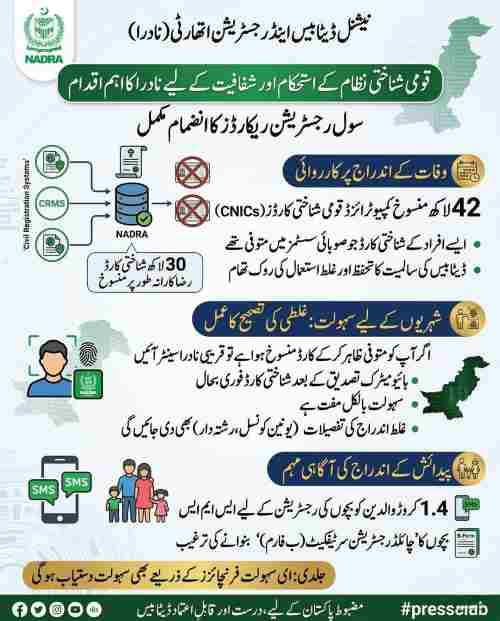
- Data Accuracy Affects More Than Your Card: Mismatched NADRA records can block BISP payments, delay vehicle transfers, and prevent SIM card activations. Regular tracking helps catch errors early.
- Read More: NADRA FRC Fee Update | FRC Online Apply (Normal+Urgent)
- Read More: NADRA Office Timing | NADRA Working Hours (All Cities Today)
- Read More: NADRA Tracking ID Check SMS | CNIC Tracking | NICOP, POC, FRC
NADRA ID Card Tracking Pakistan (Track Application Via SMS)
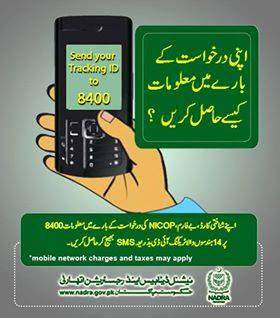
Table of Contents
Understanding the NADRA Tracking Ecosystem in 2026
The National Database and Registration Authority has transformed its tracking infrastructure from a simple status-checking tool into a comprehensive identity management ecosystem. When you submit any application at a NADRA Registration Center or through the Pak-ID mobile app, the system generates a unique tracking identifier that serves as your digital key throughout the processing lifecycle. This identifier connects to NADRA’s centralized database, which maintains real-time records of every verification, processing stage, printing operation, and dispatch event.
The tracking ecosystem now encompasses far more than just application status. With the recent launch of the Identity Data Monitoring App and the Verification History feature in Pak-ID version 5.4.2, citizens can monitor exactly how their identity information is being used across public and private sector organizations. This represents a fundamental shift from passive status checking to active identity management, putting control back in the hands of citizens.
For the millions of Pakistanis who depend on NADRA documents for daily life—from SIM card activations to bank account openings to social welfare payments—understanding the tracking system is not merely convenient. It is essential for ensuring timely document delivery and protecting against identity misuse.
What Is the Official NADRA Tracking Service Called?
The official tracking service operates under several recognized names that all connect to the same centralized system:
- NADRA Pak Identity Tracking: The formal name used on official documentation
- NADRA ID Card Tracking Pakistan: The complete descriptive title
- Pak ID tracking: The simplified consumer-facing name
- NADRA tracking ID check SMS: The technical designation for SMS-based queries
- www.nadra.gov.pk tracking portal: The web-based access point
- NICOP Tracking: Specialized service for overseas Pakistanis
All these names refer to the same database accessible through official NADRA channels including the website, mobile app, and SMS short code 8400.
Why Has NADRA Developed Multiple Tracking Channels?
NADRA developed multiple tracking channels to address the diverse needs of Pakistan’s population:
Accessibility requirements:
- Citizens in remote areas without internet connectivity need SMS options
- Smartphone users benefit from app-based features and notifications
- Elderly citizens may prefer helpline assistance
- Overseas Pakistanis require international accessibility
Technical capabilities:
- Basic phones support SMS only
- Smartphones enable rich app experiences
- Computers provide detailed web portal access
- Tablets offer intermediate viewing options
Information depth needs:
- Quick status checks work best via SMS
- Detailed history requires app or web access
- Urgent inquiries need helpline response
- Multiple application management suits portal access
Which NADRA Documents Can You Track Through the System?
The tracking system accommodates every document type issued by NADRA:
| Document Type | Full Name | Primary Users |
|---|---|---|
| CNIC | Computerized National Identity Card | Pakistani citizens over 18 |
| NICOP | National Identity Card for Overseas Pakistanis | Pakistanis living abroad |
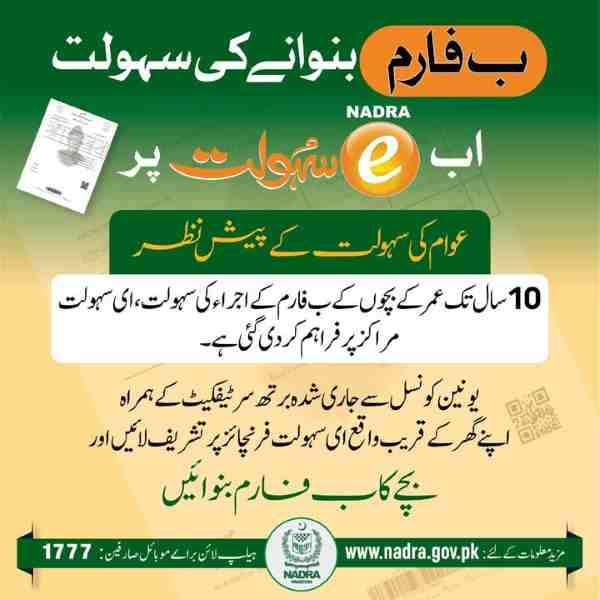
| B-Form | Child Registration Certificate | Children under 18 |
| SNIC | Smart National Identity Card | Citizens opting for chip-enabled cards |
| POC | Pakistan Origin Card | Foreign nationals of Pakistani origin |
| FRC | Family Registration Certificate | Families needing documented proof |
| CRC | Child Registration Certificate | Alternative name for B-Form |
Each document type generates a unique tracking ID upon application submission, enabling identical tracking procedures across all categories.
How to Track Your NADRA Application Via SMS to 8400
The SMS tracking method remains the most accessible option for citizens without smartphones or reliable internet connections. This service requires only a basic mobile phone and works across all Pakistani networks.
Follow these exact steps for successful SMS tracking:
- Open your mobile phone messaging application
- Create a new message with no subject line
- Type your complete tracking ID exactly as shown on your receipt
- Verify you have entered only digits with no spaces, hyphens, or additional text
- Send the message to the official NADRA short code 8400
- Wait for the automated response which typically arrives within 30 seconds
- Read the status message which confirms your application’s current stage
- Save the response for future reference if needed
The entire process takes less than one minute and requires no technical expertise beyond basic phone operation.
What Information Must You Send to 8400 for Successful Tracking?
The SMS system requires only your tracking ID and nothing else:
Correct information:
- Your complete tracking ID number
- Digits only, exactly as printed on your receipt
- Current active mobile number with sufficient balance
Information to never include:
- Your CNIC number
- Your name or father’s name
- Your date of birth
- Any explanatory text like “status” or “track”
- Spaces, hyphens, or special characters
The system is programmed to recognize pure numeric strings. Adding any extra information confuses the automated processor and results in error messages or no response.
Is the 8400 SMS Service Available 24 Hours Daily?
Yes, the SMS tracking service operates continuously without interruption:
- 24/7 availability: Send queries at any hour including midnight, weekends, and public holidays
- Instant processing: Automated systems respond immediately regardless of time
- No maintenance windows: The service runs continuously without scheduled downtime
- Peak hour reliability: System capacity handles millions of daily queries without slowing
This round-the-clock availability ensures you can check your application status whenever convenient, whether during work breaks, late nights, or holiday periods when NADRA physical offices remain closed.
Which Mobile Networks Support the 8400 Tracking Service?
All major Pakistani mobile networks provide access to the 8400 short code:
- Jazz: Full support with standard SMS rates
- Telenor: Complete functionality on all packages
- Zong: Unrestricted access for all subscribers
- Ufone: Full service availability nationwide
- Warid: Merged with Jazz, service continues uninterrupted
- SCOM: Limited availability in special areas
Network compatibility extends across all regions of Pakistan, from major cities to remote rural areas, ensuring universal access to tracking services.
What Is the Cost of Using the SMS Tracking Service?
The SMS tracking service carries a nominal fee structure:
- Base charge: Rs. 10 per SMS sent to 8400
- Government taxes: Additional applicable taxes as per current rates
- Total deduction: Approximately Rs. 11-12 depending on tax rates
- Balance requirement: Sufficient funds must be available before sending
- No refund policy: Fee charged regardless of response receipt
The service is not free, but the modest cost provides instant access to application status without requiring internet connectivity or smartphone ownership.
Do You Need to Format Your Tracking ID with Spaces or Hyphens?
Never add formatting characters to your tracking ID when sending SMS queries:
Incorrect formats to avoid:
- 12345-67890 (includes hyphen)
- 12345 67890 (includes space)
- TID-1234567890 (includes letters and hyphen)
- 1234-5678-90 (multiple hyphens)
Correct format required:
- 1234567890 (continuous digits only)
- 9876543210 (no separators)
- 1122334455 (pure numeric string)
The automated system expects a continuous digit string. Formatting characters trigger “invalid tracking ID” error responses and prevent status retrieval.
What Happens If You Lose Your Tracking ID Before Checking Status?
Losing your tracking ID does not permanently block access to your application status:
Immediate recovery steps:
- Search your email inbox for NADRA confirmation messages
- Check SMS history for any tracking ID texts from NADRA
- Review the Pak-ID app application history section
- Log into the online portal to view past applications
In-person recovery:
- Visit the NADRA center where you submitted your application
- Bring your original CNIC or passport for identification
- Request a duplicate receipt from the records section
- Pay any applicable duplicate receipt fee if required
Helpline assistance:
- Call 1777 from any Pakistani mobile
- Provide your CNIC number for identity verification
- Answer security questions about your application
- Request tracking ID retrieval from the representative
Alternative NADRA Tracking Methods Beyond SMS
While SMS tracking serves as the universal option, alternative methods provide enhanced features and more detailed information for users with internet access.
How Does the Pak-ID Mobile App Improve Application Tracking?
The Pak-ID mobile app version 5.4.2 introduces revolutionary features beyond basic status checking:
New Verification History feature:
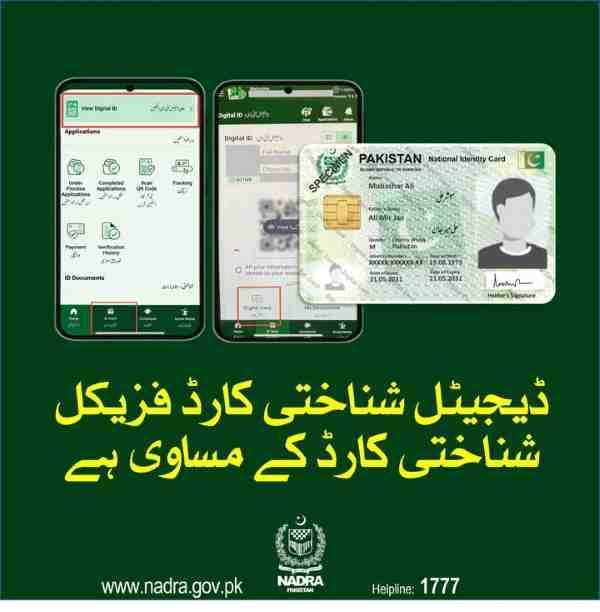
- View complete log of every organization that accessed your CNIC data
- See dates and times of each verification request
- Identify which companies, banks, or agencies checked your identity
- Report unauthorized verifications directly through the app
- Receive alerts for suspicious access attempts
Enhanced tracking capabilities:
- Real-time push notifications when application status changes
- Multiple application monitoring from single dashboard
- Detailed status breakdowns showing exact processing stage
- Estimated completion date based on current processing speeds
- Document upload status verification
Installation and setup:
- Download from Google Play Store or Apple App Store
- Install version 5.4.2 or later for full features
- Register using CNIC number and mobile number
- Complete facial biometric verification
- Access tracking dashboard immediately
The app transforms identity management from passive document tracking to active data protection.
What Can You Track Through the NADRA Online Portal?
The official NADRA website at www.nadra.gov.pk offers comprehensive tracking through its web portal:
Available tracking services:
- CNIC application status for all domestic applications
- NICOP tracking for overseas Pakistanis
- B-Form progress monitoring for child registrations
- FRC application status for family certificates
- Smart Card tracking for chip-enabled documents
Portal features:
- Detailed status information beyond SMS replies
- Application history showing all status changes
- Multiple application tracking from single login
- Downloadable status certificates if needed
- Links to related services and support
Access instructions:
- Visit www.nadra.gov.pk using any browser
- Navigate to the tracking section
- Select your document type
- Enter tracking ID and verification code
- View complete status information
When Should You Call the NADRA Helpline Instead of Using Digital Methods?
The helpline serves as the preferred option in specific situations:
Ideal helpline scenarios:
- When SMS queries return persistent errors
- If digital methods show confusing status messages
- When you need clarification about “Deferred” status
- If you suspect your application has been stuck for abnormally long
- When you need guidance on correcting application issues
- If you cannot access digital methods due to technical problems
Contact information:
- Domestic callers: Dial 1777 from any mobile
- Landline users: Call +92 51 111 786 100
- International callers: Use +92 51 111 786 100
- Operating hours: Monday to Friday, 9 AM to 5 PM
Preparation for calls:
- Have your tracking ID ready before dialing
- Keep your CNIC number accessible
- Note any error messages you received
- Prepare questions about specific concerns
Decoding Every NADRA Tracking Status Message
Understanding what each status message means helps you interpret your application’s progress accurately and take appropriate action when necessary.
What Does “Under Process” Actually Mean for Your Application?
The “Under Process” status indicates active movement through NADRA’s verification system:
What happens during this stage:
- Document verification teams review your submitted paperwork
- Information cross-checked against existing database records
- Biometric data compared with previous records if applicable
- Security checks performed to prevent fraudulent applications
- Approval workflows initiated based on document type
Typical duration by application type:
- CNIC normal processing: 15-25 days in Under Process
- CNIC urgent processing: 8-12 days in Under Process
- NICOP normal: 20-30 days in Under Process
- NICOP executive: 5-8 days in Under Process
- B-Form: 10-20 days in Under Process
- FRC: 7-15 days in Under Process
What this status does NOT mean:
- Your application is stuck or forgotten
- There are problems with your documents
- You need to take any action
- NADRA has identified issues
How Can You Tell When Your Card Has Been Printed?
Printing status messages indicate your document has entered physical production:
Printing status indicators:
- “Card Printed” confirms physical production complete
- “Printed” indicates document manufactured
- “SNIC Printed” specifies chip-enabled card completed
- “Smart Card Printed” confirms advanced features included
What printing involves:
- Photograph embedded into card surface
- Signature digitized and printed
- Biometric data encoded into chip for SNIC
- Security features like holograms applied
- Lamination and quality checks performed
Time after printing:
- Cards move to dispatch within 24-48 hours
- Collection centers receive cards within 3-5 days
- Home delivery varies by courier service
- Tracking updates continue through final delivery
Will Tracking Show When Your Card Has Been Dispatched?
Yes, dispatch status updates provide crucial delivery information:
Dispatch status messages:
- “Dispatched” confirms card left NADRA facility
- “Sent for Delivery” indicates transit to destination
- “Out for Delivery” signals final delivery attempt imminent
- “Ready for Collection” applies to center pickup options
What dispatch status tells you:
- Estimated arrival timeframe based on location
- Whether to expect home delivery or center pickup
- When to begin watching for delivery personnel
- Approximate days remaining until card in hand
Delivery preparation tips:
- Ensure someone is home during expected delivery window
- Keep original CNIC ready for identity verification
- Have application receipt available if required
- Track courier service directly if tracking number provided
What Does “Deferred” Status Mean and What Should You Do?
“Deferred” status signals your application requires attention before processing can continue:
Common reasons for deferral:
- Submitted documents incomplete or unclear
- Photograph does not meet NADRA specifications
- Biometric verification failed or unclear
- Information inconsistencies detected
- Supporting documents missing
- Signature quality insufficient
- Address verification required
- Family tree verification needed
Immediate actions required:
- Visit your nearest NADRA registration center
- Bring all original documents including CNIC
- Carry your application receipt with tracking ID
- Request clarification about specific deferral reason
- Submit corrected information or missing documents
Consequences of ignoring deferral:
- Application processing halts completely
- Card issuance delayed indefinitely
- Fee may be forfeited after extended period
- New application required in some cases
- Previous waiting time lost
Can You See Application History Through Tracking Systems?
Different tracking methods provide varying levels of historical information:
SMS tracking limitations:
- Current status only, no history
- Each query returns snapshot at that moment
- No record of previous statuses
- Cannot show when changes occurred
Pak-ID app capabilities:
- Complete status history timeline
- Dates and times of each status change
- Verification history showing who accessed your data
- Application journey from submission to delivery
- Archive of all past applications
Online portal features:
- Basic history showing major milestones
- Status change dates available
- Application timeline visualization
- Downloadable history reports
Troubleshooting Common NADRA Tracking Problems
When tracking fails to work as expected, systematic troubleshooting can identify and resolve the underlying issue.
Why Does 8400 Sometimes Return No Reply?
Several factors can cause the frustrating experience of sending a query and receiving nothing back:
Mobile balance issues:
- Insufficient balance prevents message transmission
- Service fee deduction fails silently
- Reply cannot be sent due to negative balance
- Prepaid users most commonly affected
Network problems:
- Temporary network congestion delays responses
- Poor signal strength in your location
- Network maintenance affecting short codes
- Roaming issues for users outside home network
Technical glitches:
- SMS gateway temporary outages
- NADRA system maintenance windows
- Message queuing during peak loads
- Mobile operator filtering issues
Solutions to try:
- Check and replenish mobile balance
- Resend message after 30 minutes
- Try from different location with better signal
- Use alternative tracking method temporarily
- Contact mobile operator to check short code status
What Causes “Invalid Tracking ID” Errors?
Invalid ID errors usually indicate correctable issues rather than system problems:
Common causes:
- Typing errors in digit entry
- Transposed numbers from misreading receipt
- Using older tracking ID format incorrectly
- Including hyphens or spaces in message
- Sending letters instead of digits
- Using CNIC number instead of tracking ID
Format verification steps:
- Compare entered digits with receipt exactly
- Count digits to confirm correct length
- Verify you are not using old expired tracking ID
- Check if application was submitted too long ago
- Confirm you are using correct document type
Resolution options:
- Carefully re-enter digits watching each number
- Ask someone else to verify receipt numbers
- Try sending from different phone if possible
- Contact helpline for ID verification
- Visit NADRA center for receipt confirmation
Is There an Alternative Number If 8400 Stops Working?
While 8400 remains the official tracking short code, alternatives exist for service interruptions:
Official alternatives:
- No alternative SMS code is authorized
- NADRA does not operate backup short codes
- Other numbers claiming tracking services are unauthorized
Alternative methods when 8400 fails:
- Download and use Pak-ID mobile app
- Visit www.nadra.gov.pk online portal
- Call helpline at 1777 for assistance
- Use NADRA self-service kiosks at centers
- Email queries through official contact forms
Verification of legitimate services:
- Only use channels listed on nadra.gov.pk
- Ignore social media claims of alternative numbers
- Report fraudulent tracking offers to authorities
- Never share personal information on unauthorized platforms
Special Tracking Scenarios for Different Applicant Types
Different applicant categories face unique tracking considerations that require specialized approaches.
How Can Overseas Pakistanis Track NICOP Applications From Abroad?
Overseas Pakistanis have multiple tracking options accessible from international locations:
International SMS limitations:
- 8400 short code works only on Pakistani networks
- International roaming with Pakistani SIM may work
- Roaming charges apply in addition to service fee
- Local international SIM cards cannot access 8400
Recommended international tracking methods:
- Pak-ID mobile app works globally on any internet connection
- NADRA website accessible worldwide at www.nadra.gov.pk
- International helpline at +92 51 111 786 100
- Pakistan embassy or consulate assistance
- Email queries through overseas Pakistanis portal
NICOP-specific tracking features:
- Dedicated NICOP tracking portal on NADRA website
- Application status available in multiple languages
- Delivery tracking for international courier services
- Consular notification options for completed cards
What Tracking Options Exist for Child B-Form Applications?
Parents can monitor child registration applications through standard tracking channels:
B-Form tracking methods:
- Send child’s tracking ID to 8400 via SMS
- Use Pak-ID app with parent login credentials
- Visit NADRA website and select B-Form tracking
- Call helpline with child’s application details
Information visible in B-Form tracking:
- Child’s name and parentage verification status
- Document verification completion
- Registration number assignment when approved
- Certificate printing and dispatch status
- Collection instructions for completed B-Form
Typical B-Form processing timeline:
- Week 1-2: Initial document verification
- Week 2-3: Database entry and checks
- Week 3-4: Final approval and number generation
- Week 4-5: Certificate printing
- Week 5-6: Dispatch or collection notification
Can You Track Family Registration Certificate Applications?
Family Registration Certificate applications generate tracking IDs that work through all standard channels:
FRC tracking specifics:
- Each FRC application receives unique tracking ID
- Send ID to 8400 for SMS updates
- Check detailed status through Pak-ID app
- Monitor all family members included in certificate
What FRC tracking shows:
- Family composition verification progress
- Individual member record confirmation
- Certificate generation stage
- Printing completion status
- Delivery or collection readiness
Common FRC tracking scenarios:
- Inheritance documentation needs
- Visa application requirements
- Family tree verification
- Multiple member identity confirmation
- Official records for government purposes
Do Urgent Applications Show Different Tracking Updates?
Urgent and normal applications display identical tracking messages with different underlying timelines:
Tracking similarity:
- Same status messages appear for both categories
- Status categories are identical regardless of processing speed
- Users cannot distinguish urgency from messages alone
Timeline differences visible through tracking:
- Urgent applications move between statuses faster
- Shorter intervals between status changes
- Overall processing time significantly reduced
- Earlier completion notifications received
Expected urgent processing durations:
- CNIC urgent: 8-12 days total
- NICOP urgent: 10-15 days total
- B-Form urgent: 5-8 days total
- FRC urgent: 3-5 days total
New NADRA Features Enhancing Identity Management
Recent NADRA innovations extend far beyond basic tracking to provide comprehensive identity protection.
What Is the New Verification History Feature in Pak-ID App?
Version 5.4.2 of the Pak-ID app introduces the groundbreaking Verification History feature:
What Verification History shows:
- Complete log of every CNIC verification request
- Names of organizations that checked your identity
- Dates and exact times of each verification
- Purpose of verification when recorded
- Location of verification request if available
How this protects citizens:
- Detect unauthorized identity checks immediately
- Identify patterns of suspicious access
- Report fraudulent verification attempts
- Hold organizations accountable for data use
- Take action against identity misuse
Using the feature:
- Open Pak-ID app version 5.4.2 or later
- Navigate to Verification History section
- Review complete chronological log
- Click on entries for additional details
- Use report function for suspicious activity
How Does Identity Monitoring Prevent Fraud?
NADRA’s identity monitoring tools actively protect citizens from various forms of fraud:
Fraud prevention mechanisms:
- Real-time alerts for unusual verification patterns
- Blocking of unauthorized verification attempts
- Immediate notification of SIM card issuance attempts
- Bank account opening verification confirmation
- Passport application cross-checking
Common fraud scenarios detected:
- Identity theft attempts using stolen CNIC copies
- Fake SIM card registrations with your data
- Fraudulent bank account openings
- Unauthorized company verifications
- Suspicious government department queries
Citizen benefits:
- Early warning of identity misuse
- Ability to stop fraud before damage occurs
- Evidence collection for legal action
- Peace of mind about data security
- Control over personal information
NADRA Tracking Security Best Practices
Protecting your tracking information and identity data requires conscious effort and awareness.
Why Should You Never Share Your Tracking ID Publicly?
NADRA explicitly warns against sharing tracking IDs on social media or public platforms:
Risks of public tracking ID sharing:
- Confirms you have active NADRA application
- Reveals personal information to strangers
- Enables social engineering attempts
- Provides data points for identity thieves
- Violates NADRA terms of service
What criminals can do with tracking IDs:
- Pose as you when contacting NADRA
- Attempt to gather additional information
- Track your application progress maliciously
- Combine with other leaked data
- Target you for further scams
NADRA’s official stance:
- No status provided through social media comments
- Tracking only through official channels
- Public ID sharing not recognized as verification
- Users responsible for their own data protection
What Security Features Protect Your Tracking Information?
Multiple security layers safeguard NADRA tracking data:
SMS security:
- Limited information in responses
- No personal details revealed
- One-time status without history
- Encrypted transmission where available
App security:
- Biometric login requirement
- End-to-end encrypted communications
- Secure data storage on devices
- Automatic logout after inactivity
Portal security:
- HTTPS encryption for all connections
- Session timeout protection
- Captcha verification against bots
- IP monitoring for suspicious activity
Database security:
- Encrypted storage of all records
- Access logging for all queries
- Audit trails for data retrieval
- Regular security audits and updates
How Can You Verify Official NADRA Tracking Channels?
Ensuring you use legitimate tracking channels protects against fraud:
Official tracking methods:
- SMS to 8400 only
- Pak-ID app from official app stores
- Website at nadra.gov.pk domain
- Helpline 1777 within Pakistan
- International helpline +92 51 111 786 100
Red flags indicating fake channels:
- Requests for payment beyond official fees
- Demands for PINs or passwords
- Unusual website domains
- Unsolicited tracking offers
- Social media tracking promises
Verification tips:
- Check URLs carefully for misspellings
- Download apps only from official stores
- Never share passwords or PINs
- Confirm helpline numbers on official website
- Report suspicious contacts to NADRA
Frequently Asked Questions About NADRA Tracking
Can I track my NADRA ID card application via SMS without internet?
Yes, SMS tracking to 8400 requires no internet connection and works on any basic mobile phone. Simply send your tracking ID to 8400 and receive status updates via standard SMS.
What is the official SMS number for NADRA tracking in Pakistan?
The official short code is 8400. No other SMS numbers are authorized for NADRA tracking. Send your tracking ID to this number for instant status updates.
How many digits are in the NADRA tracking ID?
Most current NADRA applications use 13-digit tracking IDs. However, some older applications or specific document types may use 10 digits. Always check your specific receipt for exact format.
Is there a fee for sending SMS to 8400?
Yes, each SMS costs approximately Rs. 10 plus applicable taxes. Ensure sufficient balance before sending, as the fee is deducted regardless of whether you receive a reply.
What should I do if I lost my tracking ID?
Check your email for NADRA confirmation messages, search SMS history, log into Pak-ID app, visit the NADRA center where you applied, or call helpline at 1777 for assistance.
Can I track my child’s B-Form via SMS?
Yes, B-Form applications generate tracking IDs that work with the 8400 SMS service. Send the child’s tracking ID to receive status updates.
Why does 8400 say my tracking ID is invalid?
This usually indicates typing errors, including spaces or hyphens, or using the wrong number. Double-check your receipt and resend digits only without formatting.
What does “Under Process” mean in NADRA tracking?
It means your application is actively moving through verification and processing stages. This is normal and does not indicate problems or delays.
Does NADRA send automatic SMS when card is printed?
NADRA may send automatic notifications, but this is not guaranteed for all applications. Regular tracking queries to 8400 provide the most reliable status updates.
Can I track NICOP applications from abroad via SMS?
Only if you have a Pakistani mobile number with international roaming. Otherwise, use the Pak-ID app or NADRA website for international tracking.

Add a Comment