
Every mobile phone tells a unique story through a 15-digit code you have likely never noticed. That number sitting dormant in your device settings holds the key to your phone’s identity, its history, and its future. When you are about to spend hard-earned money on a used smartphone, those digits can mean the difference between a reliable device and an expensive paperweight that cannot connect to any network.
The International Mobile Equipment Identity serves as your phone’s digital fingerprint—completely unique, impossible to duplicate legitimately, and essential for everything from warranty verification to theft recovery. This comprehensive guide walks you through every possible method to locate your IMEI across any device, explains how to decode the hidden information within those digits, and shows you exactly how to use free verification tools to protect yourself before buying or selling any mobile equipment.
Essential Insights You Must Know
- Universal Access Code Works Everywhere: Dialing *#06# functions on literally every mobile phone ever manufactured, displaying your IMEI instantly without requiring a cellular connection, SIM card, or even a working screen.
- Physical Copies Provide Permanent Backup: Your IMEI appears in at least three physical locations—the SIM card tray, the original packaging box, and sometimes under the battery—making it recoverable even with a completely dead or broken device.
- Free Verification Tools Prevent Costly Mistakes: Online platforms like Dr.Fone, IMEI.info, and Swappa offer comprehensive free reports showing blacklist status, carrier locks, iCloud activation lock, and warranty coverage before you commit to any purchase.
- Regional Databases Protect Consumers Worldwide: Countries including Pakistan, Indonesia, India, and Cambodia operate official government portals where you can verify device compliance and immediately block stolen phones from accessing local networks.
- The First Eight Digits Reveal Hidden Details: The Type Allocation Code within any IMEI identifies the exact manufacturer and model, allowing you to verify whether a device actually matches its claimed specifications and detect counterfeits instantly.
- Read More: PTA Approved Check | PTA Tax Calculator
- Read More: PTA Mobile Tax List | PTA Mobile Tax Check Online
- Read More: PTA Tax Check Online | PTA Tax Check By IMEI
How To Check IMEI Number (For Free All Mobiles)
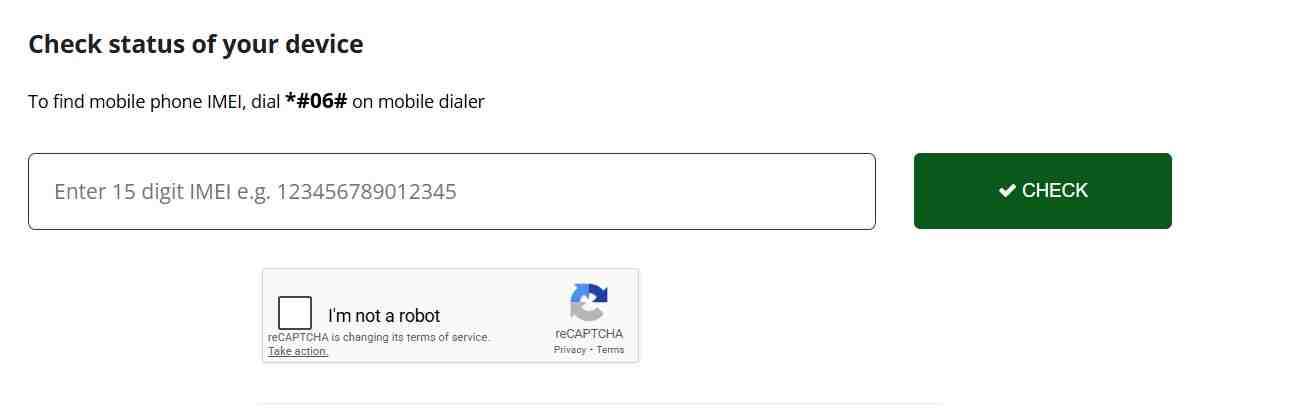
Table of Contents
Understanding IMEI Fundamentals and Why They Matter
The International Mobile Equipment Identity represents one of the most important yet widely misunderstood aspects of modern mobile technology. Every cellular device carries this unique identifier from the moment of manufacture until the end of its operational life, serving as the primary means of distinguishing one phone from another across global networks. Understanding what this number represents and how it functions within the broader telecommunications ecosystem helps consumers make informed decisions about purchases, security, and device management.
What Exactly Constitutes an IMEI Number
An IMEI is a 15-digit numeric code assigned by manufacturers to every mobile device that connects to cellular networks. This includes smartphones, feature phones, cellular tablets, LTE-equipped smartwatches, and even some Internet of Things devices that use mobile connectivity. The number is hardcoded into the device’s firmware during production, typically stored in a read-only memory area that standard software operations cannot modify or erase.
The structure follows a standardized format recognized by every carrier and network operator worldwide. The first eight digits comprise the Type Allocation Code (TAC), which identifies the manufacturer and the specific model of the device. The next six digits represent the unique serial number assigned to that particular unit during production. The final digit serves as a check digit, calculated using a mathematical formula to validate the entire number and prevent data entry errors.
How IMEI Differs from Other Device Identifiers
Many people confuse the IMEI with other numbers associated with their mobile service, but each serves a distinct purpose. The SIM card contains an Integrated Circuit Card Identifier (ICCID) and stores an International Mobile Subscriber Identity (IMSI) that identifies the subscriber to the network. These change when you swap SIM cards between devices. The IMEI, by contrast, remains permanently attached to the hardware regardless of which SIM you insert.
Serial numbers provide another point of confusion. While manufacturers use serial numbers for internal tracking and warranty purposes, these vary in format between companies and lack the global standardization that makes IMEI numbers universally useful. The IMEI follows an international standard that any carrier anywhere in the world can interpret without manufacturer-specific knowledge.
Why Mobile Networks Require IMEI Tracking
Network operators rely on IMEI numbers for several critical functions beyond simple device identification. When your phone connects to a tower, the network records both your IMSI from the SIM and your IMEI from the device. This dual recording enables carriers to maintain equipment inventories, detect stolen devices, and ensure network compatibility.
The theft prevention mechanism represents perhaps the most important consumer protection function. When you report a phone stolen with its IMEI, your carrier adds that number to a centralized blacklist. Any future attempt to connect that device to a network anywhere in the world triggers an immediate block, rendering the phone useless for calls, texts, or data services. This dramatically reduces the resale value of stolen devices and serves as a powerful deterrent against phone theft.
The Evolution of IMEI Structure Over Time
The IMEI format has evolved alongside mobile technology. Prior to 2004, the structure included a separate Final Assembly Code (FAC) that identified the specific factory where assembly occurred. Modern devices have eliminated this distinction, folding that information into an expanded TAC field. Current IMEI numbers also support an optional software version extension known as IMEISV that adds two digits indicating the device’s firmware version, helping carriers troubleshoot compatibility issues.
Universal Methods to Retrieve Your IMEI Number
Finding your IMEI ranks among the simplest tasks you can perform on any mobile device, yet most users never learn the few quick techniques that reveal this crucial information. Whether your phone works perfectly or sits broken on a table, at least one of these methods will succeed in displaying the digits you need.
The Magic Dial Code That Works on Every Device
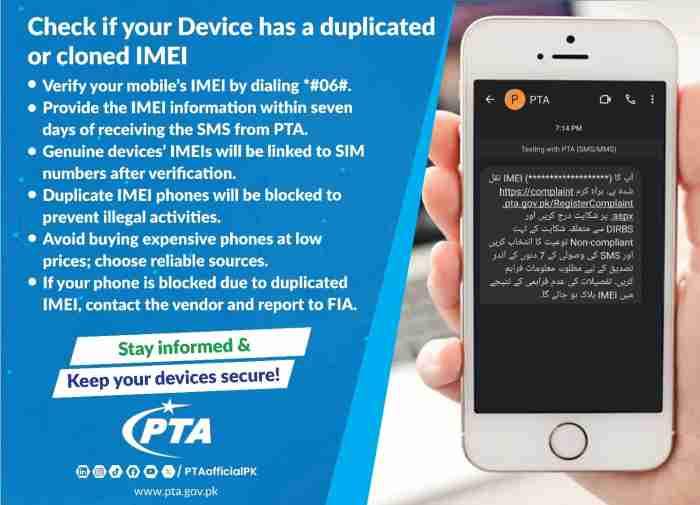
Open your phone’s dialer application and type *#06#. Do not press the call button because the device recognizes this code instantly and displays a pop-up window containing your IMEI number or numbers. This method works on every GSM device ever manufactured, from the earliest Nokia feature phones to the latest iPhone 15 and Samsung Galaxy S24 flagships.
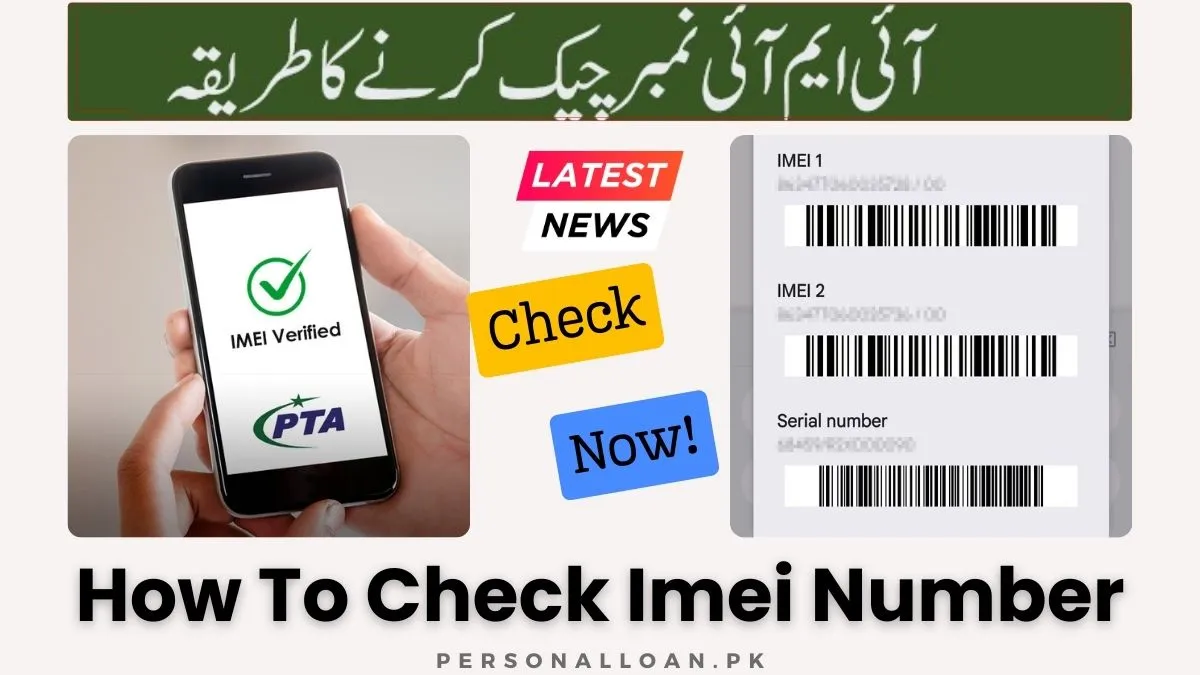
The code triggers a system-level response that bypasses the operating system entirely, accessing the IMEI directly from the device’s radio firmware. This explains why it functions even when your phone lacks service, has no SIM card installed, or experiences software glitches that prevent normal operation. For dual-SIM devices, the screen displays both IMEI 1 and IMEI 2 simultaneously, labeled clearly for each physical SIM slot.
Navigating Settings Menus on Any Device
When the dial code method proves impractical because you are using a tablet without phone functionality or you prefer visual menus, the settings application provides reliable access. On Android devices, the typical path follows Settings then About Phone then Status or IMEI Information. Manufacturers occasionally rename these menus, but About Phone consistently leads to device identification data.
iPhone users find their IMEI under Settings then General then About. Scrolling past the legal notices and regulatory information reveals the IMEI field, often accompanied by the serial number and MEID where applicable. Tapping and holding the number copies it to your clipboard for easy pasting into forms or notes for future reference.
Tablets present a slight challenge because many lack dialer applications. For cellular iPads, navigate Settings then General then About and scroll to the bottom. Android tablets follow the same path as phones through Settings then About Tablet then Status, but only display IMEI information if the tablet includes cellular hardware. Wi-Fi-only models simply omit this field entirely.
Physical Inspection When Digital Methods Fail
Dead batteries, broken screens, and water damage can render digital retrieval impossible, but manufacturers anticipated these scenarios by placing IMEI numbers in physical locations accessible without power. The SIM card tray on most modern smartphones carries tiny engraved digits visible under bright light. Remove the tray completely and examine both sides carefully because the numbers are small but legible with good eyesight or a simple magnifying glass.
The original packaging provides another permanent record. Every phone ships with a barcode sticker on the box containing the IMEI, serial number, and model identifier. This sticker remains readable indefinitely, making box storage one of the simplest ways to maintain device documentation. Photograph this sticker and store the image in cloud storage for additional backup protection.
Older phones with removable backs often hide the IMEI beneath the battery. Power down, remove the cover, lift the battery, and examine the sticker underneath. This method works reliably for devices manufactured before the sealed-body trend began with the iPhone’s non-removable design.
Device-Specific IMEI Location Techniques
Different manufacturers and operating systems offer unique pathways to IMEI information beyond the universal methods. Learning these brand-specific approaches saves time and proves particularly useful when helping friends or family locate their numbers.
Finding IMEI on Samsung Galaxy Devices
Samsung provides multiple access points beyond standard Android menus. Open Settings, tap About Phone, then select Status Information to view both IMEI numbers simultaneously. The Samsung Members app offers an alternative path where you launch the app, navigate to Support, select Phone Diagnostics, then choose Phone Status to see IMEI alongside battery health and network statistics.
Physical inspection of newer Galaxy models reveals the IMEI printed microscopically on the back glass near the bottom edge. The SIM tray on S21 and later models also carries engraved digits. These redundant physical locations prove invaluable when the phone refuses to power on for any reason.
Accessing IMEI on Locked iPhones
A forgotten passcode need not block IMEI retrieval. Connect the locked iPhone to a trusted computer with a USB cable. Open Finder on macOS Catalina or later, or open iTunes on Windows or older Mac systems. Select the device when it appears because the summary screen displays the IMEI prominently even though the phone remains locked and inaccessible for other operations.
The SIM tray on iPhone 6 through current models carries engraved IMEI information visible upon removal. Always verify that this physically engraved number matches the one displayed in Settings when the phone is operational. Mismatches suggest unauthorized repairs or potential theft issues.
Google Account IMEI Access for Lost Androids
Losing your Android phone creates immediate stress, but Google’s Find My Device portal preserves access to your IMEI. Visit android.com/find on any computer or borrowed device, sign in with the Google account associated with your lost phone, and select the missing device from the list. Click the information icon to display the IMEI alongside the phone number and battery level.
This method works even when the phone is turned off, as long as it was previously linked to your Google account. The IMEI appears based on account records rather than live device communication, providing critical information for police reports and carrier blacklisting procedures.
Apple iCloud IMEI Recovery Methods
iPhone users enjoy similar protection through Apple’s ecosystem. Navigate to iCloud.com/find on any browser, sign in with your Apple ID, and click All Devices at the top of the screen. Select your missing iPhone or iPad from the list, and the device information panel reveals the IMEI number. You may need to click through to detailed information or remove the device from your account to access this data.
Apple’s coverage check page at checkcoverage.apple.com accepts IMEI input to verify warranty status and purchase date, offering another way to confirm device details even without physical access to the phone.
Comprehensive IMEI Verification and Status Checking
Retrieving your IMEI represents only half the battle because understanding what that number reveals about your device protects you from fraud and ensures you receive the services you expect. Modern verification tools expose critical information that every phone buyer and seller should examine.
What Free IMEI Checkers Actually Reveal About Your Device
Online IMEI checkers connect your device’s unique code to multiple databases maintained by manufacturers, carriers, and the GSMA association. A typical free report includes the device brand and exact model, confirming whether the phone matches its claimed identity. This alone catches many counterfeit devices that display one model name while reporting another to the network.
Blacklist status represents the most critical information for used phone buyers. The check reveals whether the device has been reported lost, stolen, or involved in insurance fraud. A clean result means the phone can activate on any compatible network without restriction. A blacklisted device, by contrast, may function on Wi-Fi but cannot make calls or use cellular data ever again.
Carrier lock status tells you whether the phone remains tied to a specific provider or works with any SIM card. This information proves essential when buying internationally or switching carriers. Some checkers also reveal the original carrier and country of purchase, helping verify import status and regional compatibility.
Top Free IMEI Verification Tools Compared
Several reputable platforms offer free IMEI checking with varying depth and focus areas. Based on extensive testing and user feedback, these tools consistently deliver accurate results.
| Tool Name | Free Features | Best Application | Supported Devices |
|---|---|---|---|
| Dr.Fone Online Unlock | 20 plus data points including blacklist, carrier lock, iCloud status | Comprehensive pre-purchase verification | iOS and Android |
| IMEI.info | Basic specifications, TAC database lookup, model verification | Technical specification checking | iOS and Android |
| Swappa IMEI Checker | Blacklist status, activation checks | US resale market verification | iOS and Android |
| IMEI24.com | Warranty information, purchase date, basic blacklist | Quick warranty verification | iOS and Android |
| IMEIpro.info | Global blacklist status, stolen phone check | International device verification | All manufacturers |
Dr.Fone Online Unlock stands out for its completely free comprehensive reports covering over 20 data points without requiring login or payment. The tool checks blacklist status, carrier lock, iCloud activation lock, and warranty coverage simultaneously, presenting results in an easily readable format optimized for mobile devices.
IMEI.info maintains one of the largest Type Allocation Code databases globally, making it ideal for verifying device specifications and confirming model authenticity. The free tier includes basic blacklist checking and detailed technical specifications drawn from manufacturer data.
Using Mobile Applications for IMEI Verification
Dedicated mobile applications offer convenient IMEI checking directly on your smartphone. The Mobile IMEI Status Checker app connects to over 250 official databases worldwide, providing blacklist verification, carrier lock status, and detailed device reports. User reviews highlight its accuracy, though some note the free version includes advertisements.
The IMEI Info Checker Lookup Tool from GSM Center provides comprehensive device specifications including connectivity details, release year, display characteristics, and battery information. The app supports scanning QR codes and barcodes for quick IMEI input, making it particularly useful when examining multiple devices.
Country-specific apps like IMEI KH serve particular markets. This application connects to Cambodia’s Equipment Identity Registration System, allowing consumers to verify device compliance with local regulations before purchase.
Premium Verification Services for Professional Applications
Refurbishers, phone shops, and insurance companies rely on premium services for validated data. GSMA Device Check accesses the official global IMEI database with maximum accuracy, providing ownership history, financial claims, and comprehensive device records. While expensive for individual consumers, its existence validates the data that free tools reference.
Sickw.com offers fast, reliable verification for both Apple and Android devices, with paid tiers unlocking warranty details and support coverage. The service is particularly popular among European users for its speed and accuracy.
Regional IMEI Compliance and Registration Requirements
Many countries operate national databases to control device imports, ensure tax compliance, and combat phone theft. Understanding local requirements protects you from unexpected network blocks when traveling or importing phones.
Pakistan’s DIRBS System and PTA Approval Process
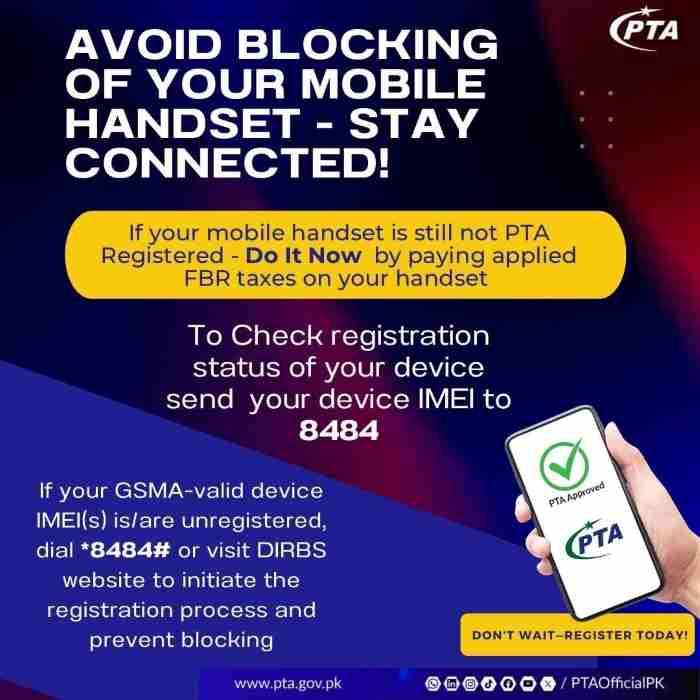
Pakistan operates one of the most rigorous device registration systems worldwide through the Device Identification Registration and Blocking System. Any phone operating on Pakistani networks must be registered with the Pakistan Telecommunication Authority and have applicable taxes paid. Unregistered devices face permanent network blocking.
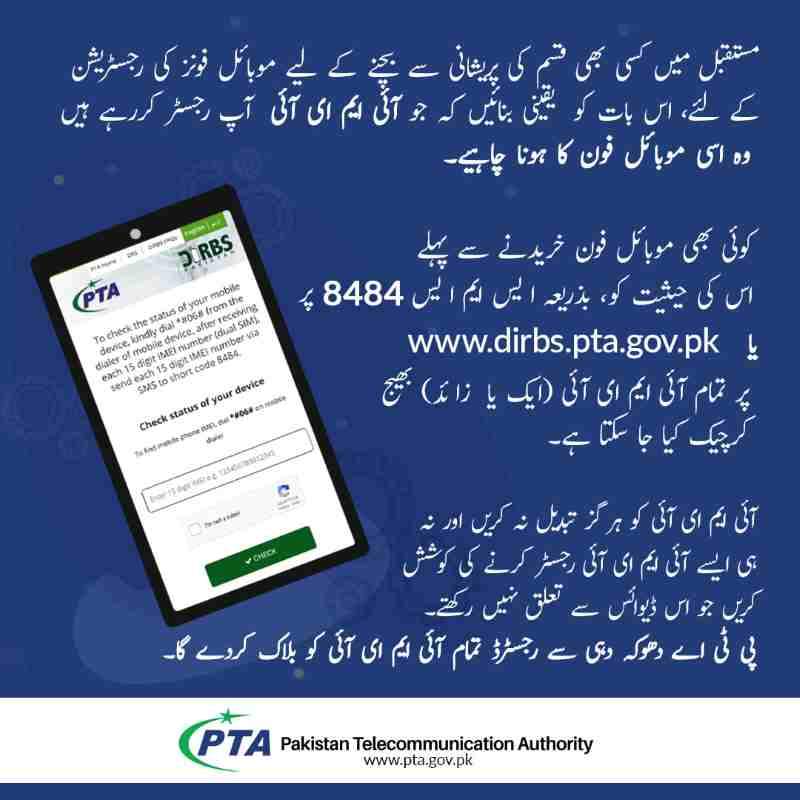
Checking PTA approval requires only your IMEI. Dial *#06# to retrieve the number, then send it via SMS to 8484. Within two minutes, you receive a reply confirming registration status and any complaints registered against the device. Online verification at the official DIRBS portal offers the same information through a web interface.
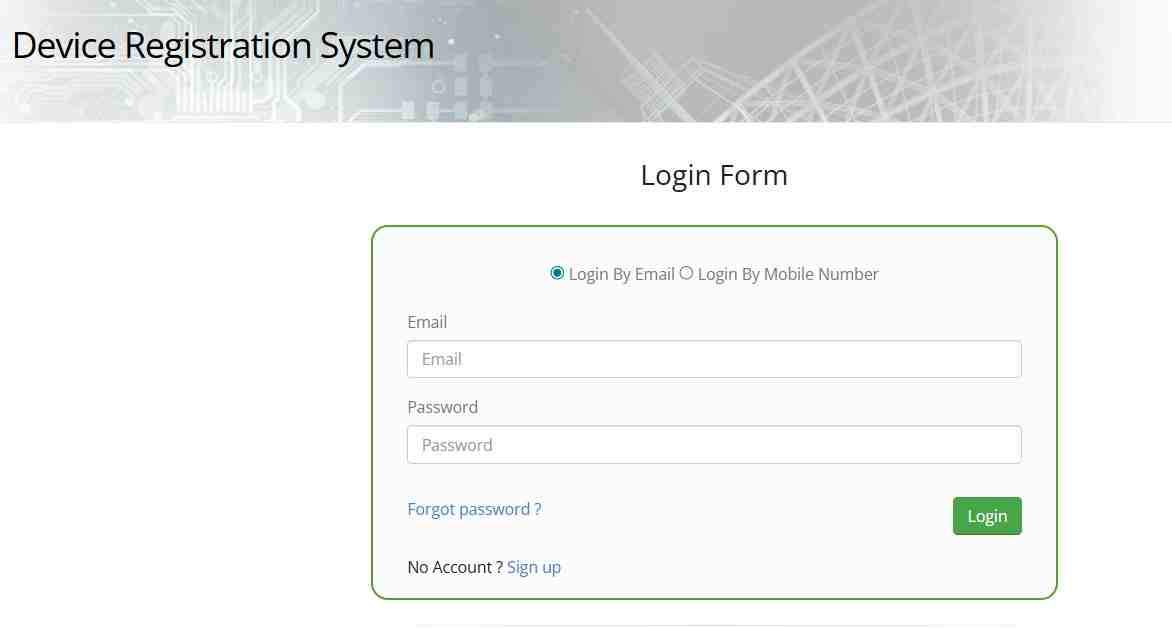
Registration for imported devices involves creating an account on the DIRBS portal using your CNIC or passport number, submitting the IMEI, and paying applicable taxes through online banking or designated bank branches. Overseas Pakistanis may register one device tax-free annually as accompanied baggage, provided they complete registration within 60 days of arrival. Foreign visitors receive temporary registration valid for up to 120 days without tax.
The consequences of ignoring PTA requirements extend beyond simple inconvenience. Authorities warn that using unregistered devices poses national security risks and enables financial fraud. Buying or selling unregistered phones may constitute a punishable offense under Pakistani law.
Indonesia’s IMEI Registration Framework
Indonesia similarly restricts network access to registered devices through its system managed by the Balai Besar Pengujian Perangkat Telekomunikasi. The government strengthened IMEI controls specifically to combat illegal phone imports and facilitate lost-and-stolen device protection.
Travelers bringing phones into Indonesia must declare them upon arrival and may face temporary usage restrictions for unregistered devices. The system operates on a whitelist principle where only approved IMEIs gain network access, while unlisted numbers receive no service regardless of SIM card compatibility.
India’s CEIR System for Stolen Phone Management
India’s Central Equipment Identity Register blocks stolen phones nationwide and helps trace recovered devices to their rightful owners. The system integrates with carrier networks to identify and restrict blacklisted IMEIs, similar to international blacklisting but with specific focus on the Indian market.
Cambodia’s EIRS Compliance Requirements
Cambodia operates the Equipment Identity Registration System requiring all mobile devices to be registered for network access. The IMEI KH application connects consumers directly to this database for instant verification before purchase.
Protecting Yourself When Buying Used Phones
The secondhand phone market offers excellent value but carries significant risks. Following a systematic verification process protects your investment and ensures you take home a device you can actually use.
Pre-Purchase Verification Checklist for Safety
- Obtain the IMEI directly from the seller by asking them to dial *#06# in your presence and show you the screen. Never accept screenshots or photos because these can be faked or copied from legitimate devices.
- Run the IMEI through at least two independent verification tools such as Dr.Fone Online Unlock and IMEI.info to compare results and identify discrepancies.
- Verify that the IMEI from the dial code matches the one engraved on the SIM tray and printed on the original box if available. Mismatches indicate repairs or potential theft.
- Check carrier compatibility by researching whether the phone’s reported bands match your local network requirements for full speed connectivity.
- Confirm iCloud activation lock status for iPhones because devices with active locks remain tied to previous owners and cannot be used even with valid IMEIs.
Red Flags That Should Stop Any Purchase Immediately
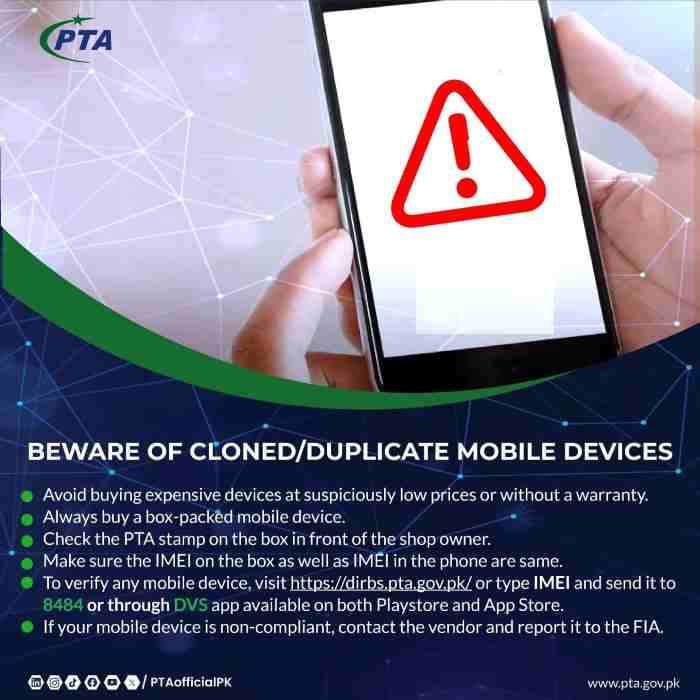
Several warning signs should end negotiations right away. A blacklisted device has no future on cellular networks so avoid it regardless of price. An iPhone with active iCloud lock will never function as a phone without the original owner’s cooperation. A device whose IMEI returns a different model than advertised may be counterfeit or modified.
Extremely low prices compared to market averages often indicate stolen merchandise. If the deal seems too good to be true, the IMEI likely tells an uncomfortable story. Trust your instincts and walk away when something feels wrong about the transaction.
Advanced IMEI Troubleshooting and Technical Issues
Beyond basic checks, understanding IMEI nuances helps you diagnose problems and handle edge cases confidently when issues arise.
How to Find IMEI 2 on Dual SIM Devices
Dial *#06# and both numbers display simultaneously on the screen. In settings menus, look for IMEI information or SIM status sections where the second IMEI is clearly labeled as IMEI 2 or SIM 2. Keep both numbers recorded because some carriers require both for complete blacklisting procedures.
Why IMEI Shows as Zero or Invalid
This indicates a serious baseband or firmware issue where the phone’s modem cannot communicate with the operating system. Causes include failed software updates, corrupted firmware, or physical hardware damage. The phone will likely not make calls or connect to networks at all. Seek professional repair assistance for diagnosis.
Can IMEI Numbers Be Changed or Altered
Legally no, IMEI alteration is a criminal offense in most countries punishable by fines or imprisonment. The GSMA strictly controls IMEI allocation and devices with altered IMEIs are permanently blocked from networks. If you encounter software claiming to change IMEI, it is illegal and dangerous to use.
Difference Between IMEI and MEID Explained
MEID which stands for Mobile Equipment Identifier is the CDMA equivalent of IMEI used by older Verizon and Sprint networks. Modern phones support both standards so they display IMEI for GSM use and MEID for CDMA compatibility. When checking compatibility, use whichever number your carrier requires.
Does Factory Reset Delete the IMEI Number
No, factory resets wipe user data and apps but never touch the IMEI which is hardcoded into the phone’s firmware and modem chip. Only hardware damage or illegal tampering can change it. Your IMEI remains intact through any software reset you perform.
Checking IMEI on Motorola and Nokia Feature Phones
Feature phones without touchscreens still support the *#06# dial code. Dial it and the number appears on the monochrome screen exactly as on smartphones. For extremely old phones, check under the battery or on the box label for physical printing.
Frequently Asked Questions About IMEI Numbers
How can I check my IMEI number without a phone?
Use the original box packaging which displays the IMEI on its barcode sticker. Check your carrier’s online account portal under device details. Access Google’s Find My Device or Apple’s iCloud Find My iPhone from any computer to retrieve the IMEI associated with your account.
Does resetting my phone to factory settings erase the IMEI?
No, factory resets wipe user data, apps, and settings but never touch the IMEI which is hardcoded into the device firmware. The IMEI remains identical before and after any software reset.
Can someone steal my identity using my IMEI number?
No, the IMEI alone cannot access your personal data, accounts, or identity. It serves only as a device identifier. However, treat it as private information and avoid posting it publicly to prevent fraudulent device cloning attempts.
How do I check if my iPhone is stolen using the IMEI?
Use Dr.Fone Online Unlock or IMEI24.com to check blacklist status. Apple’s activation lock page at iCloud.com/activationlock also reveals whether the device remains linked to its original owner, a common indicator of stolen status.
What should I do if my IMEI shows as invalid?
Dial *#06# again carefully to ensure correct entry. If the problem persists, the phone may have baseband damage or corrupted firmware requiring professional repair. Invalid IMEI typically means the device cannot connect to cellular networks.
How many IMEI numbers does a dual SIM phone have?
Two numbers, one for each SIM slot. Both display when you dial *#06#. Record both numbers for insurance and police reporting purposes because carriers may require both for complete blacklisting.
Can I track my phone’s location using the IMEI myself?
No, public tracking requires specialized carrier or law enforcement access. Consumer tracking relies on GPS and account-based services like Find My Device or Find My iPhone which do not use the IMEI for location.
Conclusion
Your phone’s IMEI number represents far more than a random string of digits because it is your proof of ownership, your recovery tool after theft, and your primary defense against fraud in the secondhand market. Memorize the universal code *#06# for instant access. Photograph the SIM tray and box sticker for permanent backup.
Store those images securely in cloud storage separate from your phone for emergencies. Before any used device purchase, run the IMEI through multiple verification tools to expose hidden problems and avoid costly mistakes. And if the worst happens, report that IMEI to your carrier and local authorities immediately to maximize recovery chances. These simple habits transform a 15-digit identifier into powerful protection for your technology investments and personal security.
Disclaimer: This guide provides educational information about IMEI numbers and verification procedures. Verification tool accuracy varies and users should consult official sources for definitive device status information before completing purchases. The author assumes no responsibility for decisions made based on third-party verification results.
Frequently Asked Questions
How do I check my IMEI number on an Android phone?
Dial *#06# on the phone keypad for instant display. Alternatively, navigate Settings then About Phone then Status or IMEI Information to view the numbers in menu form.
What information does an IMEI check reveal?
Free checks typically reveal device brand and model, blacklist status, carrier lock status, and basic warranty information. Comprehensive tools may also show iCloud activation lock status and purchase date.
Is it legal to change my phone’s IMEI number?
No, IMEI alteration constitutes a criminal offense in most countries carrying potential fines and imprisonment. Modified devices face permanent network blocking when detected.
How do I check PTA approval for a phone in Pakistan?
Dial *#06# to get the IMEI, then send it via SMS to 8484. You receive an immediate reply confirming registration status. Online verification is available at the official DIRBS portal.
Why does my phone show two IMEI numbers?
Dual SIM phones require separate IMEI numbers for each SIM slot. Both are legitimate and should be recorded for insurance and reporting purposes.
Can I find my IMEI if I lost my phone and box?
Yes, log into your Google account at android.com/find or your Apple ID at iCloud.com/find. Both services display the IMEI of registered devices even when the phone is offline.
How often should I record my IMEI number?
Record your IMEI immediately when you acquire a new device and verify it annually. Store the number securely offline because theft or damage can occur at any time and you cannot retrieve the IMEI from a dead or missing phone without prior documentation.

Add a Comment