
Eid-ul-Fitr brings joy, celebration, and togetherness for Muslim families worldwide. However, for millions of low-income households across Punjab, the festive season also brings financial stress and difficult choices between essential needs and Eid expenses. Recently, messages promising Rs. 5,000 as “Eidi” from Punjab Chief Minister Maryam Nawaz have flooded WhatsApp groups, Facebook feeds, and YouTube channels.
These messages appear official, complete with detailed eligibility criteria, application steps, and payment instructions through Easypaisa and JazzCash. But a critical question remains: is this scheme real, or is it a sophisticated trap designed to steal your personal information? This comprehensive guide examines every aspect of the Maryam Nawaz Eidi Scheme, provides verified information about application processes, explains the truth behind viral claims, and shows you exactly how to protect yourself from online fraud while still accessing genuine government assistance programs.
What you will learn in this guide:
- Complete breakdown of reported eligibility criteria for the Rs. 5,000 grant
- Step-by-step application instructions through online portals and SMS codes
- How to verify whether any government scheme announcement is authentic
- Detailed analysis of the fake website govtpunjab.com.pk and why it is dangerous
- What scammers actually do with your CNIC and mobile wallet information
- Official Punjab government channels you can trust for welfare programs
- How SIM swap fraud works and how to prevent it
- Immediate steps to take if you already submitted information to a fraudulent site
Key Takeaways
- No Official Government Announcement Exists: The Punjab government has not published any notification, press release, or social media update about a “Maryam Nawaz Eidi Scheme” on any domain ending in .gov.pk. All circulating information remains unverified by official sources.
- Website govtpunjab.com.pk is Fraudulent: The domain promoting this scheme is privately registered and runs on WordPress. It openly promotes gambling apps including PKRSPIN and S9 Game, which no authentic government welfare portal would ever host.
- Personal Data is the Target: Fake registration forms collect CNIC numbers, mobile phone details, and mobile wallet preferences. This information enables criminals to commit SIM swap fraud, drain mobile wallets, and steal identities.
- Authentic Channels End in .gov.pk: Genuine Punjab government programs always use official domains such as punjab.gov.pk, cm.punjab.gov.pk, or pitb.gov.pk. Any website using .com, .com.pk, .net, or .org is not an official government portal.
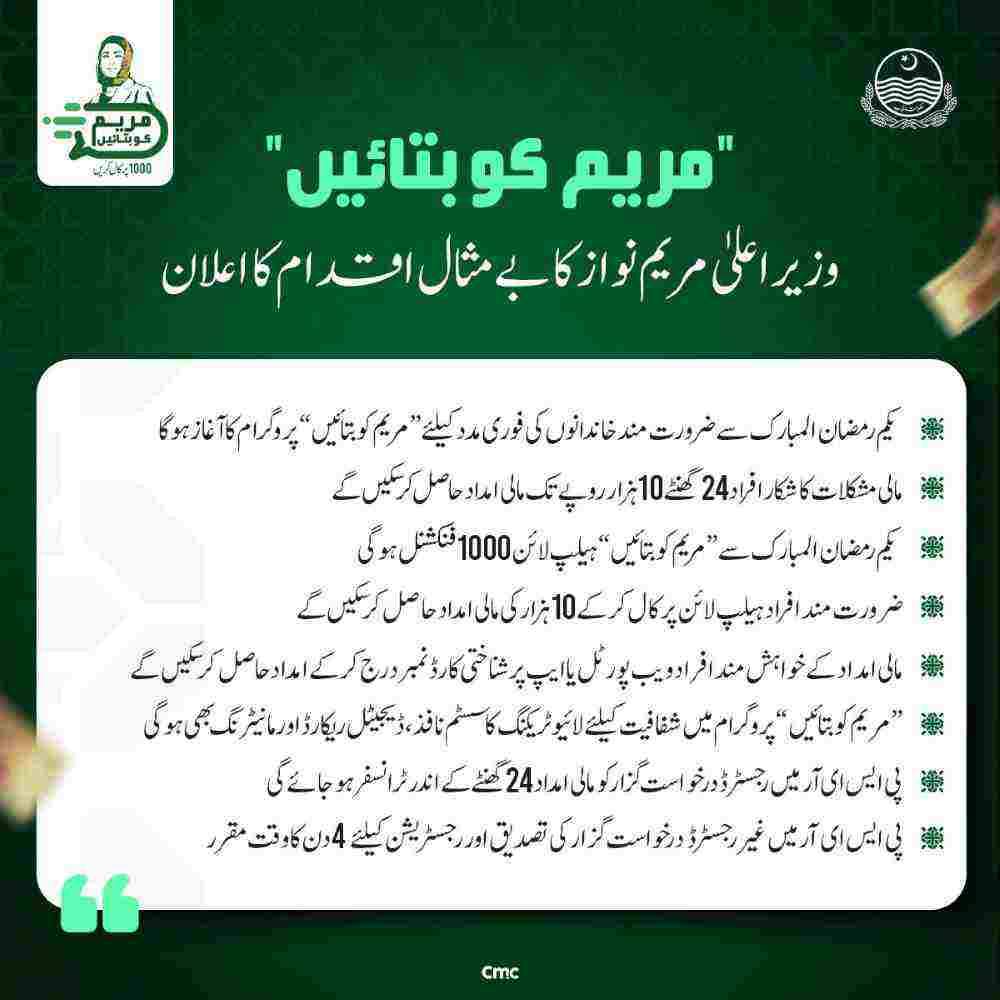
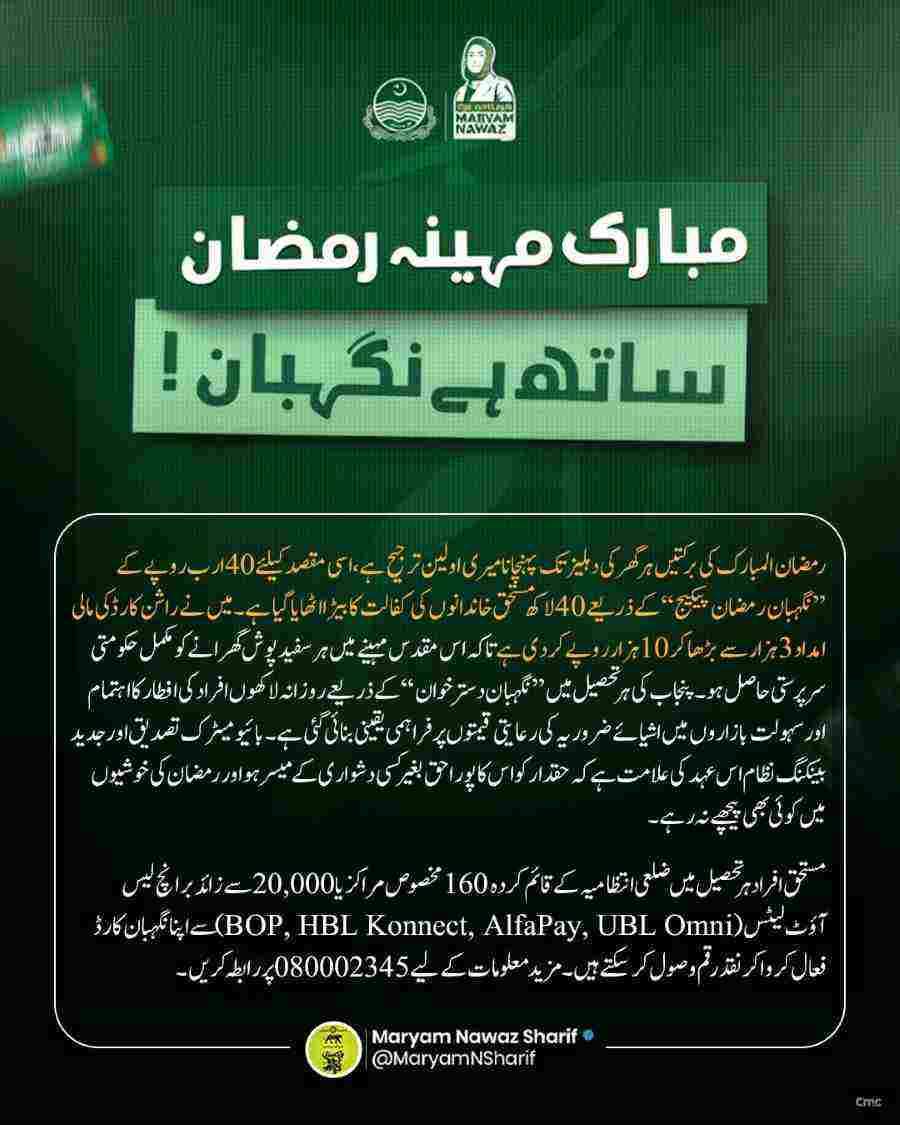
- Multiple Genuine Programs Exist: While the specific Eidi Scheme may be fake, actual programs like the Nigehban Ramzan Package, Maryam Ko Batayein helpline, and PSER registration provide real assistance to eligible Punjab residents.
- Protection is Your Responsibility: No government agency will ever ask for your mobile wallet PIN, password, or OTP through SMS or online forms. Never share these details with anyone.
- Read More: Maryam Nawaz 10000 Ramzan Package [Apply Online]
- Read More: Shahbaz Sharif Ramzan Package (Registration PKR 13000)
- Read More: 9999 Ramzan Package Check Online | Nigehban Ramzan Package
Maryam Nawaz Eidi Scheme (Get PKR 5000/-) | Apply Online

Table of Contents
The Urgent Warning: Why the Maryam Nawaz Eidi Scheme Requires Extreme Caution
Before explaining how to apply or who qualifies, every citizen must understand the serious risks associated with this unverified scheme. Cybersecurity experts have issued repeated warnings about fraudulent websites and messages exploiting the public’s hope for financial assistance.
What cybersecurity experts are saying about this scheme
Expert consensus on scheme authenticity:
- No legitimate government program operates without official documentation
- Viral messages without verified sources are almost always scams
- Promises of easy money attract maximum victims quickly
- Scammers specifically target vulnerable low-income populations
- Eid season sees a massive spike in financial fraud attempts
Specific warnings from digital security professionals:
- Never share CNIC numbers with unverified websites
- Mobile wallet credentials should remain completely private
- Government programs never ask for advance fees or payments
- Official schemes use only .gov.pk domains for registration
- SMS from shortcodes like 8070 provide information, not registration
The truth about govtpunjab.com.pk revealed

Domain registration analysis:
- govtpunjab.com.pk was registered through a private company
- Government domains in Pakistan always end in .gov.pk exclusively
- Registration records show a private individual owner
- The domain was created recently, not years ago like authentic sites
- Whois lookup reveals contact information hidden behind privacy services
Website content examination:
- The site runs on WordPress, a standard blogging platform
- Government websites use secure custom-built content systems
- Spelling errors and formatting issues appear throughout
- Gambling app advertisements are prominently displayed
- The registration form redirects to unrelated commercial pages
- No official government logos or seals appear on the site
- Contact information leads nowhere or to fake email addresses
What happens when you enter your information on fake websites
Data collected by fraudulent registration forms:
- Full name as appearing on CNIC
- Father or husband’s name for identity verification
- 13-digit CNIC number with or without dashes
- Active mobile phone number
- Mobile wallet type preference
- Home address with complete details
- Family members’ information in some cases
How criminals use stolen data immediately:
- Identity theft to open new bank accounts
- Application for loans in your name
- SIM card duplication at mobile company franchises
- Access to existing mobile wallet accounts
- Sale of data to telemarketing companies
- Creation of fake profiles on social media
- Targeting for future sophisticated scams
The SIM swap scam explained step by step
How SIM swap fraud works:
- Criminals collect your CNIC and mobile number from fake forms
- They visit a mobile company franchise with forged documents
- They request a duplicate SIM card claiming the original is lost
- Franchise staff verify information against their database
- Your CNIC details match, so they issue a new SIM
- The new SIM activates and deactivates your original SIM
- All OTPs and verification codes go to the criminal’s phone
- They access your mobile wallet and bank accounts instantly
- You lose all money before realizing what happened
Signs your SIM has been swapped:
- Your phone suddenly shows no network signal
- You cannot make or receive calls
- Mobile data stops working completely
- You receive no OTPs or verification messages
- Friends report your number is unreachable
- Bank alerts show transactions you did not authorize
Why gambling app promotions prove the site is fake
Gambling apps promoted on govtpunjab.com.pk:
- PKRSPIN casino-style betting platform
- S9 Game online gambling application
- Various cricket betting sites
- Poker and card game apps with real money stakes
Why government websites never promote gambling:
- Gambling is illegal in Pakistan under Islamic law
- Government portals cannot promote prohibited activities
- Official sites display only public service information
- Welfare programs never advertise commercial products
- Such promotions violate multiple Pakistani laws
The PSCA warning about fake SMS from 8070
Punjab Safe Cities Authority alert details:
- Fraudsters send fake SMS appearing to come from 8070
- Messages claim eligibility for the Eidi Scheme
- Recipients are directed to click malicious links
- Links lead to phishing websites asking for personal data
- Some messages request advance fees for processing
Official 8070 service purpose:
- Provides eligibility information only
- Never asks for payments or fees
- Never requests mobile wallet PINs
- Never directs users to external websites
- Only responds to CNIC queries with status information
Authentic government SMS sender IDs:
- 8070 for Punjab relief programs
- 9999 for federal BISP programs
- 9915 for Punjab traffic challan notifications
- 8171 for Benazir Income Support Programme
Genuine Punjab Government Relief Programs You Can Trust
While the specific Maryam Nawaz Eidi Scheme remains unverified, several authentic programs provide real assistance to deserving families across Punjab. Understanding these programs helps citizens access legitimate help while avoiding scams.
The Nigehban Ramzan Package explained
Program overview:
- Launched by Punjab government for Ramadan relief
- Provides essential food items to low-income families
- Distributed through designated centers across Punjab
- Targets households already in government databases
- Uses card-based system for collection
Eligibility criteria for Nigehban:
- Permanent residency in Punjab province
- Registration in PSER database
- PMT poverty score below specified threshold
- Not a government employee above certain grade
- Not a high-income tax filer
How to check Nigehban eligibility:
- Send your CNIC number to 8070 via SMS
- Receive instant response about qualification
- Check online through PSER portal
- Visit nearest Union Council office
- Call helpline for assistance
Collection process details:
- Eligible families receive SMS notification
- Visit designated distribution point with CNIC
- Complete biometric verification on site
- Receive ration bag containing essential items
- Signature or thumb impression required as receipt
Maryam Ko Batayein helpline 1000 explained
Program purpose:
- Citizen feedback and assistance platform
- Direct communication channel with CM Office
- Immediate help for extreme hardship cases
- Registration of complaints and requests
- Follow-up on government service delivery
How helpline 1000 works:
- Dial 1000 from any mobile or landline
- Speak with trained representative
- Explain your situation and assistance needed
- Provide CNIC and contact details
- Receive complaint reference number
- Follow up using reference for status updates
Types of assistance provided:
- Emergency financial aid for medical treatment
- Support for marriage of orphan girls
- Assistance with utility bill payments
- Help with educational expenses
- Food support for destitute families
- Medical equipment for disabled persons
Maryam Ko Batayein mobile app:
- Available on Google Play Store
- Direct application submission through app
- Upload supporting documents digitally
- Track application status in real time
- Receive notifications about approvals
Punjab Socio-Economic Registry PSER explained
What PSER is:
- Comprehensive database of Punjab households
- Collects socioeconomic data for targeting
- Used by all provincial welfare programs
- Determines poverty scores for eligibility
- Updated regularly through surveys
Why PSER registration matters:
- Required for most government assistance programs
- Determines your PMT poverty score
- Helps government identify deserving families
- Eliminates duplicate beneficiaries
- Ensures transparent distribution of aid
How to register in PSER:
- Visit nearest Union Council office
- Carry CNIC and family documents
- Complete household survey with official
- Provide accurate income and asset information
- Receive registration acknowledgment
- Check status online through PSER portal
Information collected during PSER registration:
- Household composition and family members
- Educational status of all members
- Employment and income sources
- Asset ownership including housing and land
- Access to utilities and services
- Health and disability information
BISP 8171 federal program explained
Program overview:
- Benazir Income Support Programme
- Federal government poverty alleviation initiative
- Provides quarterly cash stipends
- Targets poorest households across Pakistan
- Uses independent poverty score survey
Eligibility for BISP:
- PMT poverty score below specified threshold
- No government employee in household
- No ownership of agricultural land above limit
- No international travel history
- No vehicle ownership
How to check BISP eligibility:
- Send CNIC number to 8171
- Visit BISP official website
- Check through BISP mobile app
- Visit nearest BISP tehsil office
- Call BISP helpline for assistance
BISP payment schedule:
- Quarterly installments of Rs. 10,500
- Payments through designated banks
- Biometric verification required
- Campsites established for remote areas
- Mobile payment options available
Understanding the Reported Maryam Nawaz Eidi Scheme Details
To help citizens distinguish between genuine information and fraud, this section explains what viral messages claim about the scheme. Remember that these details come from unverified sources and require confirmation through official channels.
What the scheme reportedly offers
Reported payment details:
- One-time payment of Rs. 5,000 per eligible person
- Disbursement before Eid-ul-Fitr
- Digital transfer to mobile wallets
- No cash distribution at banks
- Free withdrawal from Easypaisa and JazzCash agents
Reported purpose of the grant:
- Help families purchase Eid clothing
- Cover increased household expenses during holidays
- Ensure children can celebrate Eid happily
- Supplement existing food assistance programs
- Provide economic stimulus through digital payments
Reported eligibility criteria from viral messages
Core requirements according to messages:
- Permanent residency in Punjab province
- Age 12 years or older
- Valid CNIC for ages 18 and above
- Valid B-Form for ages 12 to 17
- Active Easypaisa or JazzCash account
- Mobile number registered in applicant’s name
Additional criteria mentioned:
- Monthly income below Rs. 50,000
- Registration in PSER database
- PMT poverty score below 35
- Not a government employee grade 17 or above
- Not a high-income tax filer
- No luxury vehicle ownership
Reported application methods in circulation
Online portal method:
- Visit punjab.gov.pk or related domain
- Navigate to Eidi Scheme section
- Enter CNIC or B-Form number
- Provide registered mobile number
- Select preferred mobile wallet
- Submit and wait for confirmation SMS
SMS registration method:
- Open messaging app on mobile
- Type CNIC number without dashes
- Send to 8070 for Punjab programs
- Send to 9999 for federal programs
- Wait for eligibility response
- Follow instructions in reply message
Mobile app method:
- Download Maryam Ko Batayein app
- Download Maryam Ke Dastak app
- Complete registration within app
- Upload documents digitally
- Submit application for processing
- Track status through app notifications
Reported payment process details
How payments would work:
- Government transfers funds to payment processors
- Easypaisa and JazzCash receive beneficiary lists
- Funds credited to matching mobile wallets
- Beneficiaries receive SMS notification
- Money appears in wallet balance instantly
- Withdrawal available at any agent location
Expected timeline according to messages:
- Applications open 45 days before Eid
- Deadline 15 days before Eid
- Verification within one week of application
- Payments start 10 days before Eid
- All payments completed by Eid day
Step-by-Step Application Guide if Scheme is Genuine
If the Punjab government officially announces this scheme, the application process would follow established patterns similar to existing welfare programs. This guide shows you exactly how to apply through legitimate channels.
How to verify the scheme is officially announced
Official verification checklist:
- Check punjab.gov.pk for press releases
- Visit cm.punjab.gov.pk for announcements
- Look for PITB notification on pitb.gov.pk
- Verify through PSER official website
- Check major news outlets for verified reports
- Look for CM Maryam Nawaz verified social media posts
- Confirm through official government helplines
Red flags that indicate a fake announcement:
- Information only on WhatsApp and Facebook
- Websites ending in .com or .com.pk
- Requests for mobile wallet PINs or passwords
- Demands for advance fees or processing charges
- Poor Urdu or English with spelling mistakes
- Urgent deadlines creating pressure to act quickly
Online application through official portal
Step 1: Accessing the correct website
- Type punjab.gov.pk directly in browser address bar
- Never click links from WhatsApp or Facebook
- Verify HTTPS padlock in address bar
- Check domain ends exactly in .gov.pk
- Look for official government logos and seals
- Ensure website design appears professional
Step 2: Locating the application section
- Navigate to Citizen Services or Social Welfare
- Look for Ramadan Relief or Eidi Scheme tabs
- Read instructions carefully before starting
- Note any document requirements mentioned
- Check for Urdu language option if needed
Step 3: Entering personal information correctly
- Type CNIC number without dashes or spaces
- Double-check all 13 digits for accuracy
- Enter mobile number registered with NADRA
- Ensure mobile number matches SIM card
- Provide email address if requested
- Select correct district and tehsil
Step 4: Selecting payment method
- Choose between Easypaisa and JazzCash
- Ensure selected wallet is active and verified
- Wallet must be registered with same CNIC
- Confirm wallet mobile number matches application
- Note that choice cannot be changed later
Step 5: Submitting and tracking application
- Review all entered information thoroughly
- Click submit button only once
- Wait for confirmation page to load
- Note down application tracking number
- Screenshot confirmation for records
- Check SMS for verification within 48 hours
SMS application process details
Sending your CNIC to 8070:
- Open default messaging app on phone
- Type your 13-digit CNIC number only
- No dashes, spaces, or additional text
- Send to 8070
- Wait for automatic response
- Response time varies from seconds to minutes
Understanding the response you receive:
- Eligible message confirms qualification
- Ineligible message explains reason
- Error message indicates technical issue
- Further instructions may be included
- Save all messages for reference
Sending CNIC to 9999 for federal programs:
- Same process as 8070
- Different shortcode for federal schemes
- May provide different eligibility information
- Not specifically for Punjab Eidi Scheme
- Useful for checking BISP status
Physical application options
Union Council office assistance:
- Visit during working hours
- Carry original CNIC and copies
- Bring B-Forms for minor family members
- Request assistance from designated officer
- Complete application on provided forms
- Obtain signed receipt with stamp
e-Khidmat Markaz support:
- Locate nearest center through website
- Bring all required documents
- Use self-service kiosks if available
- Request staff assistance if needed
- Pay any applicable service fees
- Collect acknowledgment receipt
Mobile registration units:
- Some areas receive mobile registration vans
- Check local announcements for schedules
- Verify unit authenticity before approaching
- Complete registration on spot
- Receive instant confirmation
Complete Eligibility Criteria Breakdown
Understanding eligibility requirements helps applicants determine their chances of qualification and avoids wasting time on ineligible applications.
Punjab residency requirements explained
How residency is verified:
- CNIC address must show Punjab district
- B-Form issued by Punjab Union Council
- NADRA records confirm Punjab address
- PSER registration shows Punjab location
- Mobile number registered in Punjab
What counts as Punjab residency:
- Born in Punjab and living there currently
- Moved to Punjab with updated CNIC address
- Living in Punjab for work or education
- Family originally from Punjab
- Renting accommodation in Punjab with proof
What does not qualify as residency:
- CNIC shows other province address
- Temporarily visiting Punjab
- Studying in Punjab but home elsewhere
- Working in Punjab but family elsewhere
- No proof of permanent Punjab address
Age requirements and documentation
Age verification through official documents:
| Age Group | Required Document | Document Issuing Authority |
|---|---|---|
| Below 12 years | No independent eligibility | Must apply through guardian |
| 12 to 17 years | Computerised B-Form | NADRA |
| 18 years and above | Valid CNIC | NADRA |
Why age 12 is the minimum threshold:
- NADRA issues B-Forms with photographs at age 12
- Children below 12 cannot operate mobile wallets independently
- Government programs target household decision-makers
- Younger children are dependents of eligible adults
- Biometric verification requires certain age
CNIC validity requirements
What makes a CNIC valid:
- Issue date within last 10 years
- No damage to card or information
- Photograph clearly matches applicant
- Fingerprints readable for verification
- Address information current and correct
How to check CNIC expiry date:
- Look at front of card for expiry field
- Check through NADRA verification services
- Verify through mobile apps
- Visit NADRA center for confirmation
- Check online through NADRA portal
Steps to renew expired CNIC urgently:
- Visit nearest NADRA registration center
- Bring old CNIC and supporting documents
- Complete renewal application form
- Provide fresh biometric verification
- Pay renewal fee
- Request urgent processing for faster delivery
- Collect new CNIC within 7 working days
Mobile wallet requirements explained
Easypaisa account prerequisites:
- Account registered with same CNIC as application
- Account status active not blocked or suspended
- Mobile number matches NADRA records
- Biometric verification completed
- Account opened at least 24 hours before application
- No outstanding issues or disputes
JazzCash account prerequisites:
- Account in applicant’s name only
- CNIC verified during account opening
- Mobile number registered with NADRA
- Account active with recent transaction history
- Wallet limit sufficient for receiving Rs. 5,000
- No fraud flags on account
How to open a mobile wallet quickly:
- Download Easypaisa or JazzCash app
- Complete registration with CNIC
- Verify through biometric at nearest agent
- Activate account within 24 hours
- Ensure mobile number matches CNIC
- Test with small transaction before applying
PMT poverty score explained
What PMT score means:
- Proxy Means Test poverty measurement
- Calculated based on household survey data
- Lower score indicates higher poverty
- Score below 35 qualifies for most programs
- Score above 45 indicates better economic status
How PMT score is calculated:
- Household size and composition
- Education levels of family members
- Employment status and income sources
- Asset ownership including property and vehicles
- Access to utilities and services
- Geographic location and regional factors
How to check your PMT score:
- Visit PSER official website
- Enter CNIC number for lookup
- Check through PSER mobile app
- Visit Union Council for assistance
- Inquire at e-Khidmat Markaz
Income threshold requirements
Reported income limits:
- Monthly household income below Rs. 50,000
- Annual income below Rs. 600,000
- No regular salaried employment in government
- Informal sector workers prioritized
- Daily wage laborers considered eligible
How income is verified:
- Self-declaration during PSER registration
- Cross-check with tax records
- Verification through neighborhood committees
- Comparison with asset ownership data
- Random audits of selected applications
Exclusion criteria details
Who is excluded from most welfare programs:
- Government employees grade 17 and above
- High-income tax filers
- Owners of multiple vehicles
- Owners of agricultural land above 2 acres
- Business owners with registered firms
- Individuals with foreign passports
- Families with international travel history
Why exclusions exist:
- Limited resources must target poorest
- Government employees have stable income
- Tax filers can access other benefits
- Asset owners can sell assets for needs
- Welfare programs are safety net not entitlement
Payment Process and Timeline Details
Understanding how payments work helps beneficiaries plan and protects them from fraud during the disbursement phase.
How digital payments reach beneficiaries
End-to-end payment flow:
- Government treasury releases funds to PITB
- PITB processes beneficiary lists for payment
- Lists shared with Easypaisa and JazzCash
- Payment processors verify CNIC match
- Funds credited to individual mobile wallets
- Beneficiary receives SMS notification
- Money available for withdrawal immediately
Technology behind digital payments:
- Biometric verification ensures right person
- Real-time processing through secure APIs
- Encryption protects transaction data
- Audit trail created for every payment
- Duplicate checks prevent double payments
Timeline expectations for genuine programs
Typical welfare program timeline:
| Phase | Duration | Activity |
|---|---|---|
| Application | 30 days | Online and SMS registration open |
| Verification | 7-10 days | Data cross-check and eligibility confirmation |
| Processing | 5-7 days | Payment file preparation and approval |
| Disbursement | 10-14 days | Funds transfer to mobile wallets |
| Completion | By Eid | All payments completed before holiday |
How to withdraw money from mobile wallets
Easypaisa withdrawal process:
- Locate nearest Easypaisa agent using app
- Visit shop displaying Easypaisa logo
- Provide CNIC and mobile number
- Complete fingerprint verification
- Receive cash amount
- Collect printed receipt
JazzCash withdrawal process:
- Find JazzCash agent through app
- Ensure agent has sufficient cash
- Present CNIC for verification
- Complete biometric on agent device
- Count cash before leaving shop
- Keep transaction receipt for records
Withdrawal fees and limits:
- First withdrawal often free for government payments
- Subsequent withdrawals may have small fees
- Daily withdrawal limits apply
- Maximum per transaction limits apply
- Fees displayed before transaction completion
What to do if payment is delayed
Common delay reasons:
- CNIC mismatch with mobile wallet
- Mobile wallet account not verified
- Technical issues at payment processor
- High volume of payments causing backlog
- Bank holidays delaying processing
Actions to take for delayed payments:
- Check SMS for any error messages
- Verify mobile wallet account status
- Ensure wallet app is updated
- Contact wallet customer support
- Visit Union Council for assistance
- Call government helpline for updates
- Be patient as processing completes
Troubleshooting Common Application Problems
Even with genuine schemes, applicants encounter issues that require specific solutions.
Application rejection reasons and solutions
Rejection reason: CNIC number incorrect
- Double-check CNIC digits on card
- Remove dashes and spaces when entering
- Ensure using correct CNIC not old number
- Verify CNIC validity with NADRA
- Reapply with correct information
Rejection reason: Mobile number mismatch
- Ensure mobile number registered with NADRA
- Check SIM is in applicant’s name
- Visit mobile company for ownership verification
- Update number in PSER database
- Use different number if available
Rejection reason: Mobile wallet inactive
- Log into wallet app to check status
- Complete any pending verification
- Visit agent for biometric verification
- Ensure wallet has recent activity
- Open new wallet if necessary
Rejection reason: Not in PSER database
- Visit Union Council for PSER registration
- Complete household survey
- Wait for data entry and verification
- Check status after 2-3 weeks
- Reapply after PSER registration complete
Rejection reason: Duplicate application
- Only one application per CNIC allowed
- Check if family member applied for you
- Wait for first application decision
- Do not submit multiple applications
- Contact helpline for clarification
SMS not received issues
Technical reasons for no SMS:
- Network congestion during peak hours
- Incorrect CNIC format with dashes
- Wrong shortcode used for sending
- Mobile number inactive or out of service
- SIM card issues requiring restart
- PTA block on number for spam
Troubleshooting steps:
- Resend message without dashes or spaces
- Try during early morning off-peak hours
- Check mobile balance and validity
- Restart phone to refresh network
- Try different SIM card if available
- Use online portal as alternative
“Ineligible” message interpretation
Common ineligible reasons:
- PMT poverty score above threshold
- Government employee status detected
- Income above maximum limit
- Not found in PSER database
- CNIC shows non-Punjab address
- Age below minimum requirement
- Duplicate application detected
Actions after ineligible response:
- Note the specific reason provided
- Check PSER registration status
- Update household information
- Apply for other eligible programs
- Recheck eligibility after six months
- Visit Union Council for appeal
PSER database update process
Online update method:
- Visit PSER official website
- Click Update Information option
- Enter CNIC for verification
- Receive OTP on registered number
- Update contact details
- Submit changes for approval
In-person update method:
- Visit nearest Union Council office
- Carry CNIC and supporting documents
- Request data update form
- Complete form with correct information
- Submit to designated officer
- Obtain acknowledgment receipt
- Follow up after two weeks
Mobile number update in government records
Why mobile number matters:
- Receives verification codes and OTPs
- Gets payment notification SMS
- Used for eligibility checks
- Required for wallet verification
- Essential for application tracking
How to update mobile number:
- Visit NADRA for CNIC number update
- Update number with mobile company first
- Visit Union Council for PSER update
- Use online portals for some programs
- Provide new number during applications
- Verify new number receives SMS
Protecting Yourself from Fraud
Given the prevalence of scams, every citizen must know how to protect themselves and their families from financial fraud.
Red flags that identify fake schemes
Website red flags:
- Domain not ending in .gov.pk
- Poor design and spelling errors
- Gambling or adult content advertisements
- Requests for mobile wallet PINs
- Demands for advance fees
- No contact information provided
- Fake government logos poorly copied
Message red flags:
- Sent through WhatsApp not official channels
- Urgent deadlines creating pressure
- Too good to be true promises
- Requests to share with all contacts
- No verifiable source or citation
- Poor Urdu or English translation
- Links to suspicious websites
Phone call red flags:
- Caller claims to be government official
- Requests OTP or PIN over phone
- Demands immediate payment for processing
- Threatens to block CNIC if not compliant
- Asks for remote access to your phone
- Uses aggressive or intimidating tone
What government agencies never ask for
Information government never requests:
- Mobile wallet PIN numbers
- Online banking passwords
- Credit card CVV codes
- OTPs sent to your phone
- Remote access to your device
- Advance payments for processing
- Fees for eligibility checks
How legitimate agencies communicate:
- Through official letters on letterhead
- Via SMS from registered shortcodes
- Through in-person visits with ID
- Via phone calls from verified numbers
- Through official email domains
- Never through WhatsApp only
Immediate steps if you shared information with fake site
Step 1: Contact your mobile wallet provider
- Call Easypaisa helpline at 3737
- Call JazzCash helpline at 4444
- Report potential fraud immediately
- Request account monitoring
- Change all passwords
- Enable additional security features
Step 2: Contact your mobile network
- Call customer service for your network
- Report potential SIM swap risk
- Add extra verification to your account
- Note any unusual activity
- Consider temporary number block
Step 3: File complaint with FIA Cyber Crime
- Visit FIA official website
- Navigate to Cyber Crime reporting
- Complete complaint form with details
- Attach screenshots and evidence
- Note complaint reference number
- Follow up regularly
Step 4: Monitor bank accounts and wallets
- Check transactions daily
- Report unauthorized activity immediately
- Set up transaction alerts
- Review statements carefully
- Consider freezing accounts temporarily
Step 5: Warn family and friends
- Share your experience on social media
- Tell others about the scam website
- Prevent them from making same mistake
- Share official helpline numbers
- Report fake pages to platform
How to report fraudulent websites
Reporting to PTA:
- Visit PTA complaint portal
- Select Cyber Crime reporting
- Provide website URL and details
- Explain how site is fraudulent
- Submit screenshots as evidence
- Receive complaint tracking number
Reporting to FIA:
- Visit FIA Cyber Crime Wing website
- Complete online complaint form
- Provide all available information
- Attach evidence of fraud
- Submit for investigation
- Follow up through helpline
Reporting to mobile wallet companies:
- Email fraud department
- Provide website details
- Share screenshots of fake forms
- Explain the scam methodology
- Request blocking of associated accounts
Frequently Asked Questions About Maryam Nawaz Eidi Scheme
Is the Maryam Nawaz Eidi Scheme officially announced by Punjab government?
No official announcement exists on any Punjab government domain ending in .gov.pk. The Chief Minister’s Office, PITB, and Punjab Government portal have not published any notification about this specific scheme. Citizens should only trust information from official sources and verify through multiple channels before taking action.
What is the correct website for Punjab government schemes?
The only authentic Punjab government portal is punjab.gov.pk. For specific programs, visit cm.punjab.gov.pk for Chief Minister initiatives, pitb.gov.pk for technology-related programs, and pser.punjab.gov.pk for socioeconomic registry services. Any website using .com, .com.pk, .net, or .org is not an official government portal.
Can I register for the Eidi Scheme by sending SMS to 8070?
Sending your CNIC to 8070 checks eligibility for existing Punjab programs like the Nigehban Ramzan Package. It does not register you for any specific Eidi Scheme. The 8070 service provides information only and does not accept applications. Official announcements would clarify if this shortcode is used for registration.
What documents do I need for government assistance programs?
For adults aged 18 and above, a valid original CNIC is essential. For minors aged 12 to 17, a computerised B-Form from NADRA is required. Additionally, an active mobile number registered in your name and a verified Easypaisa or JazzCash account are necessary for receiving digital payments.
How can I check if I am registered in the PSER database?
Visit the official PSER website at pser.punjab.gov.pk and enter your CNIC number. You can also visit your nearest Union Council office or e-Khidmat Markaz for assistance. If not registered, complete the household survey at your Union Council to be added to the database.
What is the PMT poverty score and why does it matter?
PMT Proxy Means Test score measures household poverty levels based on surveys. Scores below 35 typically qualify for most assistance programs. Higher scores indicate better economic status and may result in ineligibility. The score considers family size, education, income, assets, and location factors.
Can students and minors receive government assistance independently?
Students aged 12 to 17 years with valid computerised B-Forms can apply independently for programs allowing minor participation. Children below 12 years cannot apply separately and must be covered under eligible guardians. Always check specific program requirements for age restrictions.
What should I do if I already entered my information on govtpunjab.com.pk?
Contact your mobile wallet provider immediately at Easypaisa 3737 or JazzCash 4444 to report potential fraud. Inform your mobile network about possible SIM swap risk. File a complaint with FIA Cyber Crime Wing through their website. Monitor all accounts for unusual activity and warn others about the fake site.
How do genuine government programs disburse payments?
Authentic programs transfer funds directly to verified mobile wallets including Easypaisa and JazzCash. Beneficiaries receive SMS notifications and can withdraw cash from any authorized agent after biometric verification. No bank visits are required and no fees are charged for receiving payments.
Are there other genuine assistance programs I can apply for?
Yes, several verified programs provide assistance including the Nigehban Ramzan Package for food items, Maryam Ko Batayein helpline 1000 for emergency aid, BISP 8171 for quarterly cash stipends, and PSER registration for future program eligibility. Always verify through official channels before applying.

Add a Comment