
The Lost Documents Report Online (Punjab Police) process allows you to instantly generate an official police loss report for your CNIC, passport, driving license, or other belongings directly from the Punjab Police Pakistan App without visiting any police station or service center. This definitive guide walks you through the entire digital loss report process, from downloading the app to using your report for duplicate documents with NADRA, banks, and universities.
- Step-by-step app download and registration with CNIC verification
- Complete online form filling guide for all document types
- PKM physical alternative process and location information
- Legal validity of digital reports for all major authorities
- How to use the loss report for duplicate CNIC and other documents
Key Takeaways
- Loss Report is Not an FIR: A loss report is for non-criminal misplacement (you dropped your wallet), while an FIR is for criminal theft (someone snatched your bag). Choose the correct option based on how your document went missing.
- Digital Reports are Legally Valid: The QR code-enabled PDF generated by the Punjab Police Pakistan App is officially accepted by NADRA, Excise & Taxation, banks, and universities for duplicate document issuance without any physical police station visit.
- Free Service with Instant Delivery: The online loss report service is completely free of charge and generates a downloadable PDF within seconds after form submission, saving hours of waiting time.
- No Police Station Visit Required: The entire process from registration to report download happens from your smartphone, with built-in QR code verification for authorities to confirm authenticity.
- Read More: Harassment Report Online | Cyber Crime Online Complaint Pakistan
- Read More: PEF Quality Assurance Test (QAT) (Syllabus & Test Date)
- Read More: PEF Phase 3 School List PDF Download (All Punjab District Wise)
- Read More: PEF Phase 3 Online Apply | School List, Last Date to Apply
Lost Documents Report Online (Punjab Police) | Loss Report – Step-By-Step
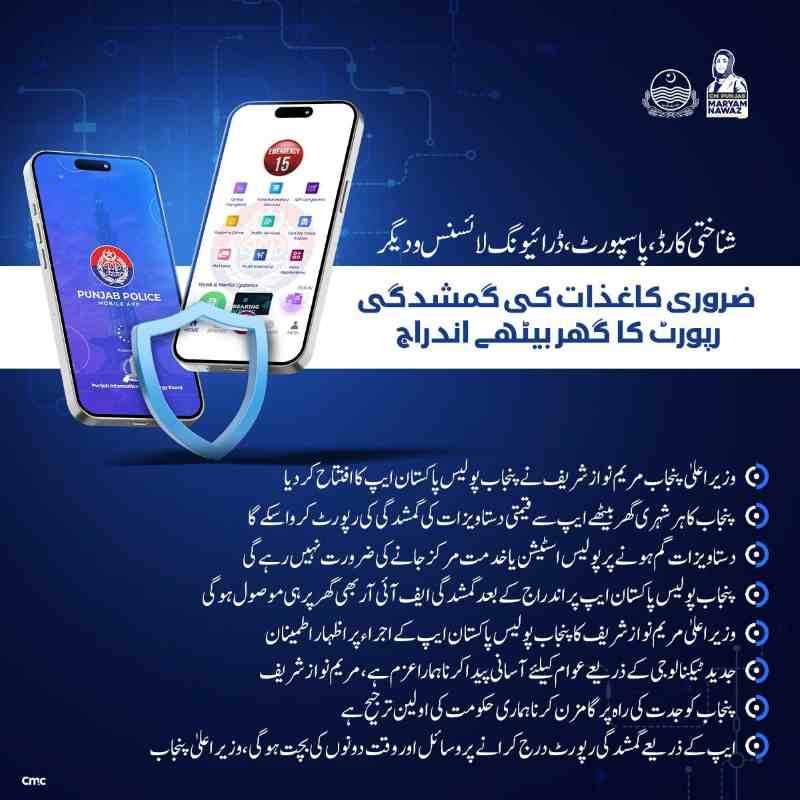
Table of Contents
What is a “Lost Report” in the context of Punjab Police?
A Lost Report is an official police document that serves as legal proof that you have formally declared a specific item, such as a CNIC, passport, or driving license, lost or misplaced. This report is issued by the Punjab Police through either the digital Punjab Police Pakistan App or physical Police Khidmat Markaz (PKM) centers located across all districts of Punjab.
Key Information About Loss Reports:
- Purpose: The report protects you from legal liability if your lost document is misused by someone else for fraudulent activities like opening bank accounts, obtaining loans, or registering SIM cards.
- Use Case: It acts as a prerequisite document when applying for duplicates from issuing authorities like NADRA, Excise & Taxation Department, and passport offices.
- Processing Time: Online reports generate instantly within 15 to 30 seconds after form submission, while PKM physical registration takes approximately 5 to 10 minutes on the spot.
- Validity Period: The loss report does not technically expire, but for re-issuance of documents, it is best used within 1 to 3 months of filing.
Fresh Perspective:
Unlike the old system where citizens had to queue at police stations for hours, the new digital loss report system stores all reports in a centralized police database. This means you can re-download your report anytime from the app history without visiting any government office or paying any additional fee.
How is a Loss Report different from a First Information Report (FIR)?
A Loss Report and a First Information Report serve fundamentally different legal purposes, and understanding this distinction is critical when filing your complaint through the Punjab Police Pakistan App.
Comparison Table: Loss Report vs. FIR
| Feature | Loss Report | First Information Report (FIR) |
|---|---|---|
| Nature of Incident | Non-criminal (misplacement, accidental loss) | Criminal (theft, snatching, robbery) |
| Legal Classification | Administrative record only | Criminal offense registration |
| Police Investigation | No investigation required or conducted | Investigation is mandatory by law |
| Issuing Authority | Punjab Police App or any PKM center | Police Station SHO only |
| Use for Duplicate Documents | Fully accepted by NADRA, Excise, Passport Office | Also accepted but indicates a crime occurred |
When to Choose Each Option:
- File a Loss Report if: You dropped your wallet somewhere, misplaced your CNIC at home, your bag fell from your vehicle, or you simply cannot find the document after searching.
- File an FIR if: Your document was snatched at gunpoint, your house was robbed, your car was broken into, or the document was stolen with criminal intent from another person.
Important Distinction:
If you file a loss report for a document that was actually stolen, you may face difficulties later because the legal classification does not match the incident. Always assess how the document went missing before selecting the option in the app to ensure proper legal documentation.
Why do you need a Police Loss Report to apply for duplicate documents?
Authorities like NADRA, the Excise & Taxation Department, and passport offices require a Police Loss Report to prevent identity theft and fraud. This requirement ensures that the original document holder is not held responsible for any misuse that occurs after the document is lost.
Legal Rationale:
- Identity Protection: When you report a document as lost to the police, a permanent timestamped record is created. If someone tries to use your lost CNIC to open a bank account or obtain a SIM card, the financial institution can verify through the police system that the document was reported lost before that transaction.
- Chain of Accountability: The loss report establishes a clear timeline of events. For example, if your CNIC is used for a transaction after the report filing date, you cannot be held legally liable because you officially declared it lost before that transaction occurred.
- Duplicate Issuance Control: Issuing authorities need the loss report to ensure they are not issuing duplicate documents to fraudsters. The police report acts as a verification that the request comes from the legitimate owner of the document.
What Happens Without a Loss Report:
If you apply for a duplicate CNIC without a police loss report, NADRA will likely reject your application or require additional documentation and longer processing times. In cases of suspected fraud, they may even initiate an inquiry before processing your duplicate request.
Recent Updates: The launch of the Punjab Police Pakistan App
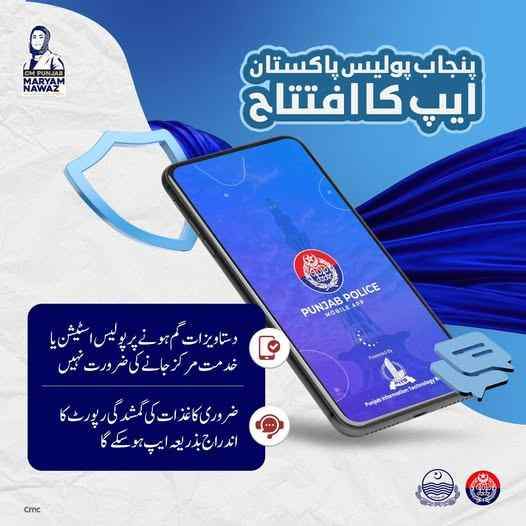
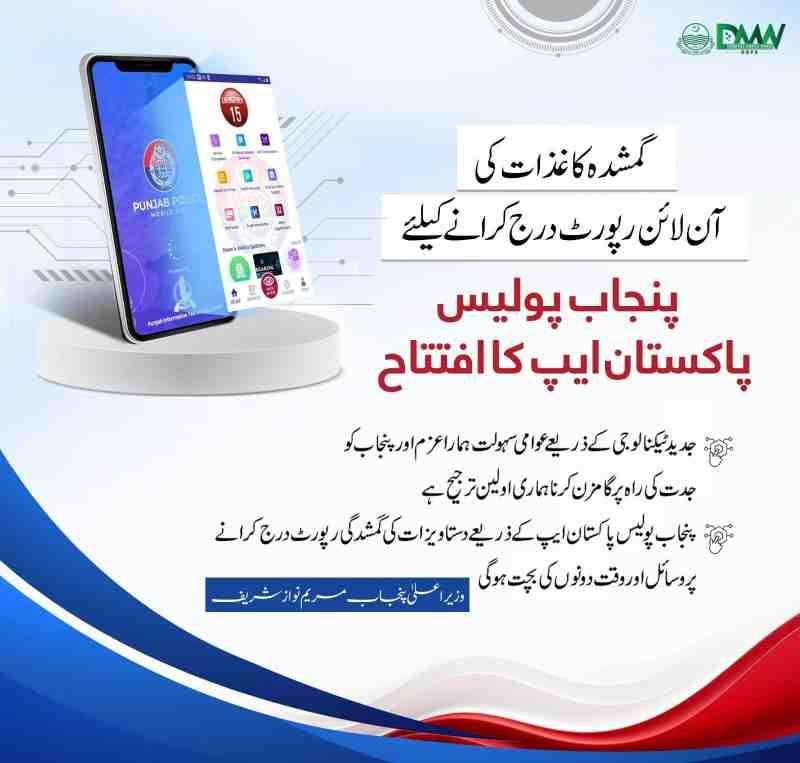
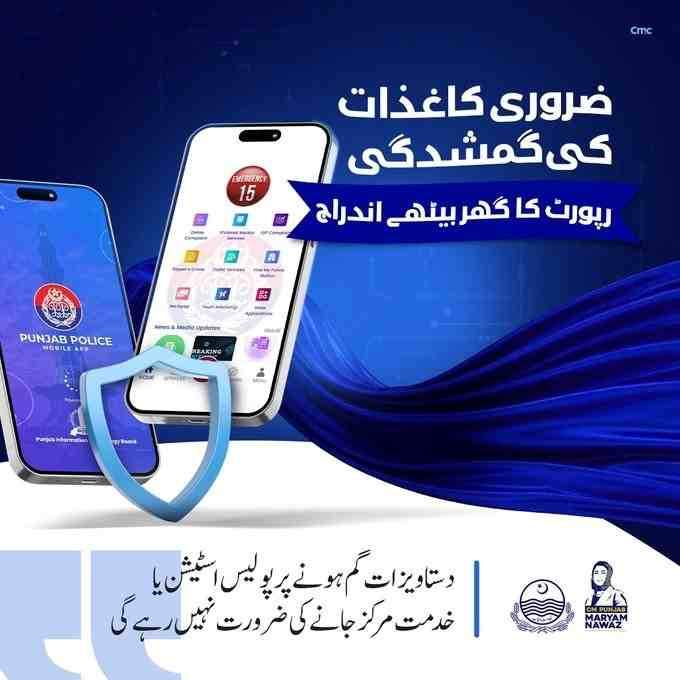
The Punjab Police Pakistan App was officially launched by Chief Minister Maryam Nawaz to digitize citizen services across the province. This initiative marks a significant shift from traditional police station visits to smartphone-based service delivery for all Punjab citizens.
Key Launch Details:
- Official Launch: Chief Minister Punjab Maryam Nawaz Sharif formally inaugurated the Punjab Police Pakistan App on April 9, enabling citizens to report the loss of essential documents from their homes.
- App Developer: The application was developed by the Punjab Information Technology Board (PITB) in collaboration with the Punjab Police Department, ensuring secure and reliable service delivery.
- Core Feature: The new release specifically added the Lost Report feature, allowing users to report their lost documents and then immediately download the official police report.
App Features Beyond Lost Reports:
The Punjab Police Pakistan App includes multiple citizen services beyond just lost document reporting. These include Online Complaints, Report a Crime, Character Certificate, Police Verification, Private Employee Registration, Tenant Registration, IGP Complaints, Traffic Services, and Find My Police Station.
Is the Punjab Police “Lost Report” app free to use?
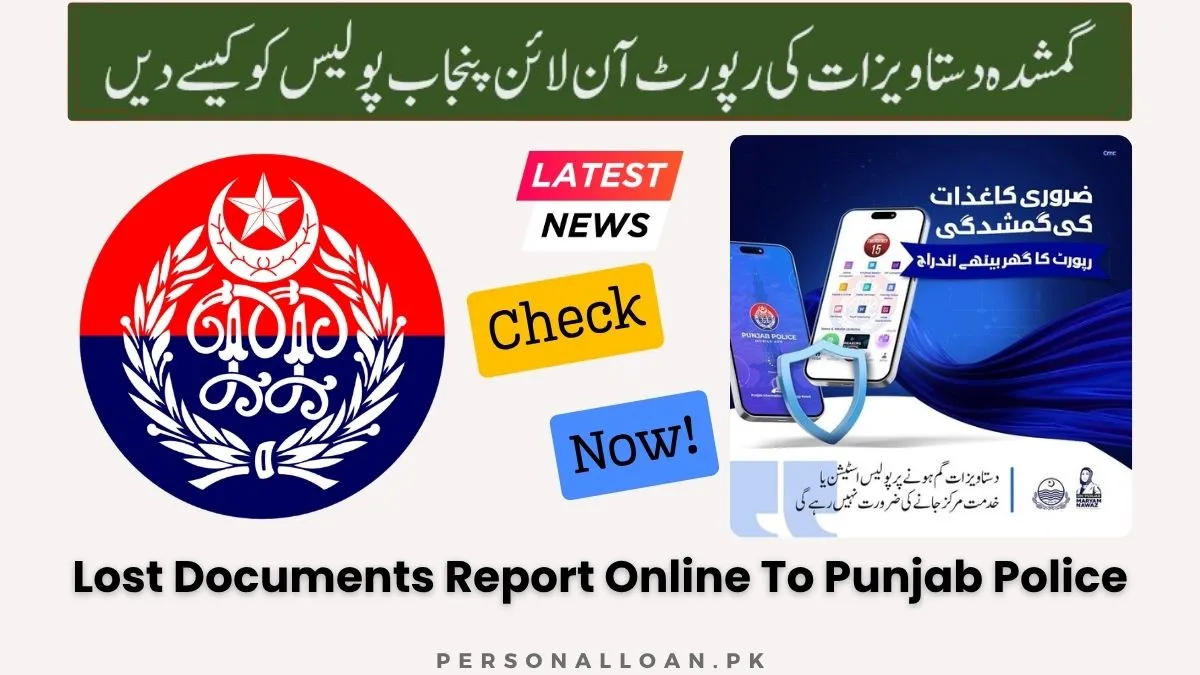
Yes, the Punjab Police “Lost Report” service via the Punjab Police Pakistan App is completely free of charge. There are no processing fees, token fees, registration charges, or hidden costs associated with filing an online loss report through the app.
Fee Structure Breakdown:
- Online App Report: Zero fee for all document types including CNIC, passport, driving license, educational certificates, and other belongings.
- Physical PKM Report: Also completely free of charge at all Police Khidmat Markaz centers across Punjab province.
- No Premium Tiers: Unlike some government services that offer paid expedited processing, the loss report service is uniformly free for all citizens regardless of document type.
What You Pay For Later:
While the loss report itself is entirely free, you will need to pay applicable fees when applying for duplicate documents from issuing authorities. For example, NADRA charges a fee for CNIC reprint based on processing speed (Normal, Urgent, or Executive service), Excise & Taxation charges a fee for duplicate driving license or vehicle smart card, and the Passport office charges standard fees for duplicate passport issuance.
Cost Saving Insight:
The free loss report service saves citizens significant money compared to the old system where some individuals paid middlemen or touts to expedite police station processes. Now, any citizen with a smartphone and internet connection can generate an official police report at absolutely no cost.
Step-by-Step Guide to filing an Online Loss Report
Filing a Lost Documents Report Online (Punjab Police) requires following a systematic process within the Punjab Police Pakistan App. Each step builds upon the previous one to ensure accurate and legally valid report generation.
How do I download the Punjab Police Pakistan app?
Downloading the Punjab Police Pakistan App is straightforward and takes less than a minute on both Android and iOS devices through their respective official app stores.
For Android Users:
- Open the Google Play Store on your Android smartphone
- Search for “Punjab Police Pakistan” in the search bar at the top
- Verify that the publisher is the “Punjab Police Department” or “PITB” (Punjab Information Technology Board)
- Tap the “Install” button and wait for the download to complete automatically
- The app icon will appear on your home screen after successful installation
For iOS Users:
- Open the Apple App Store on your iPhone or iPod touch
- Search for “Punjab Police Pakistan” in the search tab
- Verify the developer is PITB as shown in the app details section
- Tap “Get” followed by “Install” and authenticate with Face ID, Touch ID, or your Apple ID password
- The app will automatically download and install on your device
App Size and Requirements:
The app requires approximately 81.2 MB of storage space on your device. For iOS users, the app requires iOS 15.6 or later, while Android users need a reasonably recent version of the operating system for optimal performance.
Does the Punjab Police app require a CNIC for registration?
Yes, the Punjab Police Pakistan App requires valid CNIC verification as a mandatory registration step. This requirement ensures that each user account is linked to a verified Pakistani citizen identity through NADRA’s database.
Registration Process Details:
- CNIC Number Entry: You must enter your exact 13-digit CNIC number exactly as printed on your physical identity card without any spaces or dashes
- Mobile Number Verification: A one-time password (OTP) is sent to your mobile number registered with NADRA for verification before account activation
- PakID Integration: New or existing users must verify their CNIC first using the PakID app from NADRA before accessing any app features including the lost report service
- Biometric Verification: The app uses NADRA’s biometric database to confirm your identity through fingerprint verification during the initial setup process
Why CNIC Registration Matters:
The CNIC requirement prevents fraudulent reporting and ensures that each loss report is linked to a verified individual. This integration with NADRA’s database means that when you file a report, the system automatically pulls your basic information, significantly reducing data entry errors and processing time.
What Happens Without Verification:
If you do not complete the CNIC verification through PakID, you cannot access the lost report feature or any other citizen services within the app. The verification is a one-time process that permanently unlocks all app functionalities for your account.
Read More: Kisan Card – Payment Update April (Kisan Card Bill Payment)
Navigating to the “Lost Report” service in the app
Once registered and logged in successfully, locating the Lost Report service requires navigating through the app’s main dashboard. The interface is designed for intuitive use with clearly labeled service icons for all citizen services.
Step-by-Step Navigation:
- Open the Punjab Police Pakistan App after successful login with your CNIC and password
- Look at the main dashboard which displays all available citizen services in grid format
- The “Lost Report” icon is typically categorized under “Citizen Services” or “Complaints” section depending on app version
- Some app versions may list it as “Loss Report” or “Missing Report” – both names refer to the exact same service
- Tap on the icon to proceed to the report filing form and begin the process
Alternative Navigation Paths:
If you cannot find the Lost Report icon immediately on the main dashboard:
- Use the app’s search function if available in the top menu bar
- Check the “All Services” menu option for a complete service list
- Look for a “Report an Issue” or “File a Complaint” section that may contain the Lost Report as a sub-service
What information is required to file a loss report online?
The online loss report form requires specific information to generate a legally valid police document. Having this information ready before starting the process speeds up your filing experience significantly.
Required Information Fields:
Document Type Selection:
- Choose from the dropdown menu which includes: CNIC, Passport, Driving License, Educational Certificate, ATM Card, Chequebook, Mobile Phone, Vehicle Smart Card, or Other Belongings
- Each document type selection may reveal additional specific fields relevant to that particular document type for more accurate reporting
Document Details:
- Document number (CNIC number, license number, passport number) – provide if available or from memory
- Issuing authority (NADRA, Excise, Passport Office, University) – select from the available options
- Date of issue if you remember it from the document itself
Incident Information:
- Date when the document was lost (approximate date is perfectly acceptable if exact date is unknown)
- Time of loss (approximate time such as morning, afternoon, or evening is acceptable)
- Specific location where the document went missing (street name, market name, city, district, and any landmark)
- Description of circumstances (briefly describe how you believe the document was lost or misplaced)
Personal Information (Auto-Filled):
- Your name, father’s name, and CNIC number are automatically populated from your registration data saved in the system
- Current residential address as per CNIC record in NADRA’s database
Fresh Perspective:
Unlike physical forms where you must write everything by hand and cannot make corrections easily, the digital form saves your progress. If you need to check a document number or confirm a date from another source, you can pause and return to the form later without losing any previously entered data.
Can I report a lost mobile phone through the Punjab Police app?
Yes, the Punjab Police Pakistan App allows citizens to report lost mobile phones through the same Lost Report service. Mobile phones are classified under “other belongings” or may have a dedicated option depending on the app version installed.
Mobile Phone Loss Report Process:
- Select “Mobile Phone” from the document or belonging type dropdown menu in the form
- Enter the IMEI number of your lost phone (dial *#06# on any phone to see its IMEI if you have it saved somewhere)
- Provide the mobile number associated with the lost device for reference
- Describe the make, model, color, and any distinguishing features of the phone
- Specify the date, time, and precise location where the phone was lost or misplaced
IMEI Tracking Benefit:
When you report a lost mobile phone through the official police system, the IMEI number is entered into a national database. Mobile network operators use this database to block the device, making it completely unusable on any Pakistani mobile network. This significantly reduces the resale value of stolen phones and effectively discourages phone theft across the province.
Additional Steps After Filing:
- Save the loss report PDF as permanent proof of reporting for future reference
- Contact your mobile network operator (Jazz, Zong, Telenor, or Ufone) with the loss report to block your SIM card immediately
- Request a duplicate SIM card from your operator using the loss report as supporting documentation
How do I submit the loss report and generate the PDF?
After completing all required fields in the online form, the submission process finalizes your loss report and generates an official police document with legal validity.
Submission Steps:
- Review all entered information for accuracy and completeness before proceeding to submission
- Check the declaration box confirming that the information provided is true and correct to the best of your knowledge
- Click the “Submit” or “Generate Report” button at the bottom of the completed form
- Wait for the system to process your request (typically 15 to 30 seconds processing time)
- The system will display a success message with your unique report ID number for future reference
PDF Generation:
Once submitted, the system automatically performs several actions:
- Creates an official Punjab Police loss report document with proper formatting
- Assigns a unique report number for future reference and tracking purposes
- Adds a QR code that contains the report’s verification data for authenticity checks
- Applies a digital timestamp showing exactly when the report was filed with the police
- Displays a “Download PDF” button prominently on the confirmation screen
What to Do After Generation:
- Tap the “Download PDF” button to save the file to your device storage immediately
- Email a copy to yourself as a secure backup in case you lose your phone
- Take a screenshot of the confirmation screen showing your report ID as additional proof
- Share the PDF with family members who may need it for reference purposes
How to Download and Save the Digital Loss Report Receipt
Saving your digital loss report receipt properly ensures you have access to the document whenever you need it for duplicate applications or verification purposes with any authority.
Download Options:
- Direct Download: Tap the “Download PDF” button immediately after report generation while still on the confirmation screen
- From History: Access “My Reports” or “Complaint History” in the app menu to re-download any previous report at any time
- Share Function: Use the share button to send the PDF via WhatsApp, email, or other messaging apps to create multiple copies
Recommended Storage Practices:
- Device Storage: Save the PDF to your phone’s internal storage or SD card for offline access
- Cloud Backup: Upload the PDF to Google Drive, iCloud, or Dropbox for secure cloud storage accessible from anywhere
- Email Backup: Send the PDF to your personal email address with a clear subject line like “CNIC Loss Report – Date”
- Physical Print: Print a physical copy on paper and keep it in a safe location at home as a backup
File Naming Convention:
Rename the downloaded PDF file immediately to something searchable and descriptive, such as “Loss_Report_CNIC_YourName_Date.pdf”. This naming convention makes it easy to locate the file when you need it months later among many other documents.
How to Verify a Punjab Police Loss Report via QR Code
The QR code embedded on every digital loss report serves as an instant verification mechanism for authorities who need to confirm the report’s authenticity without calling any police station.
QR Code Technology:
Each loss report contains a unique QR code that encodes specific information about the report, including the report number, filing date, document type, and complainant CNIC. The QR code is cryptographically linked to the Punjab Police central database for verification.
Verification Process for Authorities:
- Any authority (bank officer, NADRA official, university administrator) scans the QR code using any standard QR scanner app on their phone
- The scanner automatically opens a verification webpage or displays the report data directly
- The system confirms whether the report exists in the official Punjab Police database
- The verification shows the report’s current status and filing timestamp for complete transparency
Why QR Code Verification Matters:
The QR code system completely prevents forgery of loss reports. If someone tries to create a fake PDF using photo editing software, the QR code will either not work at all or will show that the report number does not exist in the official police database. This gives authorities complete confidence that your loss report is genuine.
Self-Verification Option:
You can also verify your own report by scanning the QR code using your phone’s camera and a QR scanner app. This confirms that the report is properly registered in the system before you submit it to any authority for duplicate document processing.
How long does it take to get a loss report from the Punjab Police app?
The online loss report through the Punjab Police Pakistan App generates almost instantly, making it significantly faster than the physical PKM method and saving hours of valuable time.
Online App Processing Time:
- Form Submission to PDF Generation: Approximately 15 to 30 seconds processing time
- Total Time Including Data Entry: 3 to 5 minutes depending on how quickly you type and enter information
- Verification Time: The report is immediately verifiable via QR code upon generation without any delay
Physical PKM Processing Time Comparison:
- On-Spot Registration: 5 to 10 minutes at the PKM counter once your token is called
- Travel Time: Additional significant time to reach the PKM center depending on your location
- Queue Waiting: Variable depending on crowd and time of day, can range from minutes to hours
Fresh Perspective:
The instant generation capability is particularly valuable for urgent situations. If you need to apply for a duplicate CNIC immediately because you have international travel scheduled in a few days, you can generate the loss report from anywhere and start the NADRA application process without any delay.
Do I need to visit a police station after filing an online report?
No, the Punjab Police Pakistan App is specifically designed to eliminate the need for any physical police station visit after filing an online loss report for lost documents.
Complete Digital Process:
- Registration occurs entirely within the app using CNIC and PakID verification
- Report filing uses digital forms with no paper submission required at any stage
- Report generation produces a PDF that serves as the official police document
- Report verification uses QR code technology accessible from any smartphone anywhere
When You Might Still Need a Physical Visit:
There are limited scenarios where a physical visit might be required:
- If the app is not working due to technical issues at the time of your loss
- If you do not own a smartphone or cannot access the internet at all
- If you simply prefer to file the report in person at a PKM center
Official Confirmation:
Speaking at the launch event, the Chief Minister stated that providing convenience to citizens through modern technology remains a top government priority. The app was specifically designed to provide verification of loss reports at home, reducing the need for in-person visits and saving both time and resources for all citizens.
Where is the nearest Khidmat Markaz if I can’t use the app?
If you cannot use the Punjab Police Pakistan App for any reason, Police Khidmat Markaz (PKM) centers are available throughout Punjab as physical alternatives for filing loss reports with in-person assistance.
PKM Availability:
PKM centers are available in all districts of Punjab, including Lahore, Rawalpindi, Faisalabad, Multan, Gujranwala, and Sargodha. These centers are often located in or near police stations and district headquarters for easy accessibility by all citizens.
How to Locate Your Nearest PKM:
- Use the “Find My Police Station” feature within the Punjab Police Pakistan App even if you cannot file a report through it
- Visit the official PKM website for a complete list of centers with full addresses and contact numbers
- Ask your local police station for directions to the nearest Khidmat Markaz in your area
- Use Google Maps and search for “Police Khidmat Markaz” followed by your city name
Services Available at PKM:
Beyond loss reports, PKM centers offer Character Certificate, Police Verification Certificate, Tenant Registration, Vehicle Verification, Driving License Issuance and Renewal, Crime Report Copy (FIR Copy), Employee Verification, and Women and Child Protection Services.
What are the timings and operating hours of PKM centers?
Most Police Khidmat Markaz centers operate during standard business hours, though some major locations offer extended timings for citizen convenience and accessibility.
Standard Operating Hours:
- Opening Time: 9:00 AM in the morning
- Closing Time: 5:00 PM in the evening
- Days of Operation: Monday through Saturday (closed on Sundays for weekly maintenance)
Extended Hours Locations:
Some major PKM centers, particularly in Lahore such as the Liberty center, operate extended hours until 12:00 AM (midnight) or later. These extended hours accommodate citizens who cannot visit during standard business hours due to work or other commitments during the day.
Best Time to Visit:
- Avoid Peak Hours: Early morning (9 AM to 10 AM) and just after lunch (2 PM to 3 PM) tend to have the longest queues
- Recommended Times: Mid-morning (10:30 AM to 11:30 AM) or late afternoon (3:30 PM to 4:30 PM) for shorter waits
- Day Preference: Tuesday through Thursday typically have shorter waits compared to busy Monday and Saturday
Step-by-Step Process for Lost Report at PKM
If you choose the physical PKM route for filing a loss report, following these steps ensures a smooth and efficient experience without unnecessary delays.
Step 1: Visit the PKM Help Desk
Upon arriving at the PKM center, locate the main help desk or information counter. Inform the staff member that you need to file a Lost Documents Report for your specific document.
Step 2: Obtain and Fill Out the Application Form
The staff will provide you with a Loss Report application form. Fill out all required fields including your full name and CNIC number, type of document lost, document number if known, date, time, and location of loss, and brief description of circumstances.
Step 3: Submit Required Documents
Submit the completed application form along with original CNIC for identity verification, photocopy of your CNIC, written complaint describing the loss if requested by the center, and copy of lost document if available (optional but helpful).
Step 4: Biometric Verification
The PKM officer will take your fingerprint for biometric verification against the NADRA database. This step confirms your identity and legally links the report to you personally.
Step 5: Receive Physical Copy
After processing, the officer will provide you with a stamped physical copy of the Loss Report. Review all details on the report carefully before leaving the center to ensure accuracy.
Turnaround Time: How many minutes does PKM take for a Loss Report?
The official processing time for a Lost Documents Report at a Police Khidmat Markaz is approximately 5 to 10 minutes, providing on-the-spot registration for citizens.
Official PKM Timeframes:
- Loss Report: Around 5 to 10 minutes for on spot registration completion
- Crime Report: Around 15 to 20 minutes for on spot registration
- Vehicle Verification: Around 40 minutes for on spot verification process
- Police Character Certificate: 3 working days after application date submission
Factors Affecting Processing Time:
- Crowd Level: Busy centers during peak hours may have longer queue waiting times before your token number is called
- System Availability: Occasional technical issues with the PKM computer system may cause minor delays
- Document Completeness: If you have all required documents ready before arrival, processing is significantly faster
Fresh Perspective:
The 5 to 10 minute processing time at PKM is actually very efficient compared to many other government services in Pakistan. However, the online app still beats this processing time by being nearly instantaneous and eliminating travel time entirely from the equation.
What are the required documents for an Online Loss Report?
Understanding the document requirements for the online loss report ensures you have everything ready before starting the process without any surprises.
Primary Requirements:
- Valid CNIC: Your CNIC number is absolutely essential for app registration and report filing
- PakID Verification: Complete CNIC verification through the PakID app before using the lost report feature
- Registered Mobile Number: The mobile number linked to your CNIC in NADRA’s database for OTP verification
Optional but Helpful Information:
- Lost Document Number: Having your CNIC number, driving license number, or passport number makes the report more specific and accurate
- Document Copy: A saved photo or scanned copy of the lost document can help you provide accurate details
- Incident Description Notes: Write down the date, time, and location before starting the form for accuracy
What You Do NOT Need:
- No physical photographs are required for the online report process
- No stamp paper or affidavit is needed for the online report
- No witness signatures are required from any third party
- No notarized documents are necessary for online filing
Is the original CNIC mandatory for the online report?
Yes, the original CNIC is mandatory for the online loss report process because the system uses NADRA’s database for verification of your identity.
CNIC Verification Requirements:
- App Registration: You must enter your exact 13-digit CNIC number during account creation without any errors
- PakID Integration: The app uses PakID, NADRA’s official verification app, to confirm your identity through biometric data
- Database Cross-Reference: The system checks your CNIC against NADRA’s records to ensure you are a legitimate citizen
Why CNIC Verification Matters:
The CNIC requirement completely prevents fraudulent reporting. If someone tries to file a false loss report using another person’s identity without their knowledge, the biometric verification step would prevent this because the app would detect that the fingerprints do not match the CNIC provided.
Alternative for Lost CNIC Reporting:
If your CNIC itself is the document that is lost, you cannot use the app because you need your CNIC number to register for the app. In this specific case, you must visit a PKM center physically and provide alternative identification or use your CNIC number from memory or saved records elsewhere.
Do I need a written complaint for the online process?
No, the online form itself serves as the complete written complaint for the online loss report process. You do not need to upload a separate handwritten letter or affidavit.
Digital Complaint Process:
- The online form includes dedicated fields for describing the incident in detail
- Your typed description serves as the official written complaint for police records
- The system timestamps and records your complaint digitally with full traceability
- No physical signature or stamp is required for the online process
Contrast with PKM Process:
At physical PKM centers, some locations may request a separate handwritten complaint in addition to the application form. This requirement varies by center and is not uniformly enforced across all PKM locations in the province.
Best Practice:
Even though a written complaint is not required for the online process, it is wise to save your incident description in a notes app before starting the form. This ensures you have a personal record of what you reported in case you need to reference it later.
What if I don’t have a copy of the lost document?
You can still file a complete loss report even if you do not have a copy of the lost document. The online form does not require document uploads or physical copies for processing.
What the System Can Do Without a Copy:
- The app will generate a valid loss report using your CNIC number as the primary identifier
- The system notes that the document number was not provided at the time of reporting
- The report still serves as legal proof that you declared the document lost on that date
How to Provide Maximum Information:
- CNIC: Most citizens remember their CNIC number – enter this in the form accurately
- Driving License: If you remember your license number, provide it; if not, describe the license type and issuing city
- Passport: Enter your passport number if you have it saved; if not, provide your name as it appears on the passport
Fresh Perspective:
The loss report’s primary legal value is the declaration itself, not the specific document number. Authorities accept loss reports even without the document number because the report creates a timestamped record that you declared the loss on a specific date.
Can I file a report for someone else using my app account?
No, the Punjab Police Pakistan App strictly links each user account to the CNIC used during registration. Each person must file their own loss report because biometric verification confirms individual identity.
Technical Reasons:
- The PakID verification step captures biometric data linked to your specific CNIC
- The system generates reports using the account holder’s name and CNIC automatically
- There is no “file on behalf of someone else” option in the current app version
Solutions for Family Members:
- Senior Citizens or Disabled Persons: If a family member cannot use the app due to age or disability, they can visit the nearest PKM center where staff will assist them in person
- Children: For lost B-Form or child-specific documents, parents must visit the PKM center as the app requires CNIC registration which children do not have
- Illiterate Persons: PKM centers provide dedicated assistance for citizens who cannot read or write, with staff helping to fill out forms
Can overseas Pakistanis report lost documents via the Punjab Police app?
Yes, overseas Pakistanis can download the Punjab Police Pakistan App from anywhere in the world, but the report is only valid for documents lost within the territorial jurisdiction of Punjab, Pakistan.
Technical Feasibility:
- The app is available on Google Play Store and Apple App Store worldwide
- Registration requires a Pakistani CNIC, which overseas citizens possess
- PakID verification works from anywhere as it uses NADRA’s online database
- OTP verification can be sent to Pakistani mobile numbers or international numbers registered with NADRA
Practical Limitations:
- The loss report is only for incidents that occurred within Punjab province
- If you lost your Pakistani passport while in another country, you should report it to local authorities and the Pakistani consulate, not the Punjab Police
- For documents lost in Punjab but discovered after returning overseas, the report remains valid
Recommended Process for Overseas Citizens:
Download the app, complete PakID verification using your CNIC, and file the report exactly as you would if you were physically in Pakistan. The PDF generated is equally valid for duplicate document applications processed through NADRA’s overseas services.
Is a digital loss report legally valid for a passport application?
Yes, the digital loss report generated by the Lost Documents Report Online (Punjab Police) is considered an official government document and is legally valid for passport applications at all passport offices.
Acceptance by Passport Office:
- The Directorate General of Immigration & Passports accepts the QR code-enabled PDF as valid proof of passport loss
- The digital report eliminates the need for a physical police station visit before applying for a duplicate passport
- Passport office officials can scan the QR code to verify authenticity against the Punjab Police database instantly
Using the Loss Report for Passport Application:
- Download the PDF from the app after generating the report successfully
- Print a physical copy or save the PDF on your phone for reference
- Visit the passport office with the loss report, your CNIC, and passport photographs
- Submit the loss report along with the duplicate passport application form
What the Passport Office Checks:
The passport office verifies that the loss report was filed before your passport application date. This prevents scenarios where someone obtains a duplicate passport while the original is still valid and in someone else’s possession.
Is the online loss report valid for educational degree verification?
Yes, universities and the Higher Education Commission (HEC) recognize the QR-code verified loss report for issuing duplicate degrees and educational certificates to students.
Acceptance by Educational Institutions:
- Universities: Public and private universities across Pakistan accept the digital loss report as proof when issuing duplicate degree certificates
- HEC: The Higher Education Commission accepts the report for verification and re-issuance of degree attestation
- Educational Boards: Secondary and higher secondary boards accept the report for duplicate mark sheets and certificates
Process for Obtaining Duplicate Degree:
- File the loss report through the Punjab Police Pakistan App
- Download and save the PDF or print a physical copy
- Visit your university’s examination department with the loss report and your CNIC
- Submit a formal application for duplicate degree issuance along with the loss report
- Pay the prescribed fee for duplicate certificate processing
Verification by Universities:
University officials scan the QR code on your loss report to confirm its authenticity against the Punjab Police database. This verification step ensures that no fraudulent duplicate degree requests are processed by the institution.
Are online loss reports accepted by banks for account updates?
Yes, banks across Pakistan accept the PDF loss report for blocking lost ATM or debit cards and for updating Know Your Customer (KYC) records without requiring any physical police station visit.
Bank Use Cases:
- Lost ATM Card: Present the loss report at your bank branch to request an immediate blocked card and a replacement
- Lost Chequebook: Use the loss report when reporting a lost chequebook to prevent any unauthorized use
- KYC Updates: If your CNIC was lost and you obtained a duplicate, the loss report helps update bank records
- Account Freeze Requests: For severe cases where you suspect document misuse, the loss report supports account freeze requests
Bank Verification Process:
Bank officials scan the QR code on your loss report to verify its authenticity against the Punjab Police database. Once verified successfully, they proceed with the requested action such as card blocking or duplicate issuance.
Time Savings:
Before the digital loss report system, you would need to visit a police station, obtain a physical report, and then visit the bank. Now, you can generate the report from your phone and immediately go to the bank or even upload the PDF through some banks’ digital banking apps.
Does the online loss report expire after a certain period?
Technically, a loss report is an event-based document that does not have a fixed expiration date. However, for re-issuance of documents, it is best used within 1 to 3 months of filing.
Legal Standing Over Time:
- The report remains in the Punjab Police database indefinitely for reference
- The QR code continues to verify the report’s authenticity regardless of when it was filed
- There is no statutory expiration written into the loss report regulations
Practical Considerations:
- Duplicate Document Application: If you wait more than 3 months after filing to apply for a duplicate CNIC, NADRA may ask why you delayed and may require additional documentation
- Bank Account Updates: Banks typically accept loss reports filed within the last 6 months without questions
- Identity Theft Protection: The loss report protects you from the filing date forward, regardless of when you use it
Fresh Perspective:
Rather than thinking of the loss report expiring, think of it as a protective document that creates a legal boundary. The moment you file the report, you are protected from any misuse that occurs after that timestamp. Even if you never use the report to get a duplicate document, the report serves its purpose by establishing that you declared the document lost on a specific date.
How to check the status of my loss report online?
Within the Punjab Police Pakistan App, the Citizen FIR Tracking feature allows you to check your loss report status using your report ID or mobile number at any time.
Status Check Methods:
- Within the App: Navigate to “My Reports” or “Complaint History” to see all your filed reports with their current status
- CMS Portal: Access the Complaint Management System portal and enter your complaint number or mobile number
- SMS Updates: Registered mobile numbers receive automatic SMS notifications when report status changes
Status Types You May See:
- Submitted: Your report has been received by the police system
- Under Review: Police officials are verifying the information you provided
- Verified: The report has been approved and is legally valid for use
- Completed: The report has been fully processed and is ready for download
Real-Time Tracking Benefits:
The digital system allows you to check your report status 24 hours a day, 7 days a week without visiting any police station. This transparency builds trust and reduces anxiety about whether your report was properly registered in the system.
How do I recover a lost report ID from the app?
If you lose your report ID number, the Punjab Police Pakistan App stores all your previous reports in your account history for easy retrieval at any time.
Recovery Steps:
- Log into the Punjab Police Pakistan App using your CNIC and password
- Navigate to “My Complaints” or “Report History” section in the menu
- Browse the list of all reports you have filed previously in chronological order
- Locate the specific loss report by date or document type
- Tap on the report to view details including the report ID number
- Download the PDF again directly from the history section
Alternative Recovery Method:
If you cannot access the app for any reason, you can check your email if you previously emailed yourself the PDF, search your device storage for the PDF file name, or visit the CMS Punjab portal and enter your CNIC to retrieve report information.
Prevention Tip:
After generating each loss report, immediately email the PDF to yourself with a clear subject line like “Loss Report CNIC Date – Report ID Number”. This creates an external backup that you can access even if you lose your phone or change devices.
What should I do if the Punjab Police app is not working?
If the Punjab Police Pakistan App experiences technical issues, there are several alternative approaches to file your loss report without unnecessary delay.
Troubleshooting Steps:
- Check Internet Connection: Ensure you have a stable mobile data or WiFi connection
- Clear App Cache: Go to your phone settings, find the app, and clear cached data
- Update the App: Check the Google Play Store or Apple App Store for pending updates
- Reinstall the App: Uninstall and reinstall the app fresh from the official store
- Restart Your Phone: A simple restart often resolves temporary glitches
Alternative Filing Methods:
- Visit PKM Center: Go to the nearest Police Khidmat Markaz and file a physical loss report
- Use CMS Web Portal: Access the Complaint Management System through your mobile browser
- Call Police Helpline: Call 15 for police assistance and ask about alternative reporting methods
Fresh Perspective:
App technical issues are rare but possible like any software. The Punjab Police has designed the system with redundancy, meaning physical PKM centers continue to operate smoothly alongside the digital app. If one method fails, the other remains available for citizens.
How do I perform an Online FIR check by CNIC in Punjab?
The Punjab Police Complaint Management System (CMS) allows citizens to check FIR status online using their CNIC or complaint number without visiting any police station.
CMS Portal Method:
- Visit the official CMS Punjab website
- On the homepage, select “Check Complaint Status” option
- Enter your Mobile Number and Complaint Number (e-tag code)
- Click Submit to view the current status of your FIR
Information Displayed:
- Complaint Number (your unique e-tag code)
- Police Station name handling the case
- Current Status (Lodged, Assigned, Resolved, etc.)
- Assigned Officer name or post
- Last Update Date with most recent activity
WhatsApp Integration:
The system also provides updates via WhatsApp messaging. Once authorities register a First Information Report, they send a download link, e-tag number, and relevant details via WhatsApp to your registered mobile number.
How to perform a Criminal Record Check by CNIC online?
Punjab Police allows citizens to apply for a Character Certificate or Police Verification online through the Punjab Police Pakistan App, which serves as an official criminal record check.
Character Certificate Process:
- Open the Punjab Police Pakistan App
- Select “Character Certificate” from the services menu
- Enter your CNIC number and personal details
- Pay the applicable fee (if any) through the app
- Submit the application and wait for processing (typically 3 working days)
- Download the digital character certificate from the app
Police Verification Process:
- Select “Police Verification” from the app services
- Enter the CNIC of the person to be verified
- Provide reason for verification (employment, tenancy, etc.)
- Submit the request and track status through the app
Use Cases for Criminal Record Check:
- Employment verification by potential employers
- Tenant background verification by landlords
- Visa applications requiring police clearance
- Marriage verification for overseas sponsors
Quantity, Limits, and Special Cases
How many lost items can I report in one application?
Generally, one application covers one specific incident or one document type. If you lost a wallet containing a CNIC, ATM card, and driving license together, you can list all three items in a single report.
Single Incident Reporting:
- Same Location, Same Time: If all documents were lost together in one incident, list them all on one report
- Multiple Locations or Times: If documents were lost separately (CNIC lost on Monday, license lost on Wednesday), file separate reports
How to List Multiple Items:
The online form includes an option to “Add Another Document” or a similar feature that lets you add multiple document entries to the same report. Use this feature rather than filing separate reports for efficiency and simplicity.
Is there a time limit to report a lost document after it goes missing?
While there is no strict legal time limit for filing a loss report, you should file the report as soon as possible after discovering the loss for maximum protection.
Why Early Reporting Matters:
- Identity Theft Protection: Every hour your document is unreported is an hour someone could potentially misuse it
- Duplicate Application Process: NADRA and other authorities prefer loss reports filed close to the loss date
- Memory Accuracy: Details like exact time and location are fresher in your memory immediately after the loss
What Constitutes a Delay:
- 24-48 Hours: Reasonable delay if you were searching for the document before concluding it was lost
- 1 Week: Acceptable if you were traveling or had other urgent matters
- 1 Month or More: Authorities may ask why you waited and may request additional documentation
Acceptable Late Filing Reasons:
- You were out of the country when you discovered the loss
- You were hospitalized or medically unable to file earlier
- You were searching extensively for the document before concluding it was lost
What if the document was stolen (involves a crime)?
If your document was stolen through criminal activity such as snatching, robbery, or burglary, you should not file a Loss Report. Instead, you must file a First Information Report (FIR) for theft.
How to File a Theft FIR:
- Open the Punjab Police Pakistan App
- Select “Report a Crime” instead of “Lost Report”
- Choose “Theft” or “Robbery” as the crime category
- Describe the incident including how the document was taken from you
- Provide descriptions of the criminals if possible
Why FIR is Required for Theft:
- Theft is a criminal offense that requires police investigation
- A loss report does not trigger any police action or investigation
- For insurance claims related to theft, an FIR is required, not a loss report
Difference in Processing:
- Loss Report: Instant PDF generation, no investigation, no follow-up
- Theft FIR: Assigned to an investigating officer, requires follow-up, may involve court appearances
How do I protect myself after losing a CNIC?
After losing your CNIC, taking immediate protective actions minimizes the risk of identity theft and fraudulent use of your identity document by others.
Step 1: File Police Loss Report Immediately
Use the Punjab Police Pakistan App to generate an instant loss report. This creates a timestamped record that you declared the document lost on a specific date.
Step 2: Report to NADRA Helpline
Contact NADRA’s helpline to report your CNIC as lost in their system. This adds an internal flag to your CNIC record that alerts NADRA staff if someone tries to use the lost card.
Step 3: Monitor Your Credit and SIM Cards
- Check your mobile SIM registration to ensure no unauthorized SIMs are registered on your CNIC
- Monitor your bank accounts for any unauthorized activity
- Request your credit report from credit bureaus to check for fraudulent loans
Step 4: Apply for Duplicate CNIC
Apply for a duplicate CNIC through NADRA as soon as possible. Once the duplicate is issued, the lost CNIC becomes invalid for official transactions.
Fresh Perspective:
The loss report alone does not automatically invalidate your CNIC. Only NADRA can invalidate a CNIC and issue a duplicate. The loss report provides the evidence NADRA needs to process your duplicate application quickly and efficiently.
Summary: Why the Digital Lost Report is a game-changer for Punjab
The shift to the Lost Documents Report Online (Punjab Police) represents a major digital transformation in Punjab’s public service delivery, saving citizens hours of waiting time and providing a secure, verifiable digital trail.
Key Benefits Recap:
- Time Savings: From hours of waiting at police stations to 30 seconds of processing time
- Cost Savings: Completely free service with no hidden charges or middleman fees
- Convenience: File from anywhere with an internet connection, including overseas
- Security: QR code verification prevents forgery and enables instant authenticity checks
- Integration: Seamless connection with NADRA, Excise, banks, and universities
The Bigger Picture:
The digital loss report system is part of a broader Smart Policing initiative in Punjab. By digitizing routine police services, the department frees up police officers to focus on crime prevention and investigation while providing citizens with faster, more transparent access to essential services.
Looking Ahead:
As more citizens adopt the Punjab Police Pakistan App and experience the convenience of digital loss reporting, the system will continue to improve with additional features and integrations. The current version already represents a massive leap forward from the traditional police station visit model for all citizens.
Disclaimer
This guide provides general information about the Lost Documents Report Online (Punjab Police) process and is for informational purposes only. Always refer to the official Punjab Police Pakistan App and government notifications for the most current procedures and requirements.
Frequently Asked Questions (FAQs)
Q1: Can I apply for a new CNIC using an online loss report?
Yes, the online loss report generated through the Punjab Police Pakistan App is fully accepted by NADRA for duplicate CNIC applications. Simply download the PDF from the app and submit it along with your NADRA application through the Pak Identity app or at a NADRA Registration Center.
Q2: What documents can be reported as lost online?
You can report CNIC, passport, driving license, educational certificates, ATM cards, chequebooks, mobile phones, vehicle smart cards, and other belongings through the online loss report service.
Q3: How do I verify a Punjab Police loss report via QR code?
Any standard QR code scanner can read the QR code on your digital loss report. The scanner will display the report details and confirm its authenticity against the Punjab Police database instantly. Authorities use this to verify your report without any phone calls.
Q4: Can I report a lost driving license online in Lahore?
Yes, the Punjab Police Pakistan App covers all of Punjab including Lahore. File the loss report through the app, then visit the Excise and Taxation Department with the PDF to apply for a duplicate driving license.
Q5: Is an FIR required for lost documents, or is a loss report enough?
For non-criminal loss (misplacement, dropping, accidental loss), a loss report is sufficient for obtaining duplicate documents. For theft, snatching, or robbery, you must file an FIR instead of a loss report.
Q6: How do I apply for lost CNIC online?
First, file a loss report through the Punjab Police Pakistan App. Second, download the PDF from the app. Third, apply for a duplicate CNIC through the NADRA Pak Identity app or by visiting a NADRA Registration Center, submitting the loss report as supporting documentation.
Q7: What is the difference between an FIR and a Loss Report?
A Loss Report is for non-criminal misplacement and does not trigger police investigation. An FIR is for criminal offenses like theft and requires police investigation. Use the appropriate option based on how your document was lost.

Add a Comment