
Imagine buying a car, completing all the paperwork, and then waiting weeks without any clue about when your vehicle’s smart card will arrive. This frustrating experience is common among vehicle owners in Punjab. The Excise and Taxation Punjab online verification system solves this problem by providing real-time access to smart card status, delivery tracking, and vehicle registration details. This comprehensive guide covers everything from checking your smart card status online to troubleshooting delays, understanding fees, and using virtual alternatives.
Key Takeaways
- Smart Card Requirement Now Mandatory: All new vehicle registrations and ownership transfers in Punjab require a computerized smart card, replacing the old paper registration book entirely.
- Three Online Verification Methods Available: Use the MTMIS web portal (vrcentpunjab.com), the ePay Punjab mobile app, or the SMS service at 8785 to instantly check smart card status.
- Pakistan Post Handles All Deliveries: Once dispatched, your smart card is delivered via Pakistan Post with a unique tracking number you can monitor online.
- Virtual Smart Card Is Legally Valid: Download your E-Registration Card as a PDF from the official portal; it serves as valid proof of registration while you wait for the physical card.
- Dedicated Helpline Resolves Issues: Call 0800-08786 for delivery complaints, appointment scheduling, or any smart card-related problems.
- Read More: Bike Registration Check By CNIC Punjab – Official Portal
- Read More: Motorcycle Registration Check Online Punjab (Check by CNIC)
- Read More: Public Holidays In Pakistan (1 January to 31 December)
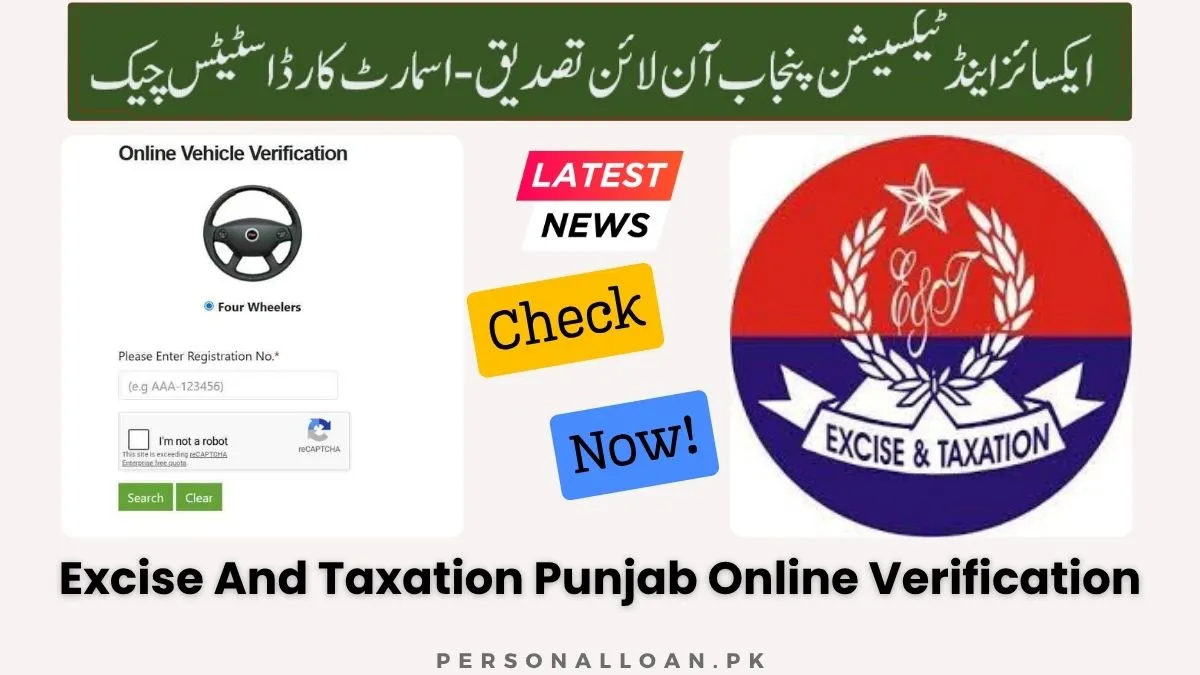
Excise and Taxation Punjab Online Verification – Smart Card Status Check
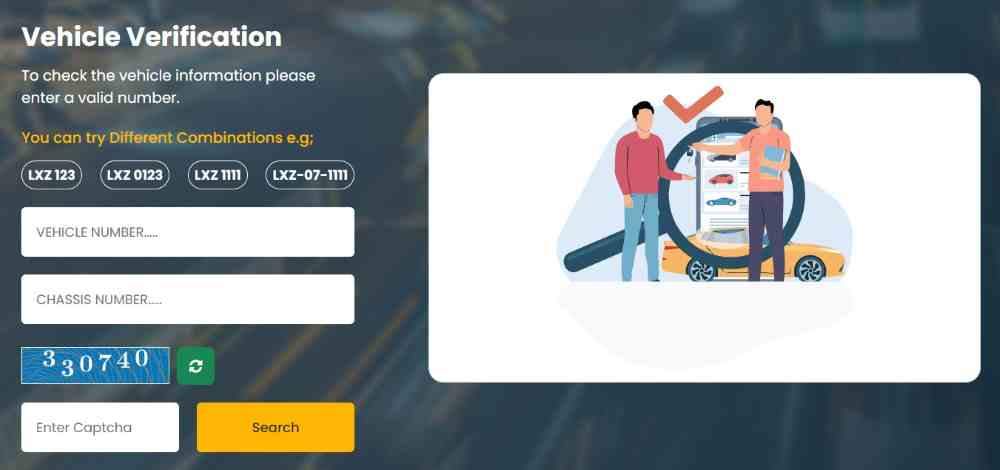
Table of Contents
Understanding the Punjab Vehicle Smart Card System
The Punjab vehicle smart card is an ATM-sized plastic card with an embedded microchip and QR code that stores all essential vehicle and owner information, serving as the official replacement for the traditional paper registration book across the province. This modern documentation system enhances security, reduces fraud, and aligns with the government’s digital transformation agenda.
What Exactly Is a Punjab Vehicle Smart Card and How Does It Function?
The smart card operates as a secure, portable, and tamper-proof document that proves vehicle ownership and registration status. The embedded microchip and QR code contain encrypted data that authorities can instantly read using standard scanning devices or smartphones.
Information stored on the smart card includes:
- Owner’s full name and CNIC number
- Owner’s father’s name and mobile phone number
- Complete vehicle registration number
- Chassis number and engine number
- Vehicle make, model, and year of manufacturing
- Vehicle color, body type, and seating capacity
- Horsepower and laden weight specifications
- Token tax payment status and expiry information
- Registration date and issuing authority
- QR code for instant verification
Why Did the Excise Department Replace Traditional Registration Books?
The shift from paper registration books to smart cards addresses multiple challenges that plagued the old system. Paper books were easily damaged, prone to forgery, and difficult for authorities to verify quickly.
Key problems solved by smart cards:
- Forgery prevention: Paper books were frequently counterfeited; smart cards use encrypted chips
- Durability issues: Paper deteriorates over time; plastic cards last for years
- Verification delays: Manual checks took minutes; QR scanning takes seconds
- Data inconsistency: Paper records had errors; digital storage ensures accuracy
- Lost document risks: Replacing paper books was cumbersome; duplicates are now systematic
Is a Smart Card Mandatory for All Vehicles in Punjab?
Yes, the Excise, Taxation, and Narcotics Control Department of Punjab has mandated computerized smart cards for vehicle registration. New registrations and ownership transfers require smart cards with a processing fee. Existing vehicles with traditional registration books can continue using them, but any transfer or registration change triggers the smart card requirement.
Three Methods for Excise and Taxation Punjab Online Verification
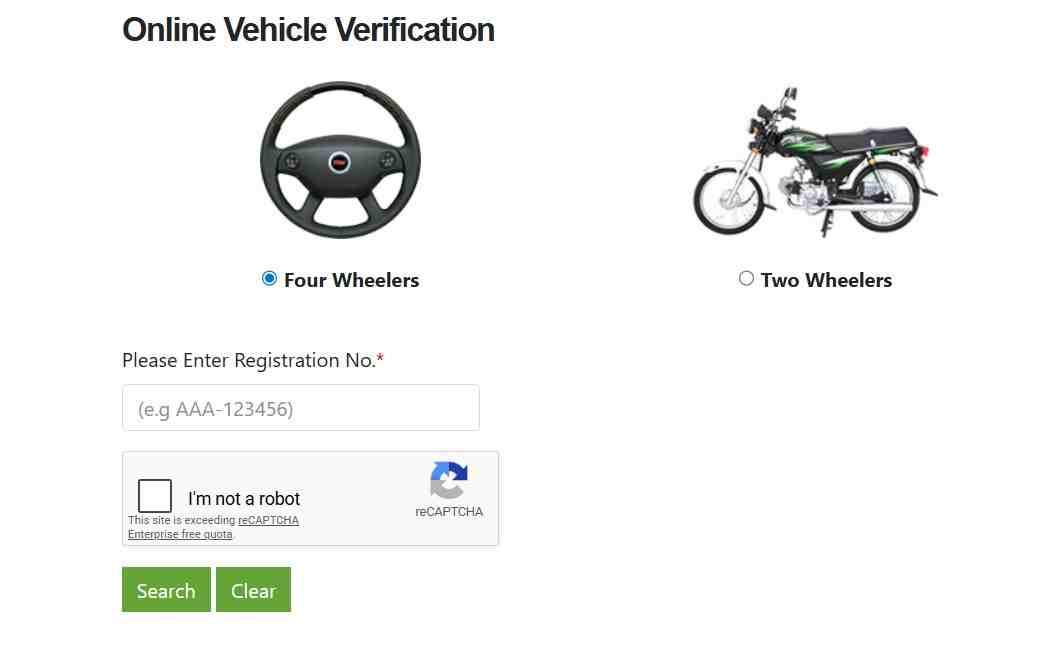
The Excise and Taxation Punjab department provides three distinct methods for online vehicle verification: the MTMIS web portal accessible via vrcentpunjab.com, the ePay Punjab mobile application available on Google Play and the Apple App Store, and an SMS service to 8785, all of which display owner information, vehicle specifications, tax status, and registration history.
How to Use the MTMIS Web Portal for Smart Card Status Check
The MTMIS (Motor Transport Management Information System) portal offers the most comprehensive smart card status checking experience. This official government platform provides real-time access to your application’s progress.
Step-by-step MTMIS portal process:
- Open any web browser on your computer or smartphone
- Navigate to the official website vrcentpunjab.com
- Locate the “Smart Card Status Check” or “Application Tracking” section on the homepage
- Enter your vehicle’s complete registration number in the specified format
- Input your chassis number (the last five digits are often sufficient)
- Type the captcha code exactly as displayed on screen
- Click the “Submit” or “Check Status” button
- Review the displayed status information showing printed, dispatched, or delivered status
How to Perform Online Verification Using the ePay Punjab App
The ePay Punjab application serves as the government’s digital payment aggregator for public-to-government transactions. Beyond payments, it offers vehicle verification and limited smart card tracking capabilities.
ePay Punjab app features for vehicle owners:
- Generate 17-digit PSID numbers for tax payments
- Pay token tax for vehicles through multiple payment channels
- Complete motor vehicle registration payments
- Process vehicle transfer fees
- Track basic registration status updates
How to Use the SMS Service for Quick Vehicle Verification
For users without internet access or those needing immediate basic information, the SMS service provides a fast alternative. This service works across all mobile networks without requiring data connectivity.
SMS verification process:
- Open the messaging app on your mobile phone
- Type your vehicle’s complete registration number in the message body
- Send the message to the shortcode 8785
- Receive an instant reply containing owner name and registration status
- Basic vehicle specifications are included in the response
Complete Step-by-Step Guide to Checking Smart Card Status
To check your vehicle smart card status online in Punjab, open the MTMIS Punjab website at vrcentpunjab.com, navigate to the “Smart Card Status Check” or “Application Tracking” section, enter your tracking ID or vehicle registration number along with your chassis number, click submit, and the system will display your card status as printed, dispatched, or delivered.
What Information Do You Need to Check Smart Card Status?
Having the correct information ready before starting your status check saves time and prevents errors. The system accepts multiple identifier formats for your convenience.
Required information options:
- Vehicle registration number combined with chassis number
- Application tracking ID provided at submission
- CNIC number for comprehensive vehicle list view
- Tracking number from Pakistan Post after dispatch
Understanding Each Smart Card Status Meaning
Each status code in the tracking system tells you exactly where your application stands in the processing pipeline. Knowing what each status means helps you understand expected timelines.
Complete status glossary:
- Application Submitted: Your form has been successfully received by the Excise department
- Document Verification: Officials are reviewing your submitted paperwork
- Biometric Pending: You must complete biometric verification at a NADRA center
- Verification Complete: All documents and biometrics are approved
- Printing Initiated: Your card has been sent to the secure printing facility
- Card Printed: Smart card production is finished and quality checked
- Card Dispatched: Card has been handed over to Pakistan Post for delivery
- In Transit: Card is moving through the postal network
- Out for Delivery: Postman has your card and will deliver today
- Delivered: Card has been successfully delivered to your address
Tracking Smart Card Delivery Through Pakistan Post
Once your smart card is dispatched, you can track its delivery by visiting the Pakistan Post tracking website and entering the unique tracking number provided by the Excise office or found on the MTMIS portal, which will show the current location and expected delivery date of your card.
How to Track Your Smart Card Delivery Online
Pakistan Post maintains an online tracking system specifically for government document deliveries. The service provides real-time updates on your card’s journey from the Excise office to your doorstep.
Pakistan Post tracking procedure:
- Locate your smart card tracking number on your Excise receipt
- Find the tracking number on the MTMIS portal under your application
- Visit the official Pakistan Post tracking website at ep.gov.pk
- Enter the complete tracking number in the search field
- Click the track button to view current delivery status
- Note the expected delivery date shown on screen
- Check the last known location of your card
- Look for delivery confirmation when completed
What Delivery Charges Apply to Smart Cards?
The Punjab government has revised delivery charges for vehicle-related documents. These fees apply to new registrations and renewals alike, ensuring sustainable service delivery through Pakistan Post.
Current delivery fee structure:
- Smart card delivery fee increased from Rs. 27 to Rs. 48
- Vehicle files delivery fee raised from Rs. 43 to Rs. 100
- Number plates delivery fee increased from Rs. 34 to Rs. 90
What Should You Do If You Haven’t Received Your Smart Card After Three Months?
If your smart card has not arrived three months after application submission, take immediate action through official channels. Prolonged delays require formal complaints and follow-up.
Actions for delayed delivery:
- Call the Excise helpline at 0800-08786 with your tracking ID ready
- File a formal delivery complaint with the helpline representative
- Receive a complaint reference number for follow-up
- Visit your district Excise office with original documents
- Request a delivery investigation through Pakistan Post
- Apply for a replacement card if the original is confirmed lost
Complete Application Process for a Punjab Vehicle Smart Card
To apply for a Punjab vehicle smart card, visit your nearest Excise and Taxation Department office, obtain and fill out Form F with your vehicle registration number, chassis number, and CNIC details, pay the token tax and card fee, attach supporting documents including original CNIC and registration book, complete biometric verification, and submit the application to receive a tracking ID for future status checks.
Required Documents for Smart Card Application
Submitting complete documentation prevents processing delays and application rejections. Gather all required papers before visiting the Excise office.
Essential documents checklist:
- Original CNIC copy of the vehicle owner
- Complete Form F application form filled accurately
- Original vehicle registration book (if applicable)
- Paid token tax voucher
- Vehicle’s original sales invoice for new vehicles
- Form-C or manufacturer certificate
- Valid driver’s license copy
- Third-party insurance certificate
- Previous registration card for used vehicles
- Transfer letter for ownership changes
What Is the Biometric Verification Process for Smart Cards?
Biometric verification is mandatory for all smart card applications. This security measure confirms that the person applying for the card is the actual vehicle owner, preventing fraudulent registrations.
Biometric verification steps:
- Visit a NADRA e-Sahulat centre or your district Excise office
- Provide your CNIC and application tracking ID
- Complete fingerprint scanning on the biometric device
- Submit to a live photograph capture
- Receive confirmation of successful verification
- The verification status updates in the tracking system within 24 hours
How to Apply for a Duplicate Smart Card
If your original smart card is lost, stolen, or damaged, you must apply for a duplicate through the Excise department. The process requires additional documentation for lost cards.
Duplicate smart card application process:
- Visit your district Excise office with your CNIC
- Submit a written application explaining the loss or damage
- Provide a police report for lost or stolen cards
- Pay the duplicate card processing fee
- Complete biometric verification again
- Receive a new tracking ID for your duplicate application
Complete Fee Structure for Punjab Vehicle Smart Card
The fee for a Punjab vehicle smart card includes multiple components. Understanding each cost helps you budget accurately for your vehicle registration or transfer.
Smart Card Processing Fee Breakdown
The mandatory smart card fee applies to all new registrations and ownership transfers. This fee covers card production, data encryption, and quality control.
Smart card fee components:
- Smart card processing fee: Rs. 1,300 mandatory for new registrations
- Delivery charges: Rs. 48 for Pakistan Post door-to-door service
- Number plate fee: Additional charges apply separately
- Token tax: Varies by engine capacity and vehicle type
- Advance tax: For non-filers of income tax returns
Token Tax Rates by Vehicle Type
Token tax amounts vary significantly based on vehicle category and engine capacity. The following rates apply to standard vehicle types.
Token tax structure for new registrations:
- Motorcycles up to 70cc: Rs. 1,000
- Motorcycles 71cc to 100cc: Rs. 1,500
- Motorcycles 101cc to 125cc: Rs. 2,000
- Motorcycles 126cc to 150cc: Rs. 2,500
- Motorcycles above 150cc: 2% of vehicle value
- Cars up to 1000cc: Rs. 10,000 registration fee
- Cars 1001cc to 1800cc: Rs. 15,000 registration fee
- Cars above 1800cc: Rs. 20,000 registration fee
How to Pay Smart Card Fees Through ePay Punjab
The ePay Punjab system streamlines fee payment for all Excise department services. Use this digital platform to avoid bank queues and processing delays.
ePay Punjab payment process:
- Download the ePay Punjab app from Google Play or Apple App Store
- Register using your CNIC and mobile number
- Select “Motor Vehicle Registration” from available services
- Enter your vehicle registration number
- Generate a 17-digit PSID number for payment
- Complete payment using any bank card or mobile wallet
- Save the payment confirmation receipt
- Attach the receipt to your smart card application
Troubleshooting Common Smart Card Status Issues
The most common issues encountered during Excise and Taxation Punjab online verification include “Tracking ID Not Found” errors, status not updating for extended periods, chassis numbers not being recognized, and delivery delays, with solutions ranging from waiting for database updates to calling the Excise helpline.
Why Is Your Smart Card Status Showing Pending for a Long Time?
A pending status lasting more than 30 days typically indicates documentation issues or incomplete verification steps. Identifying the specific hold on your application is the first step toward resolution.
Common causes of prolonged pending status:
- Incomplete biometric verification not yet completed
- Missing or incorrect documents in your application file
- Outstanding token tax payments for the vehicle
- Discrepancies between application data and vehicle records
- High application volume at your district Excise office
- Technical delays in the printing facility
What to Do When Your Tracking ID Doesn’t Work
Tracking ID errors can be frustrating, but they usually have simple explanations. Follow these troubleshooting steps before contacting the helpline.
Solutions for non-working tracking IDs:
- Double-check the ID against your original receipt for typos
- Wait 48 hours after submission before checking again
- Try using your vehicle registration number instead of the tracking ID
- Use your CNIC number to access application information
- Clear your browser cache and cookies
- Try accessing the portal during off-peak hours
How to Fix Chassis Number Recognition Problems
The online verification system requires exact chassis number matching. Even small errors can cause “no record found” messages.
Correcting chassis number issues:
- Locate your chassis number on the vehicle’s physical body
- Verify the number on your registration documents matches exactly
- Check for common confusion between similar characters
- Try entering only the last five digits of the chassis number
- Contact the Excise helpline for manual verification assistance
Excise Helpline and Official Contact Information
The Excise and Taxation Punjab department provides a dedicated helpline for citizens to resolve issues related to vehicle verification, smart card tracking, delivery complaints, and appointment scheduling.
What Is the Excise Helpline Number for Smart Card Issues?
The toll-free helpline 0800-08786 connects you directly with the Excise department’s citizen facilitation center. This number is managed by the Punjab Information Technology Board.
Excise department contact details:
- Toll-free helpline: 0800-08786
- Directorate General address: 847-A, Shadman-1, Lahore
- Excise office phone: +92 (42) 9920 3848
- District offices in Rawalpindi, Faisalabad, Multan, Gujranwala, Sargodha, and Sahiwal
How to Use the Excise at Your Doorstep Service
The Excise department offers home service for vehicle registration and transfer. This initiative brings government services directly to citizens’ homes.
Doorstep service process:
- Call the helpline at 0800-08786 to book an appointment
- Schedule a convenient time for the Excise official to visit
- An official will arrive at your doorstep at the appointed time
- Complete registration or transfer paperwork at home
- Pay fees through online banking channels
- Receive payment slip ID (PSID) on the spot
- Get your registration number allotted immediately
Virtual Smart Card: Downloading Your E-Registration Card
The virtual smart card or E-Registration Card (ERD) is a digital version of the physical smart card that can be downloaded as a PDF from the vrcentpunjab.com portal by entering your vehicle’s registration number and chassis number, providing instant access to your vehicle registration details without needing the physical card.
How to Download Your Virtual Smart Card Online
Downloading your E-Registration card takes less than a minute. This digital alternative provides immediate access to your registration information.
Virtual smart card download steps:
- Visit the official Excise department website at excise.punjab.gov.pk
- Click the “E-registration Card” button in the menu bar
- You will be redirected to vrcentpunjab.com/card
- Enter your vehicle registration number in the first field
- Enter your chassis number in the second field
- Click the search button to proceed
- Your e-registration card will appear on screen
- Save the PDF file to your mobile phone for future use
Is the Virtual Smart Card Legally Valid for Driving?
Yes, the virtual smart card downloaded as a PDF is legally valid proof of registration. You can present it on your mobile device or as a printed copy during police checks.
Legal validity information:
- The virtual card contains identical information to the physical card
- The QR code on the virtual card is fully scannable
- Traffic police accept the digital version during checks
- Keep the PDF saved on your phone for emergencies
- Print a physical copy as a backup option
Frequently Asked Questions About Smart Card Status Check
How can I check my Punjab vehicle smart card status online?
Visit vrcentpunjab.com, click on “Smart Card Status Check,” enter your vehicle registration number and chassis number, then submit to view your current status instantly.
What is the official website for Excise and Taxation Punjab smart card tracking?
The official website for smart card tracking and online verification is vrcentpunjab.com, operated by the Excise and Taxation Punjab department.
How long does it take to receive a vehicle smart card in Punjab?
Standard processing takes 15 to 30 working days from application submission, including printing and delivery through Pakistan Post.
Why is my smart card status showing Pending for a long time?
Pending status beyond 30 days usually indicates incomplete biometric verification or documentation issues. Contact the Excise helpline at 0800-08786 for assistance.
Can I drive my vehicle while my smart card is still in process?
Yes, carry your application tracking receipt as temporary proof of registration while your smart card is being processed.
What should I do if I haven’t received my smart card after 3 months?
Call the Excise helpline at 0800-08786 to file a delivery complaint. The department will investigate and arrange for a replacement card.
How can I verify the authenticity of a Punjab smart card?
Scan the QR code on the physical card or virtual PDF using any smartphone camera. The code redirects to the official MTMIS verification page.
Disclaimer
The information provided in this guide is for general informational purposes only. Smart card fees, delivery charges, and processing times are subject to change by the Excise and Taxation Punjab department. Always verify current rates and procedures through official government channels.

Add a Comment