
Imagine needing to verify your identity urgently for a vehicle transfer, court case, or bank account, but dreading the long queues at a distant NADRA Mega Center. NADRA e-Sahulat Biometric Verification solves this problem by bringing government-grade identity authentication to over 22,000 neighborhood franchises across Pakistan, with more than 9,500 locations equipped for fingerprint and facial recognition services. This comprehensive guide walks you through every aspect of using e-Sahulat centers for CNIC applications, Family Registration Certificates, B-Form verification, vehicle transfers, and the latest facial recognition alternatives launching in January 2026.
What you will learn in this guide:
- How to locate and verify biometric-enabled e-Sahulat centers in your area
- Step-by-step procedures for different verification services with document checklists
- Complete fee breakdown including standard charges and the new Rs. 20 facial certificate
- Troubleshooting solutions for fingerprint failures and alternative verification methods
- Latest updates on CNIC renewal pilot projects and court-mandated biometric verification
- Comparison of e-Sahulat with Mega Centers, PakID app, and other verification channels
Key Takeaways
- Biometric Access Expanded Nationwide: Over 9,500 e-Sahulat franchises now offer fingerprint verification services, bringing identity authentication within walking distance for millions of Pakistanis and eliminating unnecessary trips to distant Mega Centers.
- Facial Recognition Alternative Arrives January 2026: Citizens with unreadable fingerprints can obtain seven-day valid certificates for just Rs. 20 through facial matching technology, initially at NADRA centers and soon at e-Sahulat franchises.
- CNIC Services Come to Neighborhoods: A pilot project at 18 e-Sahulat locations in Karachi, Islamabad, Rawalpindi, and Lahore now offers CNIC reprint and renewal services, with nationwide expansion planned based on successful evaluation.
- Vehicle Transfer Process Simplified: In Sindh, buyers and sellers can now begin vehicle transfer verification through the Pak ID app from home, completing only final steps at e-Sahulat or Excise offices.
- Court-Mandated Verification Fixed at Rs. 200: Following Peshawar High Court directives, biometric verification for court cases now carries a standardized fee of Rs. 200 with unique tracking IDs for each transaction.
- Digital ID Launch Enhances Services: The upcoming Digital ID initiative will bring facial recognition to e-Sahulat franchises and expand Pak ID app capabilities, creating seamless verification across physical and digital channels.
- Read More: NICOP Pakistan: How to Apply Online | Track NICOP
- Read More: Pakistan Origin Card (POC): How To Apply, Fee, & Tracking
- Read More: Family Registration Certificate (FRC): How to Apply Online
NADRA e-Sahulat Biometric Verification (Apply CNIC, FRC, B-Form) | NADRA Biometric Verification
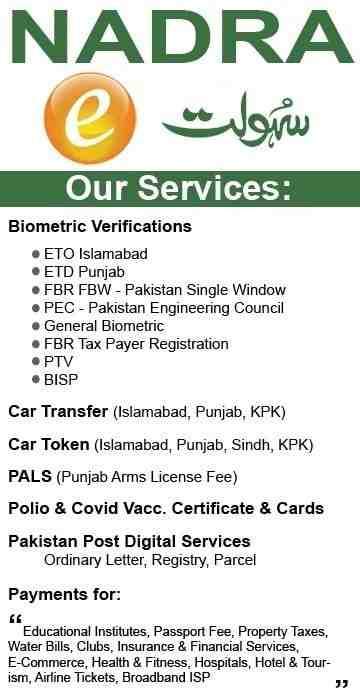
Table of Contents
Understanding NADRA e-Sahulat Biometric Verification: The Complete Overview
NADRA e-Sahulat Biometric Verification represents Pakistan’s most extensive public-facing identity authentication network, processing millions of transactions annually through authorized franchise operators. The service operates through NADRA Technologies Limited, the commercial subsidiary of the National Database and Registration Authority, ensuring all verification activities adhere to strict government security protocols and data protection standards.
What Exactly Is NADRA e-Sahulat Biometric Verification and How Does It Work?
NADRA e-Sahulat Biometric Verification is the electronic confirmation of an individual’s identity through real-time comparison of live fingerprints or facial photographs against the biometric data stored in NADRA’s central repository during CNIC issuance. When a citizen visits an e-Sahulat franchise, the operator launches the BioVerisys application, scans the CNIC to retrieve the digital record, captures fingerprints using an integrated biometric device, and the system instantly performs 1:1 matching against the database.
The verification result appears on the operator’s screen within seconds, confirming whether the presented identity matches the database record. This entire process occurs in real-time, with transactions encrypted and logged with unique audit trails for security and traceability purposes. The system architecture ensures that even remote franchises have the same verification capabilities as NADRA’s own Mega Centers.
Why Has Biometric Verification Become Mandatory for So Many Services?
Biometric verification has become essential across Pakistani society because it serves as the government’s primary mechanism to prevent identity fraud, eliminate impersonation, and ensure that services reach intended recipients. Banks require it for account opening under State Bank regulations, telecom companies mandate it for SIM issuance following PTA directives, courts demand it for case proceedings to prevent fake litigation, and government departments use it for subsidy disbursement to verify beneficiary identities.
The technology provides near-certain identity assurance that traditional document-based verification cannot match. Fingerprint matching has an extremely low false acceptance rate, meaning impersonators cannot easily defeat the system. This reliability has made biometric verification the gold standard for identity authentication in Pakistan’s digital transformation journey.
How Does e-Sahulat Verification Differ from NADRA Mega Center Services?
The fundamental difference between e-Sahulat and Mega Center verification lies in service scope and accessibility rather than technology or legal validity. Mega Centers handle complex applications including new CNIC registrations, child registration for first-time B-Form issuance, and cases requiring supervisory approval from senior NADRA officers. These centers have larger staff, specialized counters for different services, and capabilities for handling exceptions and appeals.
E-Sahulat franchises focus on quick verification services and select document processing through neighborhood convenience stores. The technology used is identical to Mega Centers, accessing the same NADRA database through the same BioVerisys system. However, e-Sahulat transactions are typically faster due to shorter queues and simpler service scopes, making them ideal for routine verification needs.
What Legal Authority Supports e-Sahulat Biometric Verification?
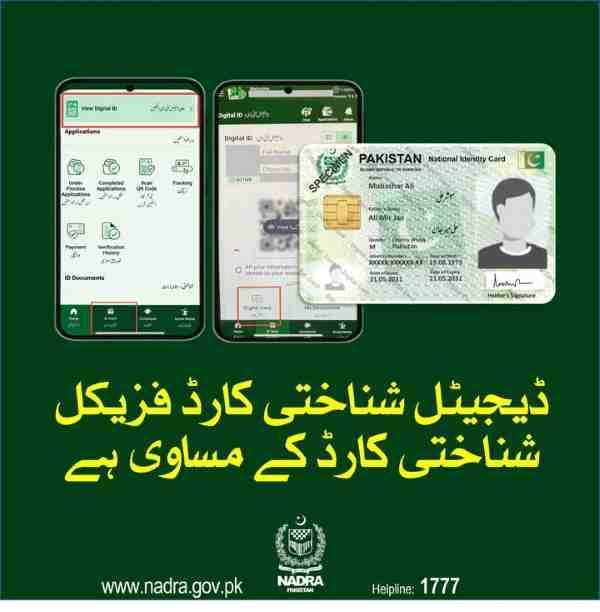
Biometric verification performed at e-Sahulat centers carries full legal authority equivalent to verification conducted at NADRA’s own facilities under Section 9(3) of the NADRA Ordinance 2000 and Section 8(6)(g) of the NADRA Regulations 2002. These provisions authorize NADRA to deliver services through partner networks and franchise arrangements while maintaining data security and service standards.
All e-Sahulat operators undergo rigorous training, certification, and background checks before receiving authorization to offer NADRA services. Franchises must maintain secure premises, use NADRA-approved biometric equipment, and comply with operational guidelines. Regular audits and mystery customer programs ensure continued compliance, with violations resulting in franchise termination and legal action where warranted.
When Did NADRA Launch Biometric Verification Through e-Sahulat?
NADRA introduced biometric verification capabilities to its e-Sahulat network gradually over the past decade, starting with basic identity confirmation and expanding as demand for digital identity authentication increased. Initially focused on utility bill payments and mobile top-ups, the franchises evolved to offer verification services as government and private sector institutions increasingly required biometric confirmation for transactions.
Today, more than 9,500 of the 22,000+ e-Sahulat franchises are equipped with biometric capabilities, including certified fingerprint scanners, high-resolution cameras for facial capture, and secure software connections to NADRA’s central systems. This represents one of Pakistan’s largest public-facing biometric service networks, with presence in every district and most tehsils across the country.
Who Can Operate an e-Sahulat Franchise?
e-Sahulat franchises are operated by independent business owners who meet NADRA’s qualification criteria, including financial stability, premises suitability, and personal background checks. Franchisees must complete mandatory training programs covering biometric device operation, customer service protocols, data protection requirements, and fraud prevention techniques.
NADRA Technologies Limited oversees the entire franchise network, providing technical support, monitoring transaction quality, and ensuring service standards. Franchise owners invest in equipment, premises, and staffing, recovering costs through authorized service charges added to NADRA’s base fees. This public-private partnership model has enabled rapid network expansion while maintaining service quality through commercial incentives.
Locating Your Nearest Biometric-Enabled NADRA e-Sahulat Center
Finding a biometric-enabled NADRA e-Sahulat center requires understanding that not all franchises offer verification services. Only about 9,500 of the 22,000+ locations currently have fingerprint scanners and camera systems installed, making proper identification essential before traveling.
How Can You Find a NADRA e-Sahulat Center with Biometric Verification Facilities?
The most reliable method for finding biometric-enabled centers is using the official NADRA e-Sahulat locator tool on their website, which includes filter options specifically for “Biometric Enabled” facilities. Enter your city or district, apply the biometric filter, and receive a complete list of qualified franchises with addresses, contact numbers, and operating hours.
Google Maps also provides useful information when you search for NADRA e-Sahulat near me, though you should verify biometric capability through the official NADRA tool or by calling the franchise directly. User reviews on Google Maps sometimes indicate whether a location offers biometric services, but this information may not be current or reliable.
What’s the Difference Between Regular and Biometric-Enabled Franchises?
Regular e-Sahulat franchises offer basic services including utility bill payments, mobile top-ups, token payments for various government departments, and fee collection for NADRA applications. These locations operate with standard computers and internet connectivity sufficient for financial transactions but lack the specialized equipment needed for biometric verification.
Biometric-enabled franchises possess certified fingerprint scanners, high-resolution cameras for facial capture, and secure software connections to NADRA’s BioVerisys system. These locations undergo additional security audits, and their staff receive specialized training in biometric capture techniques, handling sensitive personal data, and troubleshooting common verification issues.
Are Weekend Hours Available at Biometric Verification Centers?
Many biometric-enabled e-Sahulat centers operate on weekends to accommodate customers who cannot visit during weekday working hours. In major cities like Karachi, Lahore, Islamabad, and Rawalpindi, you will find centers open seven days a week, typically with reduced hours on Sundays from 10:00 AM to 6:00 PM.
Smaller cities and rural areas may have more limited weekend availability, with some franchises closing entirely on Sundays or operating only until early afternoon. Always confirm weekend hours by calling the specific franchise before traveling, as individual operators set their own schedules within NADRA’s broad guidelines.
How Can You Find Centers Open Right Now?
To find NADRA e-Sahulat near me open right now, use Google Maps with location services enabled on your smartphone. Search for NADRA e-Sahulat and review the business hours displayed for each location. Google Maps often shows real-time information about whether a business is currently open and can indicate busy periods based on recent visitor patterns.
For the most accurate current information, call the franchise directly using the phone number provided in the NADRA official locator or Google Maps listing. Speaking with staff confirms not only operating hours but also current queue lengths and any technical issues that might affect your visit.
What Are Typical Operating Hours for e-Sahulat Centers?
Typical NADRA e-Sahulat operating hours range from 9:00 AM to 8:00 PM on weekdays, Monday through Friday. Saturday hours often run from 9:00 AM to 6:00 PM, while Sunday hours, where available, typically operate from 10:00 AM to 6:00 PM. These times represent general patterns rather than universal rules, as franchise owners set individual schedules based on local customer demand and business considerations.
During the holy month of Ramadan, many centers adjust hours to open later in the morning and remain open later into the evening after Iftar. Some franchises in commercial areas or high-footfall locations may extend hours beyond these typical ranges to capture maximum business.
How to Get Contact Numbers for Specific Franchises?
You can obtain contact numbers for specific e-Sahulat franchises through three reliable channels. The official NADRA website franchise locator provides phone numbers for all registered locations, updated regularly to maintain accuracy. Google Maps listings for individual franchises typically include phone numbers, often with user-verified accuracy. The NADRA helpline at 1777 can also provide contact information, though operators may direct you to online resources for the most current details.
Save the contact number once obtained, as calling ahead before your visit confirms current operating status, queue conditions, and any technical issues that might affect service availability.
Do You Need an Appointment for Biometric Verification?
Appointments are generally not required for e-Sahulat biometric verification services, with most centers operating entirely on a walk-in basis. This convenience represents a significant advantage over NADRA Mega Centers, which may require appointments for certain services and often have longer queues even with appointment systems.
However, calling ahead during peak hours such as lunch times, late afternoons, and weekends can help you gauge waiting times and plan your visit accordingly. Some franchises may offer priority service for senior citizens, people with disabilities, or those with urgent needs if you inform them before arriving.
How to Verify a Center Is Truly Biometric Enabled Before Visiting?
The most reliable verification method is using the filter option on NADRA’s official franchise locator, which specifically identifies centers equipped with biometric verification capabilities. Look for centers marked as Biometric Enabled or those listed as offering BioVerisys services in their service descriptions.
Pilot project locations offering CNIC renewal services are automatically biometric enabled, as these services require fingerprint capture for identity confirmation. Calling the franchise directly and asking whether they perform biometric verification provides confirmation, though you should verify through official channels as well since staff may not always answer calls during busy periods.
What If No Biometric-Enabled Center Exists in Your Area?
If your area lacks a biometric-enabled e-Sahulat center, several alternatives exist depending on your specific needs. The Pak ID mobile app allows you to complete many verification requirements from home using your smartphone’s fingerprint sensor or camera. This option works well for those with compatible smartphones and comfort with digital applications.
Union Councils in many areas now offer NADRA services through satellite centers, with some equipped for biometric verification. Check with your local Union Council office to determine available services. NADRA Registration Centers, while potentially farther away, offer complete service capabilities including biometric verification for all purposes.
For those with mobility challenges, some e-Sahulat franchises offer rider services where representatives visit homes with mobile biometric devices for an additional fee. Contact nearby franchises to inquire about home service availability and coverage areas.
Documents Required for NADRA e-Sahulat Biometric Verification
Proper documentation ensures smooth verification without unnecessary delays or return trips. While requirements vary by service type, certain documents remain constant across most verification scenarios.
What Documents Are Essential for Standard Biometric Verification?
The single essential document for standard NADRA e-Sahulat Biometric Verification is your original Computerized National Identity Card CNIC. The verification process fundamentally relies on matching your live biometrics with the data stored in NADRA’s database against your CNIC record. The operator scans your card to retrieve your digital record, then captures your fingerprints for real-time matching against that record.
For children under 18 requiring B-Form verification, the child’s original B-Form Child Registration Certificate and the CNIC of the accompanying parent or guardian are necessary. The parent’s biometric verification authenticates the child’s record when the child’s fingerprints may not be fully developed.
Do Photocopies Suffice or Must You Carry Originals?
Original documents are mandatory for biometric verification. Photocopies cannot be scanned to retrieve digital records, and they do not allow operators to visually verify that you are the person appearing on the card. The biometric scanner must read data directly from your CNIC’s chip or QR code, requiring the physical card.
If your CNIC is lost or stolen, you must first apply for a duplicate at a NADRA Mega Center or participating e-Sahulat pilot location before completing biometric verification for other purposes. The duplicate application itself requires biometric verification, creating a circular requirement that necessitates visiting a center capable of both verification and issuance.
What Documents Enable Someone Else to Complete Verification on Your Behalf?
Biometric verification by definition requires the physical presence of the person being verified, as fingerprints and facial features cannot be delegated. However, if you need assistance with the associated paperwork or logistics, you can bring a representative who carries:
Your original CNIC for scanning and visual verification. A signed authorization letter authorizing the representative to handle paperwork on your behalf. The representative’s own CNIC for identification purposes. Any tracking IDs or application numbers provided by the institution requesting verification.
The representative can help with communication, document handling, and post-verification steps, but you must personally place your fingers on the scanner or present your face for facial capture.
What Documents Are Needed for B-Form Verification?
Children requiring B-Form verification at e-Sahulat centers need:
The child’s original B-Form Child Registration Certificate containing their existing registration details. The CNIC of the parent or guardian accompanying the child. For older children, their own CNIC if issued. Any tracking ID provided by institutions requiring the verification, such as schools or passport offices.
For infants and young children whose fingerprints may not be fully developed, the parent’s biometric verification serves as authentication for the child’s record. NADRA’s enhanced biometric features for child ID certificates include photograph capture where possible, ensuring comprehensive documentation even for minor children.
What Documents Does Vehicle Transfer Require?
Vehicle transfer verification at e-Sahulat centers requires both buyer and seller to present:
Original CNICs of both parties. The vehicle’s original registration book or smart card. Any tracking ID provided by the Excise and Taxation Department. In Sindh, where the process can begin through the Pak ID app, you may also need:
- Sale agreement documenting transfer terms and price
- Tax clearance certificate showing no outstanding dues
- Proof of address for the buyer
- Vehicle inspection certificate where required
Having both parties present with all documentation ensures smooth verification without requiring return visits or multiple trips.
Is a Tracking ID Always Necessary?
A tracking ID is necessary for verification services tied to specific applications such as FBR registration, court cases, or institutional requirements, but general identity verification may not require one. The tracking ID links your biometric verification to a particular purpose, allowing the requesting institution to confirm that you completed verification for their specific need.
For general identity confirmation where no institution is waiting for results, the e-Sahulat system generates its own transaction ID for your records. This ID allows you to verify online that your verification occurred, but it doesn’t connect to any external application.
Comprehensive Guide to NADRA e-Sahulat Biometric Verification Services
NADRA e-Sahulat franchises offer an extensive range of biometric verification services serving both individual citizens and government institutions. Understanding what services are available helps you choose the right center and prepare appropriate documentation.
What Biometric Verification Services Are Currently Available?
Biometric verification services available at NADRA e-Sahulat centers include:
General public identity verification through BioVerisys for various institutional requirements. Vehicle transfer authentication for both buyers and sellers in all provinces. FBR taxpayer registration specifically for GST purposes and sales tax compliance. Telecom staff licensing verification for employees of service providers. Social welfare program disbursement confirmation for beneficiaries. Government fee collection for various departmental applications. Document issuance including FRC printing and B-Form verification. CNIC reprint and renewal services through pilot project locations in major cities.
This comprehensive range covers most citizen identity needs, with new services added regularly as NADRA expands its franchise capabilities and integrates with additional government departments.
Can You Apply for a New CNIC at e-Sahulat Centers?
Currently, you cannot apply for a new CNIC at standard e-Sahulat franchises. New CNIC applications require first-time registration processes that include additional verification steps, document scrutiny, and approvals that e-Sahulat centers are not yet authorized to handle.
However, a significant pilot project has launched at 18 selected locations in Karachi, Islamabad, Rawalpindi, and Lahore offering CNIC reprint for lost cards and renewal for expired cards. This initiative, operated under NADRA’s oversight with designated officers present at each location, aims to reduce congestion at Mega Centers and bring identity document services closer to communities. Based on successful evaluation, this service will expand nationwide to all biometric-enabled franchises.
Is FRC Family Registration Certificate Available at e-Sahulat?
Biometric verification for FRC Family Registration Certificate is fully available at e-Sahulat centers as part of their document issuance services. The process requires your CNIC and details of family members to be included in the certificate, such as spouse, children, and parents depending on certificate type.
After biometric confirmation of your identity, the operator prints your FRC directly at the franchise, providing immediate document delivery without waiting for postal delivery or requiring a separate collection visit. The printed FRC contains a unique tracking ID and QR code for online verification, ensuring its authenticity for use with banks, schools, immigration authorities, passport offices, and other institutions.
How Do You Provide Biometrics for B-Form at e-Sahulat?
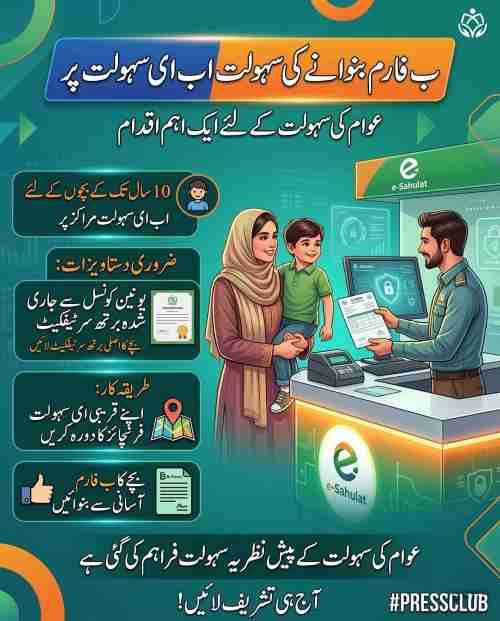
Providing biometrics for B-Form at e-Sahulat centers follows a straightforward process designed to accommodate children of all ages. A parent or guardian must accompany the child with their original CNIC and the child’s existing B-Form if available. The operator captures fingerprints for children above a certain age typically around 10 years while the parent verifies their own identity.
For younger children whose fingerprints are not yet fully developed, the parent’s biometric verification serves as authentication for the child’s record. The operator may capture the child’s photograph where possible to enhance the registration record and provide visual identification. The entire process takes approximately 10-15 minutes, after which the child’s biometric status is updated in NADRA’s system.
Can You Verify Fingerprints for Vehicle Transfer at e-Sahulat?
Fingerprint verification for vehicle transfer is one of the most frequently used e-Sahulat services, available at all biometric-enabled franchises. Both buyer and seller must visit the center together with their original CNICs and vehicle documents. The operator captures fingerprints from both parties, and the system transmits verification to the Excise department’s system.
In Sindh, an enhanced process now allows buyers and sellers to begin verification through the Pak ID app from home. After completing app-based fingerprint capture, they receive a confirmation code and can proceed to the Excise department or an e-Sahulat center to complete remaining steps. This hybrid approach reduces in-person time while maintaining security through biometric authentication.
What Is the Complete Vehicle Transfer Verification Process?
The complete vehicle transfer verification process through e-Sahulat involves:
Both buyer and seller visiting the biometric-enabled center together. Presenting original CNICs for scanning and visual verification. Providing the vehicle’s original registration book or smart card. Submitting any tracking ID from Excise department if obtained online. Operator capturing fingerprints from both parties using certified scanner. System performing real-time matching against NADRA database. Verification results transmitted to Excise department system. Receipt generation with transaction ID for both parties’ records.
Following successful biometric verification, both parties must visit the Excise department with required documents and sale agreement to complete registration. The smart registration card is typically issued to the buyer within 5 to 15 working days after Excise processing.
Can e-Sahulat Handle CNIC Renewal Biometrics?
Select e-Sahulat franchises now handle CNIC renewal biometrics as part of the pilot project currently operating in major cities. The pilot covers CNIC reprint for lost cards and renewal for expired cards at 18 designated franchises in Karachi, Islamabad, Rawalpindi, and Lahore. A NADRA officer is present at each location to ensure service quality and oversight during the pilot phase.
The renewal process at e-Sahulat follows the same steps as Mega Centers: biometric verification, photograph capture, fee payment, and application submission. After processing, the new CNIC is delivered to your address through courier service. Based on successful pilot evaluation, this service will expand to all 9,500 biometric-enabled franchises nationwide.
Does e-Sahulat Offer Facial Recognition for Failed Fingerprints?
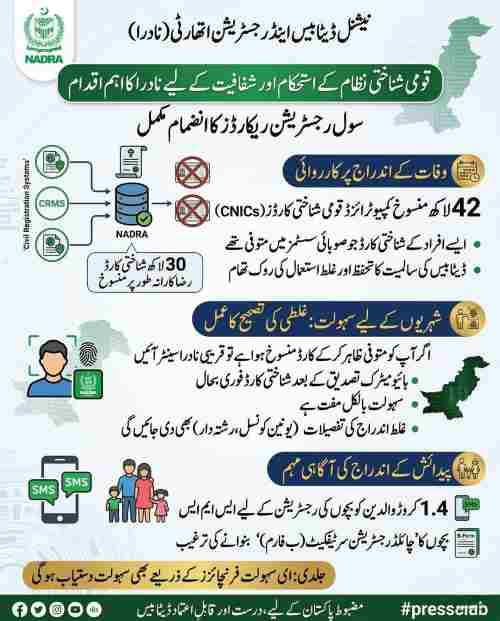
Starting January 20, 2026, e-Sahulat centers will begin offering facial recognition-based verification certificates for citizens whose fingerprints cannot be verified. Initially available at NADRA Registration Centers, this service will expand to e-Sahulat franchises following the formal launch of Digital ID.
The facial recognition certificate costs Rs. 20 and remains valid for seven days from issuance. It contains your photograph captured during the visit, your CNIC details, and a QR code for online verification by institutions. This alternative serves citizens with faded fingerprints common among elderly individuals and manual laborers, those with skin conditions affecting fingerprint quality, and anyone experiencing temporary fingerprint issues.
Can Senior Citizens Get Home Verification Through e-Sahulat?
Some e-Sahulat providers offer a rider service where a representative visits your location for biometric verification for an additional fee. This door-to-door service uses mobile biometric devices carried by authorized representatives who travel to homes, hospitals, or care facilities to serve senior citizens and those with mobility challenges.
Availability varies significantly by location and franchise capability. Major cities in Punjab and Sindh have more providers offering this service, while smaller cities and rural areas may have limited or no home verification options. Contact your local biometric-enabled e-Sahulat franchise directly to inquire about home visit services, coverage areas, and associated charges.
Is FBR Biometric Verification Available for GST Registration?
Traders can verify their FBR biometrics through e-Sahulat centers specifically for GST registration purposes. The Federal Board of Revenue requires this verification as part of its efforts to expand the tax net and ensure that registered taxpayers are legitimate business operators, not shell companies or fraudulent registrations.
The process involves visiting a biometric-enabled franchise with your CNIC and the tracking ID provided by FBR during registration application. The operator captures fingerprints, and the system transmits verification results directly to FBR’s system for registration processing. After successful verification, FBR completes GST registration, and the trader receives registration certificate and sales tax number.
What Services Are Available for Overseas Pakistanis?
Overseas Pakistanis can use e-Sahulat biometric verification services when visiting Pakistan by presenting their NICOP or original CNIC and completing the same verification process as resident citizens. The system recognizes NICOP cards and matches biometrics against the same database used for resident CNICs.
For services required while abroad, the Pak ID app provides verification capabilities from anywhere in the world using smartphone sensors. The app supports both fingerprint scanning using your phone’s sensor and facial recognition using the front camera. Results are transmitted to NADRA’s system and can be accessed by Pakistani institutions requiring verification. This ensures overseas citizens maintain access to NADRA services without returning to Pakistan for every transaction.
Can e-Sahulat Verify Biometrics for Succession Certificates?
E-Sahulat centers can verify biometrics for Succession Certificate applications, though the legal documentation and approval process still involves NADRA’s legal branch or civil courts depending on the case. The biometric verification confirms the identity of all legal heirs applying for the certificate, ensuring that succession proceedings involve verified individuals with legitimate claims.
After biometric confirmation at e-Sahulat, the application proceeds through standard legal channels. The verification serves as authenticated identity proof for all applicants, reducing the documentation burden and helping prevent fraudulent succession claims.
Is e-Sahulat Verification Valid for Bank Account Opening?
NADRA e-Sahulat biometric verification is fully valid for bank account opening, satisfying Know Your Customer KYC requirements under State Bank of Pakistan regulations. Most Pakistani banks have integrated NADRA’s verification system into their account opening procedures, allowing them to instantly confirm customer identities through the same database accessed by e-Sahulat centers.
When opening a bank account, you can either complete verification directly at the bank branch if they have biometric capabilities, or obtain verification at e-Sahulat and provide the confirmation receipt to the bank. The verification satisfies regulatory requirements for customer due diligence and helps prevent fraudulent account openings using stolen identities.
Can You Verify SIM Card Biometrics at e-Sahulat?
Biometric verification for SIM card issuance and re-verification is available at e-Sahulat centers, as telecom companies utilize NADRA’s verification network for Pakistan Telecommunication Authority compliance. The process confirms that the person obtaining a SIM card is the legitimate CNIC holder, preventing SIM-based fraud and crime that plagued Pakistan’s telecom sector before biometric requirements.
After successful verification, the telecom operator activates your connection, with the biometric record stored for regulatory compliance. For SIM re-verification drives, e-Sahulat centers provide convenient neighborhood access, eliminating the need to visit crowded telecom franchise locations.
Can You Update Mobile Number in NADRA Records at e-Sahulat?
You can update your mobile number in NADRA records at e-Sahulat centers through biometric verification. Keeping your mobile number current with NADRA is essential, as the authority uses SMS for:
Transaction confirmations and verification receipts. Delivery notifications for CNICs and other documents. Security alerts about suspicious activity on your record. Two-factor authentication for online services. Updates about new services and policy changes.
The update process requires biometric verification to confirm your identity before the number change is recorded in the national database. After verification, your new number receives a confirmation SMS, and future NADRA communications route to the updated contact.
How Do Students Verify Biometrics for Punjab Laptop Scheme?
Students eligible for the Punjab laptop scheme must complete thumbprint verification at designated NADRA e-Sahulat centers or specified institutional locations. The verification process, introduced for the 2024-25 academic year distribution of approximately 110,000 laptops, prevents fraud and ensures devices reach eligible students.
Required documents include:
- Original CNIC or B-Form for identification
- Matriculation and intermediate certificates showing eligibility
- Latest academic records confirming enrollment
- Any tracking ID provided by the scheme administrators
The verification confirms that the student collecting the laptop is the same person who applied and qualified for the scheme. NADRA’s infrastructure has been confirmed as fully operational for this scale of verification, with capacity to handle the program’s requirements efficiently.
Complete Fee Structure for NADRA e-Sahulat Biometric Verification
Understanding the costs associated with biometric verification helps you budget appropriately and avoid being overcharged. NADRA sets base fees for all services, while e-Sahulat franchises add authorized service charges that should remain within prescribed limits.
What Are Standard Charges for Biometric Verification?
Standard biometric verification charges at e-Sahulat vary by service type:
General identity verification through BioVerisys costs Rs. 50-100 depending on franchise location. This basic verification is sufficient for most purposes where an institution simply needs to confirm you are who you claim to be.
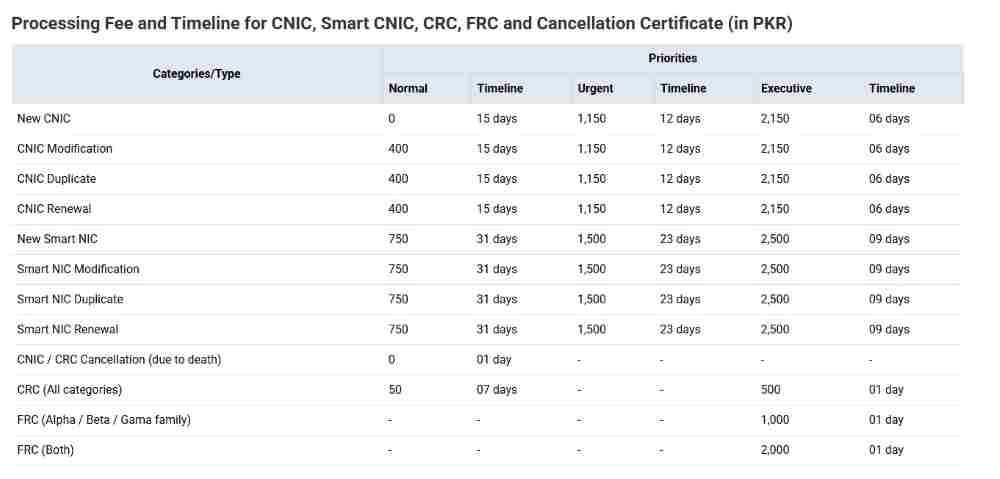
Document issuance services including FRC printing carry NADRA’s prescribed fees plus an e-Sahulat service charge of approximately Rs. 100. The NADRA portion varies by document type and is fixed nationwide.
Court-mandated verification following Peshawar High Court directives carries a fixed fee of Rs. 200 per verification, with a unique tracking ID generated for each transaction. This standardized fee applies across all e-Sahulat centers serving court requirements.
Vehicle transfer verification typically ranges from Rs. 100-200 for the biometric service, excluding Excise department transfer fees and token tax paid separately.
What Is the New Facial Recognition Certificate Fee?
Facial recognition-based verification certificates issued from January 20, 2026, carry a nominal fee of Rs. 20 per certificate. This affordable pricing ensures that citizens with fingerprint issues face no financial barrier to accessing alternative verification methods.
The certificate remains valid for seven days from issuance and contains:
- Your photograph captured during the verification visit
- Your CNIC details including name and father’s name
- Date and time of verification
- Unique tracking ID for online verification
- QR code enabling institutions to scan and authenticate
Institutions requiring biometric verification can accept this certificate in place of fingerprint verification, as it provides equivalent identity assurance through facial matching technology.
Are There Additional Charges for Printed Verification Slips?
Some e-Sahulat franchises may charge a nominal printing fee for physical verification slips beyond the biometric service fee. The printing fee, typically Rs. 20-50, covers paper and ink costs for providing a physical record of your verification.
Digital records are always available for free through NADRA’s online verification portal using your tracking ID. If you have smartphone access and don’t require a physical slip for your records, you can skip the printed version and rely on digital access. However, institutions requiring verification may need the tracking ID rather than the physical slip, so confirm their requirements before declining a printout.
Why Do Prices Vary Between Different e-Sahulat Centers?
Price variations between different e-Sahulat centers occur because while NADRA sets base fees for all services, individual franchise owners have some flexibility in their service charges, though they should remain within prescribed limits. Factors influencing pricing include:
Location rental costs higher in commercial areas and shopping districts. Local competition from nearby franchises affecting market rates. Customer service approach some franchises charge premium rates for faster service or better facilities. Operating hours centers with extended hours may charge slightly more to cover additional staffing costs.
If you encounter significant price variations, consider visiting a different franchise or contacting NADRA’s helpline at 1777 to verify standard charges for your required service. Franchises that consistently overcharge risk losing their authorization.
Can You Pay NADRA Application Fees at e-Sahulat?
You can pay NADRA application fees at e-Sahulat franchises, as these centers serve as authorized collection points for various government payments and NADRA services. Whether you’re applying for a document at a Mega Center or through the online portal, you can generate a fee challan and pay at any e-Sahulat franchise.
The payment process:
- Generate fee challan through NADRA online portal or obtain from application center
- Visit any e-Sahulat franchise with the challan and payment amount
- Make payment in cash or through available digital payment methods
- Receive receipt confirming payment
- Payment instantly credited to NADRA’s system
Keep the payment receipt as proof until your application is fully processed, as it contains transaction details needed for any payment-related inquiries.
Are Senior Citizen Discounts Available?
Senior citizens may receive fee concessions on certain NADRA services under standard policies, though biometric verification fees are generally modest and may not carry discounts. NADRA has historically offered reduced fees for senior citizens on identity documents such as CNIC issuance, and these concessions may extend to associated verification services.
Present your CNIC at the e-Sahulat center and specifically ask about senior citizen rates before completing your transaction. If discounts apply, the operator will apply them automatically, but it never hurts to confirm, especially if you’re completing multiple verifications or combining verification with document issuance.
Step-by-Step Process for NADRA e-Sahulat Biometric Verification
Understanding the exact procedure helps you complete verification efficiently and know what to expect at each stage. The process is designed for simplicity, typically taking just minutes from start to finish.
How to Prepare for Your e-Sahulat Visit
Proper preparation ensures smooth verification without unnecessary delays:
Gather all required documents based on your service type, with original CNIC as the minimum requirement. Confirm your selected franchise is biometric enabled and verify operating hours. Ensure your fingerprints are clean and free from dirt, grease, or excessive moisture. If you have known fingerprint issues, prepare for possible facial recognition alternatives. Have exact payment amount ready to speed transaction processing. Note any tracking IDs or reference numbers provided by requesting institutions.
What Happens During the Verification Process?
When you arrive at the e-Sahulat center, the operator follows a standardized procedure:
You explain which service you need and provide any tracking IDs. The operator scans your CNIC to retrieve your digital record from NADRA’s database. You place your fingers on the biometric scanner as directed, typically starting with index fingers. The system captures your fingerprints and performs real-time matching against your stored biometrics. Within seconds, the verification result appears on the operator’s screen. For successful verification, the system generates a transaction record with unique ID. The operator provides a receipt showing transaction details and tracking ID.
The entire process from entering the center to receiving confirmation typically takes 5-10 minutes, depending on queue length and any technical issues that may arise.
How Long Does the Actual Biometric Capture Take?
The actual biometric capture and matching process takes approximately 2 to 5 minutes for most individuals. This includes time for the operator to launch the application, scan your CNIC, guide you through finger placement, and wait for system response.
The real-time nature of the verification means results appear on the operator’s screen within seconds of fingerprint submission. Most of the 2-5 minute duration involves ensuring proper finger placement and capturing multiple fingerprints for verification, not waiting for system processing.
What Confirmation Will You Receive After Verification?
After successful verification, you will receive either a digital or physical receipt containing:
Your name and CNIC number for reference. The purpose of verification as specified by your tracking ID. Date and time of the verification transaction. A unique tracking ID for future reference. The name and location of the e-Sahulat franchise where verification occurred. For some services, a QR code enabling institutions to verify authenticity.
This receipt serves as proof that you completed verification and allows institutions to confirm your verification status online. For court cases or official applications, retain this receipt until the verifying institution confirms receipt of your verification results.
How to Obtain a Tracking ID for Verification?
You obtain a tracking ID for e-Sahulat verification from the institution requiring your verification. Common sources include:
Courts requiring verification for case filing or surety appearances. Banks requesting verification for account opening or loan applications. Government departments such as Excise for vehicle transfers or FBR for tax registration. Educational institutions for student verification or scholarship applications. Telecom companies for SIM issuance or re-verification.
Provide this tracking ID to the e-Sahulat operator before they begin the verification process. The ID links your biometric verification to a specific purpose, allowing the institution to match your identity confirmation with your application or case file.
Can You Check Verification Status Online After Visiting?
You can check your NADRA biometric verification online by CNIC through NADRA’s official verification portal. The process requires:
Visiting the NADRA verification website. Entering your CNIC number. Entering the tracking ID provided in your receipt. Viewing verification status, date and time, and purpose.
This online check confirms that your verification was properly recorded in NADRA’s system and allows you to verify that results have been transmitted to the requesting institution. If an institution claims they haven’t received your verification, you can use this portal to confirm it occurred and provide them with the tracking ID for their own verification.
What Information Does the Verification Slip Contain?
The NADRA Biometric Verification slip contains comprehensive information for authentication purposes:
Your full name as recorded in NADRA’s database. Your father’s name for additional identification. Your CNIC number with dashes in standard format. The specific purpose of verification as requested by the institution. Date and time of verification with precise timestamp. A unique tracking ID for online verification. QR code enabling instant authentication through smartphone scanning. Franchise name and location where verification occurred. Operator identification for audit purposes.
The QR code allows institutions to scan and instantly verify the slip’s authenticity through NADRA’s database, preventing forgery and ensuring only genuine verification records are accepted.
Can You Complete Verification Without Fingerprints?
If your fingerprints cannot be read by the scanner, you have alternatives depending on timing and location. Starting January 20, 2026, you can complete verification using facial recognition at NADRA Registration Centers, with this service coming to e-Sahulat franchises following the Digital ID launch.
The facial recognition process:
- Your photograph is captured using a high-resolution camera
- The system matches your live image against the photograph in NADRA’s database
- Upon successful matching, you receive a certificate valid for seven days
- The certificate contains your photo, CNIC details, and QR code
- Institutions verify the certificate online through NADRA’s system
For individuals with temporary fingerprint issues such as cuts or skin conditions, waiting for healing and returning later may resolve the problem. For permanent fingerprint issues, facial recognition provides a reliable long-term alternative.
Troubleshooting Failed Biometric Verification at e-Sahulat
Biometric verification failures can occur for various reasons, and understanding how to address them saves time and frustration. Most failures have simple solutions that you can apply during your visit.
Why Do Biometric Verifications Fail at e-Sahulat Centers?
Biometric verification failures at e-Sahulat centers typically result from one of several common causes:
Faded fingerprints common among elderly citizens whose fingerprint ridges have worn smooth over decades. Heavy manual labor can also wear down fingerprint ridges, making them difficult to read.
Dirty scanner surfaces from previous users leaving oil or debris on the scanning surface. Regular cleaning should occur, but busy centers may not clean between every customer.
Improper finger placement with fingers not flat on the scanner, incorrect finger positioning, or insufficient pressure.
Dry skin causing insufficient ridge definition for accurate scanning. This is especially common in winter months or for individuals with certain skin conditions.
Database connectivity issues preventing real-time matching with NADRA’s central system. These are usually temporary and resolve quickly.
What Steps Can You Take When Fingerprints Fail?
When your fingerprints fail verification, work through these steps systematically:
Ask the operator to clean the scanner surface thoroughly. Even small amounts of debris can affect reading quality.
Try different fingers systematically, starting with index fingers, then middle fingers, thumbs, and ring fingers. Some individuals have better quality prints on different fingers.
Ensure your hands are clean and dry, washing with soap and water if necessary, then drying completely.
Apply light moisturizer if dry skin is the issue, but avoid excess that could leave residue on the scanner.
Adjust finger placement, ensuring the entire fingerprint pad contacts the scanner surface with even pressure.
If these steps fail and you’re visiting after January 20, 2026, request facial recognition verification if available at your center.
What Is the New Facial Recognition Alternative?
Starting January 20, 2026, NADRA introduces facial recognition-based verification certificates for citizens whose fingerprints cannot be verified. This alternative provides:
A seven-day valid certificate for just Rs. 20. Your photograph captured during the verification visit. Your CNIC details for identification. QR code enabling instant online verification by institutions. Equal legal validity to fingerprint verification for all purposes.
The facial recognition process works by matching your live photograph against the image stored in NADRA’s database from your CNIC application. Modern facial recognition algorithms achieve accuracy rates comparable to fingerprint matching, making this a reliable alternative for identity verification.
Initially available at NADRA Registration Centers, this service will expand to e-Sahulat franchises and the Pak ID app following the Digital ID launch. Citizens with permanent fingerprint issues will have ongoing access to facial recognition as their primary verification method.
Can the Pak ID App Serve as an Alternative to e-Sahulat?
The Pak ID app serves as an excellent alternative to e-Sahulat for many verification purposes, allowing you to complete biometric verification from home using your smartphone. The app supports:
Fingerprint scanning using your phone’s built-in fingerprint sensor. Facial recognition using your phone’s front camera for newer devices supporting this feature. Verification for many common purposes including SIM issuance, vehicle transfer initiation, and NADRA service applications.
The app connects to the same NADRA database as e-Sahulat centers, providing equivalent verification results. This option is particularly useful for those who prefer home-based verification, have mobility challenges, or want to avoid travel to physical centers. Download the app from official app stores Google Play for Android or App Store for iOS and complete registration with your CNIC to begin.
What Technical Issues at the Center Could Cause Failure?
Technical issues at the e-Sahulat center that could cause verification failure include:
Poor internet connectivity preventing real-time communication with NADRA’s central database. Biometric verification requires constant connectivity, and interruptions cause transaction failures.
Outdated biometric device drivers or software that hasn’t been properly updated. NADRA requires regular updates, but franchisees may occasionally lag in maintenance.
Scanner calibration problems where devices haven’t been properly calibrated for accurate reading.
Temporary downtime in NADRA’s central verification system due to maintenance or unexpected technical issues.
If you suspect technical issues, ask the operator if they have experienced problems with other customers. Trying again after a few minutes may succeed if connectivity issues resolve. If problems persist, consider visiting a different e-Sahulat franchise or returning another day.
How to File a Complaint Against an e-Sahulat Franchise?
If you experience service issues including overcharging, rude behavior, or technical problems that appear to result from franchise negligence, you can file a complaint through multiple channels:
Call NADRA’s helpline at 1777 and explain your issue, providing franchise name and location, date and time of visit, and details of the problem.
Email mobile.support@nadra.gov.pk with comprehensive information including your CNIC, transaction details if available, and description of the issue.
Use the complaint portal on NADRA’s official website, which allows uploading supporting documents and tracking complaint status.
When filing complaints, provide:
- Franchise name and complete address
- Date and time of your visit
- Nature of the issue with specific details
- Any receipts or documentation from your visit
- Names of staff involved if known
- Your contact information for follow-up
NADRA takes franchise compliance seriously and investigates all complaints, taking appropriate action against operators who violate service standards, overcharge customers, or fail to maintain required equipment and connectivity.
Digital Alternatives: Pak ID App and Online Verification Services
Technology is rapidly expanding biometric verification beyond physical centers, offering citizens more choices for how they complete identity authentication. Digital alternatives complement the e-Sahulat network and provide options for those preferring remote service.
What Is the Pak ID App and How Does It Work?
The Pak ID app is NADRA’s official citizen-facing mobile application that enables remote biometric verification and service access. Available for both Android and iOS devices, the app provides:
Registration using your CNIC and mobile number registered with NADRA. Fingerprint verification using your smartphone’s built-in fingerprint sensor. Facial recognition using your phone’s front camera for compatible devices. Application status tracking for NADRA services. Document requests and fee payments. Vehicle transfer initiation in supported provinces.
The app connects to the same NADRA database as e-Sahulat centers, ensuring verification results are equally valid for all purposes. Download from official app stores and complete registration to begin using this convenient alternative.
Is Pak ID App Verification Equivalent to e-Sahulat Verification?
Pak ID app verification is fully equivalent to e-Sahulat verification for all purposes where remote biometric authentication is accepted. Both channels access the same BioVerisys system for 1:1 fingerprint matching, ensuring verification results are identical in validity and reliability.
The difference lies in delivery channel rather than verification quality. App-based verification offers:
- 24/7 availability from anywhere with internet connection
- No travel time or transportation costs
- Privacy of completing verification at home
- Instant digital receipt delivery
e-Sahulat verification offers:
- In-person operator assistance for those needing help
- Physical receipt printing for those preferring paper
- Services requiring physical document submission alongside verification
- Access for those without compatible smartphones
Choose the channel that best fits your needs, circumstances, and comfort level with technology.
What Digital Services Will Digital ID Launch Enable?
The upcoming Digital ID launch will significantly expand digital verification capabilities across Pakistan. Key enhancements include:
Facial recognition-based verification certificates becoming available through the Pak ID app, allowing citizens to obtain certificates remotely without visiting any physical center. Expanded verification services for more government and private sector applications. Integration with additional institutions for seamless verification. Enhanced security features for digital identity protection. Improved user experience with simplified application processes.
The Digital ID initiative aims to transform how Pakistanis access identity services, enabling remote verification for most purposes. Citizens will be able to complete biometric authentication from home, receive digital certificates instantly, and share verified identity credentials with institutions electronically, reducing dependence on physical center visits.
How to Download and Set Up the Pak ID App
Downloading and setting up the Pak ID app follows a straightforward process:
For Android users, visit Google Play Store and search for Pak ID. Ensure you download the official app developed by the National Database & Registration Authority.
For iOS users, visit the Apple App Store and search for Pak ID, verifying the developer is NADRA Technologies Limited.
After installation:
- Open the app and accept terms and conditions
- Enter your CNIC number without dashes
- Enter the mobile number registered with NADRA
- Receive verification code via SMS and enter it
- Create a secure PIN for app access
- Complete biometric registration using your phone’s fingerprint sensor or camera
- Begin accessing verification services
Keep your app updated to access latest features and security enhancements. The app may require periodic re-verification to maintain security.
Special Applications: Courts, Vehicle Transfers, and Government Programs
Biometric verification at e-Sahulat centers supports numerous specialized applications across different sectors, each with unique requirements and procedures.
How Does Court-Mandated Biometric Verification Work at e-Sahulat?
Following Peshawar High Court directives, biometric verification for court cases now follows standardized procedures at e-Sahulat centers. The verification is mandatory for:
Plaintiffs at case filing to confirm they are legitimate parties with standing. Parties submitting written statements to verify their participation. Sureties presenting themselves before the court to guarantee appearances. Witnesses where identity confirmation is required.
The process:
- Obtain tracking ID from court or lawyer handling your case
- Visit biometric-enabled e-Sahulat center with original CNIC and tracking ID
- Complete fingerprint verification
- Pay fixed fee of Rs. 200 per verification
- Receive receipt with unique tracking ID
- Provide tracking ID to court for verification confirmation
Courts can verify the authentication online through NADRA’s system using the tracking ID, ensuring only verified individuals participate in proceedings.
Why Is Biometric Verification Becoming Standard in Courts?
Biometric verification is becoming standard in Pakistani courts to address several critical issues:
Eliminating impersonation where individuals appear falsely claiming to be parties or witnesses. Preventing fake litigation filed using stolen identities or fabricated claims. Stopping bogus witnesses who testify falsely for payment. Ensuring sureties are real individuals with verified identities. Strengthening judicial integrity through reliable identity confirmation.
Courts across Pakistan, following the Peshawar High Court’s lead, recognize that biometric authentication through NADRA’s secure database provides identity assurance unmatched by traditional document-based verification. This integration of digital identity with judicial processes protects genuine litigants, reduces case delays caused by identity disputes, and enhances public trust in the justice system.
How Does Vehicle Transfer Verification Work Across Provinces?
Vehicle transfer verification through e-Sahulat works across all Pakistani provinces, though specific procedures vary slightly:
In Punjab, both buyer and seller must visit e-Sahulat together with original CNICs and vehicle documents. Verification results transmit to Excise department, and parties must visit Excise for registration completion.
In Sindh, the process can begin through Pak ID app, with buyers and sellers completing initial verification from home. They then visit e-Sahulat or Excise with confirmation code to complete remaining steps.
In Khyber Pakhtunkhwa, e-Sahulat verification follows standard process, with Excise department handling registration after receiving biometric confirmation.
In Balochistan, verification available at major centers, with some remote areas still developing infrastructure for complete digital integration.
Regardless of province, after successful biometric verification and Excise department submission, the smart registration card is typically issued within 5 to 15 working days.
What Documents Does Excise Department Require After e-Sahulat Verification?
After completing e-Sahulat biometric verification for vehicle transfer, the Excise department requires:
For sellers:
- Original registration book or smart card
- CNIC copy
- Signed application form for transfer
- Sale agreement documenting terms
- Clearance certificate showing no tax dues
- Recent photograph
For buyers:
- CNIC copy
- Recent photograph
- Tax certificate for purchased vehicle
- Proof of residence
- Vehicle inspection certificate where required
Having all documents ready when visiting Excise ensures smooth processing and prevents delays in receiving your smart registration card.
How Do Students Complete Verification for Educational Schemes?
Students requiring biometric verification for educational schemes such as the Punjab laptop program follow specific procedures:
Check scheme requirements for designated verification locations some specify particular e-Sahulat centers or institutional sites. Gather all required documents including original CNIC or B-Form, educational certificates, and latest academic records. Visit the designated center during specified hours. Complete thumbprint verification with operator assistance. Receive confirmation receipt with tracking ID. Provide receipt to scheme administrators as proof of verification.
The verification process, introduced to prevent fraud in government distribution programs, ensures that educational resources benefit genuine students. NADRA’s infrastructure has proven capable of handling large-scale verification for programs distributing hundreds of thousands of laptops and scholarships.
Future Developments in NADRA e-Sahulat Biometric Verification
NADRA continues evolving its biometric verification infrastructure to serve citizens better through expanded services and advanced technology. Recent announcements point to significant enhancements in the near future.
What New Services Are Coming to e-Sahulat Centers?
Several new services are scheduled to launch at e-Sahulat centers in coming months and years:
Nationwide CNIC renewal and reprint facilities expanding from current pilot locations to all 9,500 biometric-enabled franchises. This will bring essential identity document services to neighborhoods across Pakistan.
Facial recognition-based verification certificates becoming available at e-Sahulat franchises following the Digital ID launch, initially at NADRA centers from January 20, 2026.
Enhanced integration with government departments for seamless verification across services. Improved Pak ID app capabilities enabling more remote verification options. Potential iris scanning for high-security applications as technology matures.
When Will Facial Recognition Be Available at All Centers?
Facial recognition-based verification certificates will be available at e-Sahulat franchises following the formal launch of Digital ID, with implementation planned after the January 2026 rollout at NADRA Registration Centers. The phased approach allows NADRA to ensure system stability and operator training before expanding to the full franchise network.
Citizens needing facial recognition certificates can obtain them at NADRA centers from January 20, 2026, with e-Sahulat availability following as the Digital ID initiative progresses. The timeline for complete nationwide rollout depends on successful pilot evaluation and infrastructure deployment.
How Many Centers Will Offer CNIC Services After Pilot?
Following successful pilot evaluation, CNIC renewal and reprint services will expand nationwide to all 9,500 e-Sahulat franchises equipped with biometric capabilities. This expansion will dramatically reduce pressure on NADRA Mega Centers, which currently handle the majority of CNIC transactions.
Citizens will be able to renew expired cards and obtain reprints for lost cards at their local e-Sahulat franchise, saving travel time and avoiding long queues at distant Mega Centers. The expanded service network will particularly benefit residents of smaller cities and rural areas who currently travel significant distances for CNIC services.
What Is the National Registration & Biometric Policy Framework?
The National Registration & Biometric Policy Framework establishes comprehensive standards for biometric data collection, storage, and usage across Pakistan. The framework addresses:
Data protection requirements ensuring citizen biometric information remains secure. Privacy safeguards limiting access to authorized personnel only. Technical specifications for biometric equipment and software. Interoperability requirements enabling different systems to work together. Audit and compliance mechanisms ensuring ongoing adherence to standards.
By setting these standards, the framework ensures that all NADRA services maintain high security levels while enabling innovation and service expansion through clear guidelines. The framework also governs e-Sahulat operations, ensuring franchise compliance with national standards.
How Will Digital ID Transform Verification Services?
The Digital ID launch will fundamentally transform how Pakistanis access and use biometric verification services. Key transformations include:
Facial recognition becoming widely available through both physical centers and digital channels. Remote verification for most purposes through enhanced Pak ID app capabilities. Digital certificates replacing physical documents for many applications. Seamless integration with government and private sector services. Reduced dependence on physical center visits for routine verification.
The Digital ID initiative aims to make identity verification more accessible, convenient, and secure for all Pakistanis, complementing rather than replacing the physical service network. Citizens will have more choices for how they complete verification, with options ranging from in-person at e-Sahulat centers to fully remote through smartphone apps.
Will Iris Scanning Become Available at e-Sahulat?
Iris scanning has been formally recognized as a valid biometric identifier in recent NIC Rule amendments, positioning it for potential future deployment at NADRA centers and e-Sahulat franchises. Iris recognition offers several advantages:
High accuracy rates comparable to fingerprint matching. Works well for individuals who have difficulty with fingerprint scanning including those with worn prints or certain skin conditions. Non-contact capture more hygienic and comfortable for some users. Difficult to forge compared to other biometric methods.
While not yet deployed at e-Sahulat centers, the legal framework now accommodates this technology, enabling future rollout as equipment costs decrease and implementation planning advances. NADRA continues evaluating new biometric technologies for potential service enhancement.
Comparison of Verification Channels: Choosing the Best Option
Understanding how different verification channels compare helps you choose the most convenient option for your specific needs and circumstances.
How Does e-Sahulat Compare to NADRA Mega Centers?
e-Sahulat and NADRA Mega Centers serve different but complementary roles in Pakistan’s identity verification ecosystem:
| Aspect | e-Sahulat | Mega Centers |
|---|---|---|
| Number of locations | 9,500+ biometric-enabled | Approximately 800 nationwide |
| Service scope | Verification, select documents | All NADRA services including new CNICs |
| Wait times | Typically 10-15 minutes | Often 1-3 hours |
| Appointment needed | No, walk-in only | Sometimes required |
| Complex cases | Not handled | Fully equipped |
| Document printing | Yes for available services | Yes for all services |
Choose e-Sahulat for routine verification, FRC printing, and eventually CNIC renewal. Choose Mega Centers for new CNIC applications, complex cases requiring supervisor approval, and services not yet available at franchises.
How Does e-Sahulat Compare to Pak ID App?
e-Sahulat and Pak ID app offer different advantages depending on your preferences and circumstances:
| Aspect | e-Sahulat | Pak ID App |
|---|---|---|
| Location | Physical visit required | Anywhere with internet |
| Hours | Franchise operating hours | 24/7 availability |
| Assistance | In-person operator help | Self-service |
| Technology | Professional biometric devices | Smartphone sensors |
| Receipt | Physical printout available | Digital only |
| Learning curve | Minimal, operator handles process | Requires app familiarity |
| Accessibility | Available to all | Requires smartphone |
Choose e-Sahulat if you prefer face-to-face service, need physical documentation, lack smartphone access, or want operator assistance. Choose Pak ID app for convenience, 24/7 availability, privacy, and avoiding travel.
Can Union Councils Provide the Same Services?
Some Union Councils now offer NADRA services similar to e-Sahulat as part of NADRA’s service delivery expansion. Available services vary by location but may include:
Basic biometric verification for common purposes. Document printing for certain certificates. Fee collection for NADRA applications. Application submission for select services.
Check with your local Union Council to determine which NADRA services they offer and whether biometric verification is available at their facility. This decentralization brings identity services even closer to citizens, with Union Councils serving as additional touchpoints alongside e-Sahulat franchises and Mega Centers.
What Are Self-Service Kiosks and Where Are They Available?
Self-service kiosks are automated machines at high-footfall locations where citizens can complete certain NADRA transactions independently. Currently in pilot phase at locations like:
Major shopping malls in Karachi, Lahore, and Islamabad. University campuses with high student populations. Selected government office complexes. Public transport hubs in major cities.
These kiosks allow users to interact directly with NADRA systems without waiting for operator assistance. Available transactions currently limited but expanding as technology matures. While e-Sahulat offers personalized help and can handle more transaction types, kiosks provide quick self-service for standard verifications when available in your area.
Troubleshooting Common Issues and Problems
Even with well-designed systems, issues can arise during biometric verification. Knowing how to address common problems ensures successful completion of your verification.
What Causes Biometric Scanner Reading Problems?
Biometric scanner reading problems typically stem from:
Fingerprint quality issues including worn ridges, dry skin, or skin conditions. Scanner cleanliness problems with oil, dirt, or debris on the scanning surface. Improper finger placement where the finger isn’t flat or centered on the scanner. Environmental factors like extreme dryness affecting skin moisture. Device calibration issues if the scanner hasn’t been properly maintained.
Address these by cleaning hands thoroughly, asking operator to clean scanner, trying different fingers, and ensuring proper finger placement with even pressure.
How to Resolve No Record Found Errors?
If the system shows No Record Found for your CNIC, potential causes include:
Expired CNIC that has passed its validity date without renewal. Data mismatch between your physical card and NADRA’s database. Recent card issuance where database hasn’t fully synchronized. Database errors requiring correction at NADRA center.
Resolution steps:
- Verify your CNIC is valid and not expired
- Check with NADRA if your records need updating
- Visit a NADRA Mega Center to confirm database status
- After resolving issues, return to e-Sahulat for verification
A Mega Center visit can resolve underlying database issues, after which e-Sahulat verification should work normally.
What to Do About Biometric Mismatch Errors?
Biometric mismatch errors indicate your scanned fingerprints don’t match those stored in NADRA’s database. Address this by:
Ensuring you’re using the same fingers registered during CNIC application typically thumbs and index fingers. Trying all ten fingers systematically, as some individuals may have registered multiple fingerprints. Checking that your fingers are clean and properly positioned. If all attempts fail, requesting facial recognition alternative when available.
Mismatch errors rarely indicate database corruption usually they result from using different fingers than those originally registered. Systematic testing of all fingers typically resolves the issue.
How to Handle Internet Connectivity Failures?
If the e-Sahulat center’s internet connection fails during verification:
The transaction cannot complete, as biometric matching requires real-time communication with NADRA’s central database. Ask the operator about estimated restoration time. Wait if the issue appears temporary. Return later if connectivity issues persist. Consider visiting another e-Sahulat center that may have stable connectivity.
NADRA continuously works to improve network reliability across its franchise network, but occasional disruptions can occur due to local infrastructure issues. Multiple centers in your area provide backup options if one location experiences problems.
Can You Get Refunds for Failed Verifications?
Refund policies vary by franchise and service type. Best practices:
Inquire about refund policy before beginning the process, especially if paying upfront. Understand that some franchises charge only upon successful verification. For services with mandatory fees regardless of outcome, fees may be non-refundable as they cover processing attempts. Discuss refunds immediately if verification fails after payment.
Understanding the fee structure before starting helps avoid disputes and ensures you know what to expect if verification doesn’t succeed.
Frequently Asked Questions
How can I find a NADRA e-Sahulat biometric verification center near me?
Use the official NADRA e-Sahulat locator on their website, filtering for Biometric Enabled centers. The tool provides complete addresses, contact numbers, and operating hours. Google Maps also shows franchise locations with contact information and user reviews.
What documents do I need to bring for biometric verification?
Your original CNIC is mandatory. For B-Form verification, bring the child’s original B-Form and parent’s CNIC. For vehicle transfers, both buyer and seller need original CNICs and vehicle registration documents. For court cases, bring the tracking ID provided by the court.
How much does biometric verification cost at e-Sahulat?
Standard identity verification costs Rs. 50-100. Court-mandated verification is fixed at Rs. 200. Vehicle transfer verification ranges from Rs. 100-200. Facial recognition certificates launching January 2026 cost Rs. 20. Document issuance includes NADRA fees plus approximately Rs. 100 service charge.
What happens if my fingerprints fail verification?
First try cleaning hands, using different fingers, and ensuring proper placement. If failures persist and you’re visiting after January 20, 2026, request facial recognition verification at NADRA centers, coming soon to e-Sahulat. The Pak ID app also offers alternative verification methods.
Can I get a CNIC renewed at e-Sahulat?
A pilot project at 18 selected locations in Karachi, Islamabad, Rawalpindi, and Lahore offers CNIC reprint and renewal services. Nationwide expansion to all 9,500 biometric-enabled franchises is planned following successful pilot evaluation.
Is e-Sahulat verification accepted for court cases?
Yes, following Peshawar High Court directives, e-Sahulat biometric verification is accepted for court cases including plaintiff filing, written statements, and surety appearances. The fixed fee is Rs. 200 with unique tracking ID for each verification.
How long is the facial recognition certificate valid?
Facial recognition certificates issued from January 20, 2026, are valid for seven days from issuance. They contain your photograph, CNIC details, tracking ID, and QR code for online verification by institutions.

Add a Comment