
Your phone rings but the screen shows “No Service.” You check your balance, restart the device, even swap SIM cards. Nothing works. If you haven’t performed a PTA mobile registration online check recently, you might have just joined millions of Pakistanis whose devices were silently blocked by the national telecom regulator. The Device Identification Registration and Blocking System now actively scans every IMEI connecting to local networks, and phones without proper documentation face immediate disconnection. This guide provides step-by-step instructions for verifying your device status, understanding DIRBS response messages, calculating current tax obligations, and maintaining permanent compliance with Pakistan Telecommunication Authority regulations.
Key Takeaways
- Official Verification Channels Only: PTA has warned against fraudulent links claiming to offer DIRBS services. Always use the official government portal, SMS to 8484, or the authorized DVS application for verification procedures.
- Three Distinct Status Meanings: “Compliant” confirms full approval with all taxes settled. “Valid Non-Compliant” indicates a genuine IMEI with pending tax obligations and a limited 60-day window for payment. “Non-Compliant” signals counterfeit or duplicated IMEI numbers requiring immediate investigation.
- Tax Calculations Based on Device Value: Registration costs depend on current customs valuations, device age, and whether you register as a resident or overseas Pakistani. Rates apply uniformly through the official PSID system.
- 120-Day Facility Available: Overseas Pakistanis and foreign visitors can register devices tax-free for 120 days per visit through the dedicated DIRBS portal. This requires proactive online application before or after arrival.
- Grey Market Devices Risk Permanent Blocking: “JV,” “CPID patched,” and “rooted” phones face detection and blocking without recovery options. Authorities continuously enhance systems to identify IMEI tampering.
- Read More: BISP Payment Check by CNIC Online Pakistan
- Read More: BISP 8171 Balance Check Online CNIC
- Read More: BISP 13500 Rupee Payment Phase 2 (Register to Apply)
PTA Mobile Registration Online Check | PTA Approved Check [DVS PTA]
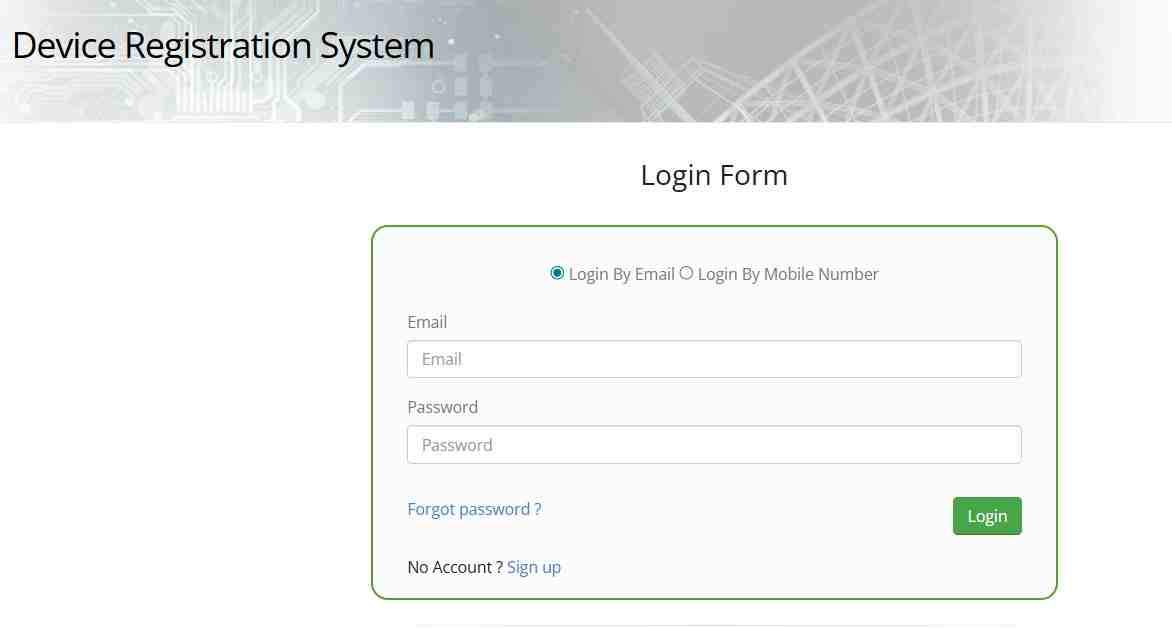
Table of Contents
The DIRBS System: Why Your Phone Must Be Registered
The Pakistan Telecommunication Authority established the Device Identification Registration and Blocking System to create a centralized database of all mobile devices operating within the country. Every mobile phone contains a unique 15-digit International Mobile Equipment Identity number that serves as its digital fingerprint. When you insert a local SIM card, your network provider automatically queries the DIRBS database to verify whether your IMEI appears on the authorized whitelist. Devices not found in this database eventually lose access to all Pakistani mobile networks including Jazz, Zong, Telenor, and Ufone.
What happens when unregistered phones connect to Pakistani networks?
The moment your phone registers on any local network, the system records this connection event and initiates a compliance timer. For the first 60 days, your phone functions normally while the system monitors its status. During this period, you must complete the registration process and pay applicable taxes. If you fail to take action before this window expires, DIRBS automatically adds your IMEI to the national block list. All four major carriers simultaneously deny service, leaving your phone unable to make calls, send messages, or access mobile data through any Pakistani SIM card.
How does the whitelist control network access across all carriers?
Think of the whitelist as the master access control list shared among all Pakistani telecom operators. When your IMEI achieves compliant status, it gets added to this shared database. Every time your phone attempts to connect to any network, the carrier checks this centralized list. If your IMEI appears, connection proceeds normally. If missing, the network rejects the connection attempt regardless of which carrier’s SIM you use. This unified system prevents blocked phones from simply switching providers to regain service.
What types of devices require PTA registration?
Any device capable of accepting a Pakistani SIM card must complete registration. This includes smartphones, basic feature phones, tablets with cellular capabilities, iPads with SIM slots, smartwatches with independent mobile connectivity, portable WiFi routers, and USB dongles for mobile broadband. Even devices using eSIM technology require registration because eSIM profiles also contain IMEI identifiers. The only exceptions are devices used exclusively on WiFi networks without any mobile connectivity features.
Why did Pakistan implement mandatory device registration?
Several factors drove the creation of DIRBS. First, national security concerns require law enforcement to trace mobile devices used in criminal activities. Unregistered phones with fake IMEIs complicate investigations. Second, the government loses substantial tax revenue when phones enter the country through smuggling rather than legal import channels. Third, the system helps protect consumers from purchasing stolen devices by maintaining a database of blocked IMEIs. Fourth, it ensures all devices meet technical standards for safe operation on Pakistani networks.
How to Perform a PTA Mobile Registration Online Check
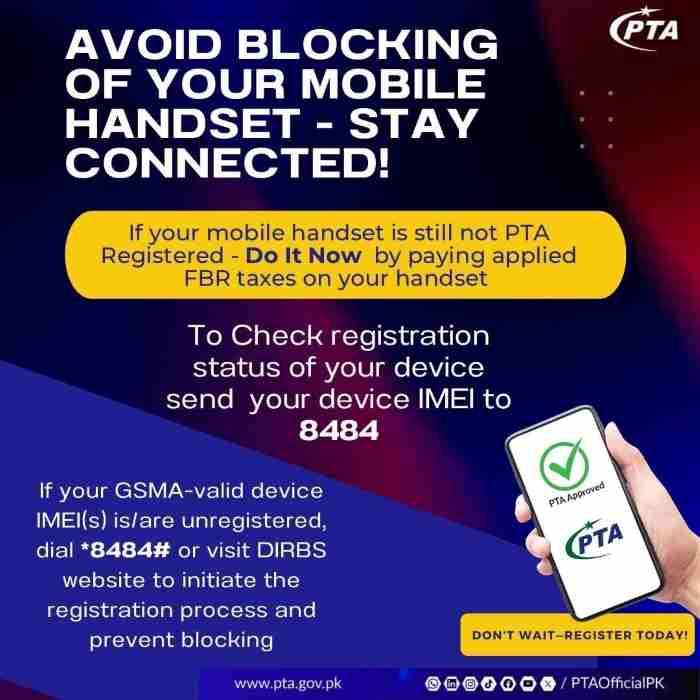
Completing a PTA mobile registration online check takes less than two minutes using any of three official methods. Each method accesses the same DIRBS database and returns identical information, so choose whichever proves most convenient for your situation.
Method 1: SMS verification through short code 8484
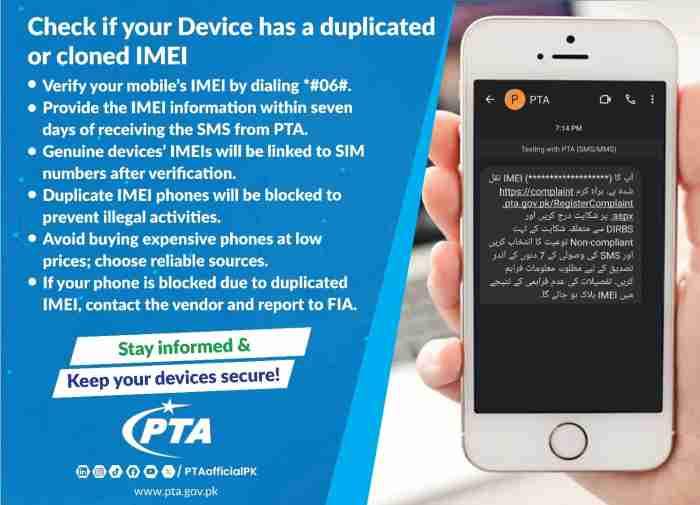
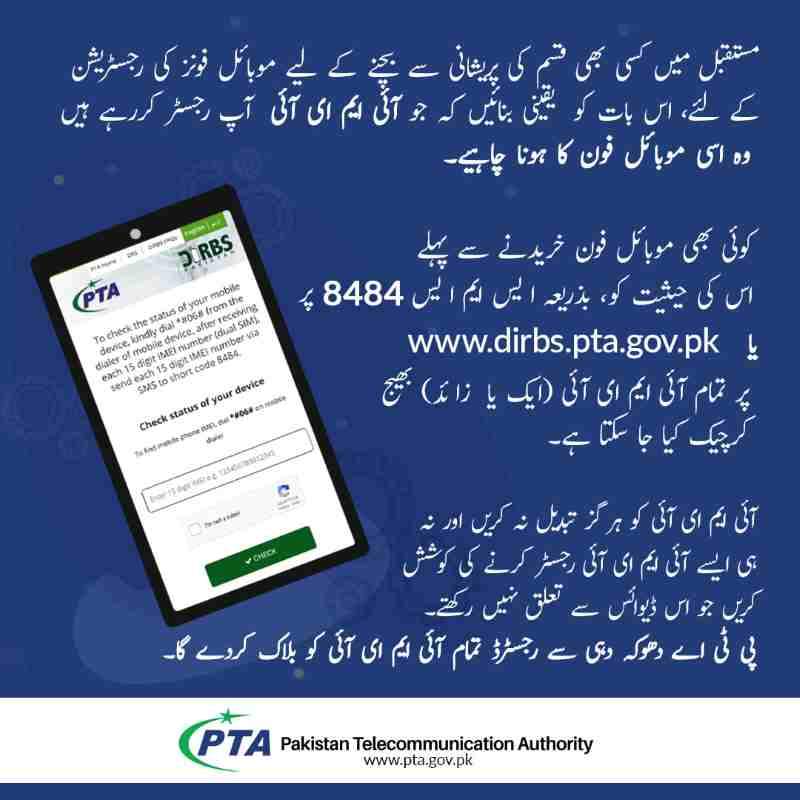
The SMS method works on any mobile phone without requiring internet access or smartphone capabilities. Open your messaging application and create a new message. Type your complete 15-digit IMEI number exactly as displayed when you dial the universal code. Include no spaces, dashes, words, or additional characters. Send this message to 8484. Within seconds to a few minutes, you receive a reply containing your device’s current DIRBS status.
Response times typically range from thirty seconds to five minutes during normal operating hours. During high-traffic periods or system maintenance, responses may take up to two hours. If you receive no reply after two hours, resend the message once. Repeated sending does not speed processing and may trigger spam filters. Save the official reply message as proof of your device’s status determination.
Method 2: Web portal verification at the official DIRBS website
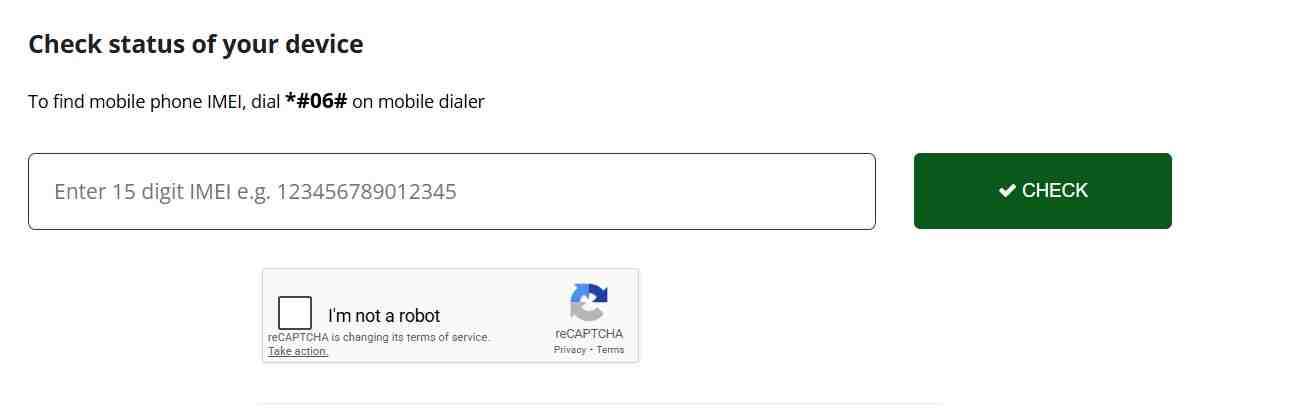
The web-based verification option works from any internet-connected device anywhere in the world. Open your browser and navigate to the official government DIRBS portal. You will see a simple interface with a single input field labeled for your IMEI number. Enter your complete 15-digit IMEI exactly as obtained from your device. Complete the captcha verification to prove you are a human user rather than an automated bot. Click submit and wait approximately five to ten seconds while the system queries the database. Your result displays clearly on screen showing your device’s current compliance status and any additional relevant information.
The captcha exists to prevent automated programs from overwhelming the system with repeated queries. Simply type the characters you see in the image into the provided text box. If the characters prove difficult to read, click the refresh icon to generate a new, potentially clearer captcha.
Method 3: DVS mobile application for smartphone users
The Device Verification System mobile app brings full DIRBS checking capability to your smartphone with added convenience features. Search your device’s official app store for “DVS – Pakistan” published by the Pakistan Telecommunication Authority. Download and install the application following standard procedures.
The app includes an innovative IMEI scanner feature that eliminates typing errors. Open the app and select the option to scan IMEI. Position your phone’s camera over the IMEI barcode typically printed on your device’s original packaging or sometimes visible behind the SIM tray on newer models. The app automatically reads the barcode, extracts the 15-digit number, and submits it for verification. Results appear instantly on your screen. You can also manually enter IMEI numbers for devices without scannable barcodes or when checking multiple phones simultaneously.
Understanding Your DIRBS Status Response
The message you receive contains critical information about your device’s legal standing. Each specific term carries distinct implications for what actions you must take next.
What does “Compliant” status mean for your device?
When your IMEI check returns “Compliant,” congratulations are in order. This status confirms your device is fully legal and approved for permanent use on all Pakistani mobile networks. Your IMEI number is genuine and properly registered in the manufacturer’s global database. All required customs duties, sales taxes, and regulatory fees have been paid. The device is associated with your identity in the national records. You can continue using your phone indefinitely without any further action. This status applies to phones purchased from authorized Pakistani dealers, phones properly imported with full tax payment, and locally manufactured devices that passed through legal distribution channels.
What does “Valid Non-Compliant” status indicate?
This status appears when your IMEI number itself is genuine and recognized internationally, but no taxes have been paid on this device for Pakistani use. The word “Valid” confirms your IMEI passes authenticity checks. “Non-Compliant” indicates you have not completed the financial registration requirements. You now have a specific window to pay the required taxes before the system automatically blocks your phone.
This status commonly appears when you bring a personally used phone from abroad and insert a Pakistani SIM for the first time. Your phone works perfectly now, but the compliance clock has started ticking. You must initiate registration and pay applicable taxes to transform “Valid Non-Compliant” into permanent “Compliant” status before your grace period expires.
What does “Non-Compliant” status signal about your IMEI?
“Non-Compliant” without the “Valid” prefix carries more serious implications. This status typically indicates your IMEI number fails basic validation checks. The number may be incorrectly entered during your query. It might not follow standard IMEI formatting conventions. In many cases, this status appears on phones with tampered IMEIs where someone attempted to bypass registration requirements through illegal patching or cloning.
Several red flags suggest IMEI tampering. If your phone shows the same IMEI number in both SIM slots, that is suspicious because dual-SIM devices always have two unique IMEIs. If your phone displays an IMEI belonging to a completely different manufacturer when checked through international databases, that provides definitive proof of patching. Devices with “Non-Compliant” status face immediate blocking risk and require investigation.
What happens when your device shows “Blocked” status?
A “Blocked” status means your device has been added to the nationwide blacklist and cannot connect to any Pakistani mobile network. Attempting to insert any SIM card results in persistent “No Service” or “Emergency Calls Only” messages. Blocking occurs automatically when a “Valid Non-Compliant” device exceeds its 60-day grace period without tax payment. Blocking also happens when owners report phones stolen, when PTA detects IMEI tampering during enforcement sweeps, or when duplicate IMEIs conflict in the database.
Recovery from blocking requires proving legitimate ownership and paying all outstanding taxes plus any applicable penalties. The process varies depending on why the blocking occurred initially.
The 60-Day Registration Window Explained
Time limits form the backbone of PTA enforcement. Understanding exactly how these deadlines work prevents unexpected service interruptions.
When does your 60-day grace period actually begin?
The countdown starts the instant your phone successfully registers on any Pakistani mobile network for the first time. This typically happens when you insert a local SIM card and see signal bars appear. Even if you immediately remove the SIM, the system has recorded that connection event permanently. The 60 days continue counting regardless of whether you keep the SIM inserted or switch between different carriers.
Some users mistakenly believe removing the SIM resets the clock, but DIRBS tracks the first activation date permanently and blocks precisely 60 days later regardless of subsequent SIM usage patterns. The system maintains this date in its database permanently linked to your specific IMEI.
Can you extend the 60-day period through any method?
No extensions exist for the standard 60-day window. The system offers no appeals, no second chances, and no extensions regardless of circumstances. If your 60 days expire without tax payment, your phone blocks automatically on day 61. The only way to obtain a new 60-day window is to use a completely different, unregistered phone that has never previously activated on Pakistani networks.
Changing SIM cards makes no difference because all networks share the same DIRBS database. Leaving Pakistan for several months and returning also fails to reset the clock. The system remembers your original activation date permanently.
What happens on day 61 if you haven’t paid taxes?
On day 61, DIRBS automatically adds your IMEI to the national block list. All Pakistani mobile networks simultaneously deny service to your device. You will see “No Service” or “Emergency Calls Only” on your screen regardless of which carrier’s SIM you insert. The phone becomes unable to make calls, send SMS messages, or access mobile data through any local network.
WiFi functionality remains completely unaffected. You can still browse the internet over WiFi, use messaging applications like WhatsApp and Facebook Messenger, play online games, and access all installed applications that don’t require cellular connectivity. Your phone essentially becomes a WiFi-only tablet.
Can you still register and pay taxes after your phone blocks?
Yes, you can still complete registration even after your phone has been blocked. Log into the DIRBS portal, generate a fresh PSID for your device, and complete payment through any available channel. After payment processes successfully, your phone should unblock within approximately 24 hours. The key requirement is that your IMEI must be genuine and not tampered with. If your phone was blocked for IMEI fraud rather than non-payment, paying taxes alone will not help because the IMEI itself is invalid.
The 120-Day Facility for Overseas Pakistanis and Foreign Visitors
The Pakistan Telecommunication Authority recognizes that overseas Pakistanis and international visitors need connectivity during temporary stays without paying full import duties. The 120-day facility provides completely free temporary registration for personal devices used during visits.
Who qualifies for the 120-day temporary registration?
Overseas Pakistanis holding valid NICOP or Pakistani passports qualify for this facility. Foreign nationals visiting Pakistan for tourism, business, education, or any other legitimate purpose also qualify regardless of their country of origin. The service exists to facilitate travel and temporary stays while maintaining the integrity of the permanent registration system.
How do you apply for the 120-day facility online?
Visit the dedicated DIRBS portal for overseas registration. Create a simple account using your passport number or CNIC. Enter your planned travel dates, though the system accommodates flexibility if your stay extends slightly beyond initial estimates. Provide your device details including both IMEI numbers for dual-SIM phones and any eSIM identifiers. Submit the application, and within minutes you will receive confirmation that your device is temporarily registered for 120 days from your arrival date.
You can apply before traveling to Pakistan or after arrival. Keep your travel documents handy as the system may verify your immigration status with the Federal Investigation Agency’s border management database.
What documents do you need for the application?
You will need your valid passport containing your current entry stamp or visa showing arrival in Pakistan. Overseas Pakistanis can use their NICOP in place of a passport. The application asks for your expected arrival date or actual date if you have already entered the country. Have both IMEI numbers for your device ready before starting the application process.
Can you register multiple devices under the 120-day facility?
Yes, the temporary registration covers multiple devices for the same traveler. You can register your smartphone, tablet, and even a portable WiFi router all under your 120-day exemption. Each device requires its own application with its specific IMEI numbers. The 120-day clock runs simultaneously for all registered devices based on your documented arrival date. If you bring multiple phones, register each one promptly to ensure all remain compliant throughout your stay.
What happens after the 120-day period expires?
Your phone automatically stops working on Pakistani networks the day after your temporary registration expires. You will see “No Service” messages, though WiFi continues functioning normally. If you are still in Pakistan when this happens, you have two options. You can leave the country with your phone, and it will work again once you are outside Pakistan on foreign networks. Alternatively, you can convert to permanent registration by paying all applicable taxes through the standard PSID process.
You cannot apply for another 120-day period on the same device during the same visit. The facility is available once per trip. If you return to Pakistan on a future visit, you can apply for a new 120-day registration for that subsequent trip.
Finding Your 15-Digit IMEI Number
Before you can check any status or complete any registration, you must locate your device’s unique 15-digit IMEI number. This number appears in multiple locations on every phone.
What is the universal code that works on every phone?
Open your phone’s dialer exactly as if you were about to make a phone call. Type asterisk hash zero six hash and wait. Do not press the call button. Within one second, your screen automatically displays the IMEI number or numbers associated with your device. This universal code works on every mobile phone regardless of brand, model, operating system, or age.
For dual-SIM phones, you will see two IMEI numbers clearly labeled as IMEI 1 and IMEI 2 or with corresponding slot indicators. For iPhones with eSIM support, you may see additional IMEI numbers for the eSIM functionality. Write down every number displayed.
Where can you find IMEI in your phone settings?
If you prefer navigating through menus, every phone stores IMEI information in its settings area. On iPhones, go to Settings, then General, then About, and scroll down until you see IMEI information. On Android phones, the path varies slightly but typically follows Settings, then About Phone, then Status, then IMEI Information. Samsung users can find it under Settings, then About Phone, then Status Information.
These settings menus also display additional details like serial numbers, model numbers, and software versions that may prove useful for support inquiries or when dealing with customer service representatives.
Where is the IMEI printed on physical packaging?
Every original phone box includes a sticker or printed label displaying the device’s IMEI numbers alongside other barcodes and identifying information. This provides a reliable reference point if your phone becomes inaccessible or if you need to verify the device matches its packaging. Take a photo of this label and store it safely in your digital records for future reference.
For older phones with removable batteries, the IMEI often appears printed directly on the phone’s interior beneath the battery compartment. Current phones with sealed backs lack this interior printing, so the box label becomes your only physical backup reference.
How do you find both IMEIs on dual-SIM phones?
Dual-SIM phones require special attention because they contain two distinct IMEI numbers, one for each SIM slot. Dialing the universal code displays both numbers simultaneously. You must record both numbers because each requires separate registration. If you register only one IMEI, the other SIM slot will eventually stop working, leaving you with a partially functional phone where one SIM works and the other shows no service.
This dual registration requirement applies equally to phones with one physical SIM and one eSIM, as eSIMs also have unique IMEI identifiers stored in the device’s firmware.
Complete Registration and Tax Payment Process
Once you confirm your device requires registration and you decide to keep it permanently in Pakistan, follow this systematic process to achieve full compliant status.
Is registration itself free or does it cost money?
The registration application process itself carries no fee. The government does not charge simply for entering your information into the database. However, the costs come from customs duties, sales tax, and regulatory fees imposed by the Federal Board of Revenue based on your phone’s value. So yes, you can complete the application steps for free, but unless you qualify for the 120-day visitor exemption, you will eventually need to pay the calculated taxes.
Think of registration as the administrative paperwork and tax payment as the financial requirement. Both are necessary for full compliance, but the paperwork step costs nothing.
Step 1: Collect your IMEI numbers and check current status
Before starting any registration, collect all IMEI numbers for your device using the methods described earlier. Perform a compliance check through SMS, web portal, or app to confirm your current status. If your status shows as “Valid Non-Compliant,” you are ready to proceed with registration. If it shows “Compliant” already, stop because your device is already fully registered. If it shows “Non-Compliant” or “Blocked,” you may need to address underlying IMEI issues before registration can proceed.
Step 2: Create your DIRBS portal login account
Visit the official DIRBS website and locate the registration or sign-up option. You will need to provide your CNIC number for Pakistani citizens or passport number for foreign nationals. The system sends a verification code to your mobile number for confirmation. Create a password and set up security questions for future access. This login becomes your permanent dashboard for managing all registered devices, checking status updates, and generating payment slips for tax obligations.
Step 3: Generate your Payment Slip ID
After logging into your DIRBS account, select the option to register a new device. Enter your phone’s complete details including brand, model, and all IMEI numbers. The system calculates applicable taxes based on current FBR valuation tables and your device’s specific specifications. Upon submission, you receive a unique Payment Slip ID consisting of a numerical code. This PSID links specifically to your registration application and contains the exact tax amount due.
Save this PSID number securely. You will need it for all payment transactions and for tracking your application status.
Step 4: Verify your tax amount before payment
With your PSID in hand, verify the tax amount through multiple channels before sending money. The DIRBS portal displays the amount when you view your application details. Most banks offer PSID inquiry services through their websites and mobile applications, allowing you to confirm the amount before initiating payment. Third-party tax calculator websites provide estimates, but always rely on the amount associated with your official PSID rather than estimates or screenshots from other sources.
Step 5: Complete payment through available channels
Modern payment methods make tax payment convenient from anywhere. Open your mobile banking application and locate the government payment or tax payment section. Select PSID Payment and enter your 14-digit PSID number. The application displays the amount due for your confirmation. Complete the payment using your mobile account balance or linked bank account.
Alternatively, visit any ATM, select the government payment option, enter your PSID, and insert cash or use your debit card for immediate payment. Bank branches also accept PSID payments over the counter for those preferring in-person transactions with human tellers.
Most Pakistani banks now support PSID payments through their mobile banking applications. Log into your bank’s app, navigate to payments or government transactions, and select the PSID payment option. Enter your PSID number, verify the amount, and authorize payment using your app’s security method. The transaction processes immediately, and your bank provides a receipt confirming successful payment. Save this receipt digitally as proof of payment.
Step 6: Confirm final registration after payment
Payment processing typically completes within minutes to a few hours depending on bank processing times and system loads. Log back into your DIRBS account and check the status of your application. Once the system matches your payment with your PSID, your device status automatically updates to “Compliant.” You can also perform a fresh IMEI check via SMS or web portal to verify the updated status.
If 24 hours pass without status change, contact PTA support with your PSID and payment receipt for assistance. After confirmation, insert your SIM card and enjoy uninterrupted service with full compliance.
PTA Tax Calculation Factors
Tax amounts vary dramatically based on multiple factors including your device’s value, age, and whether you register using a resident CNIC or overseas Pakistani status.
How does the government determine your phone’s taxable value?
The Federal Board of Revenue maintains comprehensive valuation tables that assign taxable values to every phone model based on international market prices. These tables update regularly to reflect changing market conditions, currency fluctuations, and new device releases. When you generate your PSID, the system automatically looks up your specific model in these tables to calculate the applicable duties and taxes.
New phones typically fall into higher valuation brackets because they are assessed at near-retail prices. Used phones may qualify for depreciation allowances if you can prove purchase date and provide original receipts. However, the system often defaults to standard valuations unless you specifically request depreciation consideration with supporting documentation.
What factors affect your final tax amount?
Several variables influence your final tax calculation. The phone’s current market value serves as the base. Your import status matters because phones accompanied in luggage may receive different treatment than commercial shipments. The device age affects depreciation calculations. Your residency status determines whether you qualify for any concessions. The specific model and storage capacity also factor into the valuation tables.
How do tax rates compare for different phone categories?
High-end flagship phones naturally incur higher taxes because their base values are substantially higher. Mid-range devices incur proportionally lower taxes. Basic feature phones may incur minimal taxes or even qualify for exemptions in some cases. The percentage rates remain consistent across categories, but the base value drives the final amount.
Are there any exemptions or reduced rates available?
Limited exemptions apply to specific categories. Diplomats accredited to Pakistan and posted in foreign embassies qualify for complete tax exemption on personal devices with proper documentation. Returning overseas Pakistanis bringing used personal phones may receive partial concessions if they can prove the phone was purchased and used abroad for an extended period before arrival. Foreign tourists using the 120-day temporary registration pay no taxes during their visit.
All other users must pay applicable taxes with no exceptions based on nationality, profession, or purpose of stay beyond the temporary facility provisions.
Buying Used Phones: Essential Verification Steps
The used phone market carries significant risks of purchasing devices with hidden compliance issues. Following these verification steps protects your investment.
Why can’t you trust seller claims about PTA status?
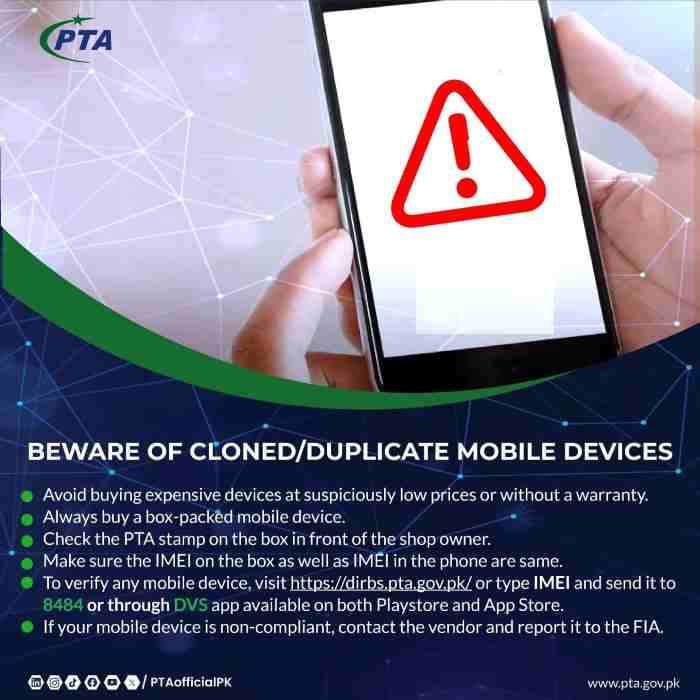
Unfortunately, the used phone market contains numerous sellers who misrepresent device status to make sales. Some sellers genuinely misunderstand DIRBS terminology and believe “Valid Non-Compliant” means approved. Others deliberately deceive buyers by showing screenshots from different phones or presenting boxes with legitimate IMEIs while handing over different devices.
Never rely on seller claims or screenshots of status checks. Always perform your own verification on the actual device before any money changes hands.
How do you verify a phone in person before buying?
Dial the universal code on the actual device and write down the displayed numbers. Immediately send an SMS to 8484 with that IMEI and wait for the official response. The reply reveals the true status regardless of what the seller told you. If the seller hesitates or makes excuses about why you cannot check, walk away immediately. Legitimate sellers expect and welcome this verification because it proves their device is genuine.
Why must you check both IMEI numbers on dual-SIM phones?
In the dual IMEI scam, fraudsters register one legitimate IMEI and duplicate it across multiple phones they sell. Each buyer checks their phone and sees “Compliant” because that IMEI is genuinely registered. However, when multiple phones with identical IMEIs attempt to connect simultaneously, the system detects the duplication and blocks all devices sharing that number. You discover you have bought a blocked phone only after the scammer is long gone.
Protect yourself by checking both IMEI numbers on dual-SIM phones and ensuring they are different from each other and unique to your specific device.
What should you do if the seller provides a receipt or PSID?
Receipts and PSID numbers can be either genuine or forged. If the seller claims taxes are already paid, ask for the original PSID number and verify it through official channels. Log into the DIRBS portal and check that PSID status. Confirm that the PSID was actually paid and that the IMEI linked to that payment matches your phone’s IMEI exactly.
Even a genuine paid PSID becomes worthless if it was generated for a completely different device. Never accept screenshots or photos of receipts as proof. Insist on verification you can perform yourself through official government channels.
Grey Market Devices: Understanding the Risks
The grey market offers tempting discounts but carries severe risks that can cost you far more than you save.
What are JV phones and why should you avoid them?
“JV phone” is market slang for devices originally locked to specific carriers abroad that have been unlocked through unofficial methods. Sellers claim these phones work in Pakistan after “joint venture” modifications. In reality, most JV phones use temporary software unlocks that fail after system updates, or they have had IMEIs patched with numbers from cheap local phones.
JV phones are not legal, have no guarantee of continued functionality, and frequently get blocked during PTA enforcement sweeps. The initial discount quickly becomes meaningless when your phone stops working permanently.
What does CPID mean in the mobile phone context?
CPID refers to “Custom Patch ID” technology used to modify a phone’s internal memory and replace its original IMEI with a different number. Scammers take expensive phones like iPhones or Samsung flagships and overwrite their IMEIs using numbers extracted from cheap, tax-paid feature phones. When you check the IMEI, it appears “Compliant” because the cheap phone’s taxes were legitimately paid.
However, your expensive phone now carries a fake identity. The systems increasingly detect these mismatches by checking the IMEI against manufacturer databases, resulting in mass blocking of CPID devices. When multiple CPID phones carry the same cloned IMEI, the original cheap phone’s owner may report issues or the system detects the duplication during routine scans. At that moment, every device sharing that IMEI gets permanently blocked with no recovery options.
How do patched and rooted phones differ from genuine devices?
“Patched” refers to phones whose operating systems have been modified to hide IMEI tampering or simulate compliance. “Rooted” describes Android phones with administrative access that allows deep system modifications. While not all rooted phones are patched, patching requires root access. These modifications break the phone’s security model and often prevent critical security updates.
Pakistani banks implement sophisticated security measures that detect device tampering. When your phone has modified system files or an altered IMEI, banking applications recognize these as security risks and refuse to run. You will see messages about “rooted device” or “security violation” and cannot access your accounts. This affects all financial apps, government services, and increasingly social media platforms that implement anti-fraud protections.
How can you identify a CPID patched phone before buying?
The SMS response to 8484 provides important clues. If your expensive iPhone returns a status showing a manufacturer like Nokia or an unknown brand, that is definitive proof of patching. Even without brand mismatch, if the response seems generic or does not match your phone’s expected origin, be suspicious.
Cross-check by visiting manufacturer websites that offer IMEI lookup tools. Major manufacturers provide official services to verify IMEI authenticity against their production databases. If the manufacturer says your IMEI belongs to a completely different model or wasn’t manufactured by them, your phone is definitely patched.
Recovery Options for Blocked Devices
Discovering your phone is blocked creates understandable panic, but recovery options exist depending on why the blocking occurred.
Can you unblock a phone by paying taxes after blocking?
Yes, if blocking resulted from non-payment of taxes after the 60-day window, you can still pay the taxes through the standard PSID process. Once payment clears, the system automatically unblocks your device. The key requirement is that your IMEI must be genuine and not tampered with. If your phone was blocked for IMEI fraud rather than non-payment, paying taxes alone will not help because the IMEI itself is invalid.
How long does unblocking take after tax payment?
Most devices unblock within three hours of successful tax payment, though some take up to 24 hours depending on bank processing times and system update cycles. You will know the process is complete when a fresh IMEI check returns “Compliant” status instead of “Blocked.” Until then, your phone may remain blocked even though you have paid.
If 24 hours pass without status change, contact support with your PSID and payment receipt. Do not repeatedly reapply or generate new PSIDs, as this complicates the process and may delay resolution.
Will a blocked phone work outside Pakistan?
Blocked phones work perfectly outside Pakistan because the block only applies to Pakistani networks. If you are traveling abroad, insert a local SIM card from that country and your phone functions normally for calls, data, and all services. The block reactivates immediately upon returning to Pakistan and inserting a local SIM.
Some travelers use this as a temporary solution, keeping their phone for international trips while accepting it will not work at home. For permanent residents, however, paying taxes remains the only complete solution for restoring domestic functionality.
Can you use a blocked phone on WiFi networks?
Absolutely. A blocked phone becomes essentially a WiFi-only tablet. All features that do not require cellular connectivity continue working perfectly. You can browse the internet over WiFi, use messaging applications like WhatsApp and Facebook Messenger, play online games, take photos, access installed applications, and use any functionality that does not depend on mobile network access.
Only calls, SMS messages, and mobile data through Pakistani SIM cards are affected. Some users keep blocked phones as secondary devices for entertainment and WiFi-based communication while purchasing new compliant phones for primary mobile service.
Frequently Asked Questions
Can I register two phones on the same CNIC?
Yes, you can register multiple devices on a single CNIC without limitation. Each phone requires its own registration application and separate tax payment. The system tracks all devices associated with your identity but imposes no maximum on personal-use phones. Commercial importers face different regulations, but individuals may register as many personally used devices as needed.
How do I register a mobile for a child without their own CNIC?
Registration uses the identity of the person who will actually use the phone, even if you are paying the taxes. For children without their own CNIC, use the child’s B-Form number which serves as their identity in the national database. The process remains identical. Enter the B-Form number where CNIC is requested, and complete registration using that identifier. The phone then associates with that individual rather than your CNIC.
My IMEI shows “Non-Compliant” even though I bought it in Pakistan. Why?
This situation suggests your phone may have been tampered with before purchase, or you have encountered a counterfeit device. Some unethical retailers sell phones with fake IMEIs, smuggled devices presented as local, or phones that were never properly registered despite being sold in Pakistani shops. Contact the seller immediately for explanation and refund. If the seller is unresponsive, file a complaint with the authorities and provide your purchase details.
What is the difference between “GSMA Valid” and “Compliant”?
“GSMA Valid” confirms your IMEI number is properly formatted and recognized by the international GSMA database as belonging to a legitimate manufacturer. This means your IMEI is not fake or randomly generated. However, “GSMA Valid” devices remain “Non-Compliant” until taxes are paid. “Compliant” means your device passes both the GSMA validation AND has cleared all Pakistani tax requirements. Think of GSMA Valid as technical authenticity, while Compliant adds financial and regulatory approval.
Is there any legal way to bypass PTA registration?
No legal bypass exists for permanent residents. The 120-day temporary facility provides legal relief for visitors, but residents must complete full registration. Any service claiming to “bypass” PTA permanently through software tricks or unofficial channels is either scamming you or offering illegal IMEI tampering that will eventually fail and may result in permanent blocking. Accept the legal requirements as the cost of using modern mobile services in Pakistan.
Can I pay PTA tax in installments?
No, the system requires full payment at once through your PSID. The PSID generates for a specific amount that must be paid in full within seven days. Partial payments are not accepted and will not result in registration. You must arrange the full tax amount before initiating the payment process.
How do I obtain a duplicate PTA approval certificate?
Log into your DIRBS account and navigate to your registered devices section. Each compliant device displays an option to view or download an official compliance certificate. This PDF document serves as proof of registration for future reference, resale purposes, or customs verification. Save these certificates digitally for each device you own.
PTA Registration Summary Table
| Verification Method | Procedure | Response Time | Best Use Case |
|---|---|---|---|
| SMS to 8484 | Send 15-digit IMEI to 8484 | 1-5 minutes | Quick checks, basic phones, no internet |
| Web Portal | Visit official DIRBS website | Instant | Detailed status, multiple devices, computer access |
| DVS Mobile App | Download from official app stores | Instant | On-the-go verification, barcode scanning |
| Status Message | Interpretation | Required Action |
|---|---|---|
| Compliant | Fully approved, taxes paid | None – continue normal use |
| Valid Non-Compliant | Genuine IMEI, taxes pending | Pay taxes within 60 days |
| Non-Compliant | IMEI issues detected | Investigate authenticity, contact seller |
| Blocked | Service suspended permanently | Pay taxes or prove ownership |

Add a Comment