
Imagine applying for a visa or a new job, only to discover that a false police report has been silently attached to your identity for years. For countless Pakistani citizens, this nightmare becomes real when they finally perform an online FIR check by CNIC Pakistan. The Punjab Police Pakistan app now puts this power directly into your hands, allowing you to instantly verify your criminal record, track ongoing investigations, and even download official police documents without stepping foot inside a police station.
This comprehensive guide will teach you:
- Exactly how to perform an online FIR check by CNIC using the Punjab Police app
- What to do when you find a fake or mistaken FIR on your record
- How to obtain a Police Character Certificate, tenant registration, and vehicle verification
- Alternative methods for citizens without smartphones or internet access
- Your legal rights and remedies when dealing with false police records
Key Takeaways
- CNIC is your digital fingerprint: Your 13-digit CNIC number unlocks all police records linked to your identity, including FIRs, investigation status, and verification requests. No other document works.
- PakID verification is mandatory: NADRA’s biometric authentication ensures that only you – not a relative, employer, or hacker – can view your criminal record through the app.
- One app, twelve police services: Beyond FIR checks, the same application handles character certificates, lost document reports, tenant registration, e‑challan payments, and vehicle verification.
- Fake FIR requires immediate legal action: A false FIR will not disappear automatically. You must file a complaint via 1787, escalate to the SP, and potentially approach the High Court for quashment.
- Physical Khidmat Markaz still essential: For certified court‑admissible copies or urgent background checks, visiting one of 36 Police Khidmat Markaz centers remains faster and more reliable.
- Read More: How To Apply For Domicile Online? | Domicile Online Apply
- Read More: Digital ID card Pakistan: How to Apply Online (Pak Identity App)
- Read More: NADRA e-Sahulat Biometric Verification (Apply CNIC, FRC, B-Form)
- Read More: Family Registration Certificate (FRC): How to Apply Online
Online FIR Check By CNIC Pakistan – Punjab Police App
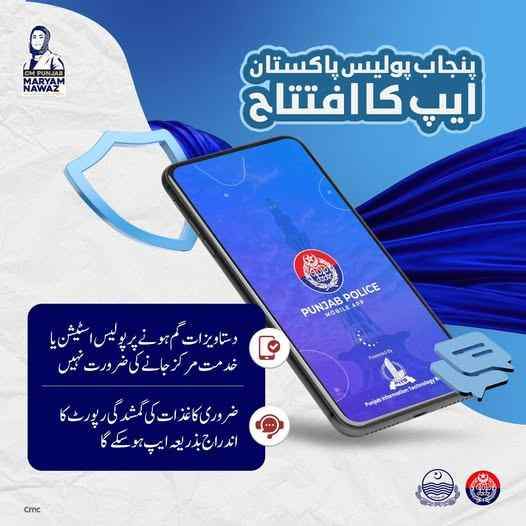
Table of Contents
Understanding Online FIR Check by CNIC Pakistan – Complete Overview
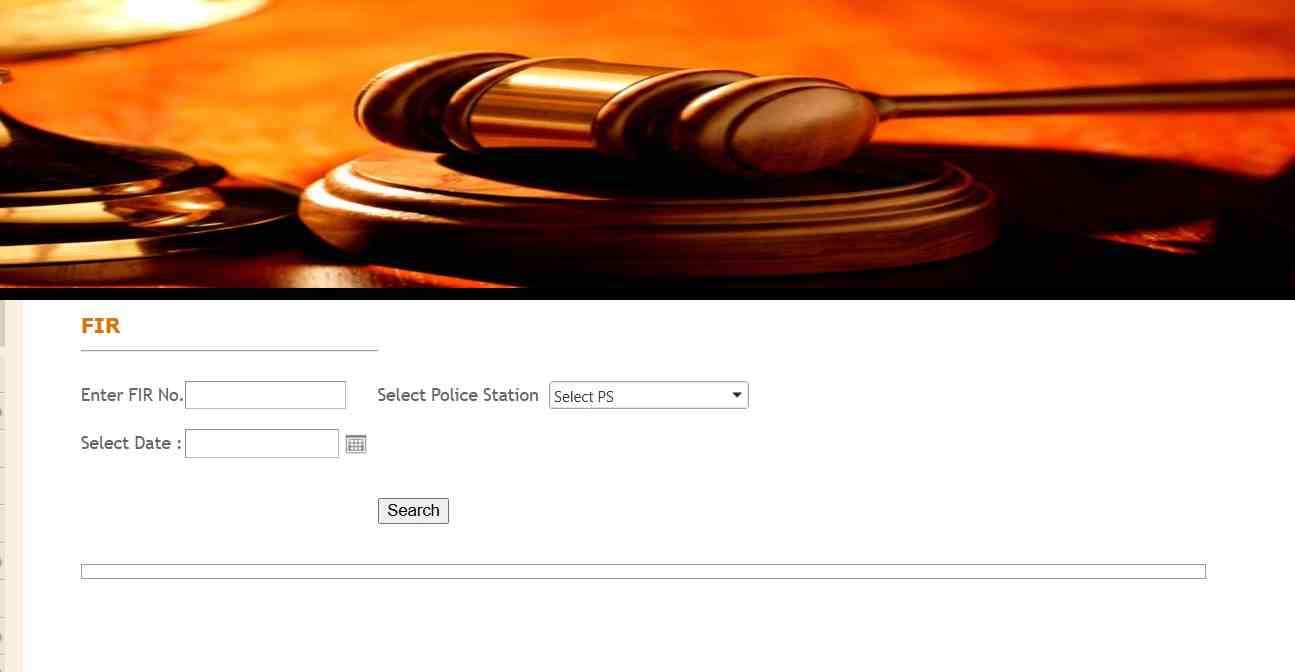
Check through this link: https://lahore.dc.lhc.gov.pk/PublicPages/Fir.aspx
Online FIR check by CNIC Pakistan is a government‑approved digital inquiry system that retrieves any First Information Report linked to a citizen’s Computerized National Identity Card from the centralized police database of Punjab province. This system, accessible through the Punjab Police Pakistan mobile app, eliminates the traditional need to visit police stations for basic criminal record verification.
Legal Definition and Authority Behind CNIC-Based FIR Access
Under Section 154 of the Code of Criminal Procedure (CrPC), every FIR is a public document. The Punjab Police app, developed by the Punjab Information Technology Board (PITB), provides authorized digital access under the province’s e‑governance framework. When you perform an online FIR check by CNIC, you are querying the official Criminal Record Management System (CRMS) used internally by police officers.
The Three Pillars of Punjab’s Police Digitization
| Pillar | Purpose | Citizen Benefit |
|---|---|---|
| CRMS (Criminal Record Management System) | Internal police database for FIRs, arrests, and case progress | Enables real‑time online FIR checks by CNIC |
| Punjab Police Pakistan App | Citizen‑facing mobile interface | Self‑service for FIR tracking, certificates, complaints |
| Police Khidmat Markaz (36 locations) | Physical one‑stop facilitation centers | Certified copies, in‑person assistance for non‑digital citizens |
Why the Government Made CNIC Verification Mandatory for All App Users
Three critical reasons drove this mandate:
- Identity theft prevention: Without biometric verification, anyone with your CNIC number could view your criminal record.
- Compliance with NADRA security protocols: PakID integration ensures the person holding the CNIC is its genuine owner.
- Elimination of police station harassment: Citizens no longer need to beg or bribe officers for basic record information.
Critical Distinction: e‑Complaint vs. Formal FIR
Many citizens confuse these two terms. Here is the clear difference:
- e‑Complaint: A preliminary online report filed through the app or web portal. Police may investigate or ignore it. It does not appear as an FIR on your CNIC record.
- Formal FIR: A legally registered First Information Report under the CrPC. It triggers mandatory police investigation, appears on your CNIC, and can affect travel, employment, and visas.
Cognizable vs. Non‑Cognizable Offenses – What Appears Online?
Only cognizable offenses appear as full FIRs in your online CNIC check results. Understanding this distinction protects you from false expectations:
| Offense Type | Definition | Examples | Visible on CNIC? |
|---|---|---|---|
| Cognizable | Police can arrest without magistrate’s warrant | Theft, murder, assault, robbery, dacoity | ✅ Full FIR visible |
| Non‑cognizable | Police need magistrate’s permission to act | Defamation, cheating, minor threats, nuisance | ❌ Not visible or only as a note |
Five Immediate Benefits of Checking Your FIR Status Online
- Zero cost: No bribes, no travel expenses, no photocopy fees.
- 24/7 availability: Check your record at 2 AM from your bedroom.
- PDF download for lawyers: Share digital FIR copies with your legal counsel instantly.
- Investigation transparency: See if police have arrested anyone or closed the case.
- Early warning system: Discover false FIRs before they cause visa or job rejections.
What Specific Data Appears When You Search by CNIC?
The system returns a structured report containing:
- FIR number and exact date/time of registration
- Police station (Thana) name and jurisdiction
- Sections of Pakistan Penal Code (e.g., 302 for murder, 379 for theft)
- Full names of all nominated accused persons
- Current investigation status (under inquiry, challan submitted, case closed, cancelled)
- Arrest status of each accused (arrested, absconding, released on bail)
- Name and badge number of the Investigating Officer (IO)
Can You View the Complete FIR Document or Just a Summary?
You can view and download the complete FIR as a PDF file. This PDF includes:
- The complainant’s verbatim statement
- The police officer’s endorsement
- The time and date of registration
- Signatures (digital or scanned) of the complainant and officer
Do Cancelled or Closed FIRs Still Appear in Your Record?

Yes. The system does not delete records. A cancelled or closed FIR remains in the database but displays a clear status label:
- “Cancelled” – Usually by court order or due to false implication
- “Closed” – Investigation completed, either challan submitted or untraced
- “Compromised” – Parties settled out of court
FIR Number vs. E‑Tag Number vs. Tracking ID – Clearing the Confusion
| Identifier | Format | Where You Get It | Used For |
|---|---|---|---|
| FIR Number | e.g., 456/2024 | Police station after registration | Official FIR identification |
| E‑Tag Number | Alphanumeric (e.g., PUN-12345-ABC) | After filing online complaint | Tracking e‑complaints that may become FIRs |
| Tracking ID | 8‑12 digit number | IGP or CM Complaint Center | Monitoring complaints against police |
Punjab vs. Other Provinces – A Reality Check
Many citizens mistakenly believe they can check FIRs from Sindh or KPK using the Punjab app. This is false. Each province maintains its own separate database:
| Province | App/Portal | Online FIR Check by CNIC | Character Certificate | Tenant Registration |
|---|---|---|---|---|
| Punjab | Punjab Police Pakistan App | ✅ Full access | ✅ Online with delivery | ✅ Landlord dashboard |
| Sindh | PRVS Web Portal | ❌ No direct CNIC search | ✅ Online (limited) | ❌ Not available |
| Khyber Pakhtunkhwa | KPK Police App | ❌ No FIR check | ❌ Not available | ❌ Not available |
| Balochistan | No dedicated citizen app | ❌ Manual only | ❌ Manual only | ❌ Not available |
Is There a National Database for FIRs Across All Provinces?
Currently, no. Pakistan lacks a centralized, unified criminal record database. Each province operates its own system. However, NADRA’s PakID and the National Database and Registration Authority are gradually building interoperability for verification purposes. For now, a criminal record from Karachi will not appear in the Punjab Police app.
Step‑by‑Step Execution: How to Perform Online FIR Check by CNIC Using Punjab Police App
To successfully perform an online FIR check by CNIC using the Punjab Police Pakistan app, follow this exact sequence: download the official app, complete mandatory NADRA PakID verification, navigate to Citizen FIR Tracking, and search using your 13‑digit CNIC number without dashes.
Step 1: Download the Official App from Trusted Stores Only
- Android users: Google Play Store → search “Punjab Police Pakistan” → developer: Punjab Information Technology Board
- iPhone users: Apple App Store → same search term
- Critical warning: Do not download from third‑party websites. Fake apps exist that steal CNIC data.
Step 2: Create Your Account or Log In
- Tap “Register” on the home screen
- Enter your active mobile number (the one registered with NADRA if possible)
- Create a strong password (mix of letters, numbers, symbols)
- Enter the 6‑digit OTP sent via SMS
- Your mobile number is now verified
Step 3: Complete Mandatory CNIC Verification via NADRA PakID
This is the most critical and most confusing step for many users. Follow precisely:
- Download the NADRA PakID app from official stores
- Open PakID and create an account using your CNIC, email, and mobile number
- Complete biometric verification:
- Take a live photo of your face
- Provide fingerprint scans (if your device supports it) or answer security questions
- Once PakID verifies you, return to the Punjab Police app
- The app will automatically prompt “Verify via PakID” or you can go to Settings → CNIC Verification
- Approve the verification request in the PakID app
- Success indicator: Your CNIC number now appears in the Punjab Police app profile
Step 4: Navigate to Citizen FIR Tracking
- Tap the Services icon at the bottom of the screen (usually a grid or menu symbol)
- Scroll down or search within the services list
- Select “Citizen FIR Tracking” or “Copy of FIR” (naming varies by app version)
Step 5: Choose Your Search Method
The app offers three ways to find FIRs:
| Search Method | When to Use | Data Required |
|---|---|---|
| By CNIC | You want all FIRs linked to your identity | Your 13‑digit CNIC without dashes |
| By FIR Number | You already know the specific FIR number | FIR number + district + police station + year |
| By E‑Tag | You filed an online complaint and received an e‑tag | The e‑tag number provided after submission |
Step 6: Enter Your CNIC Correctly – Most Common Mistake
Incorrect entry: 12345-6789012-3 (with dashes) → Results in “No Record Found”
Correct entry: 1234567890123 (13 digits consecutively, no spaces, no dashes)
Step 7: Interpret Your Search Results
After tapping Search, the system displays:
- FIR Number and Date: Click to expand full details
- Police Station: Name, phone number, and address
- Sections of Law: e.g., 324 PPC (attempted murder), 379 PPC (theft)
- Status Badge:
- 🟢 Green = Under investigation
- 🟡 Yellow = Challan submitted to court
- 🔴 Red = Accused arrested
- ⚫ Black = Case closed or cancelled
- Investigating Officer (IO): Full name and contact number
- Arrest Status: List of accused with “Arrested,” “Absconding,” or “Bailed”
Step 8: Download the Complete FIR as PDF
- Tap on the FIR entry to open the detailed view
- Look for a Download icon (downward arrow) or “View Copy” button
- The PDF will open in your device’s document viewer
- Tap the save icon to store it permanently on your phone
What “No Record Found” Really Means – And What To Do
Do not panic. “No Record Found” typically indicates one of five situations:
- No FIR exists against your CNIC – This is good news. Your record is clean.
- CNIC entered incorrectly – Re‑enter without dashes.
- Recently registered FIR – Wait 24 to 48 hours for database synchronization.
- FIR registered in another province – The Punjab app only shows Punjab records.
- Technical server issue – Try again during off‑peak hours (early morning or late night).
How Long After Registration Does an FIR Appear Online?
- Same day (6‑12 hours): If the police station enters data immediately
- Next day (24 hours): Typical for most stations
- Up to 48 hours: Maximum allowed under PITB service level agreements
- Beyond 48 hours: File a complaint via 1787 – the station is violating digital mandate
Can You Check FIRs from Any District in Punjab?
Yes. The app covers all 36 districts including:
- Lahore (all police stations)
- Rawalpindi (including Cantonment areas)
- Faisalabad, Multan, Gujranwala, Sargodha
- Bahawalpur, Rahim Yar Khan, Sialkot
- Smaller districts like Chakwal, Bhakkar, Lodhran
Can a Family Member Check Your FIR Record Using Your CNIC?
No. After the mandatory PakID integration, the app requires biometric authentication. A relative cannot impersonate you. The only exceptions:
- You share your login credentials (strongly discouraged)
- You are physically present to complete PakID verification on their device
Does the App Send Notifications When FIR Status Changes?
Yes, if you enable push notifications. You will receive alerts for:
- New arrest made in your FIR
- Case transferred to another investigation officer
- Challan submitted to court
- Case closed or cancelled
Visual Summary of FIR Tracking Process
| Action | Expected Outcome |
|---|---|
| Download app + verify PakID | CNIC linked to profile |
| Tap Citizen FIR Tracking | Search interface opens |
| Enter CNIC (no dashes) | List of all FIRs appears |
| Tap any FIR | Full details + Download PDF button |
| Save PDF | FIR stored on your device for lawyers/embassies |
Alternative Methods for Online FIR Check by CNIC Without the App
Citizens without smartphones, unreliable internet, or those facing technical issues can still perform an online FIR check by CNIC using the CMS Punjab web portal, the 1787 helpline, SMS to 8787, or by visiting a Police Khidmat Markaz in person.
Method 1: CMS Punjab Web Portal (Desktop/Laptop Friendly)
The Complaint Management System (CMS) Punjab web portal offers the same FIR tracking functionality without requiring a mobile app.
Step‑by‑step:
- Open your browser and search for “CMS Punjab complaint status”
- Click on “Track Complaint” or “FIR Status”
- Select “Search by CNIC” from the dropdown
- Enter your 13‑digit CNIC without dashes
- Complete the captcha verification
- Click Submit
What you see: Same information as the app – FIR numbers, status, investigation officer details. However, you cannot download the PDF copy from the web portal. For the PDF, you need the app or a PKM visit.
Method 2: IGP Complaint Center – 1787 Helpline
This is the official helpline of the Inspector General of Police, Punjab.
How to use:
- Dial 1787 from any mobile or landline (toll‑free)
- Listen to the automated menu
- Press the number for “FIR Status” or “Complaint Tracking”
- When prompted, enter your CNIC number using the keypad
- The automated system will recite:
- Total number of FIRs linked to your CNIC
- Status of the most recent FIR
- Any pending complaints you have filed
Human agent option: Stay on the line to speak with an operator. Provide your CNIC, and they will read out all FIR details.
Method 3: SMS to 8787 – Simplest Method
No smartphone? No internet? No problem. Use any basic mobile phone.
- Open your SMS app
- Type your CNIC number (13 digits, no dashes)
- Send the message to 8787
- Within 30 seconds, you receive a reply SMS containing:
- Number of FIRs registered
- Latest FIR number and status
- Helpline number for further details
Limitation: The SMS reply only provides summary information, not the full FIR details or PDF.
Method 4: Visit a Police Khidmat Markaz (PKM) in Person
For citizens who need certified physical copies, have complex cases, or face digital barriers, PKMs remain the most reliable solution.
What is a PKM? A one‑stop police facilitation center operating in all 36 districts. Each PKM has:
- Dedicated counters for FIR copies
- Character certificate issuance
- Tenant registration assistance
- Complaint registration against police
Step‑by‑step PKM visit:
- Locate your nearest PKM (ask any police station or search online)
- Carry your original CNIC plus two photocopies
- If you know the FIR number, write it down. If not, provide your CNIC.
- Approach the “FIR Copy” or “General Verification” counter
- Fill out a simple application form (available free at the counter)
- Pay the nominal fee (usually PKR 100‑300 for certified copies)
- Collect your certified FIR copy within 1‑3 working days
List of PKM locations (major cities):
- Lahore: Township, Iqbal Town, Model Town, Sadar, Defence
- Rawalpindi: Saddar, Civil Lines, Westridge, Chaklala
- Faisalabad: Millat Town, Jaranwala Road, People’s Colony
- Multan: Gulgasht, Shah Rukan-e-Alam, Cantt
- Gujranwala: Civil Lines, Satellite Town, Aroop
- Sargodha: Canal Road, University Road, Satellite Town
- Plus each of the remaining 30 district headquarters
Documents Required at PKM for FIR Copy
| Document | Requirement Level | Notes |
|---|---|---|
| Original CNIC | Mandatory | Must be valid and readable |
| Photocopy of CNIC (2 copies) | Mandatory | One for file, one for receipt |
| FIR number (if known) | Helpful but not required | Speeds up the search |
| Written application | Provided by PKM | You just sign it |
Online PDF vs. Certified Physical Copy – Which One Do You Need?
| Use Case | Online PDF (Free) | Certified Physical Copy (Fee) |
|---|---|---|
| Personal record keeping | ✅ Sufficient | ❌ Overkill |
| Showing to a lawyer | ✅ Sufficient | ❌ Not needed |
| Submitting to court as evidence | ❌ Not accepted | ✅ Required |
| Visa application (UAE, Canada) | ❌ Usually rejected | ✅ Required with stamp |
| Employment background check | ❌ Employers want official | ✅ Required |
Can Overseas Pakistanis Perform Online FIR Check from Abroad?
Yes, but with significant caveats.
- App access: The Punjab Police app is available worldwide on Google Play and Apple stores.
- PakID verification: This is the main barrier. Biometric verification (fingerprints) requires a compatible device. Many overseas users report success with face verification only.
- VPN requirement: Some users outside Pakistan report that the app fails to load data unless they use a VPN set to a Pakistani IP address.
- SMS to 8787: Does not work from international numbers.
- Best option for overseas citizens: Ask a trusted family member in Pakistan to visit a PKM on your behalf with a signed authorization letter and a copy of your CNIC.
Beyond FIR Checking: 10 Essential Features of the Punjab Police App
The Punjab Police Pakistan app is not just for online FIR checks. It serves as a comprehensive digital police station in your pocket, offering a dozen citizen services that eliminate physical visits.
1. File a New Crime Report or Online Complaint
How it works:
- Tap “Report a Crime” from the home screen
- Select crime category: theft, harassment, fraud, missing person, cybercrime
- Enter the exact location (address or GPS)
- Describe the incident in 500 characters or less
- Upload supporting evidence (photos, videos, documents)
- Submit – you receive an e‑tag number immediately
What happens next: The complaint is routed to the relevant police station. An officer must acknowledge it within 24 hours. If they do not, you can escalate via the IGP complaint center.
2. Apply for a Police Character Certificate (PCC) – Complete Process
A Police Character Certificate is essential for:
- Visa applications (UAE, Saudi Arabia, Qatar, Canada, UK, Australia)
- Immigration and permanent residency
- Overseas employment
- University admissions abroad
Step‑by‑step via app:
- Log in and select “Character Certificate”
- Enter your personal details (name, father’s name, date of birth, permanent address)
- Upload a recent passport‑size photograph (white background)
- Select delivery method: courier to your address or pickup from a PKM
- Generate a PSID (Payment Slip ID)
- Pay the fee online using JazzCash, EasyPaisa, or bank transfer
- Submit the application
Fee structure:
- Online application with courier delivery: PKR 1,022
- In‑person application at PKM with pickup: PKR 500
Processing time: 7‑14 working days for most applications. Express service is not available.
Tracking your application:
- Go to “Character Certificate” → “Track Application”
- Enter your CNIC or application ID
- View status: Pending → Under Verification → Police Verification Complete → Issued → Dispatched
3. Register as a Tenant – Avoid Police Harassment
Landlords in Punjab are legally required to report tenant information to the police. The app makes this easy and transparent.
Landlord steps:
- Select “Tenant Registration”
- Enter tenant’s CNIC, full name, father’s name
- Provide property address and rental agreement dates
- Upload a copy of the tenant’s CNIC
- Submit
Tenant steps (verification):
- The tenant receives a notification in their Punjab Police app
- They must log in and approve the registration
- Once approved, the police database is updated
Why this matters: Proper tenant registration prevents police from harassing tenants during random checks or criminal investigations.
4. Register a Private Employee for Police Verification
Employers can verify the background of domestic workers, drivers, guards, and office staff.
Process:
- Select “Private Employee Registration”
- Enter employee’s CNIC and personal details
- Provide employer details (company name, address, NTN if applicable)
- Submit
- Police conduct verification and send a confidential report to the employer
5. Perform Vehicle Verification by CNIC or Registration Number
This feature is critical when buying a used vehicle.
Search by registration number:
- Enter the vehicle’s number plate (e.g., LEA-1234)
- System returns:
- Owner name and CNIC (masked for privacy)
- Vehicle make, model, year, color, engine number, chassis number
- Registration status (clear, stolen, blocked, impounded)
- Fitness certificate validity (for commercial vehicles)
- Route permit (for buses, wagons)
- Outstanding e‑challans (traffic fines)
Search by owner’s CNIC:
- Enter the CNIC of the person claiming to own the vehicle
- See all vehicles registered under that CNIC
- This helps detect stolen vehicles being sold with fake documents
6. Lost Document Report – CNIC, Passport, Driving License
Losing a CNIC or passport used to require a police visit and a “lost report” on stamped paper. Now you do it from home.
Process:
- Select “Lost Report”
- Choose document type: CNIC, Passport, Driving License, Educational Certificate, Other
- Enter the document number (if known)
- Enter your CNIC
- Describe where and when you lost it
- Submit
Output: A digitally signed lost report PDF is generated instantly. You can:
- Download and print it
- Use it to apply for a duplicate CNIC at NADRA
- Use it for passport renewal
- Submit to your bank or employer if required
7. Find Your Nearest Police Station
- Tap “Find My Police Station”
- Grant location permission
- The app displays:
- Nearest police station name and address
- Distance from your current location
- Phone number (if available)
- Directions via Google Maps
8. Driving License Verification via DLIMS
The Driving License Information Management System (DLIMS) integration allows you to verify any Pakistani driving license.
What you see:
- License holder’s name and CNIC
- License category (LTV, HTV, PSV, etc.)
- Issue date and expiry date
- Endorsements (e.g., automatic transmission only)
- Any suspensions, fines, or black points
9. Check and Pay E‑Challan (Traffic Fines)
Search options:
- By CNIC (owner’s CNIC)
- By vehicle registration number
Results display:
- Challan number and date
- Violation type (e.g., overspeeding, signal jump, no helmet)
- Location (camera or officer)
- Fine amount
- Payment status (unpaid/paid)
Payment: Integrated with JazzCash, EasyPaisa, and major bank gateways.
10. IGP Complaint Center – Hold Police Accountable
If a police officer mistreats you, demands a bribe, or refuses to register an FIR, use this feature.
- Tap “IGP Complaints”
- Select complaint type: police misconduct, bribery, refusal to register FIR, harassment
- Provide station name, officer name (if known), badge number (if available)
- Describe the incident with dates and times
- Upload evidence (recordings, photos, witness statements)
- Submit – receive a tracking ID
Escalation path:
- Complaint received by IGP office
- Forwarded to District Police Officer (DPO) or SSP
- Inquiry officer assigned
- Resolution within 14 days (mandated)
How to Verify the Authenticity of an FIR or Character Certificate
Fake police certificates are a real problem. The Punjab Police app provides two verification methods.
QR Code Verification – Gold Standard
Every digital FIR and Character Certificate downloaded from the app contains a unique QR code.
How to verify:
- Open any QR code scanner on your smartphone (including camera app)
- Scan the code on the certificate
- Your phone opens a secure Punjab Police verification page
- The page displays the original certificate data
- Compare with the physical certificate – if any detail differs, the certificate is fake
Why this works: The QR code contains a digital signature that cannot be replicated without access to the police database.
Online Portal Verification for Employers and Embassies
Foreign embassies and large employers can verify certificates without scanning QR codes.
- Visit the official PKM verification portal
- Enter the certificate number (printed on the document)
- Enter the CNIC of the certificate holder
- The portal displays the authentic certificate
- A match confirms validity
What to Do If Someone Presents a Fake Certificate
- Do not accept it
- Note the certificate number and CNIC
- Report to the nearest police station
- File a complaint via 1787
What to Do If You Find a Fake, False, or Mistaken FIR on Your CNIC Record
Discovering a false FIR during an online CNIC check is terrifying. Take immediate, systematic action.
Step 1: Do Not Ignore It
A false FIR will not vanish. It will:
- Block your Police Character Certificate application
- Cause visa rejections
- Trigger employment background check failures
- Potentially lead to arrest if the case is active
Step 2: Gather Evidence
- Download the FIR PDF from the app
- Note the FIR number, police station, and date
- Identify the complainant’s name (appears in the PDF)
- Check if the crime location is far from your residence – evidence of mistaken identity
Step 3: File a Complaint with the SHO of the Police Station
- Visit the police station listed on the FIR
- Request a meeting with the Station House Officer (SHO)
- Present your CNIC and explain that the FIR is false
- Request an immediate cancellation or correction
- Obtain a written acknowledgment of your complaint
Step 4: Escalate to the SP or DPO
If the SHO does not act within 7 days:
- Write a formal application to the Superintendent of Police (SP) of the district
- Attach the FIR PDF and your CNIC copy
- Submit at the SP office or via registered post
- Request a departmental inquiry
Step 5: Use the 1787 IGP Helpline
- Call 1787
- Explain you have a false FIR and the SHO/SP have not acted
- Provide the FIR number and your CNIC
- Note down the complaint reference number
Step 6: File a Writ Petition in the High Court (Last Resort)
If all administrative remedies fail, approach the Lahore High Court (or relevant High Court) under Article 199 of the Constitution.
Process:
- Hire a criminal lawyer
- File a writ petition seeking quashment of the FIR
- Present evidence that the FIR is false (alibi, witness statements, documents)
- The court will issue notices to the police and complainant
- After hearings, the court may quash the FIR and order its removal from records
Timeline: 3‑6 months on average for a quashment order.
Step 7: Obtain a Fresh Character Certificate After Removal
- Wait 10‑15 days after the court order for database update
- Apply for a new Police Character Certificate via the app
- The new certificate will not show the quashed FIR
Consequences of a False FIR on Your Life
| Area | Impact |
|---|---|
| Visa applications | UAE, Canada, UK, Australia routinely reject applicants with active FIRs |
| Employment | Background checks fail; job offers rescinded |
| Police character certificate | Application denied until FIR is resolved |
| Travel | No automatic ban, but ECL placement possible for serious offenses |
| Mental health | Anxiety, stress, reputation damage |
Privacy, Security, and Data Protection – What the App Does and Doesn’t Do
Citizens worry about their CNIC data being exposed. Here are the facts.
How the App Protects Your Data
- Encryption in transit: All data between your phone and police servers is encrypted using TLS 1.2 or higher.
- Two‑factor authentication: You need (1) your password and (2) PakID biometric verification.
- No third‑party sharing: The app does not sell or share data with advertisers or private companies.
- Audit logs: Every search you perform is logged. Police can investigate unauthorized access.
What PakID Integration Actually Does
PakID is NADRA’s official digital identity app. When you verify through PakID, NADRA confirms to the Punjab Police app that you are the genuine CNIC holder. The police app never receives your fingerprints or photo – only a confirmation token.
Can an Employer Check Your Criminal Record Without Consent?
No. Employers cannot directly search your CNIC. They must:
- Request a General Police Verification through official channels
- Provide your signed consent letter
- Pay the prescribed fee
- Receive the report confidentially
How to Safely Log Out on Shared Devices
- After using a friend’s or cybercafé device, tap “Log Out”
- Go to device settings → Apps → Punjab Police → Clear Data
- Restart the device if possible
Recovering Forgotten Login Credentials
- On the login screen, tap “Forgot Password”
- Enter your registered mobile number
- Receive OTP via SMS
- Create a new password
Common Technical Issues and Fixes
| Problem | Most Likely Fix |
|---|---|
| “OTP code must be 4 digits” error | Update the app – known bug in older versions |
| App crashes on opening | Clear cache or reinstall |
| PakID verification loop | Log out of PakID, log in again, restart both apps |
| “No Record Found” but FIR exists | Wait 48 hours or try CMS web portal |
Reporting Technical Issues
Use the in‑app feedback form or email the PITB support team. Include:
- Your device model and OS version
- Screenshots of the error
- Steps you already tried
How a Criminal Record or FIR Affects Travel, Employment, and Visas
An active FIR on your CNIC is not an automatic travel ban, but it creates serious obstacles.
Travel Bans – What Triggers Them?
The Exit Control List (ECL) is not automatically triggered by an FIR. You are placed on ECL only if:
- The court issues a specific travel restriction order
- The offense is terrorism, espionage, or large‑scale fraud
- The investigation agency (FIA, NAB) requests a ban
Most ordinary FIRs (theft, assault, family disputes) do not lead to ECL placement.
How Foreign Countries Verify Your Pakistani Police Record
| Country | Verification Method |
|---|---|
| UAE | Requires a Police Character Certificate with QR code. They scan the code online. |
| Canada | Requests a police clearance certificate from Pakistan. May also request fingerprints. |
| United Kingdom | Same as Canada. Also accepts NADRA‑verified certificates. |
| Australia | Requires a police certificate from Pakistan and may conduct their own check via INTERPOL. |
| Saudi Arabia | Requires a clean character certificate for work visas. |
What Is a Police Clearance Certificate (PCC) and Why You Need It
A PCC is an official document stating whether you have any criminal record. You need it for:
- Work visas to Gulf countries
- Immigration to Canada, Australia, UK, USA
- Study abroad visas (some universities)
- Adoption proceedings
- Firearms licenses
How to Obtain a PCC for Immigration
- Apply for a Police Character Certificate through the Punjab Police app
- Ensure the certificate includes a QR code
- If the country requires fingerprints, visit a PKM for an ink or digital fingerprint scan
- The certificate is usually valid for 3‑6 months depending on the destination country
Can a Pending FIR Block Your Character Certificate?
Yes. The police will not issue a clean character certificate if you have any pending FIR (under investigation). You must:
- Get the FIR cancelled (if false) or
- Wait for the investigation to conclude and be closed
Explaining a Resolved FIR on Visa Applications
Honesty is the best policy.
- Disclose the FIR in your visa application
- Attach the court order of quashment or police closure report
- Attach a fresh character certificate showing the case as “Closed” or “Cancelled”
- Most embassies accept resolved minor offenses after a waiting period (usually 5‑10 years)
Frequently Asked Questions (FAQs)
How can I check if there is an FIR registered against my CNIC?
Download the Punjab Police Pakistan app, complete NADRA PakID verification, go to Citizen FIR Tracking, and enter your 13‑digit CNIC without dashes. All linked FIRs appear instantly.
Is the Punjab Police Pakistan app free to download?
Yes, completely free on Google Play Store and Apple App Store. No charges for FIR checking, complaint filing, or lost document reports.
Can I download a PDF copy of an FIR from the Punjab Police app?
Yes. After searching for an FIR, tap on the entry and select “Download PDF” to save the complete FIR document to your device.
How do I verify my identity on the Punjab Police app using NADRA PakID?
Download PakID, create an account, complete biometric verification (photo + fingerprints), then return to the Punjab Police app and approve the verification request when prompted.
What information is required to track an FIR online?
You need either your CNIC number, or the FIR number along with district and police station, or the e‑tag number from an online complaint.
Can I check the criminal record of a domestic worker using their CNIC?
Yes, employers can use the “Private Employee Registration” or “Police Verification” feature, provided they have the worker’s written consent and CNIC number.
Is there a way to check FIR status in Punjab without using the app?
Yes. Use the CMS Punjab web portal, call 1787, send an SMS with your CNIC to 8787, or visit any Police Khidmat Markaz.
How long does it take for a newly registered FIR to appear online?
Typically 24 to 48 hours after the police station enters the data into the Criminal Record Management System (CRMS).
Can I check the status of an FIR registered in another district of Punjab?
Yes. The app covers all 36 districts of Punjab, including Lahore, Rawalpindi, Faisalabad, Multan, and smaller districts.
What should I do if my CNIC is showing a fake FIR record?
File a complaint with the SHO of the concerned police station. If not resolved, escalate to the SP, then use the 1787 helpline, and finally file a writ petition in the High Court to quash the false FIR.
How can I track the progress of a police investigation through the app?
Use the Citizen FIR Tracking feature. The app shows the current status: under investigation, challan submitted, case closed, or cancelled. It also lists the Investigating Officer’s name.
Is the online FIR check service available for all cities in Punjab?
Yes. Every city, town, and village in Punjab is covered because the service is district‑based, not city‑based.
Can I apply for a Police Character Certificate through the Punjab Police app?
Yes. The app has a dedicated “Character Certificate” section. You can apply online, pay via PSID, and receive the certificate by courier.
How do I recover my login credentials for the Punjab Police Pakistan app?
Tap “Forgot Password” on the login screen, enter your registered mobile number, and follow the OTP instructions to create a new password.
What is the difference between an e‑Complaint and a formal FIR?
An e‑Complaint is a preliminary online report that may or may not become an FIR. A formal FIR is a legally registered First Information Report that triggers mandatory police investigation and appears on your CNIC.
Can I check if an FIR has been cancelled or closed?
Yes. The app displays the status of each FIR. Look for “Cancelled,” “Closed,” or “Compromised” labels.
How can I find my nearest Punjab Police Khidmat Markaz?
Use the “Find My Police Station” feature in the app, or search online for “Punjab Police Khidmat Markaz [your district name].”
Is the Punjab Police app available for both Android and iPhone?
Yes. Available on Google Play Store for Android and Apple App Store for iPhone.
Can I see the name of the Investigating Officer (IO) on the app?
Yes. The FIR details screen displays the IO’s full name and often their contact number.
What is the 1787 IGP Complaint Center and how does it help with FIRs?
1787 is the Inspector General of Police, Punjab’s official complaint helpline. You can call to report false FIRs, track existing complaints, or file complaints against police misconduct.
How do I report a technical issue with the Punjab Police app?
Email the PITB support team at pitb.mobileapps@gmail.com, call +92 42 99000296, or use the in‑app feedback feature.
Can I check the criminal history of a vehicle using its registration number on the app?
Yes. The vehicle verification feature shows if a vehicle has been reported stolen, involved in criminal cases, or has outstanding e‑challans.
Is my personal data safe when using the Punjab Police Pakistan app?
Yes. The app uses encryption, two‑factor authentication via PakID, and does not share data with third parties. Only authorized police personnel can access your search logs.
How can I verify a Character Certificate online?
Scan the QR code on the certificate using any smartphone. It will open a secure Punjab Police verification page showing the original certificate data.
Can a blood relative check my FIR record on my behalf?
No. Due to PakID biometric verification, only the CNIC holder can access their own records after facial or fingerprint verification.
Are all types of crimes (cognizable and non‑cognizable) visible online?
Only cognizable offenses appear as full FIRs. Non‑cognizable offenses may not be visible or appear only as a note.
How do I register as a tenant on the app to avoid police verification issues?
Landlords select “Tenant Registration” in the app, enter tenant CNIC and details. The tenant receives a verification request and must approve it via their own app.
Can I see the physical description of a nominated culprit in an FIR?
Yes. The downloaded PDF of the FIR includes the complete description of accused persons as recorded by the police (height, build, complexion, identifying marks).
Does the app show FIRs from other provinces like Sindh or KPK?
No. The Punjab Police app only shows FIRs registered within Punjab province. There is no national database yet.

Add a Comment