
Imagine a single digital platform that determines whether your family qualifies for free solar panels, monthly ration, financial assistance for disability, or other government support. That platform is PSER Punjab gov pk Registration Online, and understanding how to navigate it could transform your access to essential welfare programs.
This comprehensive guide walks you through every aspect of the Punjab Socio-Economic Registry, from the initial registration process to checking your eligibility for schemes like the CM Solar Panel Program, Himmat Card, and Nigahban Rashan Package. You will learn exactly how to complete your survey, what data influences your poverty score, and how to resolve common issues that delay approvals.
Key Takeaways
- Registration Opens Doors to Multiple Schemes: A single PSER registration makes you eligible for at least seven different government programs, including solar panels, ration support, and disability cards.
- Your PMT Score is Your Financial Fingerprint: The Proxy Means Test score calculated from your survey data determines eligibility for all schemes—lower scores mean higher priority for assistance.
- Honesty is Non-Negotiable: Government systems cross-verify asset declarations with utility records, tax databases, and land records. False information leads to permanent blacklisting and legal consequences.
- Multiple Registration Pathways Exist: You can register online via computer, through the mobile app, by visiting any of 5,000+ government centers, or by waiting for the door-to-door survey team in your area.
- Updates Keep You Eligible: Life changes such as marriage, new births, job loss, or disability onset require immediate updates to your PSER record to maintain or gain eligibility for relevant programs.
- Read More: Top 10 Social Welfare Programs by CM Punjab (Eligibiliy+Apply Online)
- Read More: Working Women Hostel Scheme: Eligibility, How to Apply Online
- Read More: Day Care Center in Lahore (List & Helpline by CM Punjab)
- Read More: Nawaz Sharif Cancer Hospital Lahore (Helpline & Key Details)
PSER Punjab gov pk Registration Online | PSER Check Eligibility
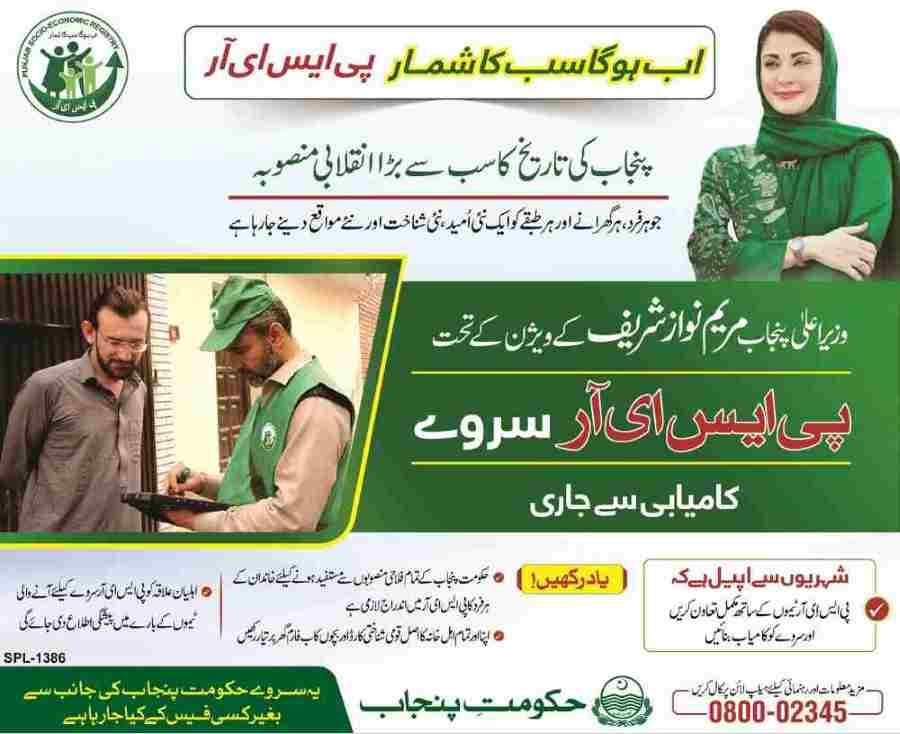
Table of Contents
What Is PSER Punjab and Why Does Registration Matter?
The Punjab Socio-Economic Registry represents the provincial government’s most ambitious data collection initiative, designed to create a comprehensive digital profile of every household across Punjab’s 36 districts.
PSER Punjab registration is the process of enrolling your household into this centralized database. The registry captures detailed information about family composition, education levels, employment status, housing conditions, asset ownership, and consumption patterns. This data is then processed through statistical algorithms to generate a Proxy Means Test (PMT) score—a precise measurement of household economic status that determines eligibility for government assistance.
Registration matters because it serves as the gateway to all major Punjab government welfare initiatives. Without a verified PSER record, families cannot apply for:
- CM Maryam Nawaz Solar Panel Scheme
- Himmat Card for persons with disabilities
- Nigahban Rashan Program (Ramzan and regular ration packages)
- Educational scholarships and stipends
- Health insurance coverage
- Housing assistance programs
- Interest-free loan schemes
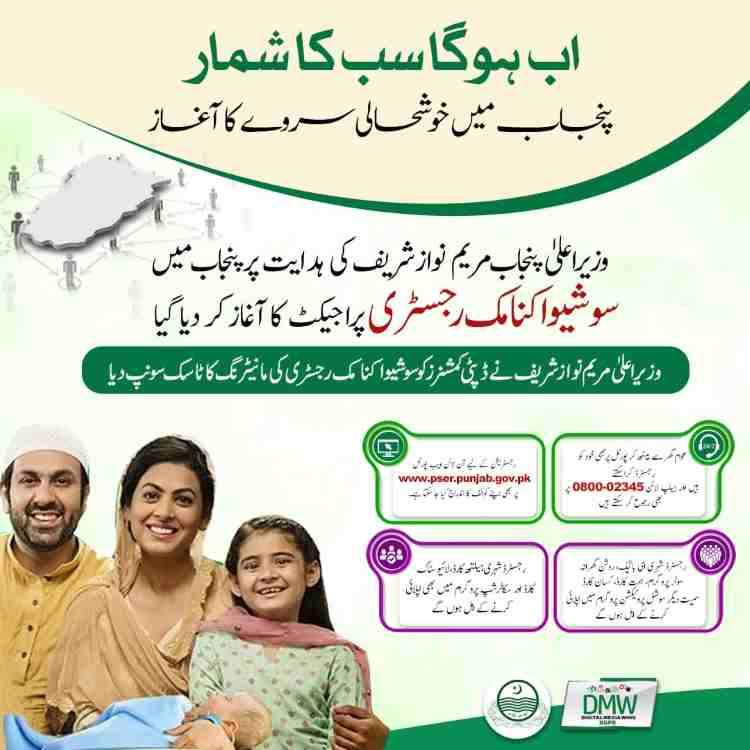
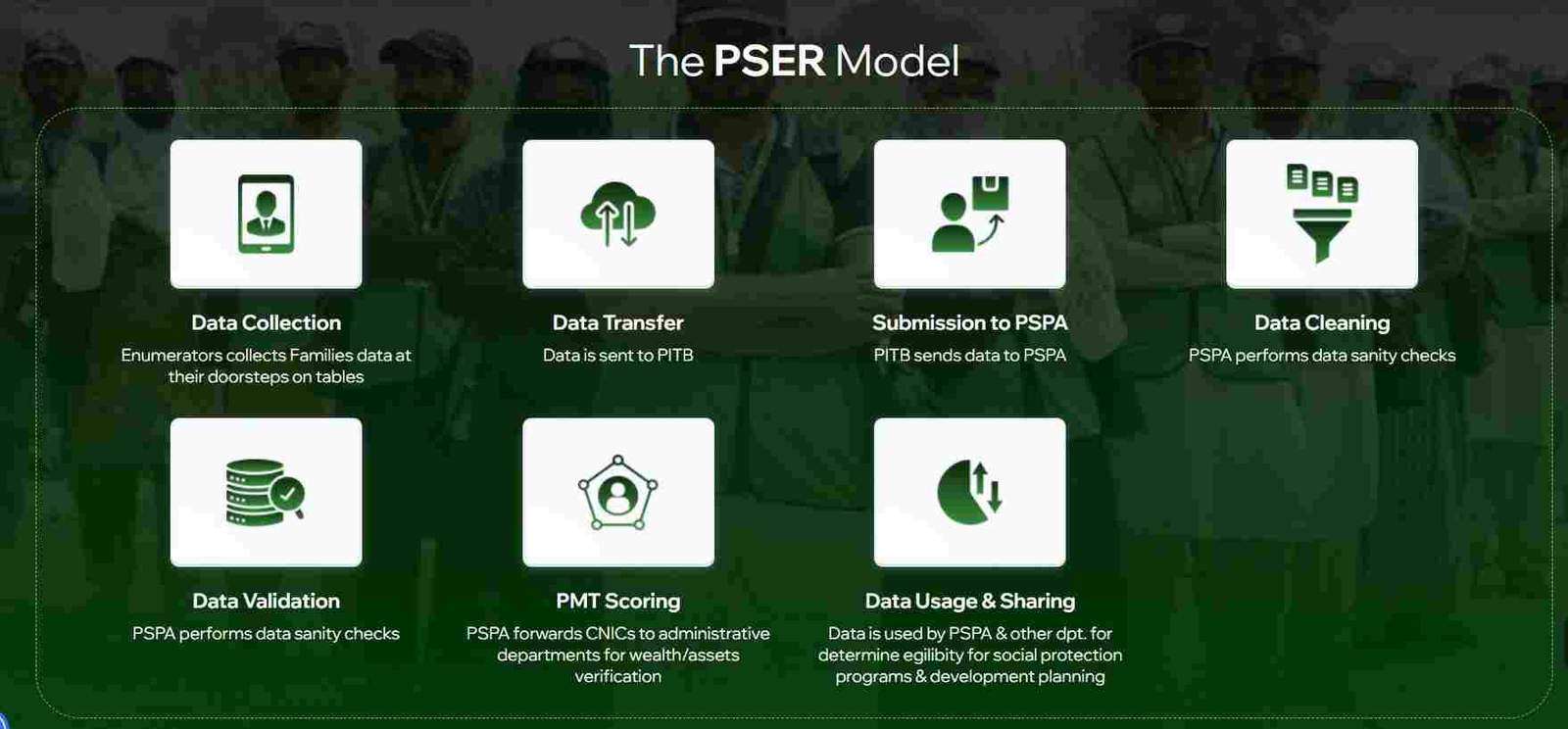
The registry is implemented through a collaborative framework involving multiple government entities. The Planning and Development Board provides strategic oversight, the Punjab Social Protection Authority executes the survey operations, the Punjab Information Technology Board manages the digital infrastructure, and the Urban Unit contributes technical expertise for geographic mapping and data verification.
How PSER Differs from Previous Welfare Targeting Systems
Before PSER, Punjab relied on fragmented, paper-based records maintained by different departments. A family might qualify for one program but remain invisible to another because no centralized data existed. PSER eliminates this fragmentation by creating a single source of truth that all government departments can access.
Key differences from older systems include:
- Dynamic updating: Older records became outdated within years; PSER allows real-time updates
- Cross-departmental access: Multiple agencies can access the same verified data
- Statistical targeting: PMT scores replace subjective assessments by local officials
- Citizen self-service: Families can register themselves without waiting for survey teams
- Transparency: Applicants can view their own scores and eligibility status
The Technology Behind PSER Data Collection
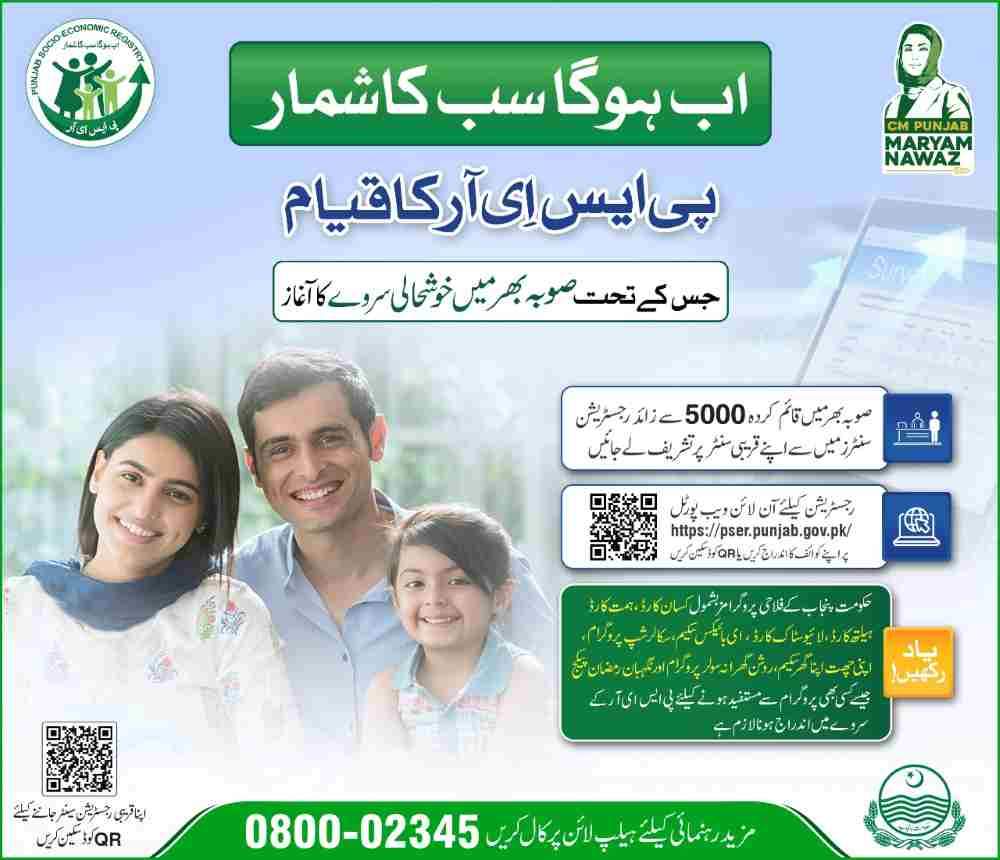
The PSER system uses tablet-based data collection for door-to-door surveys, ensuring accuracy and reducing data entry errors. Online and mobile app registrations use the same digital forms, with built-in validation checks that flag inconsistencies before submission.
Data security measures include:
- Encryption of personal information during transmission
- Role-based access controls for government officials
- Audit trails tracking who views or modifies records
- Regular security audits by the Punjab Information Technology Board
Why Every Punjab Household Must Complete PSER Registration
The question is no longer whether to register for PSER, but how quickly you can complete the process. The registry has become mandatory for accessing government services, and unregistered families find themselves excluded from programs they might desperately need.
The Consequences of Delaying or Skipping Registration
Families without PSER records face multiple disadvantages:
- Ineligibility for emergency relief: When natural disasters strike or during economic crises, aid distribution relies entirely on PSER data
- Missed scheme deadlines: Many programs have registration cutoffs; late registrants must wait for the next cycle
- No avenue for appeals: Without a record, there is no basis to contest eligibility decisions
- Loss of continuity: Children in unregistered families may miss educational scholarships or health coverage
How PSER Registration Protects Your Rights
A verified PSER record creates a formal relationship between your family and the government’s welfare apparatus. You gain:
- Official recognition: Your household exists in the government’s official database
- Grievance rights: You can challenge eligibility decisions through official channels
- Notification of opportunities: The government can contact you directly when new schemes launch
- Evidence of status: Your PMT score serves as official documentation of your economic circumstances
The Scale of PSER Implementation Across Punjab
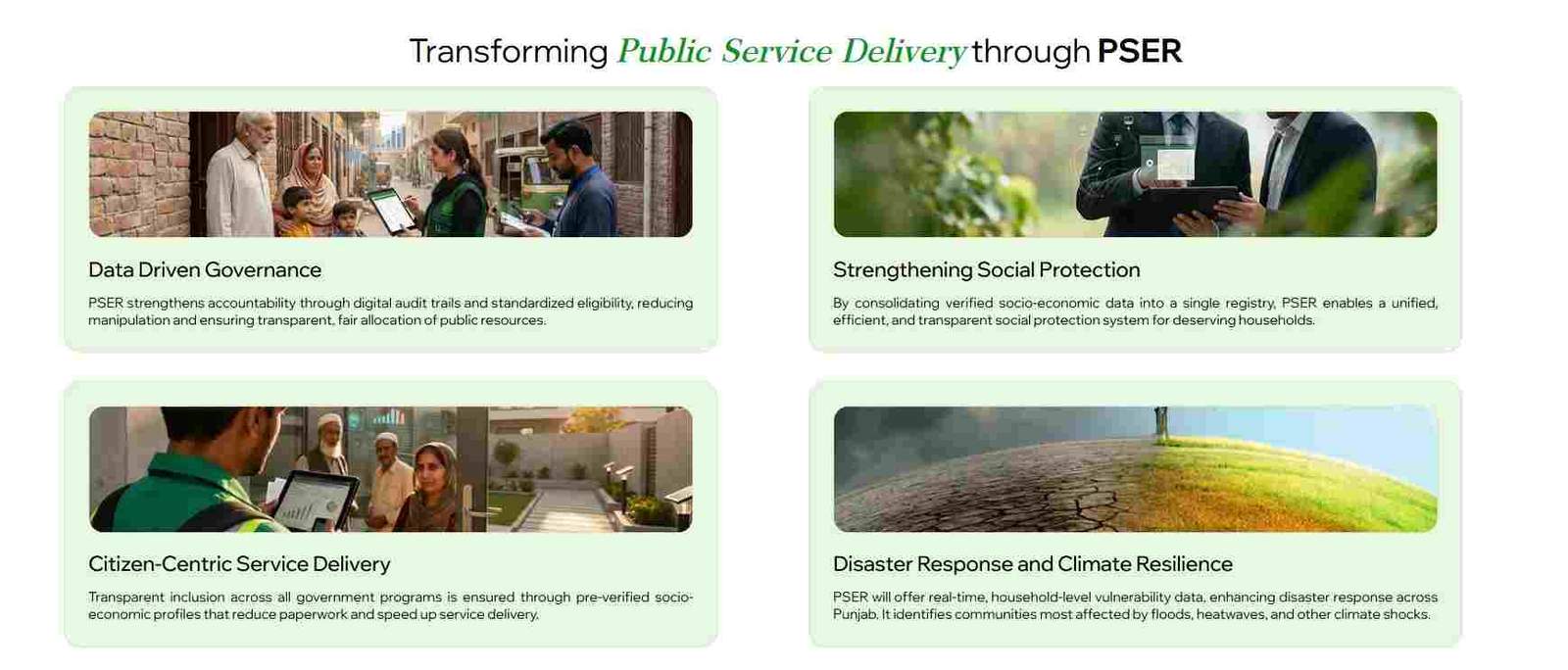
The government has deployed extensive resources to ensure universal coverage:
- 5,000+ registration centers operating in union councils, tehsil complexes, and public buildings
- Dedicated mobile survey teams visiting every household in remote areas
- 24/7 helpline support for technical assistance
- Community awareness campaigns in rural and urban areas
- Special outreach for persons with disabilities and elderly citizens
How to Register for PSER Punjab Online: Complete Step-by-Step Process
The online registration portal at pser.punjab.gov.pk offers the most convenient pathway to create your PSER record. The process requires approximately 20-30 minutes and can be completed from any device with internet access.
Accessing the Official PSER Portal
Before starting, verify you are on the correct website. Look for these authenticity markers:
- URL begins with
https://pser.punjab.gov.pk - Government of Punjab logo displayed prominently
- No requests for payment at any stage
- Contact information including official helpline number
If you encounter websites with similar names asking for fees, close them immediately and report to the helpline.
Account Creation and Initial Verification
The registration process begins with creating your account:
Step 1: Provide Basic Identification
- Enter your 13-digit CNIC number without spaces or dashes
- Enter your full name exactly as it appears on your CNIC
- Provide a valid mobile number registered in your name with NADRA
- Create a password following the portal’s security requirements (minimum 8 characters, including numbers and letters)
Step 2: Mobile Number Verification
- An OTP (One-Time Password) is sent to your mobile number
- Enter the OTP within 3 minutes
- If OTP does not arrive, wait 2 minutes and request resend
- After 3 failed attempts, the system locks for 30 minutes
Step 3: Account Activation
- Once OTP is verified, your account is created
- You receive a confirmation screen with your application ID
- Save this ID for future reference
Completing the Household Survey
After account creation, you must complete the comprehensive household survey. Answer every question carefully—your PMT score depends on accurate responses.
Section 1: Head of Family Information
- Confirm the head of family is the primary decision-maker or main earner
- Provide CNIC, date of birth, and relationship to other members
- For deceased heads of family, update records through a center rather than starting new registration
Section 2: Family Composition
- List every person who sleeps, eats, and lives in the household for at least 6 months per year
- For each member, record:
- Full legal name
- CNIC (adults) or B-Form number (children under 18)
- Date of birth
- Gender
- Marital status
- Relationship to head
- Students living away for education but maintaining family ties should still be included
Section 3: Health and Disability Status
- Indicate if any family member has a chronic disease (diabetes, hypertension, heart disease, kidney disease, cancer)
- For disabilities, select the specific type:
- Physical mobility impairment (upper or lower limb)
- Visual impairment (partial or complete blindness)
- Hearing impairment
- Speech impairment
- Intellectual or developmental disability
- Multiple disabilities
- This section directly determines eligibility for the Himmat Card
Section 4: Educational Attainment
- For each member aged 10 years or older, record highest educational level achieved:
- No formal education (cannot read or write)
- Informal education (can read but no certificate)
- Primary (Class 1-5)
- Middle (Class 6-8)
- Matriculation (Class 9-10)
- Intermediate (Class 11-12)
- Bachelor’s degree
- Master’s degree or higher
- If education was interrupted, indicate the reason (financial constraints, marriage, employment, etc.)
Section 5: Employment and Income
- For each working family member, specify:
- Employment type: government employee, private employee, self-employed, daily wage laborer, agricultural worker, pensioner, unemployed
- Main source of income: salary, business profits, agricultural income, remittances, rental income, pension
- Average monthly income from all sources combined
- Bank account details if available (for potential direct transfers)
Section 6: Contact Information
- Provide two active mobile numbers with network names (Jazz, Zong, Ufone, Telenor)
- Ensure both numbers are registered with NADRA against your CNIC
- Failure to maintain these numbers may result in missed notifications
Section 7: Current and Permanent Address
- Select province (Punjab for all registrations)
- Choose division, district, tehsil, union council from dropdown menus
- Specify urban or rural classification
- Enter detailed address including street name, house number, and nearby landmarks
- For permanent address, repeat the process if different from current
Section 8: Asset Declaration (PMT Score Determinants)
This section carries the heaviest weight in PMT calculation. Provide honest, verifiable answers.
Housing Structure:
- Ownership status: owned outright, owned with mortgage, rented, rent-free
- Construction material for walls: baked brick, stone, unbaked brick, mud, wood
- Roof material: reinforced concrete, iron sheets, wood, mud
- Number of rooms used for sleeping
- Residential condition: good, average, dilapidated, under construction
Utility Access:
- Cooking fuel: natural gas (piped), LPG cylinder, wood, kerosene, agricultural waste
- Toilet facility: flush toilet (private), flush toilet (shared), pit latrine, none
- Drinking water source: piped into dwelling, piped into yard, hand pump, well, tanker
- Electricity connection: own meter, shared meter, illegal connection
- Solid waste disposal: municipal collection, open dumping, burning
Livestock Ownership:
- For each animal type, record count:
- Cows and buffaloes (adult)
- Goats and sheep
- Poultry (hens, chickens)
- Horses, donkeys, camels
- Other livestock
Agricultural Land:
- Total land owned in acres or kanals
- Irrigated vs. rain-fed land
- Land used for cultivation vs. fallow
Transport Assets:
- Vehicles owned: car, motorcycle, tractor, rickshaw, van, truck
- For each vehicle, specify type, model year, and whether used for personal or commercial purposes
Section 9: Agricultural Operations (If Applicable)
- For families involved in farming, indicate:
- Cultivation type: own cultivator, contract cultivator, shared cultivator
- Size of cultivated land in acres
- Major crops grown (wheat, rice, cotton, sugarcane, etc.)
- Agricultural machinery owned (tractor, thresher, water pump, etc.)
Section 10: Miscellaneous Indicators
- Government transfers: any family member receiving BISP, Zakat, pension, or other assistance
- Child mortality: any death of a child under 5 years in the past year
- Technology access: mobile phone ownership, internet access, television
- Disaster impact: affected by flood, drought, earthquake, or other disasters in past 5 years
Final Submission and Confirmation
After completing all sections:
- Review every entry for accuracy
- Read the declaration stating that false information constitutes fraud
- Click Submit
- Save the confirmation page or reference number
- You will receive an SMS confirming receipt of your application
Common Online Registration Mistakes to Avoid
Many applicants face delays or rejections due to avoidable errors:
Incorrect CNIC Data
- Using expired or blocked CNICs
- Entering CNIC numbers with spaces or dashes
- Name mismatch between CNIC and application
Missing Family Members
- Forgetting to include adult children
- Excluding elderly parents living in the household
- Not listing divorced or widowed daughters residing at home
Inconsistent Asset Reporting
- Claiming no vehicle when electricity bills show consumption patterns of vehicle-owning households
- Reporting no agricultural land when land records indicate ownership
- Listing rented housing but claiming ownership in other sections
Contact Information Errors
- Providing mobile numbers not registered with NADRA
- Using numbers belonging to neighbors or relatives
- Entering incorrect network information
How to Check PSER Eligibility and PMT Score
After registration completion and verification, you can check your eligibility status and PMT score through multiple channels.
Online Eligibility Check Process
Accessing your PSER record online:
- Navigate to
pser.punjab.gov.pk - Click “Check Eligibility” or “Check Status”
- Enter your CNIC number (13 digits, no spaces)
- Enter the verification code displayed
- Click Submit
Your dashboard displays:
- Registration status: Draft, Submitted, Under Verification, Verified, Rejected
- PMT score: Numerical value between 0-100
- Scheme eligibility: Active programs for which you qualify
- Application history: Dates of submission, updates, and verification
Understanding Your PMT Score
The Proxy Means Test (PMT) score is calculated using a complex statistical model that weights various household characteristics:
Primary Weight Factors:
- Housing quality and materials (20-25% of score)
- Asset ownership (20-25% of score)
- Education levels of adult members (15-20% of score)
- Employment status and income (15-20% of score)
- Utility access (10-15% of score)
Score Interpretation:
- 0-30: Extremely poor—eligible for all need-based programs
- 31-40: Poor—eligible for most programs with higher cutoffs
- 41-50: Vulnerable—may qualify for some programs
- 51-60: Lower middle class—limited eligibility
- 61-100: Middle to upper class—ineligible for poverty-targeted schemes
Why Your PMT Score Matters for Specific Schemes
Different government programs use different PMT cutoffs based on their target populations:
CM Solar Panel Scheme:
- Cutoff: PMT below 35
- Additional criteria: Own home, roof suitable for panels, no prior solar installation
Himmat Card:
- Cutoff: PMT below 45 for persons with disabilities
- Additional criteria: Disability certification, disability type
Nigahban Rashan Program:
- Cutoff: PMT below 32
- Additional criteria: Family size, presence of children under 5 or elderly members
Educational Scholarships:
- Cutoff: Varies by education level and institution
- Additional criteria: Enrollment verification, academic performance
PSER Eligibility for Major Government Schemes
Understanding how PSER connects to specific programs helps you target your registration effort appropriately.
CM Maryam Nawaz Solar Panel Scheme
This flagship program provides free solar systems to eligible households. PSER serves as the primary identification tool.
How PSER Enables Solar Scheme Participation:
- PMT score determines eligibility before technical criteria are considered
- PSER data confirms home ownership and roof suitability
- Verified PSER records reduce fraud by confirming applicant identity
Application Process:
- Complete PSER registration with accurate PMT data
- Wait for SMS notification if selected based on PMT score
- Apply through the solar scheme portal when applications open
- Submit additional documents (electricity bills, property ownership proof)
- Await technical survey and installation
Himmat Card for Persons with Disabilities
The Himmat Card provides monthly stipends and assistive devices to persons with disabilities.
PSER’s Role in Himmat Card Distribution:
- Disability status recorded in PSER automatically flags applicants for consideration
- PMT score determines stipend amount (lower scores receive higher amounts)
- Verified PSER records eliminate need for separate applications
Optimizing Himmat Card Eligibility:
- Ensure accurate disability reporting in health status section
- Obtain formal disability certification from authorized medical boards
- Visit PSER center to have disability information validated
- Update records if disability type or severity changes
Nigahban Rashan Program (Ramzan Package and Regular Ration)
This program provides free or subsidized food items to poor households.
PSER Integration:
- Automatic inclusion for households with PMT scores below program cutoff
- No separate application required
- Distribution notifications sent to registered mobile numbers
- Ration pickup points assigned based on PSER address data
Program Variations:
- Ramzan Package: Enhanced ration during the holy month
- Regular ration: Monthly or quarterly distribution for the poorest households
- Targeted supplement: Additional items for households with pregnant women or malnourished children
Educational Support Programs
Several educational initiatives use PSER data for targeting:
School Stipends:
- Monthly cash transfers to families with school-aged children
- PSER data verifies household economic status
- Additional verification of school enrollment required
Higher Education Scholarships:
- PSER scores used as part of eligibility criteria
- Combined with academic merit evaluation
- Available for university and technical college students
Free Textbooks and Uniforms:
- Automatic distribution through schools
- PSER data used for school-level targeting
- No separate application required
Troubleshooting Common PSER Registration Issues
Despite careful application, many users encounter problems. Here are solutions to the most frequent issues.
OTP Not Received During Registration
This is the most common technical complaint. Steps to resolve:
Immediate Actions:
- Verify the mobile number is correct and matches NADRA records
- Ensure the number is active and has network coverage
- Wait 3 minutes and request OTP resend
- Try requesting during off-peak hours (morning or late evening)
Persistent Issues:
- If OTP fails after 5 attempts, the system may lock your CNIC for 24 hours
- Visit a PSER center for manual registration
- Use a different mobile number registered to the same CNIC
- Contact helpline for technical assistance
Application Rejected After Submission
Rejection usually occurs within 14 days of submission. Common rejection reasons:
Data Verification Failure:
- CNIC expired or blocked at NADRA
- Family member CNICs do not match provided names
- B-Form numbers invalid or belonging to different family
Asset Declaration Mismatch:
- Reported no vehicle but utility consumption patterns indicate ownership
- Reported no land but revenue records show ownership
- Income declaration inconsistent with employment type
Missing Information:
- Incomplete family composition (missing spouse, children)
- Critical sections left blank
- Contact information incomplete
Resolution Process:
- Log in to PSER account to view specific rejection reason
- Gather original documents (CNICs, B-Forms, property documents, income proof)
- Visit nearest PSER center with documentation
- Request correction and resubmission
- Follow up after 7 days to confirm verification
Status Stuck in Verification for Extended Period
If your application remains “Under Verification” for more than 30 days:
- Data may require manual verification by survey teams
- Cross-departmental verification may be delayed
- Technical issues may have affected processing
- Visit PSER center to inquire about status
- Ensure no duplicate applications exist
Cannot Update Information After Registration
If the online update option is unavailable:
- Visit PSER center with original documents
- Request official update through authorized staff
- Provide proof of changes (new CNIC for marriage, death certificate for deceased family member, disability certificate for newly diagnosed conditions)
- Obtain acknowledgment of update request
Mobile Number Changed After Registration
To update your contact number:
- Online: If logged in, check for profile update option
- Via center: Visit with CNIC and proof of new number ownership
- Helpline: Call with CNIC and verification details
- Ensure both old and new numbers are accessible for verification
Frequently Asked Questions
1. What is the PSER Punjab registration and why is it necessary?
PSER Punjab registration is the process of enrolling your household in the provincial socio-economic database. It is necessary because all major government welfare programs including solar panels, ration support, and disability assistance now use PSER data to determine eligibility.
2. How can I register online for PSER Punjab?
Visit pser.punjab.gov.pk, click Register, enter your CNIC and mobile number, verify OTP, then complete the comprehensive household survey covering family members, assets, income, and other socio-economic indicators.
3. What documents are required for PSER registration?
You need CNIC for all adult family members, B-Form for children under 18, proof of residence (utility bill or property document), disability certificates if applicable, and any income or asset documentation for verification purposes.
4. Is there a fee for PSER Punjab registration?
No. PSER registration is completely free. The government does not charge any fees for online registration, center-based registration, or door-to-door surveys. Report anyone demanding payment to the PSER helpline.
5. How do I check my PMT score on the PSER portal?
Log in to pser.punjab.gov.pk, click “Check Eligibility” or “Check Status,” enter your CNIC, and your dashboard will display your PMT score, registration status, and scheme eligibility.
6. How does PSER determine my eligibility for government schemes?
PSER calculates a Proxy Means Test (PMT) score based on your household data including housing quality, asset ownership, education levels, and income. Each government scheme sets a PMT cutoff, and households below that cutoff qualify for the program.
7. What should I do if my PSER application is rejected?
Check the rejection reason on your PSER dashboard, gather original documents supporting correct information, visit the nearest PSER registration center, request correction and resubmission, and follow up after 7 days.
Disclaimer
This guide provides general information about PSER registration and eligibility based on official program guidelines. Government policies, scheme details, and PMT cutoffs may change over time. Always verify current requirements through the official PSER portal or helpline before making decisions based on this information.

Add a Comment