
Waiting for your Kisan Card approval can be stressful, especially when you need funds for the upcoming sowing season. The Kisan Card check online system, integrated with the 8171 Kisan Card portal, allows you to instantly verify your application status, loan balance, and eligibility using only your CNIC number.
Key Takeaways
- Loan Limit Doubled: Phase 3 increases the maximum interest-free loan from Rs. 150,000 to Rs. 300,000 per farmer per season.
- 8171 Portal: The 8171 web platform lets you check Kisan Card status, BISP payments, and other government welfare programs in one place.
- Two Check Methods: Use SMS (send CNIC to 8070) for a quick status update, or the 8171 portal for detailed information.
- Phase 3 Rewards: Farmers with clean repayment records can win tractors, Umrah tickets, and cashback through the new lucky draw system.
Read More:
- CM Punjab Livestock Card Scheme (Register & Apply)
- Himmat Card Registration: (By CM Punjab Maryam Nawaz)
- CM Internship Program Apply Online (by CM Punjab)
Kisan Card Registration Check | 8070 Kisan Card Apply Online

Table of Contents
8171 Kisan Card Portal and Its Purpose

The 8171 Kisan Card portal is a digital gateway created by the Government of Pakistan to help farmers and other citizens check their eligibility and payment status for multiple social welfare initiatives. For the Kisan Card specifically, this portal connects directly to the databases of NADRA, PLRA, and the Bank of Punjab.
What Makes the 8171 Portal Different from Other Status Check Systems

Unlike standalone mobile apps or helplines, the 8171 portal aggregates data from various government programs. When you enter your CNIC, the system queries:
- Kisan Card registration status from the Punjab Agriculture Department.
- Loan approval and disbursement details from the Bank of Punjab.
- Land verification status from the PLRA database.
- SIM ownership confirmation from the PMD system.
Why Farmers Should Use the 8171 Portal for Kisan Card Checks
The portal offers several advantages over traditional methods:
- 24/7 Availability: Check your status any time of day or night, even on holidays.
- No Need to Visit Offices: Avoid long queues at agriculture department offices or bank branches.
- Detailed Information: Get not just status but also reasons for rejection and next steps.
- Language Options: Available in both Urdu and English for wider accessibility.
Kisan Card Check Online: Two Reliable Methods

Farmers can check their Kisan Card application and loan status using either the SMS method (8070) or the online 8171 portal. Both methods are free and provide instant results.
Method 1: Using the 8171 Web Portal (Detailed Online Check)
Follow these steps to perform a comprehensive Kisan Card check online through the 8171 portal:
- Step 1 – Access the Portal: Open any web browser on your smartphone, tablet, or computer.
- Step 2 – Navigate to the Correct URL: Type the official 8171 web address or search “8171 Kisan Card” on Google.
- Step 3 – Find the Kisan Card Section: Look for a tab or button labeled “Kisan Card Status” or “Agricultural Schemes.”
- Step 4 – Enter Your CNIC: Input your 13-digit CNIC number without any spaces or dashes.
- Step 5 – Provide Your Mobile Number: Use the same mobile number you registered during application.
- Step 6 – Complete the Security Check: Type the characters shown in the CAPTCHA image.
- Step 7 – Submit and View Results: Click “Submit” or “Check Status” to see your current application status.
- Step 8 – Read the Detailed Response: The portal will display approval status, loan amount, balance, and any pending verification steps.
Method 2: SMS Status Check via 8070 (Fast and Offline)

For farmers without internet access, the SMS method is the fastest way to get a Kisan Card status update.
- Step 1 – Open SMS App: Go to the messaging application on your mobile phone.
- Step 2 – Type Your CNIC: Enter your 13-digit CNIC number without any dashes or spaces.
- Step 3 – Send to 8070: Send the message to the shortcode 8070.
- Step 4 – Wait for Response: Within 1-2 minutes, you will receive an automated reply.
- Step 5 – Interpret the Reply: The message will clearly state whether your application is approved, pending, under verification, or rejected.
Decoding the SMS Response Messages

When you send your CNIC to 8070, you may receive one of these replies:
| SMS Response | Meaning | Required Action |
|---|---|---|
| “Approved – Card Ready at BOP” | Your application is fully approved and your card is ready for collection. | Visit your nearest Bank of Punjab branch with CNIC. |
| “Under Verification – PLRA Check” | Your land records are being verified. | No action needed; wait 3-5 days. |
| “Verification Failed – SIM Mismatch” | The SIM you used is not registered in your name. | Get SIM ownership transferred to your CNIC. |
| “Rejected – Land Record Not Found” | Your land is not digitized in PLRA. | Visit PLRA office to digitize your land record. |
| “No Record Found” | You have not applied for the Kisan Card. | Send “PKC space CNIC” to 8070 to apply. |
Who Can Check Their Status on the 8171 Portal?

Any farmer who has applied for the Punjab Kisan Card can check their status using the 8171 portal or SMS to 8070. Even farmers who have not yet applied can use the portal to verify their eligibility before registering.
Eligibility Prerequisites for Status Check
Before you can successfully check your Kisan Card status, ensure you meet these requirements:
- You Must Have Applied: Only those who have sent the registration SMS (PKC CNIC to 8070) will have a record in the system.
- Valid CNIC: Your CNIC must be current and not expired.
- Registered Mobile Number: The mobile number you use for the status check must match the one used during application.
- Active SIM: Your SIM card must be active and able to send/receive SMS.
What If You Haven’t Applied Yet?
If the system shows “No Record Found,” it means you have not registered for the Kisan Card. You can still use the 8171 portal to check your eligibility by following these steps:
- Look for an “Eligibility Check” option on the portal.
- Enter your CNIC and land record details.
- The system will tell you if you meet the criteria (land size, residency, SIM ownership).
- If eligible, proceed to register via SMS (PKC CNIC to 8070).
Kisan Card Eligibility Criteria: What the 8171 Portal Checks

When you use the 8171 portal to check your Kisan Card status, the system automatically verifies several eligibility factors. Understanding these factors helps you know why your application might be delayed or rejected.
Land Ownership and PLRA Verification
The most critical factor is your land record. The 8171 portal cross-references your CNIC with the PLRA database to confirm:
- Land Ownership: The land must be registered in your name.
- Acreage: Your total landholding must be between 1 and 12.5 acres (or up to 25 acres in Phase 3 districts).
- Digital Record: Your land must be digitized in the PLRA system. Non-computerized land will cause verification failure.
SIM Registration and PMD Database
The mobile SIM you use for the application and status check must be registered in your name. The system checks the PMD database to ensure:
- SIM Ownership: The SIM’s registered CNIC matches your application CNIC.
- Active Status: The SIM is active and not reported lost or stolen.
- Network Compatibility: All major networks (Jazz, Zong, Telenor, Ufone) are supported.
NADRA Identity Verification
Your CNIC is checked against the NADRA database for:
- Validity: The CNIC must not be expired.
- Accuracy: The name, father’s name, and address must match other records.
- Biometric Readiness: Your fingerprints must be on file for future branch verification.
Bank Defaulter Status (eCIB Check)
The 8171 portal also performs a credit check through the Electronic Credit Information Bureau (eCIB). Applicants with active loan defaults are automatically disqualified.
How to Register for the Kisan Card (If Status Shows “No Record Found”)
If your Kisan Card check online shows “No Record Found,” you need to complete the registration process first. Here are three reliable methods to register.
Registration via SMS to 8070 (Simplest Method)
- Open your messaging app.
- Type
PKCfollowed by a space, then your 13-digit CNIC number. - Example:
PKC 3520112345678 - Send this message to 8070.
- You will receive a confirmation SMS within minutes.
- Wait for subsequent messages guiding you through verification.
Registration via the 8171 Web Portal
- Visit the official 8171 portal.
- Click on “Kisan Card Registration” or “Apply Now.”
- Fill in your CNIC, mobile number, and land details.
- Verify using OTP sent to your phone.
- Upload scanned copies of your CNIC and a recent photograph.
- Submit the application and note your tracking number.
Registration at a Bank of Punjab Branch
- Visit any Bank of Punjab branch in your district.
- Bring your original CNIC and land ownership documents.
- Request a Kisan Card registration form.
- Fill out the form with assistance from bank staff.
- Complete biometric verification on the spot.
- Receive an SMS confirming your registration within 24 hours.
Kisan Card Balance Check: Monitoring Your Loan Funds
Once your Kisan Card is approved and activated, you need to track your remaining loan balance. The 8171 portal and SMS to 8070 both support balance inquiries.
Balance Check via SMS to 8070
- Type
BALfollowed by a space, then your CNIC number. - Send to 8070.
- You will receive an SMS showing your current available balance, total loan amount, and expiry date.
Balance Check via the 8171 Portal
- Log in to the 8171 portal using your CNIC and mobile number.
- Navigate to “Kisan Card Dashboard” or “Loan Details.”
- View your current balance, transaction history, and remaining loan period.
- Download a statement for your records.
Balance Check at Bank of Punjab ATMs
- Insert your Kisan Card into any BOP ATM.
- Enter your 4-digit PIN.
- Select “Balance Inquiry.”
- The screen will display your available balance.
- You can print a receipt if needed.
Phase 3 of the Kisan Card Program: New Benefits and Increased Limits
Phase 3 of the Kisan Card initiative brings significant enhancements, including a doubled loan limit, a lucky draw reward system, and expanded eligibility. The 8171 portal now reflects these Phase 3 updates.
Loan Limit Increased to Rs. 300,000
Under Phase 3, eligible farmers can now access up to Rs. 300,000 in interest-free loans per season. This is double the previous limit of Rs. 150,000.
- Per-Acre Rate: Rs. 30,000 per acre remains the standard.
- Maximum Acres Covered: Up to 10 acres in Phase 3 (compared to 5 acres in Phase 1).
- Eligibility Expansion: Farmers with up to 25 acres can now apply in select districts.
Phase 3 Lucky Draw Rewards
Farmers who maintain a clean repayment record are automatically entered into a lucky draw. Prizes include:
- New Tractors: Subsidized or fully paid tractors for top winners.
- Umrah Tickets: All-expenses-paid religious travel for two persons.
- Cashback Rewards: Up to 10% of the loan amount returned as cashback.
- Fertilizer Vouchers: Free or discounted fertilizer from registered dealers.
How to Check If You Are a Phase 3 Winner
- Use the 8171 portal and look for a “Phase 3 Winners” section.
- Enter your CNIC to see if you have won any reward.
- Winners are also notified via SMS to their registered mobile number.
- Rewards must be claimed within 30 days of notification.
Kisan Card Helpline Numbers and Support Options
If the 8171 portal or SMS method does not resolve your query, multiple helplines are available for direct assistance.
Punjab Agriculture Department Helpline
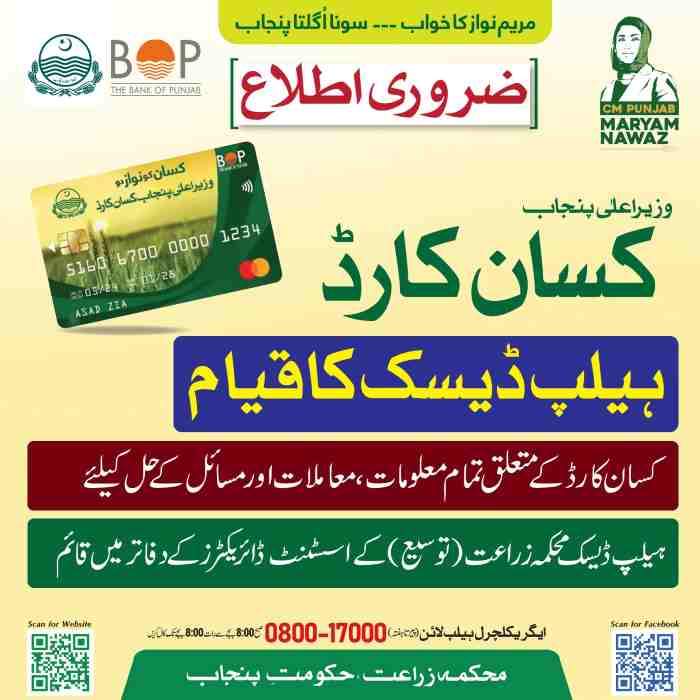
- Number: 0800-17000 (toll-free)
- Hours: 8:00 AM to 8:00 PM, seven days a week
- Languages: Urdu, Punjabi, English
- Services: Application status, eligibility questions, dealer verification, complaint registration
Bank of Punjab Kisan Card Support
- Number: 042-111-333-267
- Hours: 24 hours a day, 7 days a week
- Services: Card blocking, PIN reset, transaction disputes, ATM issues, card delivery status
PLRA Land Record Helpline
- Number: Available on the official PLRA portal
- Services: Land digitization, record correction, ownership verification
District Agriculture Office Facilitation Centers
- Location: Every district headquarters and major tehsil
- Services: In-person assistance for farmers without mobile phones or internet access
- Documents to Bring: CNIC, land record documents, mobile phone (if available)
Common Problems When Checking Kisan Card Status Online
Many farmers face issues when using the 8171 portal or SMS service. Here are the most frequent problems and their solutions.
Problem: “SMS Not Delivered” to 8070
- Possible Cause: Network congestion or insufficient balance.
- Solution: Try sending during off-peak hours (early morning or late night). Ensure your SIM has at least Rs. 1 balance (though the service is free, some networks require minimal balance).
Problem: “Invalid CNIC Format” Error
- Possible Cause: Spaces or dashes in the CNIC number.
- Solution: Enter your CNIC as a continuous 13-digit number without any spaces, dashes, or slashes.
Problem: Portal Shows “Technical Error”
- Possible Cause: High traffic or server maintenance.
- Solution: Wait 30 minutes and try again. Clear your browser cache or use a different browser.
Problem: Status Shows “Rejected” but You Believe You Are Eligible
- Possible Cause: Land record not updated, SIM not in your name, or bank default.
- Solution: Visit the PLRA office to correct land records, get SIM ownership transferred, or obtain a bank clearance certificate. Then reapply after 7 days.
Problem: You Forgot Your Registered Mobile Number
- Possible Cause: You used a different number during registration.
- Solution: Call the helpline (0800-17000) and provide your CNIC. An agent can tell you which number is registered and help update it if needed.
Frequently Asked Questions (FAQ)
Q1: How can I check my Kisan Card status online by CNIC?
Visit the official 8171 web portal, enter your 13-digit CNIC number without dashes, provide your registered mobile number, and click “Check Status.” The portal will display your application status instantly.
Q2: What is the 8171 Kisan Card portal?
The 8171 portal is a government-run website that allows citizens to check their eligibility and status for multiple welfare programs, including the Kisan Card, using their CNIC number.
Q3: How do I check my Kisan Card status via SMS?
Open your messaging app, type your 13-digit CNIC number, and send it to 8070. You will receive an automated reply with your status within 1-2 minutes.
Q4: What are the eligibility criteria for the CM Punjab Kisan Card?
You must own 1 to 12.5 acres of PLRA-verified agricultural land (or up to 25 acres in Phase 3), be a Punjab resident, have a SIM registered in your name, and not be a bank defaulter.
Q5: How much interest-free loan can I get through the Kisan Card?
Under Phase 3, eligible farmers can receive up to Rs. 300,000 per season at zero interest. The per-acre rate is Rs. 30,000.
Q6: Why is my Kisan Card application showing “Rejected”?
Common reasons include: SIM not registered in your name, land record not digitized in PLRA, CNIC errors, land exceeding the eligible limit, or active bank default.
Q7: How long does it take to receive the Kisan Card after applying?
Typically 7 to 21 working days, depending on the speed of verification through NADRA, PMD, and PLRA.
Q8: Can I check my Kisan Card balance online?
Yes. Send “BAL space CNIC” to 8070, or log into the 8171 portal to view your balance and transaction history.
Q9: What is the Kisan Card helpline number?
The Punjab Agriculture Department helpline is 0800-17000 (toll-free, 8 AM to 8 PM). The Bank of Punjab helpline is 042-111-333-267 (24/7).
Q10: What is the difference between 8070 and 8171 for Kisan Card?
8070 is the SMS shortcode for registration and status checks. 8171 is the web portal for online status checking. Both are official and can be used interchangeably.

Add a Comment